
iPhone スクリーンショット
新機能
バージョン 6.1.5 ·
Features - Rebuilt barcode scanner — scan one game at a time or batch a whole stack, with a camera picker, torch, tap-to-focus, pinch-to-zoom, and a search fallback when a box isn't recognised - Set or clear start and finish dates for several games at once — select games in your library or a list, then choose Dates from the options menu Improvements - Barcode scanning recognises far more games, using the platform, release year, and publisher printed on the box, and repeat scans are instant - Profiles, Discover, and game pages load faster - Carousels now scroll and coast freely instead of snapping between pages - Community polls show a short description explaining what each poll is about - New Re-sync Everything option in sync settings to recover a device that has fallen behind - Search now sits at the top of the sidebar Fixes - Fixed a device silently receiving no further updates from your other devices - Dragging to reorder games and lists now lands exactly where you drop them - Fixed the library and lists failing to load when grouped by release date or title - Fixed the Profile tab being unreachable on Mac - Fixed a crash when Siri or Shortcuts looked up a game from your library - Discover sections no longer disappear during a temporary server outage
開発者はこの内容を日本語化していません。
App Store の説明開発者による説明です。
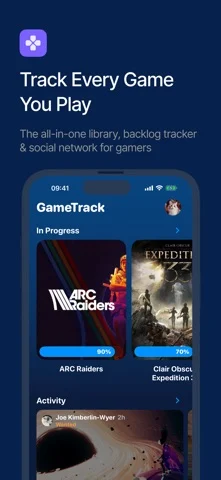
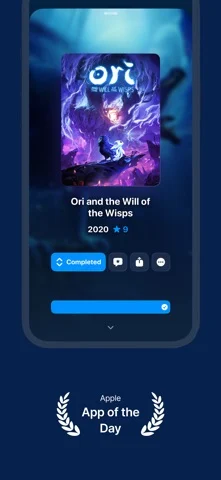
Never lose track of your games again. GameTrack helps you organise your entire game library, manage your backlog, and discover what to play next — like Letterboxd, but for games. TRACK YOUR COLLECTION • Add games from a database of 250,000+ titles across 40+ platforms • Mark games as playing, completed, backlogged, or wishlisted • Log your gaming sessions with built-in timer and Live Activities • See your stats: hours played, completion rate, and yearly progress CONNECT YOUR ACCOUNTS • Link PlayStation, Xbox, Steam, Epic Games, GOG, and RetroAchievements • Automatically import your game libraries and achievements • Track your trophies and see your completion progress DISCOVER & EXPLORE • Get personalised recommendations based on your taste • Browse critic scores, user reviews, and Time to Beat estimates • Follow upcoming releases and get notified on launch day JOIN THE COMMUNITY • Share your gaming activity with friends • Write reviews and rate games you've played • Follow other players and see what they're playing SYNC EVERYWHERE • iCloud sync across iPhone, iPad, Mac, and Apple Vision Pro • Your library is always up to date on every device GameTrack is free to download. GameTrack+ unlocks unlimited lists, advanced stats, custom themes, and more. GameTrack+ Subscription Terms Your GameTrack+ membership will automatically renew unless auto-renew is turned off at least 24 hours before the end of the current period. You can go to Settings > iTunes & App Store > Apple ID > Subscriptions to manage your membership and turn auto-renew off. Your iTunes account will be charged when the purchase is confirmed. Terms of Use (EULA): https://www.apple.com/legal/internet-services/itunes/dev/stdeula/ Privacy Policy: https://gametrack.app/privacypolicy/
iPhone Duo での GameTrack:よくある質問
GameTrack は iPhone Duo に最適化されていますか?
開発者またはストアに iPhone Duo 対応の記載があります。
GameTrack の価格は?
GameTrack は App Store で無料でダウンロードできます。
その他のエンターテインメントアプリ
すべて見る ›
心に留めた問いに、端末内に保存された答えを画面を開きながら表示します。

半分に絵の具を塗り、折ってこすり、開くと鏡像の絵が現れる。

インクを落として端末を閉じ墨跡を押し、見えたものへの文章の読み解きを得る。

スマホを折って絵の具を押し、開いて対称な版画を作る。

冷蔵庫にメモや写真、食品を置ける。

お手持ちのM3UプレイリストでIPTVチャンネルを視聴