
iPhone スクリーンショット
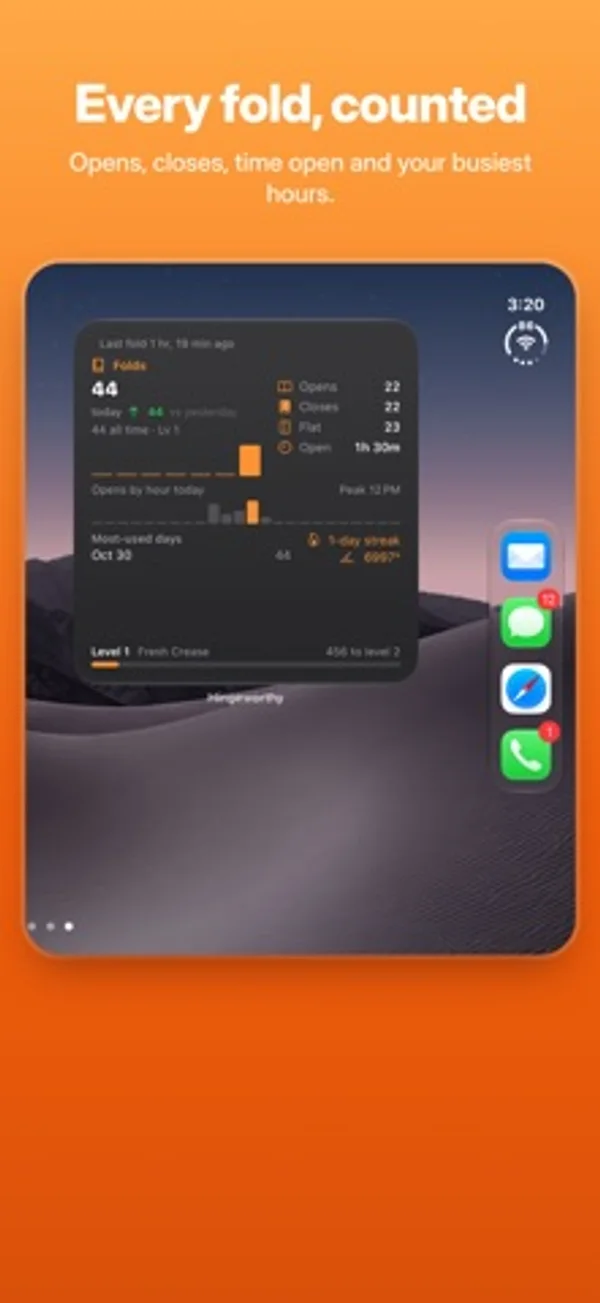
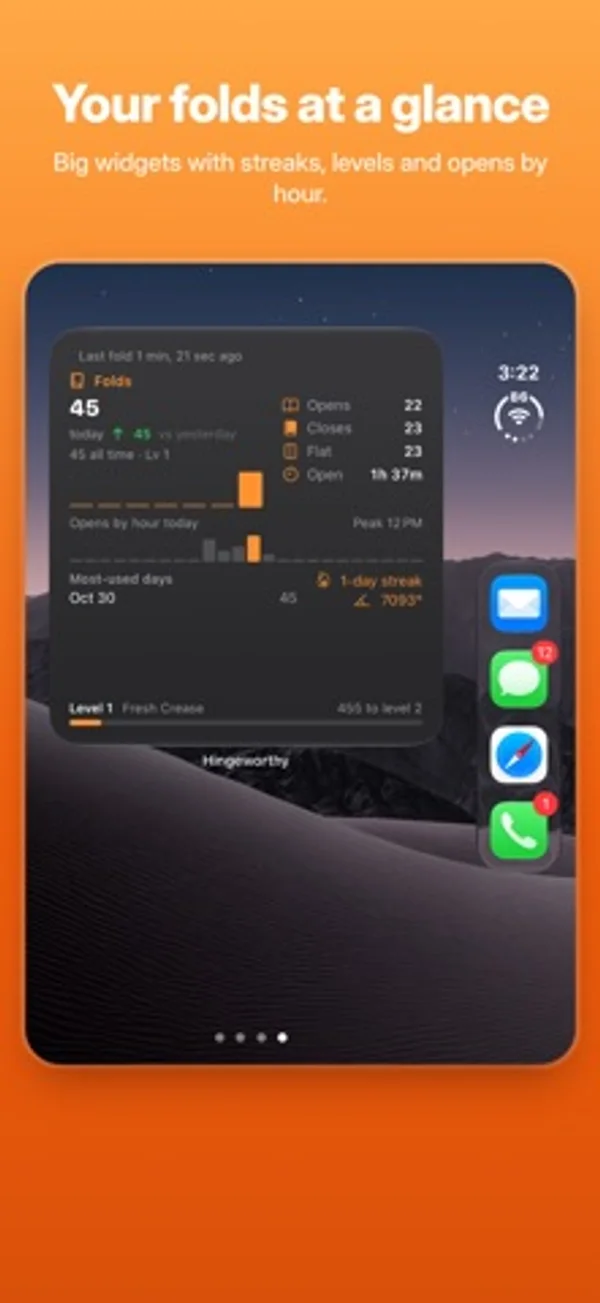
iPhone Duo での活用
ヒンジ角度と姿勢別の回数を表示します。バックグラウンドの集計には案内に従って二つのショートカット自動化を設定します。
新機能
バージョン 1.3 ·
Make your widgets match your Home Screen. • Widget backgrounds: choose Black, White, Graphite, Navy, Forest, Plum, Sand, Blush, or any color you like. • Text color: Automatic (always readable), White, Black, your widget color, or your own pick. • New Settings › Widget colors: pick custom colors with a live preview, or start from presets like Midnight, Paper, Ocean and Mint. To change a widget, touch and hold it, tap Edit Widget, and choose Background and Text. Pick "Custom" to use the colors you set in the app.
開発者はこの内容を日本語化していません。
App Store の説明開発者による説明です。
Hingeworthy counts every time you open and close your iPhone Duo. EVERY FOLD, COUNTED See today's opens and closes, your all-time total, and how often you open it flat or prop it up like a tent or laptop. LIVE HINGE ANGLE Watch exactly how far open your phone is, in degrees or as a percentage, on both the outer and inner screen. HOME SCREEN WIDGETS Small, medium and large widgets show today's folds, today vs yesterday, opens by hour, and your level. HISTORY AND LEVELS Find your busiest days and hours, keep a streak going, hit milestones, and earn a new title every 500 folds, from Fresh Crease to Hinge Legend. COUNTS IN THE BACKGROUND Set up two quick Shortcuts automations and Hingeworthy keeps counting even when the app is closed. The app walks you through it. PRIVATE BY DESIGN Everything stays on your phone. No account, no ads, no tracking. Requires iPhone Duo.
iPhone Duo での Hingeworthy : Fold Counter:よくある質問
Hingeworthy : Fold Counter は iPhone Duo に最適化されていますか?
はい。Hingeworthy : Fold Counter は「Duo 専用設計」で、折りたたみ、Split View、外側ディスプレイを活用しています。2026年11月8日 に確認(開発者の発表)。
iPhone Duo での Hingeworthy : Fold Counter はどう見えますか?
ヒンジ角度と姿勢別の回数を表示します。バックグラウンドの集計には案内に従って二つのショートカット自動化を設定します。
Hingeworthy : Fold Counter の価格は?
Hingeworthy : Fold Counter は App Store で無料でダウンロードできます。
その他のユーティリティアプリ
すべて見る ›
スマートフォンの開閉回数を記録し、推移を見ながら一日の上限を設定できます。

開閉回数や姿勢ごとの時間を記録し、センサー、推定、手動の記録を区別します。

基本・関数・プログラマー向けの計算と単位変換、履歴の再利用ができます。

端末の開閉に合わせて変わる折りたたみ角度を表示します。

角度をリアルタイムで確認し、目標角度のチャレンジを楽しめます。

解説、練習問題、模擬試験でUnixの権限を学べます。