
Twick: Watch Twitch & Kick
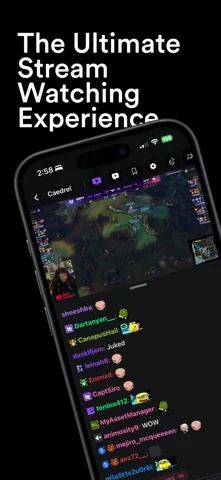
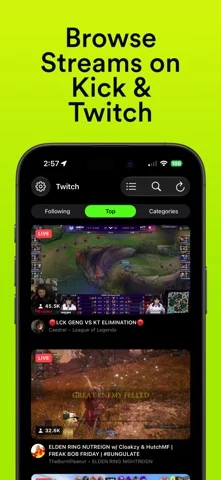
Twitch와 Kick 라이브 방송을 보고 7TV·BTTV 이모트로 채팅하며, 두 채팅을 하나로 합칠 수 있습니다.
SHUBHAM SHAH · 엔터테인먼트 · 무료
iPhone 스크린샷
새로운 기능
버전 2.1.9 ·
Twick v2.1.9 is here. This one's a big cleanup: we went through the app button by button, fixed what was broken, and made a lot of things faster and smoother along the way. Here's the breakdown: # NEW FEATURES - Past broadcasts on a streamer's page now open in Twitch. - Reload Chat actually reconnects now, and tells you when it's back. - The Chat Activity bar is always there, even when there's nothing pinned yet. - Mentions now work for every account you've linked, not just the active one. - Earn Channel Points is now on by default. # IMPROVEMENTS - Thumbnails, avatars and banners are properly cached, so lists load faster and use way less data. - Live thumbnails refresh every few minutes, so they show what's on stream right now. - Lower memory use in busy, emote-heavy chats. - New 1 GB default cache limit, and your limit now applies as soon as the app opens. - Opening Twick no longer stops your music or podcast. Audio only switches over once a stream starts. - Turning off 7TV, BTTV or FFZ emotes now hides them in the emote picker and suggestions too. - Search puts the exact name first, so typing "ibai" finds ibai. - Live Kick channels in Search show their title, viewers and uptime again. - Picking a quality in the player only changes that stream. Your defaults stay put. - Allow Explicit Content now applies to the Kick rows on Discover too. - Statistics now count time watched in Picture in Picture and in the mini player. - Pull to refresh replaces the refresh buttons on Saved, Twitch and Kick. - iPad: bigger thumbnails in list view, and grids line up with the page. - The emote detail close button gets the Liquid Glass look on iOS 26. - Lots of polish for larger text sizes, landscape on iPhone, and VoiceOver. # BUG FIXES / OTHER - Fixed the sleep timer not stopping streams opened from Discover, Twitch, Kick or Search. - Fixed iCloud Sync removing channels and accounts that were only on the device you turned it on from. - Fixed signing out of an account not reaching your other devices. - Fixed a crash on launch with iCloud Sync on and the same channel saved twice. - Fixed Spotlight, Handoff and Shortcuts sometimes opening nothing. - Fixed a widget tap opening the same channel again a few minutes later. - Fixed Twitch chat sometimes looking connected but frozen after coming back to the app. - Fixed BTTV badges not showing. - Fixed pinch to zoom not working on iOS 18, and dragging around a zoomed video resizing chat instead. - Fixed signing back into Twitch dropping Mod Mode. - Fixed your profile picture disappearing next to the chat bar on a slow connection. - Fixed the page title jumping around the first time a page loads. - Fixed categories jumping back to the top after visiting a streamer's page. - Fixed a white gap showing behind the keyboard as it closes. - Fixed emotes landing on the wrong words in /me messages. - Fixed deleted Kick messages coming back after changing chat settings. - Fixed Kick slow mode always showing 3 seconds in mod controls. - Fixed the iCloud Sync switch turning itself back on. - Fixed long-press stream previews showing up blank. - Fixed "Save Combined Stream" being invisible in light mode. - Fixed Storage › Chat Images always saying "Empty". - Stop Stream in the mini player menu is now red, like it means it. Thanks for using Twick xqcL! Join our Discord server in the app to be part of the community!
개발자가 이 내용을 한국어로 제공하지 않았습니다.
App Store 설명개발자가 작성한 내용입니다.
Watch your favorite live streams and chat on Twitch and Kick, with 7TV, BetterTTV, and FrankerFaceZ emotes. Core experience: • Advanced Emote Support - See the full picture with 7TV, BetterTTV (BTTV), and FrankerFaceZ (FFZ) emotes and badges. Twick is a featured and endorsed partner of 7TV. • Watch and Chat - Login to your Twitch and Kick accounts and watch your favorite live streams and send chat messages. • Unified Chat - Synchronize a Twitch and Kick stream by adding a combined channel and see both chats together. • Siri & Shortcuts - Start a stream, search, or set a sleep timer with your voice. • Background Playback - Keep listening from Lock Screen and Control Center, with Picture-in-Picture when you leave the app. • Shazam Integration - Find the music playing on stream with a built-in Shazam integration. • Sleep Timer - Automatically stop the stream after a set time. • Screen Time Statistics - Track which streams you watch and for how long, along with how many messages you send, with interactive charts. • Private by Design - All of your accounts, screen-time statistics, and messages are not shared with Twick or any third-party analytics. Unlock the full mobile experience with Twick Pro: • Unlimited Channels & Accounts - Save more than 3 channels and sign in with more than 2 accounts. • Apple CarPlay Support - Take the stream on the road with an interface fully optimized for your car. • iCloud Sync - Keep your followed channels, accounts, and settings in sync across iPhone, iPad, and Apple Watch. • Home Screen Widgets - Track your favorite creators at a glance without even opening the app. • Overlay & Floating Chat - Put chat over the player, or drag a free-floating window. • Chat History & Search - Load recent messages when you join, and find anything in the conversation. • Word Filtering - Hide messages that contain words or phrases you choose. • SharePlay Support - Host synchronized watch parties over FaceTime and iMessage and enjoy the hype with friends. Joining stays free. • Chat Customization - Fine-tune your experience with custom font sizes, spacing, timestamps, and emote scale. You can choose to subscribe to our auto-renewing subscriptions or a one-time lifetime option to unlock Pro features. One month, or one year. After the free trial, the full amount will be charged to your Apple Account. Subscription auto-renews unless canceled at least 24 hours before the end of the period. Your account will be charged for renewal within 24 hours before the period ends. Unused trial portions are forfeited after purchase. Offers apply only to the first billing term. Manage your subscription in Apple Account settings. Disclaimer Twick is a third-party client for Twitch and Kick and is not affiliated with, maintained by, or endorsed by Twitch Interactive, Inc. or Kick.com. Twitch® and Kick® are trademarks of their respective owners. Third-party emote support (7TV, BetterTTV, and FrankerFaceZ) is integrated to enhance the viewing experience. Twick is proud to be a featured and endorsed partner of 7TV. However, Twick is not affiliated with, maintained by, or endorsed by BetterTTV (BTTV) or FrankerFaceZ (FFZ). All trademarks, logos, and brand names are the property of their respective owners. App features and third-party integrations are subject to change based on API availability and service updates. Support & Legal We’d love your feedback to improve the app. Terms of Use: https://shubhamshah02.github.io/Twick/terms.html Privacy Policy: https://shubhamshah02.github.io/Twick/privacy.html Contact Us: shubham.shahh23@gmail.com
iPhone Duo에서의 Twick: Watch Twitch & Kick: 자주 묻는 질문
Twick: Watch Twitch & Kick은(는) iPhone Duo에 최적화되어 있나요?
네. Twick: Watch Twitch & Kick은(는) Duo 전용 설계 앱으로, 폴딩, Split View 또는 외부 디스플레이를 활용합니다. 2026년 10월 25일 확인(디렉터리 출처).
Twick: Watch Twitch & Kick의 가격은 얼마인가요?
Twick: Watch Twitch & Kick은(는) App Store에서 무료로 다운로드할 수 있습니다.
다른 엔터테인먼트 앱
모두 보기 ›
마음속 질문에 대해 기기 내 저장된 답변을 화면을 펼치며 보여줍니다.

페이지 절반에 물감을 칠하고 접어 문지른 뒤 펴면 거울처럼 대칭된 그림이 나온다.

잉크를 떨어뜨리고 폰을 접어 얼룩을 만든 뒤 보이는 것에 대한 해석을 받습니다.

휴대폰을 접어 물감을 눌러 펴면 대칭 그림이 나오는 놀이.

냉장고에 메모·사진·식료품을 배치.

내가 가진 M3U 재생목록으로 IPTV 채널을 시청하는 앱