
iPhone 截图
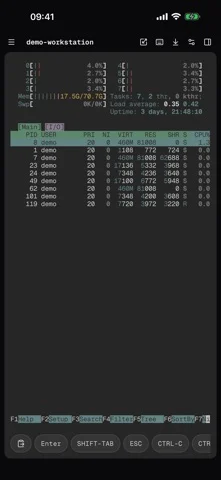
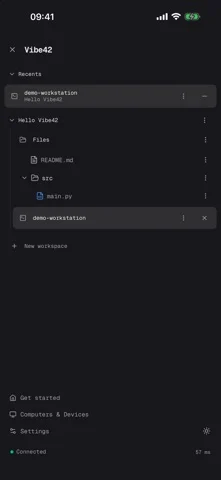
在 iPhone Duo 上的表现
来源中有 Duo 支持声明,具体折叠交互和真机表现尚未独立核验。
新功能
版本 0.12.0 ·
Bug fixes and user experience improvements.
开发者尚未提供此内容的中文版本。
App Store 简介由开发者撰写。
Vibe42 is your pocket terminal-first workspace. Connect your phone directly to your computer to run coding agents, review diffs, and control terminals on the go — zero config, zero lock-in. Pair once, and your Mac, Linux box or work desktop is a tap away: real terminals, your files, your tools - running where they belong. WHAT YOU GET - Real terminals, not a toy shell. Full PTY, 256 colours, and sessions that keep running when you close the app or lose signal. - Pick up where you left off. Sessions survive network changes, backgrounding and device switches: start on your laptop, continue on your phone. - Your files at hand. Browse, preview and edit the files on your computer. - Built for touch keyboards. A command bar, arrow and modifier keys, and gestures that make a terminal genuinely usable on a phone. - Many computers, one app. Group them into workspaces and jump between them. SECURITY - End-to-end encrypted. Traffic is encrypted between your device and your computer; our network can route packets but cannot read them. - Pairing, not passwords. Every device is authorized explicitly and can be revoked from any other device at any time. - Your work stays yours. We do not store your terminal output, your files or your commands, and we never use them to train models. HOW IT WORKS Install the free Vibe42 companion on the computer you want to reach, pair this device once, and you are connected. Direct peer-to-peer where the network allows it, relayed when it does not - the app switches automatically. Terms of Service: https://vibe42.ai/terms Privacy Policy: https://vibe42.ai/privacy
Vibe42 在 iPhone Duo 上:常见问题
Vibe42 针对 iPhone Duo 优化了吗?
开发者或商店资料已标明支持 iPhone Duo。
Vibe42 在 iPhone Duo 上是什么样子?
来源中有 Duo 支持声明,具体折叠交互和真机表现尚未独立核验。
Vibe42 多少钱?
Vibe42 可在 App Store 免费下载。
更多工具应用
查看全部 ›
实时读取手机铰链角度,内屏或外屏显示,用于角度测量与目标对齐。

用铰链测角、用屏幕边缘当尺,物理开合直接产生读数。

把手机模拟成双折钱包,展开显示卡槽、纸币和收据,物理开合对应钱包开合。

以实际铰链角度提供量角与参考工具,移动手机时可锁定读数。

内外屏提供标尺,铰链开合直接显示角度。

把手机两半贴向不同表面,通过铰链与运动传感器读取夹角和各面的水平角。