
World Clock Time Zone Widget
世界時計に名前を付け、各地の時刻とカレンダーの予定を見比べながら会議を計画できます。
Lasmit TLB Ltd · ユーティリティ · 無料
iPhone スクリーンショット
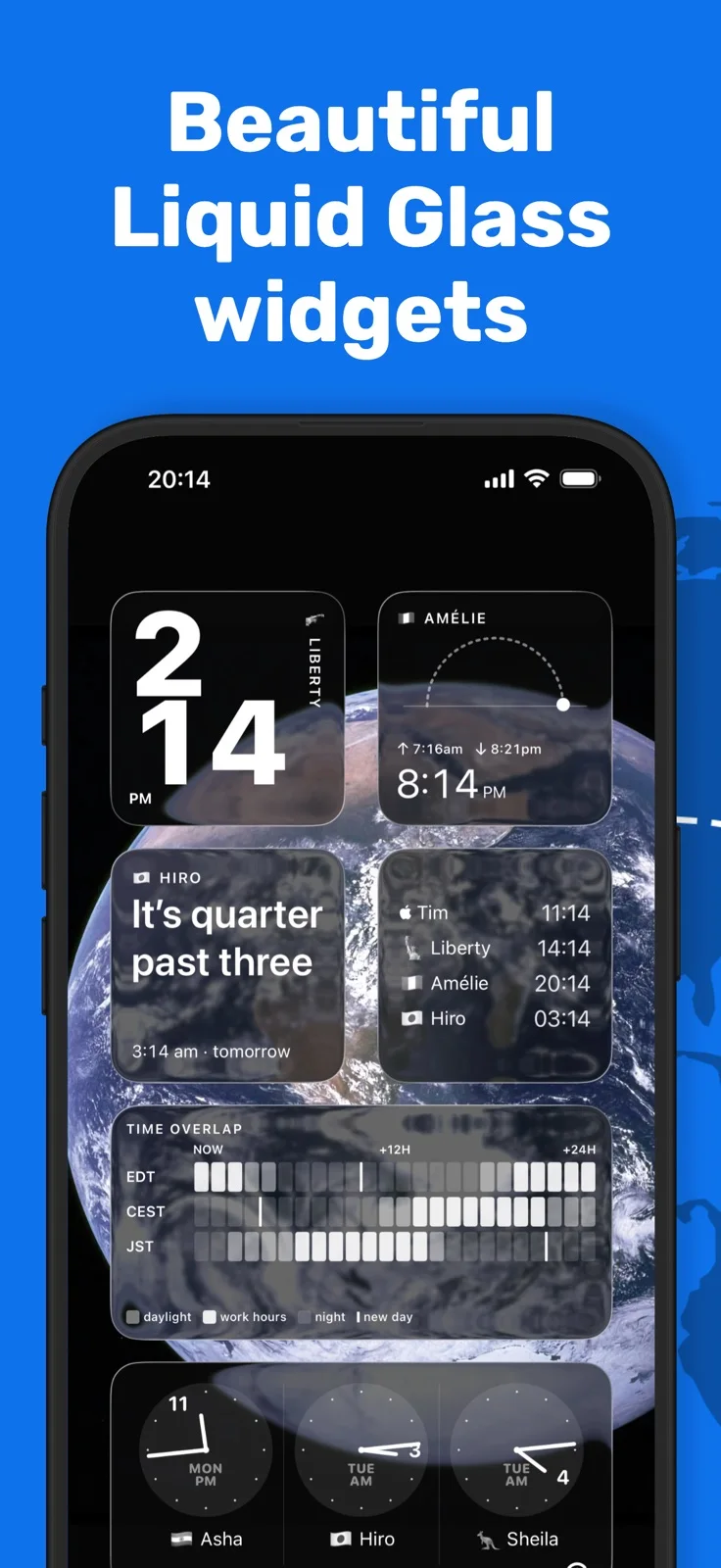
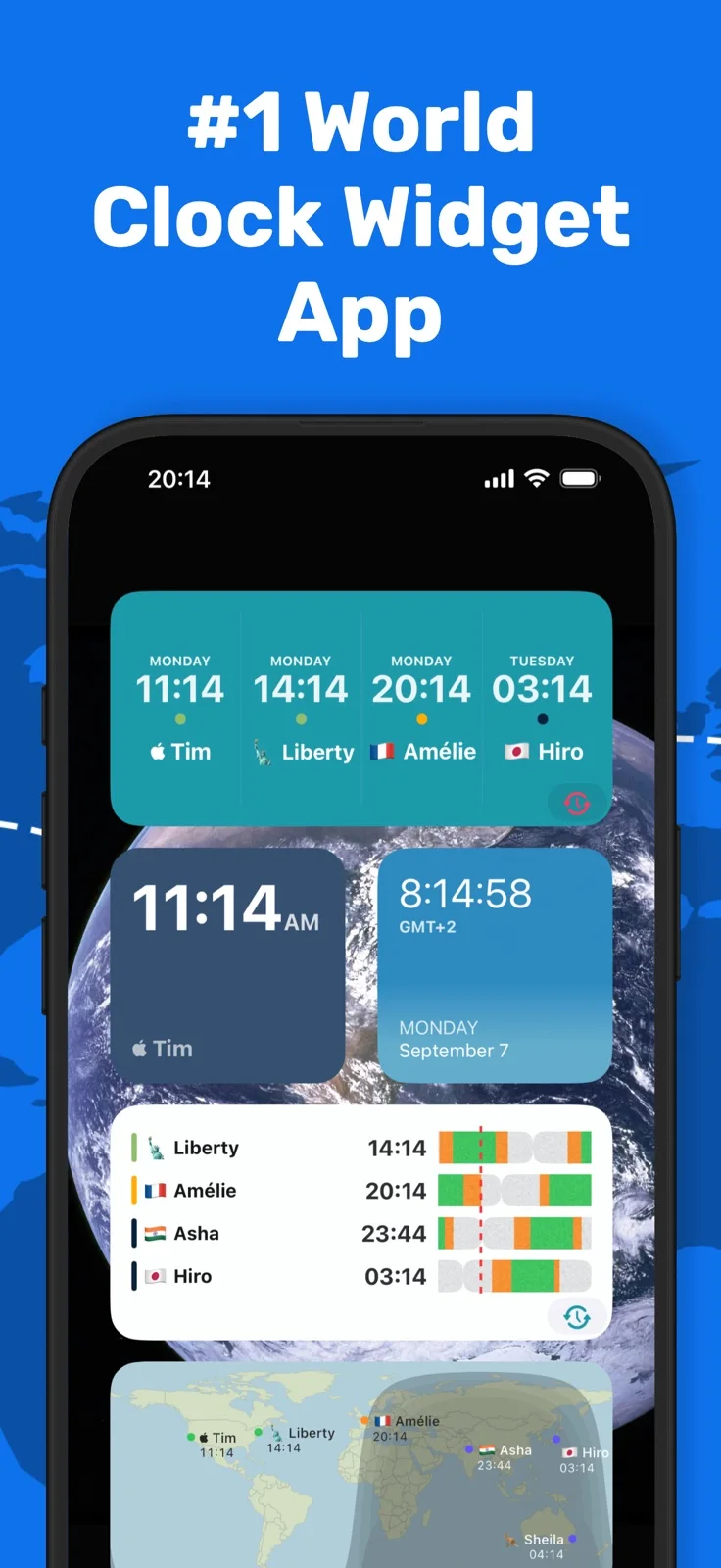
iPhone Duo での活用
Duoでは時計のサイドバーと選んだ都市の詳細を並べ、本の姿勢では折り目に沿って分割します。Make a Planは片側にカレンダー、反対側に各地の一日を表示し、会議を動かして現地時間や予定の重なりを確認できます。
新機能
バージョン 2026.14 ·
World Clock is ready for iPhone Duo. Open it up and your clocks sit in a sidebar, with the one you tap beside them: the sky over Mum in Sydney, how her day lines up with yours, and when her clocks next change. Fold it like a book and the app splits neatly at the crease, from the first setup screen onwards. Closed, it's the World Clock you know. Make a Plan, our new meeting planner, helps you find a time that suits you, Mum and the Berlin office. It's at its best on the Duo, with your calendar on one side of the fold and everyone's day on the other. Drag the meeting along and you'll see straight away whether it works for everyone, runs outside someone's working hours, or would wake somebody up, and whether it clashes with anything already in your calendar. Found a time? Add it to your calendar, set a reminder, or share it with each person's local time. Open Make a Plan from the Timezone Calculator, or tap the calendar button next to Calculator. It's part of Pro and needs iOS 26 or later. Lewis
開発者はこの内容を日本語化していません。
App Store の説明開発者による説明です。
A world clock app for the people in your life. For iPhone, iPhone Duo, iPad, Apple Watch and Mac. Whether your family is spread across countries or your team is split across time zones, World Time Widget keeps you thoughtfully in sync. Add clocks for the cities that matter, give each one a name that means something to you, and know at a glance whether it’s a good time to reach out. Over one million downloads. WORLD CLOCKS See the time in any city, instantly. Add as many clocks as you need and label them the way you actually think of them: “Mum in Sydney”, “Berlin office”, “Charlie deployed.” HOME SCREEN, LOCK SCREEN & STANDBY Your most important world times are always one glance away — no need to open the app. Widgets for every Apple surface, with up to 8 time zones on a single large widget. DAY & NIGHT STATE Every clock shows whether it’s day or night for the person on the other end. So you know before you text. MEETING PLANNER Need to find a time that works across time zones? Drag through the day to find the right slot, without the mental arithmetic. APPLE WATCH Your world clocks on your wrist. A dedicated Apple Watch app and support for multiple complications keep your times visible wherever you are. IPHONE, IPAD & APPLE WATCH Works beautifully across all your Apple devices, with your clocks syncing seamlessly via iCloud. No ads, no sign up. Just your clocks. FREQUENTLY ASKED QUESTIONS Does World Time Widget have a home screen widget? Yes. There are widgets for every Apple surface: home screen, lock screen, StandBy mode, and Apple Watch. You can show up to 8 time zones on a single large widget, so everything you need is one glance away. Can I use custom labels instead of city names? Yes. You can name any clock whatever makes sense to you. “Mum in Sydney” tells you at a glance whether it’s safe to call. “Dev team in Berlin” tells you whether they’re in the office. Your clocks, your labels. Does it work on Apple Watch? Yes. There’s a dedicated Apple Watch app plus support for multiple complications, so your world clocks are always on your wrist. Can I convert time zones and schedule meetings? Yes. The built-in meeting planner lets you drag across the day to find a time that works for everyone, across as many time zones as you need. No mental arithmetic, no switching between apps. How many cities can I add? As many as you need. You can show up to 8 time zones at once on a large widget, and you can add more clocks to the app itself. Does it handle daylight saving time automatically? Yes. World Time Widget updates automatically for daylight saving changes worldwide, so your times are always accurate. Does it work on iPad as well as iPhone? Yes. World Time Widget works across iPhone, iPad, and Apple Watch. Your clocks sync across all your devices via iCloud. What makes it different from Apple’s Clock app? Apple’s Clock app is useful, but limited. World Time Widget adds a day/night indicator for every clock so you can see at a glance who’s awake, lets you use personal labels instead of city names, and puts your world clocks on your home screen, lock screen, StandBy, and Apple Watch with far more flexibility. Apple Clock also caps out at 4 cities in a widget. World Time Widget shows up to 8. Is there a free version? World Time Widget is free to download with a premium upgrade available for additional features. Terms of service: https://world-time.app/terms.pdf Privacy policy: https://www.iubenda.com/privacy-policy/68114171
主な機能
- 名前と昼夜の表示付き世界時計
- タイムゾーンをまたぐ会議計画
- ウィジェットとApple Watchのコンプリケーション
iPhone Duo での World Clock Time Zone Widget:よくある質問
World Clock Time Zone Widget は iPhone Duo に最適化されていますか?
一部対応しています。World Clock Time Zone Widget は「画面対応済み」で、大きな内側ディスプレイいっぱいに表示されます。ただし折りたたみ専用の機能はありません。2026年10月27日 に確認(App Store の記載)。
iPhone Duo での World Clock Time Zone Widget はどう見えますか?
Duoでは時計のサイドバーと選んだ都市の詳細を並べ、本の姿勢では折り目に沿って分割します。Make a Planは片側にカレンダー、反対側に各地の一日を表示し、会議を動かして現地時間や予定の重なりを確認できます。
World Clock Time Zone Widget の価格は?
World Clock Time Zone Widget は App Store で無料でダウンロードできます。
その他のユーティリティアプリ
すべて見る ›
8種類の文字盤で時刻を確認し、タイマーの完了記録を残せる懐中時計アプリ。

iPhone Duoのヒンジで0.1°まで角度を測定し、目標・照合・水平器も使える。

iPhone Duoを留め継ぎゲージに変え、ヒンジ角度を読み取る。他のiPhoneでは水平器として使える。

iPhone Duoをカードスロットや現金、ペン、レシート付きの本物そっくりの二つ折り財布に変える。

iPhone Duoのヒンジを角度・基準ツール集に変える。他のiPhoneでは無料の気泡水平器が使える。

iPhoneを定規・分度器・水平器・直径ゲージに、iPhone Duoを折り角度を映す折り尺にする。