
World Clock Time Zone Widget
Keep named world clocks and plan meetings across time zones with calendar conflict checks.
Lasmit TLB Ltd · Utilities · Free
iPhone screenshots
How it uses iPhone Duo
On Duo, the clock sidebar sits beside the selected city's details and the layout splits at the crease in book pose. Make a Plan places the calendar on one side and everyone's day on the other, so moving a meeting reveals time-zone and calendar conflicts.
What’s New
Version 2026.14 ·
World Clock is ready for iPhone Duo. Open it up and your clocks sit in a sidebar, with the one you tap beside them: the sky over Mum in Sydney, how her day lines up with yours, and when her clocks next change. Fold it like a book and the app splits neatly at the crease, from the first setup screen onwards. Closed, it's the World Clock you know. Make a Plan, our new meeting planner, helps you find a time that suits you, Mum and the Berlin office. It's at its best on the Duo, with your calendar on one side of the fold and everyone's day on the other. Drag the meeting along and you'll see straight away whether it works for everyone, runs outside someone's working hours, or would wake somebody up, and whether it clashes with anything already in your calendar. Found a time? Add it to your calendar, set a reminder, or share it with each person's local time. Open Make a Plan from the Timezone Calculator, or tap the calendar button next to Calculator. It's part of Pro and needs iOS 26 or later. Lewis
App Store descriptionWritten by the developer.
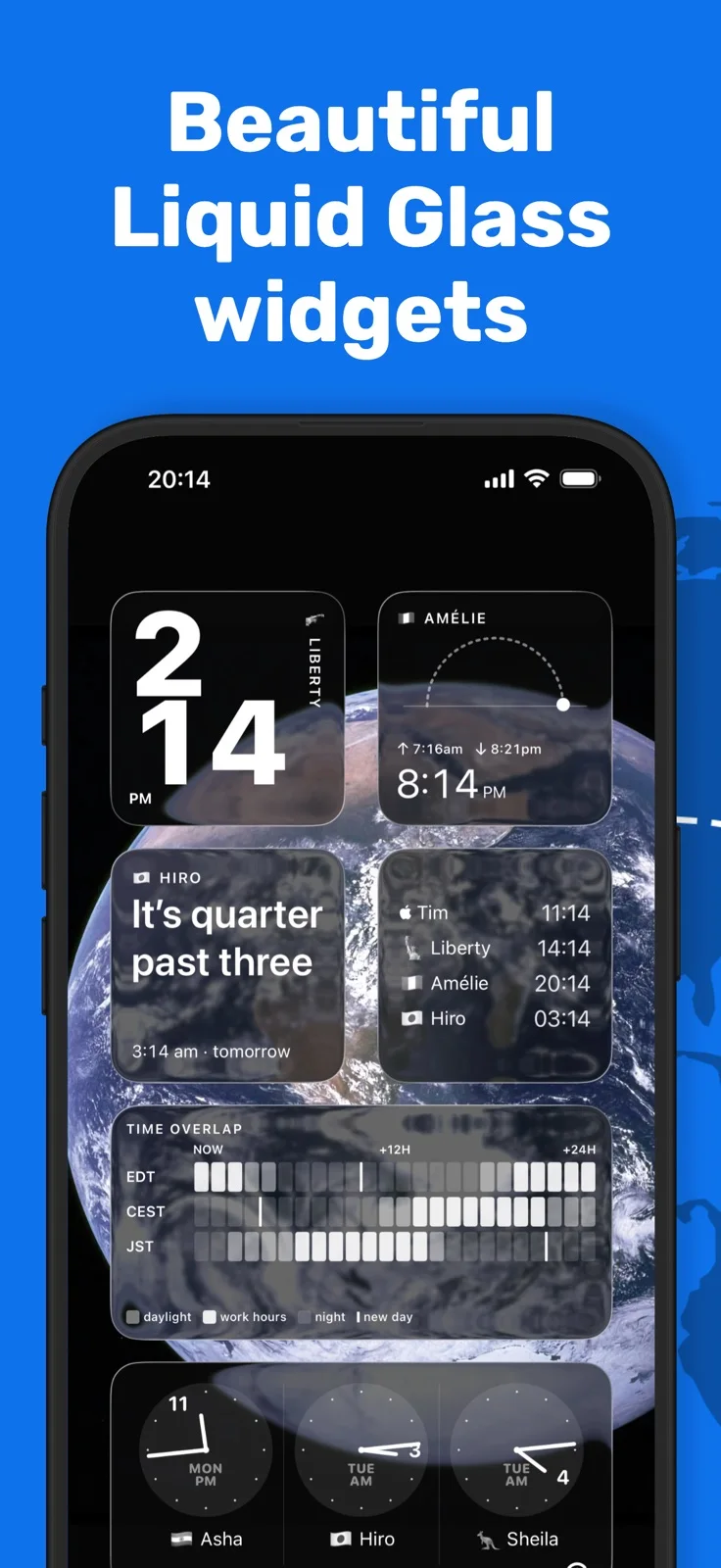
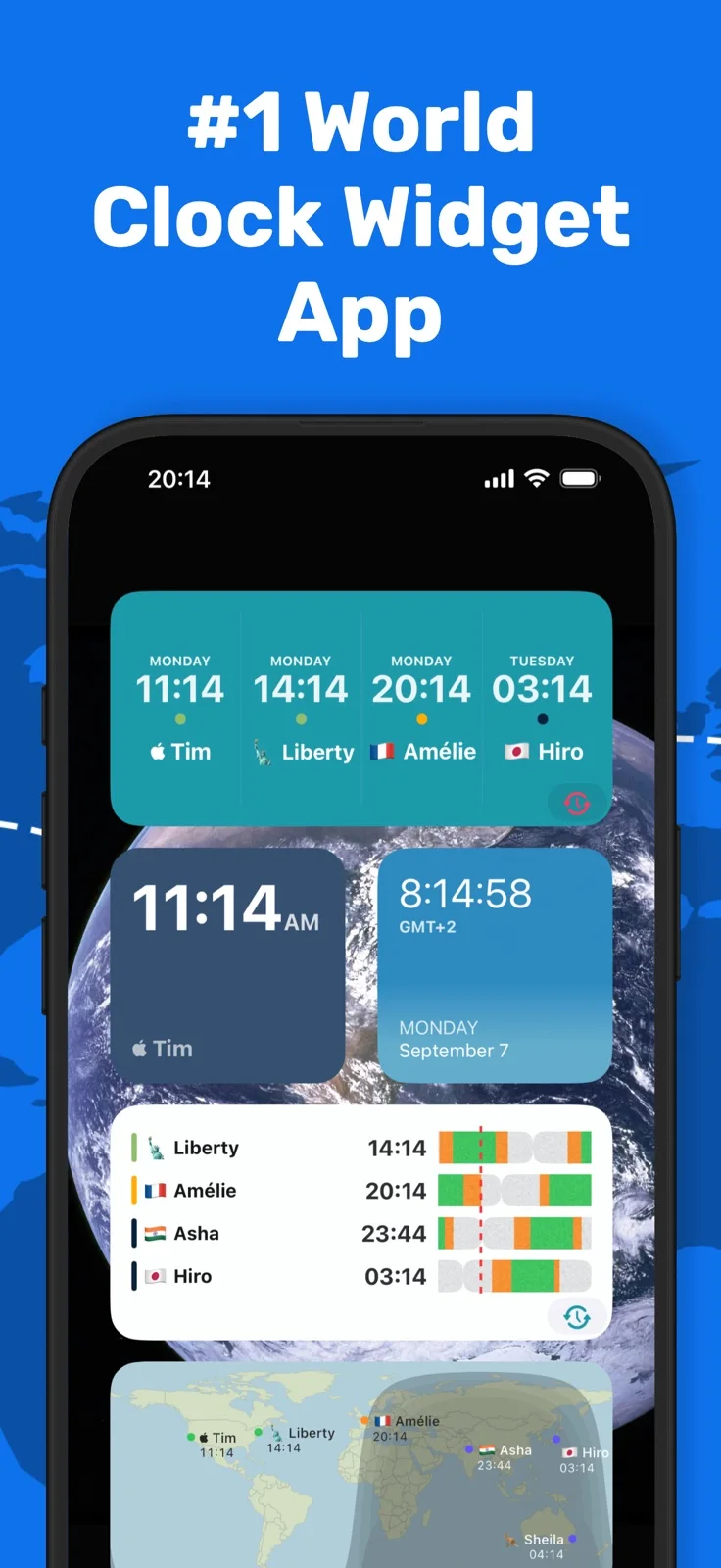
A world clock app for the people in your life. For iPhone, iPhone Duo, iPad, Apple Watch and Mac. Whether your family is spread across countries or your team is split across time zones, World Time Widget keeps you thoughtfully in sync. Add clocks for the cities that matter, give each one a name that means something to you, and know at a glance whether it’s a good time to reach out. Over one million downloads. WORLD CLOCKS See the time in any city, instantly. Add as many clocks as you need and label them the way you actually think of them: “Mum in Sydney”, “Berlin office”, “Charlie deployed.” HOME SCREEN, LOCK SCREEN & STANDBY Your most important world times are always one glance away — no need to open the app. Widgets for every Apple surface, with up to 8 time zones on a single large widget. DAY & NIGHT STATE Every clock shows whether it’s day or night for the person on the other end. So you know before you text. MEETING PLANNER Need to find a time that works across time zones? Drag through the day to find the right slot, without the mental arithmetic. APPLE WATCH Your world clocks on your wrist. A dedicated Apple Watch app and support for multiple complications keep your times visible wherever you are. IPHONE, IPAD & APPLE WATCH Works beautifully across all your Apple devices, with your clocks syncing seamlessly via iCloud. No ads, no sign up. Just your clocks. FREQUENTLY ASKED QUESTIONS Does World Time Widget have a home screen widget? Yes. There are widgets for every Apple surface: home screen, lock screen, StandBy mode, and Apple Watch. You can show up to 8 time zones on a single large widget, so everything you need is one glance away. Can I use custom labels instead of city names? Yes. You can name any clock whatever makes sense to you. “Mum in Sydney” tells you at a glance whether it’s safe to call. “Dev team in Berlin” tells you whether they’re in the office. Your clocks, your labels. Does it work on Apple Watch? Yes. There’s a dedicated Apple Watch app plus support for multiple complications, so your world clocks are always on your wrist. Can I convert time zones and schedule meetings? Yes. The built-in meeting planner lets you drag across the day to find a time that works for everyone, across as many time zones as you need. No mental arithmetic, no switching between apps. How many cities can I add? As many as you need. You can show up to 8 time zones at once on a large widget, and you can add more clocks to the app itself. Does it handle daylight saving time automatically? Yes. World Time Widget updates automatically for daylight saving changes worldwide, so your times are always accurate. Does it work on iPad as well as iPhone? Yes. World Time Widget works across iPhone, iPad, and Apple Watch. Your clocks sync across all your devices via iCloud. What makes it different from Apple’s Clock app? Apple’s Clock app is useful, but limited. World Time Widget adds a day/night indicator for every clock so you can see at a glance who’s awake, lets you use personal labels instead of city names, and puts your world clocks on your home screen, lock screen, StandBy, and Apple Watch with far more flexibility. Apple Clock also caps out at 4 cities in a widget. World Time Widget shows up to 8. Is there a free version? World Time Widget is free to download with a premium upgrade available for additional features. Terms of service: https://world-time.app/terms.pdf Privacy policy: https://www.iubenda.com/privacy-policy/68114171
Highlights
- Named world clocks with day/night indicators
- Time-zone meeting planner
- Widgets and Apple Watch complications
World Clock Time Zone Widget on iPhone Duo: FAQ
Is World Clock Time Zone Widget optimized for iPhone Duo?
Partly. World Clock Time Zone Widget is Adapted: it fills the larger inner display, but it does not do anything special with the fold. Verified on October 27, 2026 (App Store text).
What does World Clock Time Zone Widget look like on iPhone Duo?
On Duo, the clock sidebar sits beside the selected city's details and the layout splits at the crease in book pose. Make a Plan places the calendar on one side and everyone's day on the other, so moving a meeting reveals time-zone and calendar conflicts.
How much does World Clock Time Zone Widget cost?
World Clock Time Zone Widget is free to download on the App Store.
More Utilities apps
See all ›
A pocket-watch clock with eight dial styles, countdown timers and a completion ledger.

Measures angles to 0.1° using the iPhone Duo hinge, with target, match, and level tools.

Turns iPhone Duo into a bevel gauge that reads hinge angles, and works as a level on any iPhone.

Turns iPhone Duo into a realistic bi-fold wallet with card slots, cash, pen and receipt.

Turns the iPhone Duo hinge into an angle and reference toolkit, with a free bubble level on other iPhones.

Turns iPhone into a ruler, protractor, level and diameter gauge, and iPhone Duo into a live folding rule.