
iPhone 스크린샷
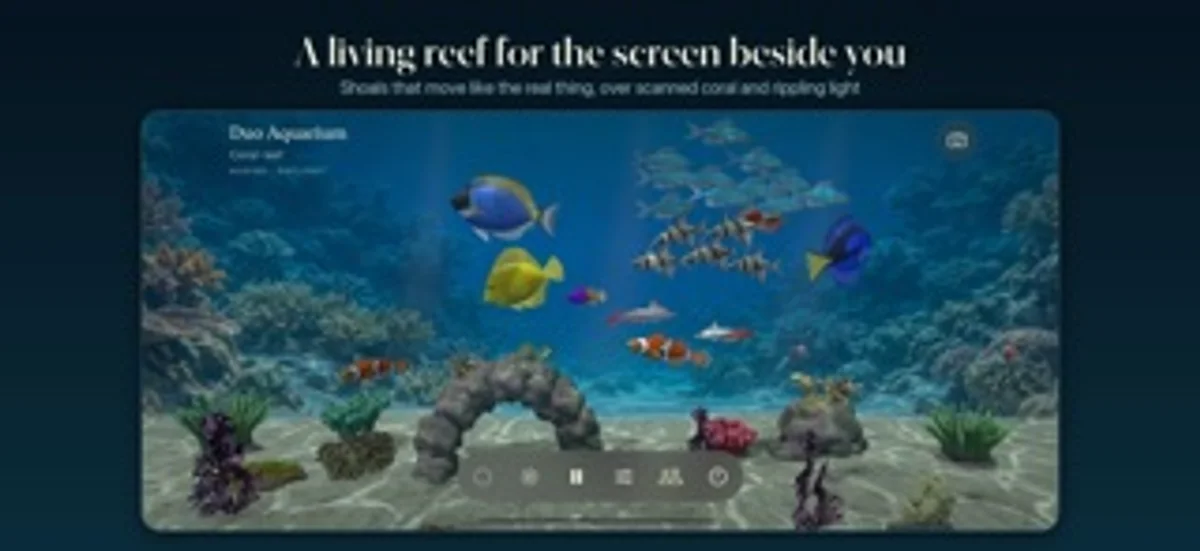
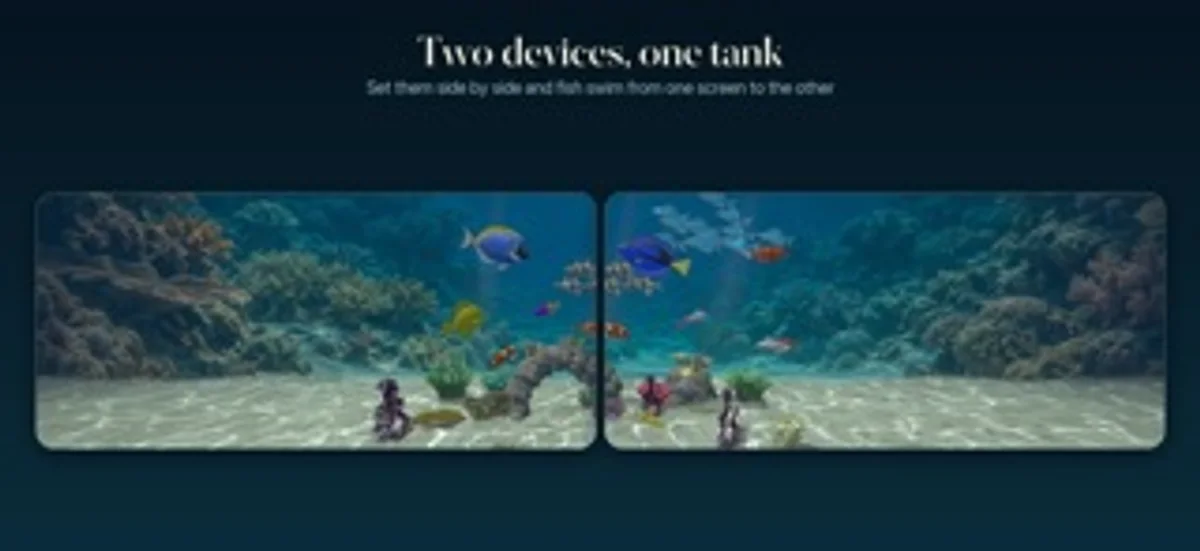
iPhone Duo 활용 방식
탁상 반접힘에서 수족관과 시계는 위, 조작은 아래에 놓이며 평평하게 펼치면 전체 수조로 돌아갑니다.
새로운 기능
버전 1.1 ·
NEW: NATIVE iPhone Duo SUPPORT • Fold iPhone Duo into a tabletop position to enter Desk view automatically. • Watch the aquarium and clock above the hinge, with feeding, lighting and aquarium controls below. • Open flat to return to the full tank after entering Desk view by folding. • Layouts adapt to the inner and outer displays and keep controls clear of the fold. Your saved fish, scenery and settings stay with you.
개발자가 이 내용을 한국어로 제공하지 않았습니다.
App Store 설명개발자가 작성한 내용입니다.
A living aquarium that changes with iPhone Duo. Fold it part-way for your desk. Open it flat to explore the tank. Choose the fish, plant a freshwater scene or build a reef, and share the view with someone else. DESIGNED FOR iPhone Duo • Fold part-way into a tabletop position to enter Desk view automatically. The aquarium and clock stay above the hinge, with feeding, lighting and aquarium controls below. • Open the device flat to return from automatic Desk view to the full aquarium. • The native layout responds to the hinge and keeps controls clear of the fold. • On other iPhones, iPad and Mac, enjoy the aquarium and Desk view in their own screen layouts. BUILD YOUR AQUARIUM • Choose freshwater and reef fish, from shoaling tetras and angelfish to clownfish, tangs and gobies. • Add plants, corals, anemones, rocks and wood. Place coral on live rock and adjust your scenery. • Moving water, rippling light and real 3D scanned coral give the tank depth. • Feed your fish and watch them gather. Tap a resident or piece of scenery to identify it. • Take a clean picture of your tank with the controls hidden. A CLOCK BESIDE THE WATER • Desk view combines your aquarium with a clock, date and optional local weather. • Choose the clock's position, font and format, or show just the tank. • Switch between daybreak, daylight, moonlight and reef-blue lighting, with a daily light cycle and an evening dim. • Play optional calm music and water sound, or keep it silent. SHARE YOUR TANK • Let a friend visit using your tank code or link. They see your fish, scenery and lighting, while their own tank stays saved. • Place two nearby devices side by side and stretch one tank across them. Fish swim between the screens and either device can feed them. • Nearby sharing uses Wi-Fi or Bluetooth. Visiting a shared tank uses the internet; hosting requires iCloud. SMALL DAILY DETAILS • Home Screen and Lock Screen widgets show your tank and last feeding. • Set an optional daily feeding reminder, or feed through Siri and Shortcuts. • Keep the tank in a window or full screen on Mac. Your tank is saved on your device. No ads or tracking. Sharing stays off until you enable it, and you can stop it at any time. iPhone Duo fold features require iOS 27.1 or later. iPhone, iPad and Mac are trademarks of Apple Inc. iPhone Duo is a trademark of Apple Inc.
iPhone Duo에서의 Duo Aquarium: 자주 묻는 질문
Duo Aquarium은(는) iPhone Duo에 최적화되어 있나요?
네. Duo Aquarium은(는) Duo 전용 설계 앱으로, 폴딩, Split View 또는 외부 디스플레이를 활용합니다. 2026년 10월 28일 확인(개발자 발표).
iPhone Duo에서 Duo Aquarium은(는) 어떻게 보이나요?
탁상 반접힘에서 수족관과 시계는 위, 조작은 아래에 놓이며 평평하게 펼치면 전체 수조로 돌아갑니다.
Duo Aquarium의 가격은 얼마인가요?
Duo Aquarium은(는) App Store에서 ₩1,100입니다.
다른 엔터테인먼트 앱
모두 보기 ›
Find your next movie or TV show with random picks, mood filters and watchlists.

디지털 인형극을 공연하며 카메라로 관객 반응을 기록합니다.

마음속 질문에 대해 기기 내 저장된 답변을 화면을 펼치며 보여줍니다.

페이지 절반에 물감을 칠하고 접어 문지른 뒤 펴면 거울처럼 대칭된 그림이 나온다.

잉크를 떨어뜨리고 폰을 접어 얼룩을 만든 뒤 보이는 것에 대한 해석을 받습니다.

휴대폰을 접어 물감을 눌러 펴면 대칭 그림이 나오는 놀이.