
Duo Aquarium
Build a virtual aquarium with fish, scenery, feeding and lighting controls.
Kendal Slack · Entertainment · $1.00
iPhone screenshots
How it uses iPhone Duo
Tabletop folding enters Desk view with the aquarium and clock above the hinge and controls below; opening flat returns to the full tank.
What’s New
Version 1.1 ·
NEW: NATIVE iPhone Duo SUPPORT • Fold iPhone Duo into a tabletop position to enter Desk view automatically. • Watch the aquarium and clock above the hinge, with feeding, lighting and aquarium controls below. • Open flat to return to the full tank after entering Desk view by folding. • Layouts adapt to the inner and outer displays and keep controls clear of the fold. Your saved fish, scenery and settings stay with you.
App Store descriptionWritten by the developer.
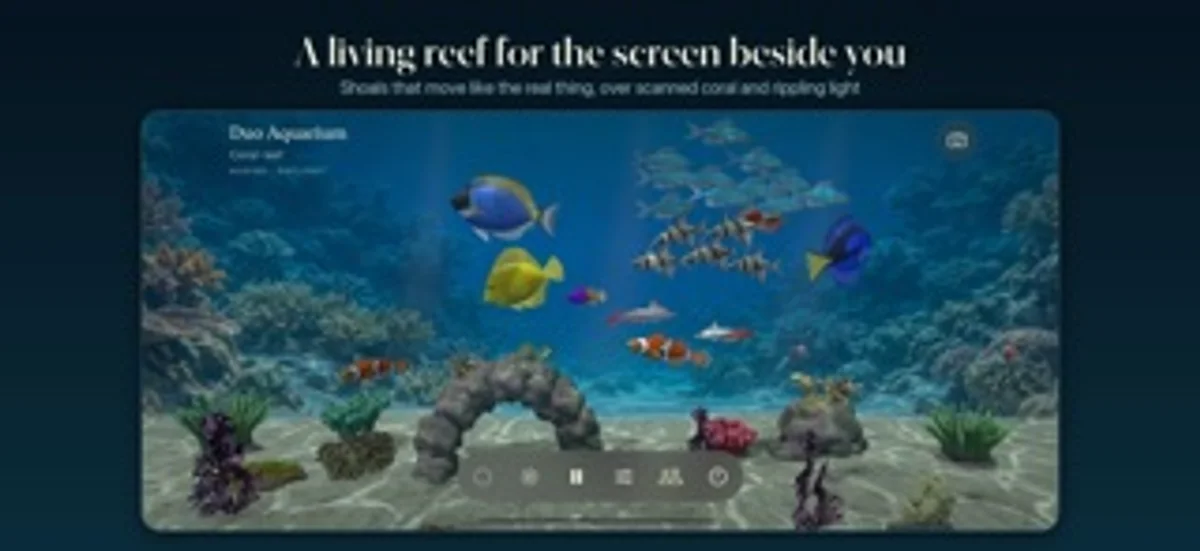
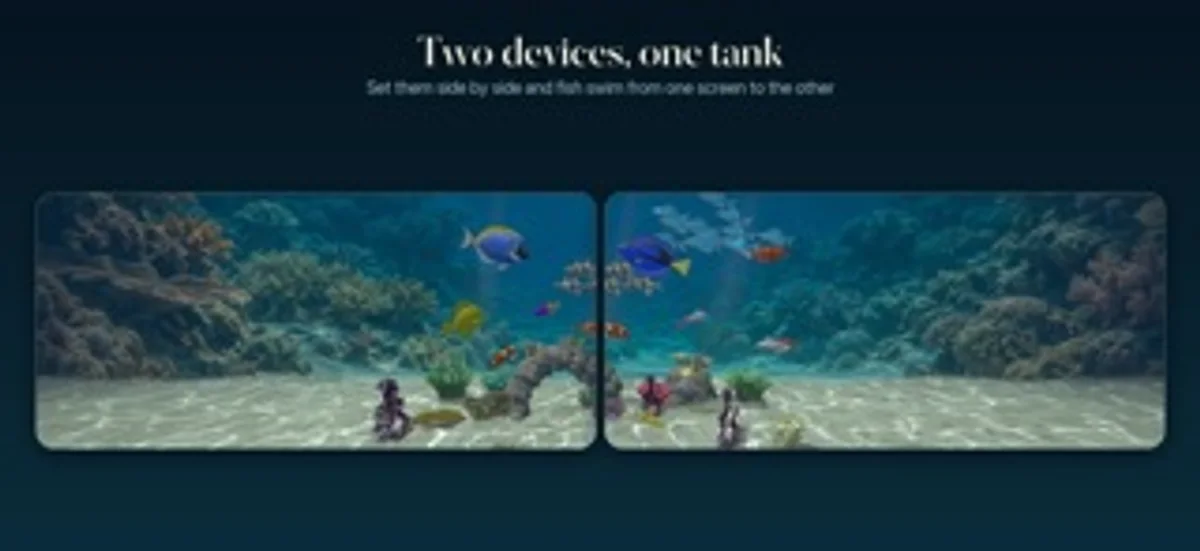
A living aquarium that changes with iPhone Duo. Fold it part-way for your desk. Open it flat to explore the tank. Choose the fish, plant a freshwater scene or build a reef, and share the view with someone else. DESIGNED FOR iPhone Duo • Fold part-way into a tabletop position to enter Desk view automatically. The aquarium and clock stay above the hinge, with feeding, lighting and aquarium controls below. • Open the device flat to return from automatic Desk view to the full aquarium. • The native layout responds to the hinge and keeps controls clear of the fold. • On other iPhones, iPad and Mac, enjoy the aquarium and Desk view in their own screen layouts. BUILD YOUR AQUARIUM • Choose freshwater and reef fish, from shoaling tetras and angelfish to clownfish, tangs and gobies. • Add plants, corals, anemones, rocks and wood. Place coral on live rock and adjust your scenery. • Moving water, rippling light and real 3D scanned coral give the tank depth. • Feed your fish and watch them gather. Tap a resident or piece of scenery to identify it. • Take a clean picture of your tank with the controls hidden. A CLOCK BESIDE THE WATER • Desk view combines your aquarium with a clock, date and optional local weather. • Choose the clock's position, font and format, or show just the tank. • Switch between daybreak, daylight, moonlight and reef-blue lighting, with a daily light cycle and an evening dim. • Play optional calm music and water sound, or keep it silent. SHARE YOUR TANK • Let a friend visit using your tank code or link. They see your fish, scenery and lighting, while their own tank stays saved. • Place two nearby devices side by side and stretch one tank across them. Fish swim between the screens and either device can feed them. • Nearby sharing uses Wi-Fi or Bluetooth. Visiting a shared tank uses the internet; hosting requires iCloud. SMALL DAILY DETAILS • Home Screen and Lock Screen widgets show your tank and last feeding. • Set an optional daily feeding reminder, or feed through Siri and Shortcuts. • Keep the tank in a window or full screen on Mac. Your tank is saved on your device. No ads or tracking. Sharing stays off until you enable it, and you can stop it at any time. iPhone Duo fold features require iOS 27.1 or later. iPhone, iPad and Mac are trademarks of Apple Inc. iPhone Duo is a trademark of Apple Inc.
Duo Aquarium on iPhone Duo: FAQ
Is Duo Aquarium optimized for iPhone Duo?
Yes. Duo Aquarium is Built for Duo: it uses the fold, Split View or the outer display. Verified on October 28, 2026 (Developer statement).
What does Duo Aquarium look like on iPhone Duo?
Tabletop folding enters Desk view with the aquarium and clock above the hinge and controls below; opening flat returns to the full tank.
How much does Duo Aquarium cost?
Duo Aquarium costs $1.00 on the App Store.
More Entertainment apps
See all ›
Find your next movie or TV show with random picks, mood filters and watchlists.

Perform a digital puppet show while the camera records the audience’s reactions.

Reveals a stored answer as you unfold your phone, for questions you keep to yourself.

Paint on half the page, fold it shut, rub, then peel open to reveal a mirrored paint print.

Drop ink, fold the phone to press a blot, then get a written reading of what you see.

Makes paint-blot prints by folding the phone to press and peel colors apart.