
Widezilla
이동 가능한 주소창, 시각적인 탭, 즐겨찾기와 내장 콘텐츠 차단 기능으로 웹을 탐색합니다.
Matteo Dall'Ombra · 유틸리티 · ₩1,100
iPhone 스크린샷
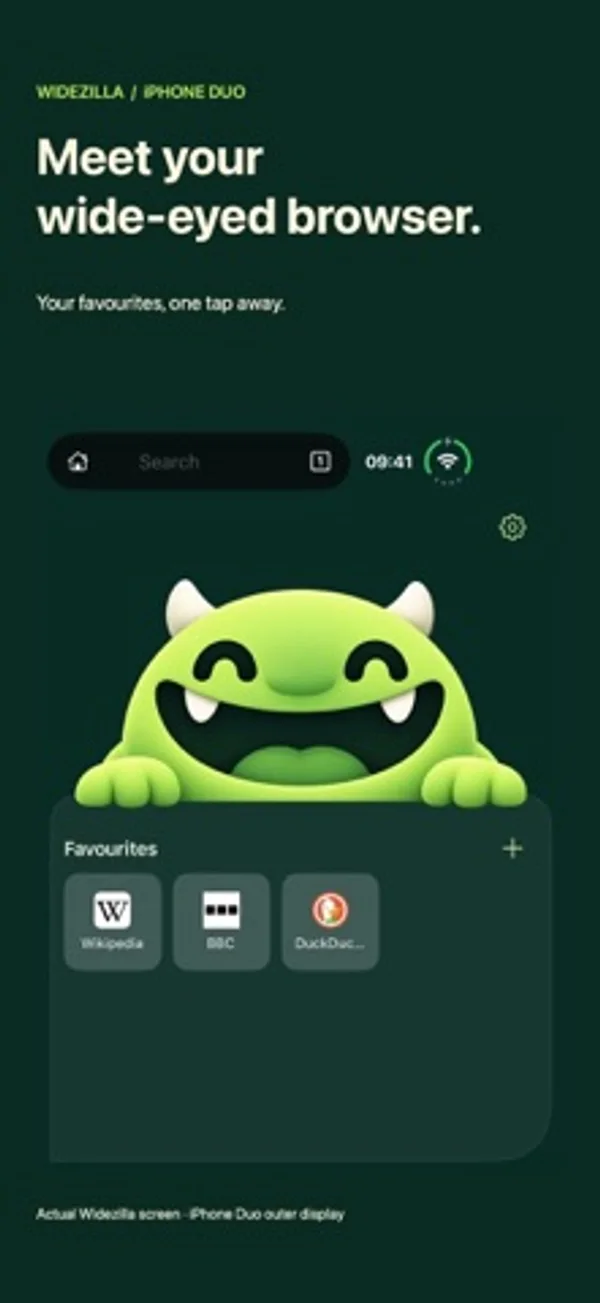
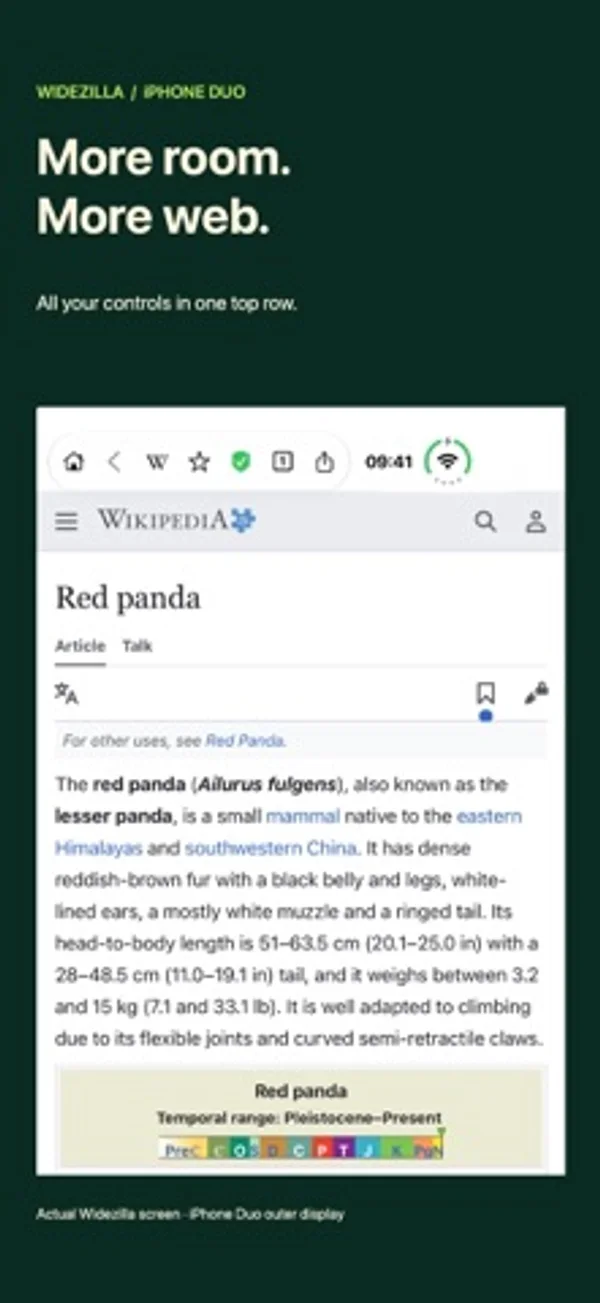
iPhone Duo 활용 방식
화면이 바뀌어도 페이지와 읽던 위치를 유지하며, 겉 화면·안쪽 화면·Split View에서 상태 막대를 따로 설정할 수 있습니다.
새로운 기능
버전 2026.11.7 ·
Make Widezilla your own. - Fixed an issue with Sign in with Apple - Adaptive dark mode: An optional darker look for websites that follows your iPhone’s appearance, with per-site exceptions and a quick toggle in the address bar. - Custom Home wallpapers: Choose your own background. - Your bar, your way: Rearrange controls and hide optional icons. - More comfortable reading: Adjust webpage text size and app appearance. Also includes improvements to tab recovery, address-bar alignment and layouts on the outer display.
개발자가 이 내용을 한국어로 제공하지 않았습니다.
App Store 설명개발자가 작성한 내용입니다.
BUILT SPECIFICALLY FOR IPHONE DUO Small screen. Big screen. More web. Widezilla is a native browser designed around iPhone Duo: quick browsing on the outer display, room to read on the inner display, and compact controls that give your websites space to shine. GO WIDE Browse full-width pages with a floating glass address bar. Keep it at the top beside the system indicators, or move it to the bottom. Fold or unfold without replacing your open page, with reading-position preservation across display changes. MAKE EACH DISPLAY YOURS Choose whether to show the system status bar independently on the outer display, inner display and in 50/50 Split View. Pick an app icon and show or hide Widezilla's wide-grin Home character. Set up your layout in the welcome flow or change it later in Settings. YOUR WEBSITES, ONE TAP AWAY Save favourites with recognisable site icons and your own names. Hold a favourite to edit it. Switch websites with visual tab cards, open links in a new tab, and return Home without losing your open pages. Optionally close all tabs on a daily or weekly schedule. FIND IT FASTER Get instant address suggestions from favourites, open tabs, recent visits and a built-in catalogue of popular websites. Choose Google, DuckDuckGo, Bing, Ecosia or Kagi, or add a custom search service using its search URL. Kagi requires an account with that service. LESS CLUTTER, MORE PAGE Built-in native content blocking uses EasyList and EasyPrivacy to block many ads and trackers. Tap the shield to allow an individual website, manage allowed sites in Settings, and refresh your filter lists. Effectiveness varies by website. OPTIONAL ON-DEVICE INTELLIGENCE On supported devices with Apple Intelligence available, get search ideas and help finding saved pages using on-device processing. Local website suggestions work without Apple Intelligence. Typing does not send suggestion queries to a search provider; selecting a search sends it to your chosen service. THE EVERYDAY DETAILS Refresh from the toolbar or pull to refresh. Share website links and PDF documents with the native iOS Share sheet, save documents to Files, and use standard website image actions to save images to Photos. Made for iPhone Duo. Requires iOS 27.1 or later. Favourites and preferences are saved on your device; open tabs last for the current app session.
iPhone Duo에서의 Widezilla: 자주 묻는 질문
Widezilla은(는) iPhone Duo에 최적화되어 있나요?
네. Widezilla은(는) Duo 전용 설계 앱으로, 폴딩, Split View 또는 외부 디스플레이를 활용합니다. 2026년 11월 6일 확인(개발자 발표).
iPhone Duo에서 Widezilla은(는) 어떻게 보이나요?
화면이 바뀌어도 페이지와 읽던 위치를 유지하며, 겉 화면·안쪽 화면·Split View에서 상태 막대를 따로 설정할 수 있습니다.
Widezilla의 가격은 얼마인가요?
Widezilla은(는) App Store에서 ₩1,100입니다.
다른 유틸리티 앱
모두 보기 ›
휴대폰을 접고 펼친 횟수와 추이를 확인하고 하루 한도를 설정합니다.

개폐 횟수, 자세별 시간과 일별 패턴을 기록하고 실시간, 추정과 수동 기록을 구분합니다.

기본·공학·프로그래머 키패드로 계산하고 단위를 변환하며 기록을 재사용합니다.

휴대폰을 여닫으며 변하는 접힘 각도를 확인합니다.

실시간 각도를 확인하고 목표 각도 챌린지를 시도합니다.

설명과 연습 문제, 모의시험으로 Unix 권한을 학습합니다.