
iPhone 截图
新功能
版本 3.0.0 ·
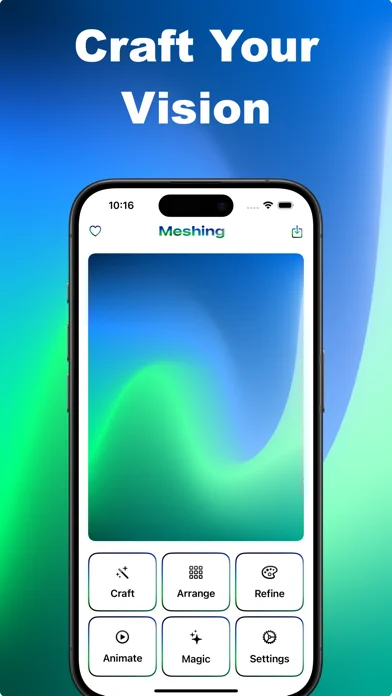
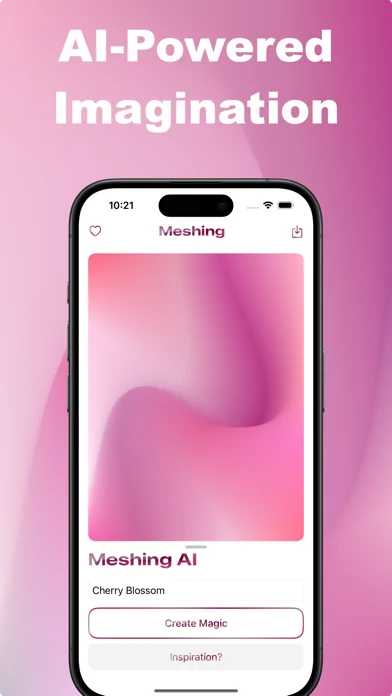
What's New in Meshing 3.0 *Create across every layout* - A compact editor for smaller iPhone displays and a split workspace on iPad and the expanded iPhone Duo display. - Resize or rotate your window while keeping your gradient and editing tools together. - Browse Craft templates directly in the editor. *Meshing AI is back* - Describe a scene, mood or colour palette and create a mesh gradient with the new AI model. - Keep the smooth, rounded gradients you love, with support for 2×2, 3×3 and 4×4 generations. - Continue refining the result with point controls, colours, animation and export.
开发者尚未提供此内容的中文版本。
App Store 简介由开发者撰写。
Meshing lets you quickly and easily transform your ideas into beautiful colour gradients. Perfect for creating wallpapers, designing websites and app backgrounds, or just playing with colours. What makes Meshing special: INTUITIVE DESIGN - Tap and swipe to craft amazing gradients - Choose from 2x2 to 5x5 grids for precise control - See your changes in real-time as you create DESCRIBE AND CREATE - Tell what you want, and make it happen with Meshing AI - Get unique gradients based on your descriptions - No design skills needed; just your imagination PHOTO TO GRADIENT - Turn any image into a unique gradient - Extract colour schemes from your favourite photos - Instantly create gradients that match your style STUNNING VISUALS - Add blur effects for a dreamy look - Switch to the wireframe view for a unique, structural perspective - Bring your gradients to life with smooth animations - Experiment with gradients on text, images, and buttons TEMPLATES AND FAVORITES • Get inspired with pre-made designs • Save your favourite gradients for future use • Build a personal library of inspiring colour schemes EXPORT AND SHARE • Save your work as high-quality images • Export gradients as ready-to-use code • Use your creations in any project I made Meshing because I believe everyone should be able to create beautiful designs, even if you are not a professional artist. Give the magic of Meshing a try and create amazing gradients! Terms of Use (EULA): https://www.apple.com/legal/internet-services/itunes/dev/stdeula/
Gradient Wallpapers: Meshing 在 iPhone Duo 上:常见问题
Gradient Wallpapers: Meshing 针对 iPhone Duo 优化了吗?
开发者或商店资料已标明支持 iPhone Duo。
Gradient Wallpapers: Meshing 多少钱?
Gradient Wallpapers: Meshing 可在 App Store 免费下载。
更多创作应用
查看全部 ›
把iPhone或iPad变成电影场记板,可打板同步并记录镜头。

在Duo内屏一半作画,合上再展开,得到左右对称的镜像图案。

用滴管、折叠和摩擦制作对折墨迹印画,并保存或分享每幅作品。

把iPhone变成拍立得相机,拍摄后生成带白边的相纸照片,可手写配文并保存收藏。

绘画应用,支持自定义画笔和无限图层

前后摄像头同时录制