
Ruply
Track expenses, split bills with friends and manage household budgets with an India-focused money diary.
MBDesign Studio Private Limited · Finance · Free
iPhone screenshots
How it uses iPhone Duo
Version 3.0.2 introduced a Duo layout: Splits places the list and selected detail side by side, while Analytics uses two columns on the unfolded display.
What’s New
Version 3.0.3 ·
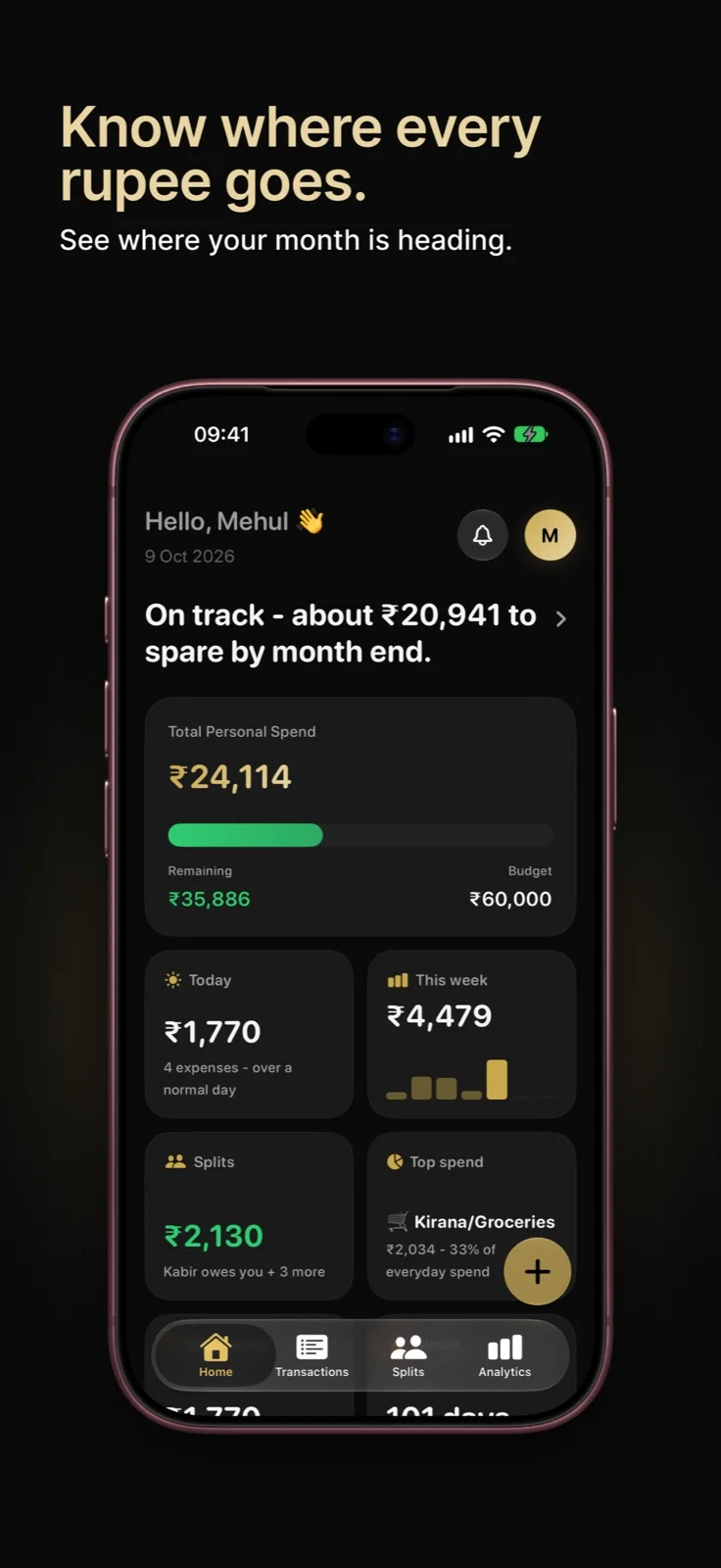
- Your Home, your cards: pick which cards sit on Home and hide the rest. Press and hold any card, or tap Edit cards at the bottom of Home. - Your daily average: this month's spend per day sits right under your total, so you know your pace at a glance. - A clearer streak: the streak card tells you whether today is logged yet, and how many days in a row you're on. - Share your week, five ways: Share my week has five designs now. Swipe to pick one, and hide the amounts if you like. - Location in a moment: where you spent fills itself in almost instantly, the map opens where you are, and places appear as you type. - Splitting with several friends: split one bill equally with two or more friends and each of them is charged their share. - Steadier on iOS 27: fixes for freezes when leaving Add Expense, and for a few rare crashes. - A small tip on the plus button shows you everything it can do.
App Store descriptionWritten by the developer.
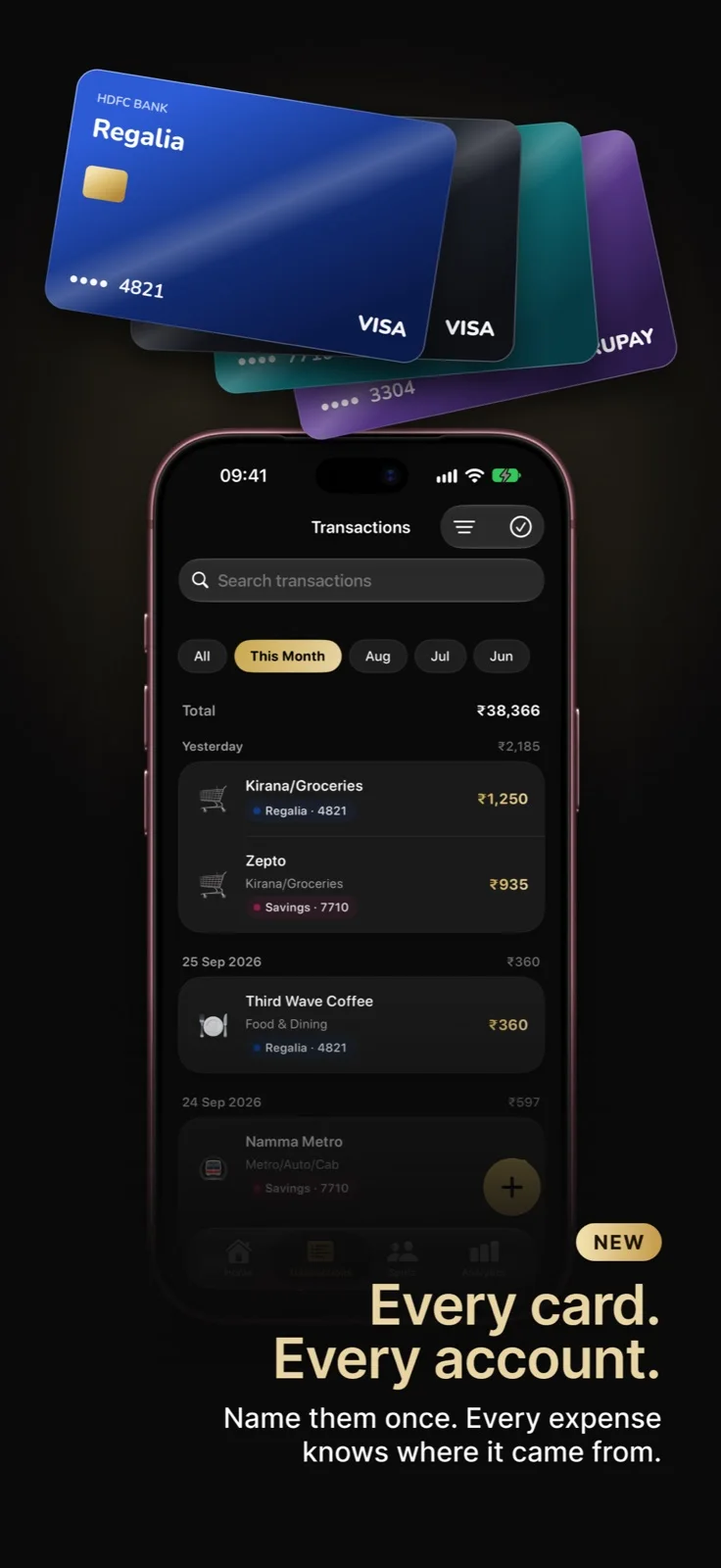
Ruply is the simplest way to know where your money goes. Log an expense in seconds, by typing, talking or sharing a bank SMS, and see your month at a glance. EVERY CARD. EVERY ACCOUNT. Name your cards and bank accounts - HDFC Regalia, SBI Savings - and every expense shows which one it came from. See this month on each card at a glance. Add the last 4 digits and bank messages land on the right card by themselves. Ruply only ever asks for a name, the bank and the last 4 digits - never a card number, CVV or account number. (Ruply+) LOG IN SECONDS - Say it: talk through your whole day in any Indian language and Ruply sorts it into expenses. Say the card too: "100 for chai on Regalia". - Quick type: "chai 20" and you're done. - Share a bank SMS to Ruply and the expense arrives filled in. - Scan a bill, or import a bank statement. - Log with Siri, from widgets, Control Center or the Action Button. ASK RUPLY Ask anything about your money in plain words. "How much did I spend on food this month?" "Who owes me money?" "How much is left on my EMIs?" Ask Ruply knows your expenses, splits, cards, household and budgets - and how to do anything in the app. SPLIT WITH ANYONE Split bills with friends and groups, even friends who aren't on Ruply yet. See who owes whom, and settle up by UPI in two taps. SPEND TOGETHER AS A FAMILY Share spending with your household. Everyone logs as usual, the family sees one clear picture, with a shared budget and bills - and each member chooses how much detail they share. SEE WHERE YOUR MONEY GOES Trends, categories and budgets, month by month. Your Day, Your Week and Your Year show every day against your normal. A weekly Money Story sums it all up. BUILD THE HABIT Daily streaks, gentle reminders and a Home screen that shows what you spent, what's left and how your week is going. YOUR DATA, IN YOUR ACCOUNT Sign in with Apple and everything - expenses, splits, household, cards and settings - is saved to your Ruply account. Get a new phone, sign in, and it all comes back. Built in India, for how we actually spend. Rupees first, Indian number formatting, and categories that make sense here. RUPLY+ Ruply is free to start. Ruply+ adds Cards & Accounts, your full history and trends, and more. Subscriptions renew automatically unless cancelled at least 24 hours before the period ends, and can be managed in your App Store account settings. Terms and privacy: ruply.in
Highlights
- Expense logging by text, voice or bank SMS
- Bill splitting with friends
- Shared household budgets
Ruply on iPhone Duo: FAQ
Is Ruply optimized for iPhone Duo?
Partly. Ruply is Adapted: it fills the larger inner display, but it does not do anything special with the fold. Verified on October 27, 2026 (App Store text).
What does Ruply look like on iPhone Duo?
Version 3.0.2 introduced a Duo layout: Splits places the list and selected detail side by side, while Analytics uses two columns on the unfolded display.
How much does Ruply cost?
Ruply is free to download on the App Store.
More Finance apps
See all ›
Splits bills and keeps a running per-person ledger so you know who owes you.

Tracks all your recurring subscriptions in one place with renewal reminders and spending insights.

A long-running currency converter covering more than 160 currencies

Convert between more than 150 currencies, with offline access when travelling.

Tracks spending, income, bills, savings goals, and net worth in one budget app.

Manual money manager for India tracking UPI expenses, debts, EMIs and budgets.