
SameBoy
Plays Game Boy, Game Boy Color, and Super Game Boy games with save states, filters, and controller support.
Lior Halphon · Entertainment · Free
iPhone screenshots
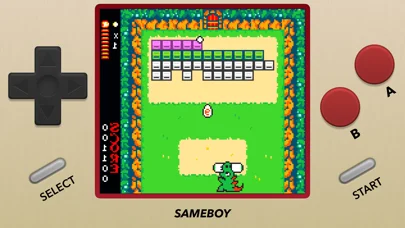
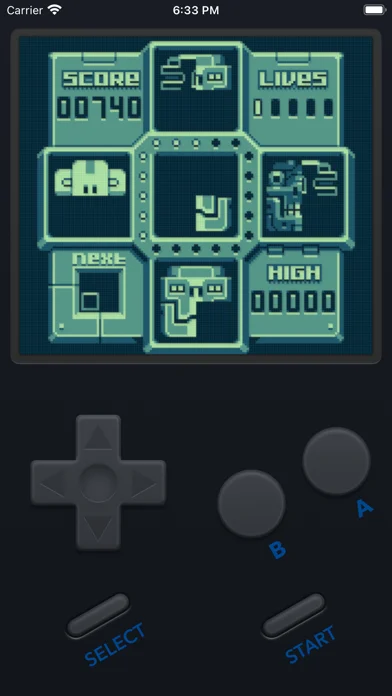
What’s New
Version 1.0.4 ·
New features and fixes in this release: - iPhone Duo support and improved iOs 27 support - The CRT scaling filter has been updated with an improved look - Various accuracy improvements - Various minor bug fixes Complete change log: https://sameboy.github.io/changelog/
App Store descriptionWritten by the developer.
SameBoy is a user friendly, powerful and open source Game Boy, Game Boy Color, and Super Game Boy emulator. Features: - World's most accurate Game Boy emulation core - Save states, with gesture support for quick saving and loading - Rumble support, even for games without a Rumble Pak - Play on your Apple Watch - A wide range of scaling filters - Game Boy Camera emulation - Motion controls emulation - Fast forward, rewind, and slow motion - Game Boy Printer emulation - Use cheat codes - Support for MFi, PlayStation, Switch, and Xbox controllers - Interface themes - No ads, no tracking - A lot more! Terms of Use: https://www.apple.com/legal/internet-services/itunes/dev/stdeula/ Privacy Policy: https://sameboy.github.io/privacy/ SameBoy is in no way affiliated with Nintendo. Game Boy is a trademark of Nintendo.
SameBoy on iPhone Duo: FAQ
Is SameBoy optimized for iPhone Duo?
The developer or App Store listing mentions iPhone Duo support.
How much does SameBoy cost?
SameBoy is free to download on the App Store.
More Entertainment apps
See all ›
Reveals a stored answer as you unfold your phone, for questions you keep to yourself.

Paint on half the page, fold it shut, rub, then peel open to reveal a mirrored paint print.

Drop ink, fold the phone to press a blot, then get a written reading of what you see.

Makes paint-blot prints by folding the phone to press and peel colors apart.

A phone fridge to pin notes, photos and magnets, and stock groceries.

Watch IPTV channels from your own M3U playlists