
CallSheet: Crew Calls
映画クルー向けのコールシート作成アプリ。iPhone Duoでは外側ディスプレイモードを搭載
Geared Like A Machine LLC · 仕事効率化 · 無料 · アプリ内課金あり
iPhone スクリーンショット
iPad スクリーンショット
iPhone Duo での活用
開発元のリリースノートによると、CallSheetはiPhone Duo向けに作られています。折りたたんだ状態では外側ディスプレイでコールシートを利用でき、開くと、「Call Sheets」「Crew」「Preview」「Sun Path」の各セクションが縦持ちでも横持ちでも内側ディスプレイいっぱいに表示されます。ノートによると、「Sun in Camera」機能はiPhone Duoではまだ提供されておらず、そのためSun Pathでは衛星ビューとタイムラインの時刻が表示されます。当サイトではまだiPhone Duoの実機でテストしていません。
新機能
バージョン 1.2.34 ·
Built for iPhone Duo. Folded, your call sheet works on the outer screen. Unfolded, Call Sheets, Crew, Preview and Sun Path fill the inner screen, held tall or wide. Sun in Camera is not offered on iPhone Duo yet, so Sun Path shows the satellite view and every time on the run of day there. On every other iPhone, iPad and Mac, CallSheet works as before.
開発者はこの内容を日本語化していません。
このアプリについて
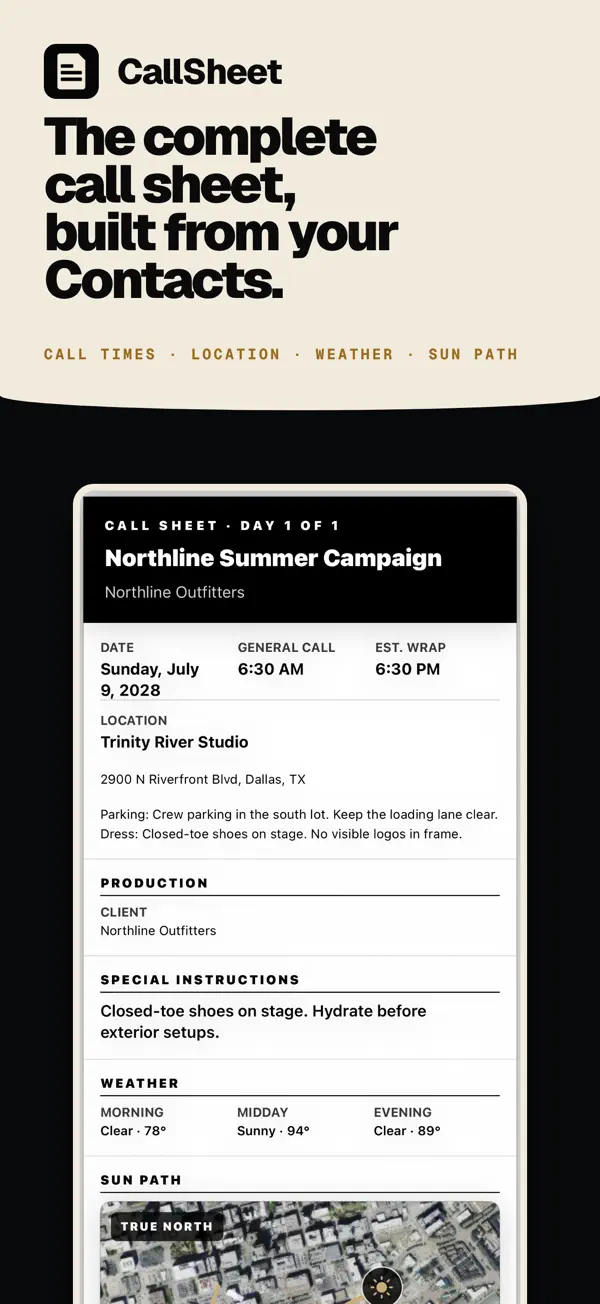
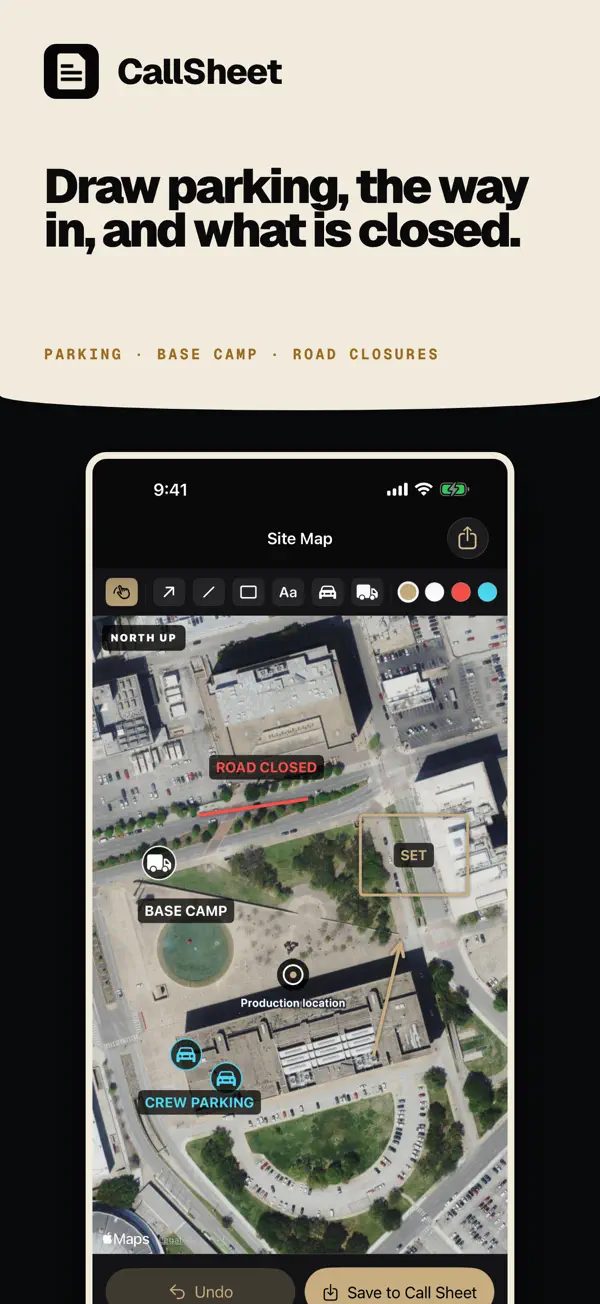
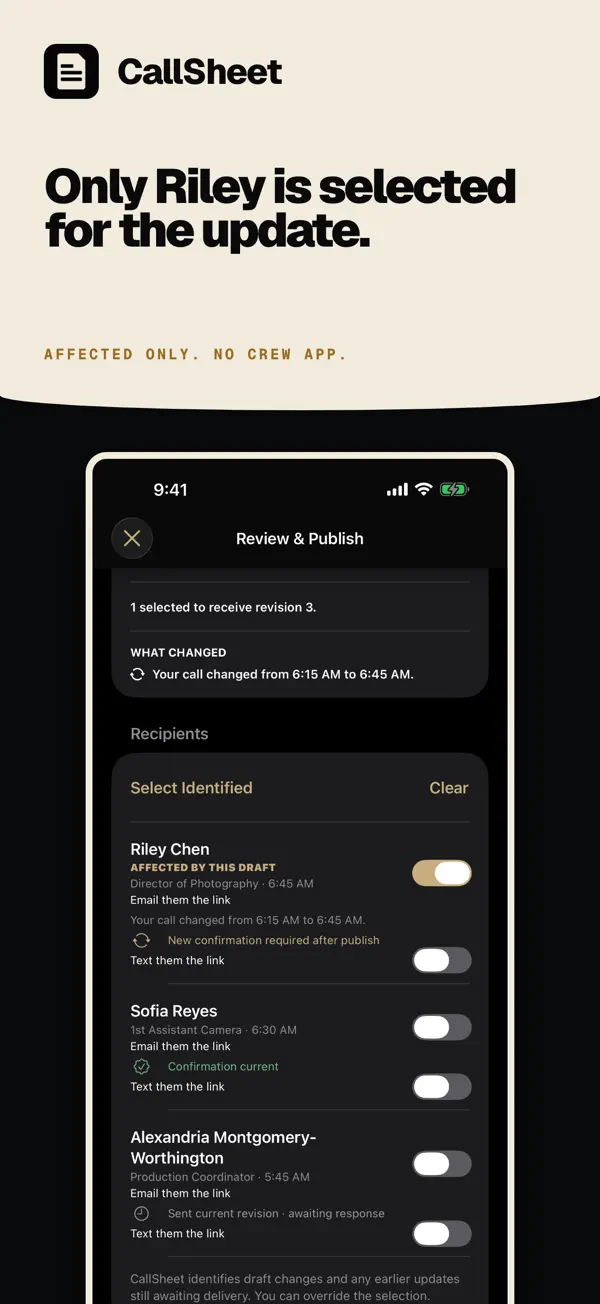
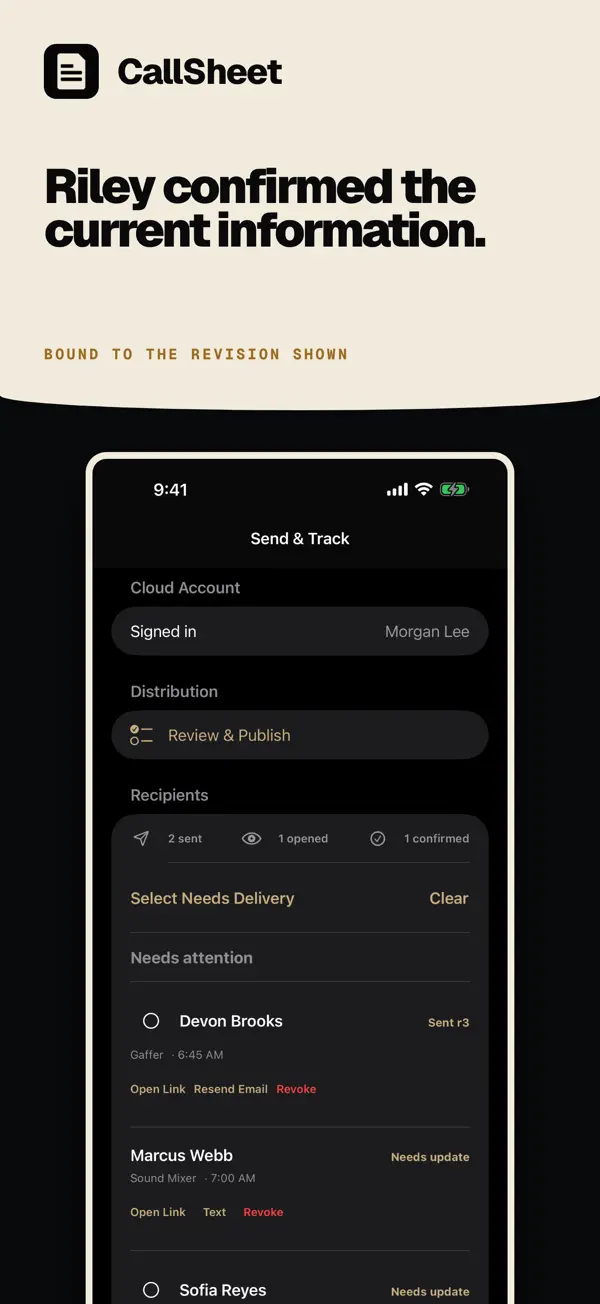
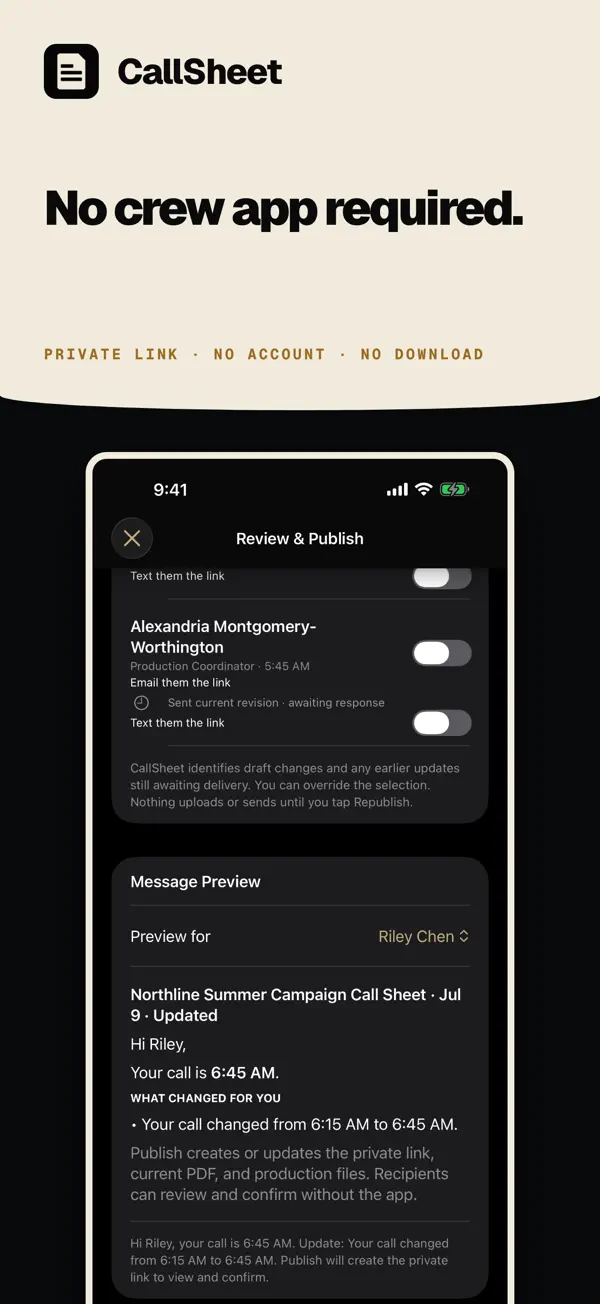
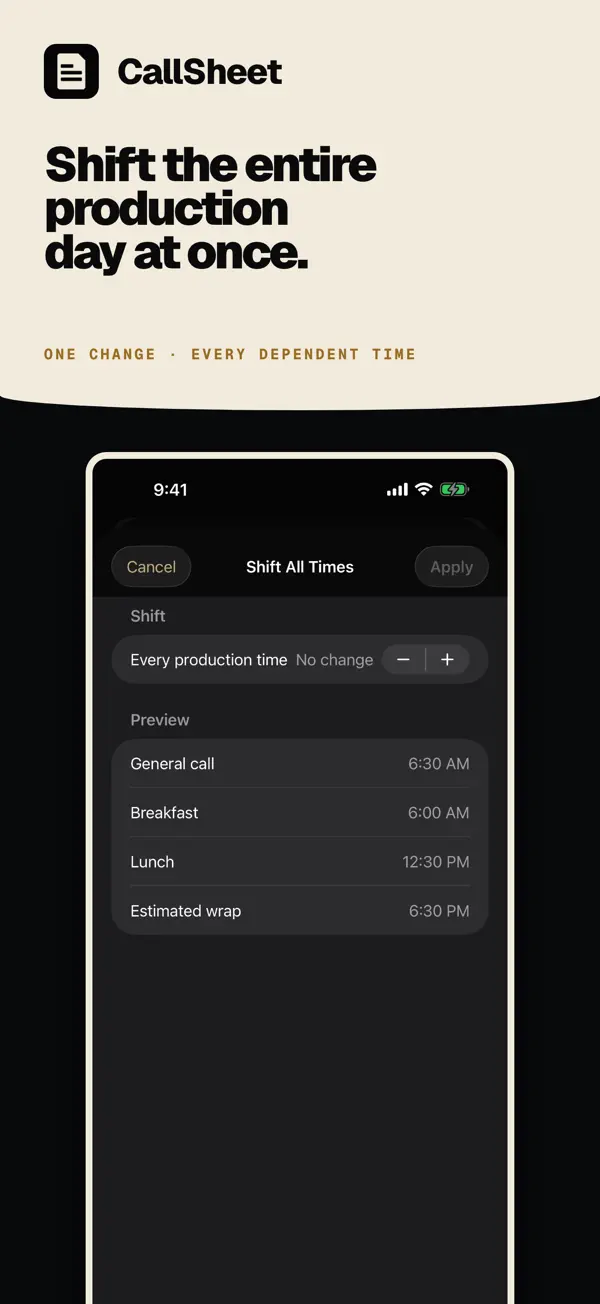
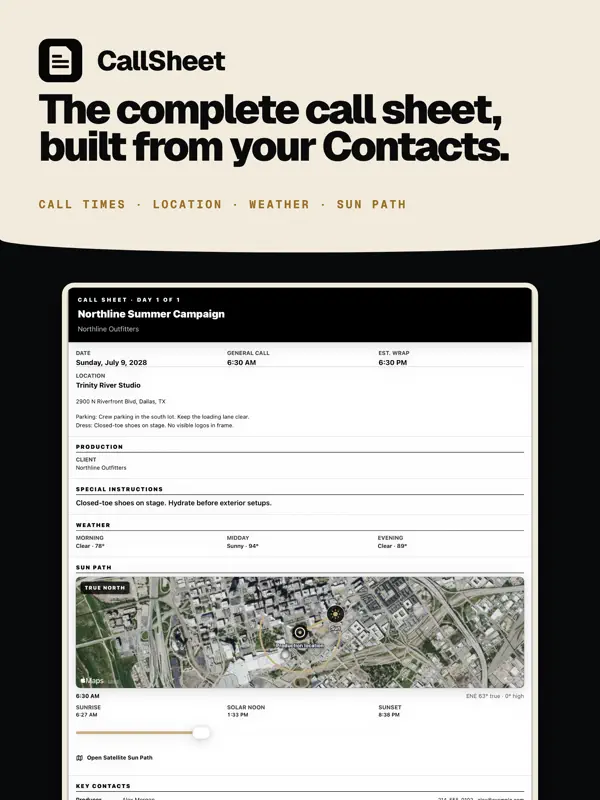
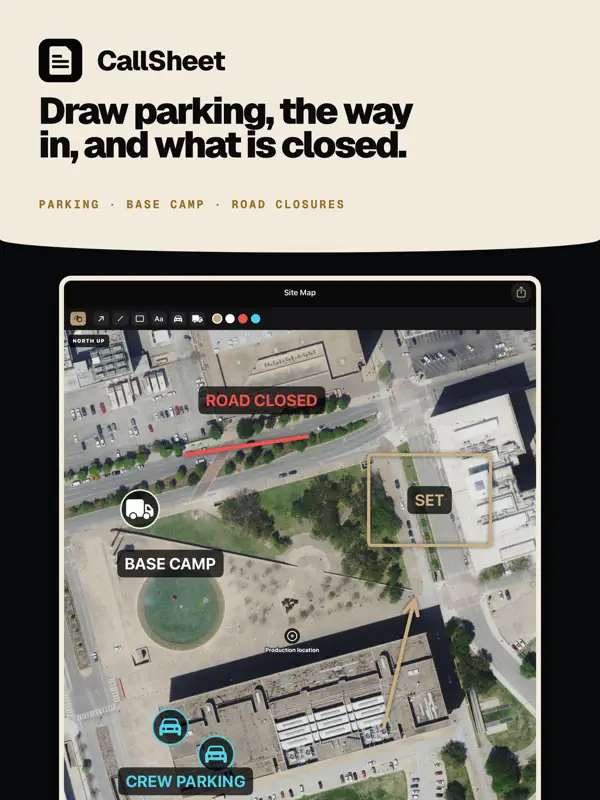
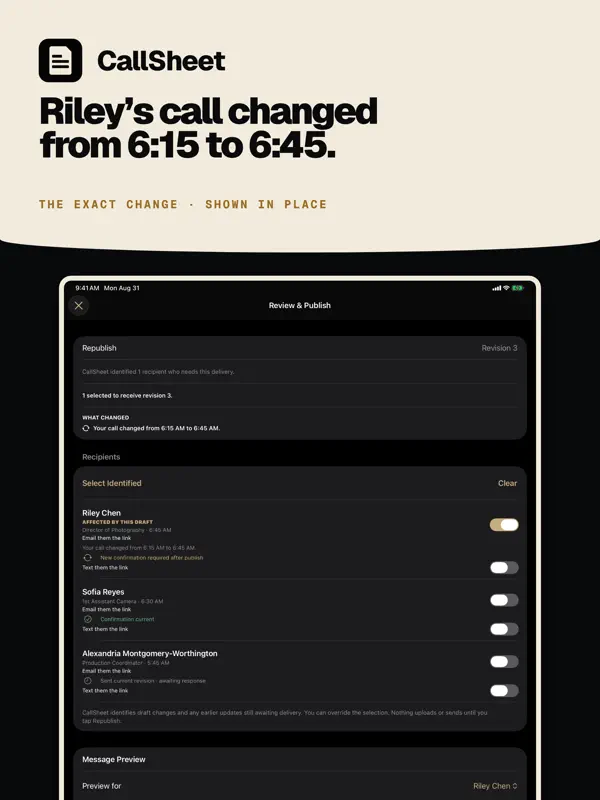
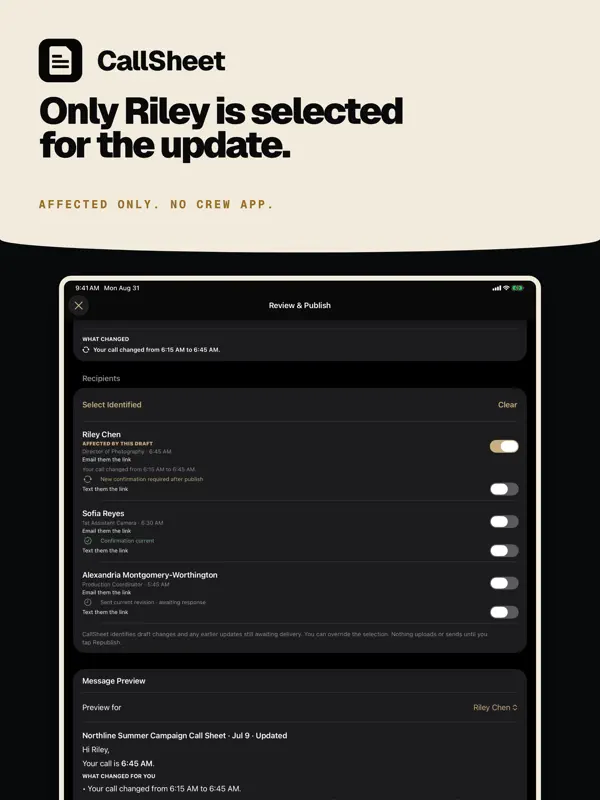
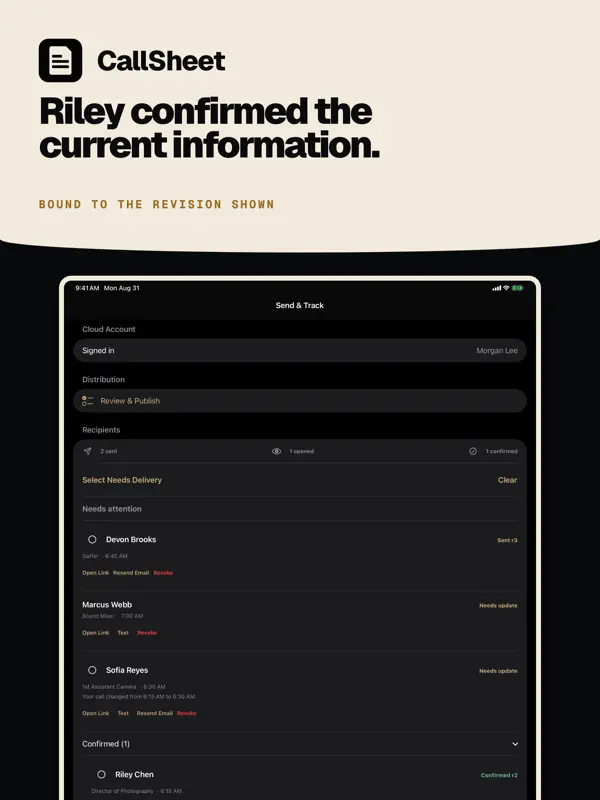
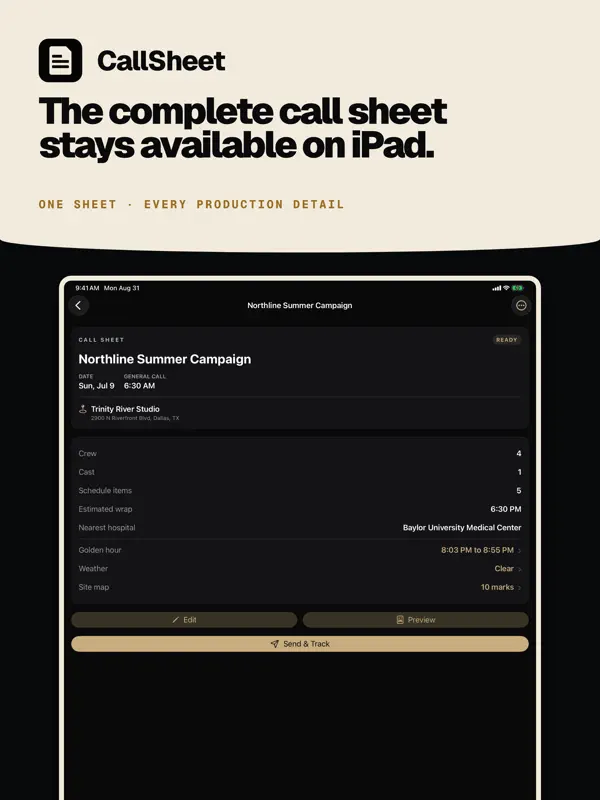
CallSheet: Crew Callsは、Geared Like A Machine LLCが提供する、映画・映像制作向けのコールシートアプリです。映画情報検索アプリの「Callsheet」とは別の製品で、開発元の掲載情報でもその区別が明記されています。プロデューサーやアシスタントディレクターは、関わる人々を軸に撮影日を組み立てられます。クルー、キャスト、主要な連絡先は「連絡先」アプリから追加するか、vCardやCSVファイルから取り込み、部署、役職、個別または相対的な集合時間を割り当てられます。進行表はドラッグで並べ替えたり、順序を組み替えたり、全体をまとめてずらしたりでき、シートにはロケ地、会社移動、駐車場、天気、安全に関するメモ、食事、車両、機材を載せられます。各人には専用リンクと最新のPDFが届き、1人の集合時間が変わったときは、影響を受ける人にだけ新しいリンクが送られます。下書きはオフラインでも作成・編集できます。アプリは無料でダウンロードでき、Proサブスクリプションがアプリ内課金で提供されており、別途「Pro Duo」プランもあります。バージョン1.2.34は、開発元がiPhone Duo向けに作られたと説明しており、外側ディスプレイでコールシートを使え、開くと主要セクションが内側ディスプレイいっぱいに広がります。現場でスマートフォンからコールシートを管理したい、小規模な制作チームに向いています。
英語版の掲載内容を翻訳しています。
App Store の説明開発者による説明です。
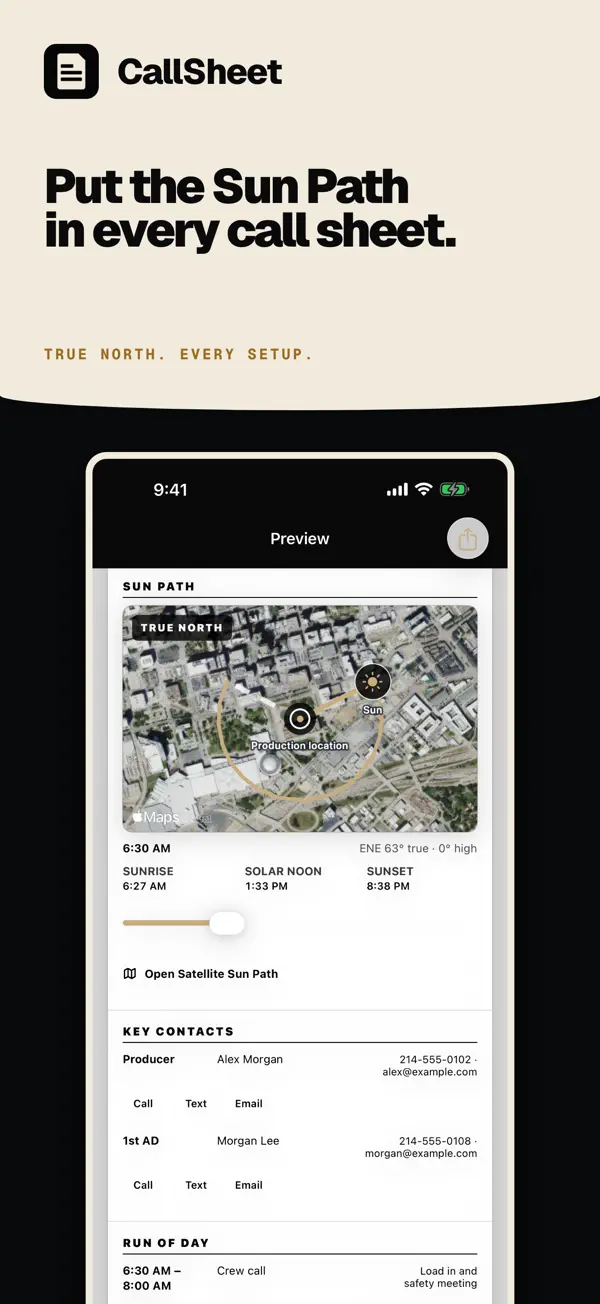
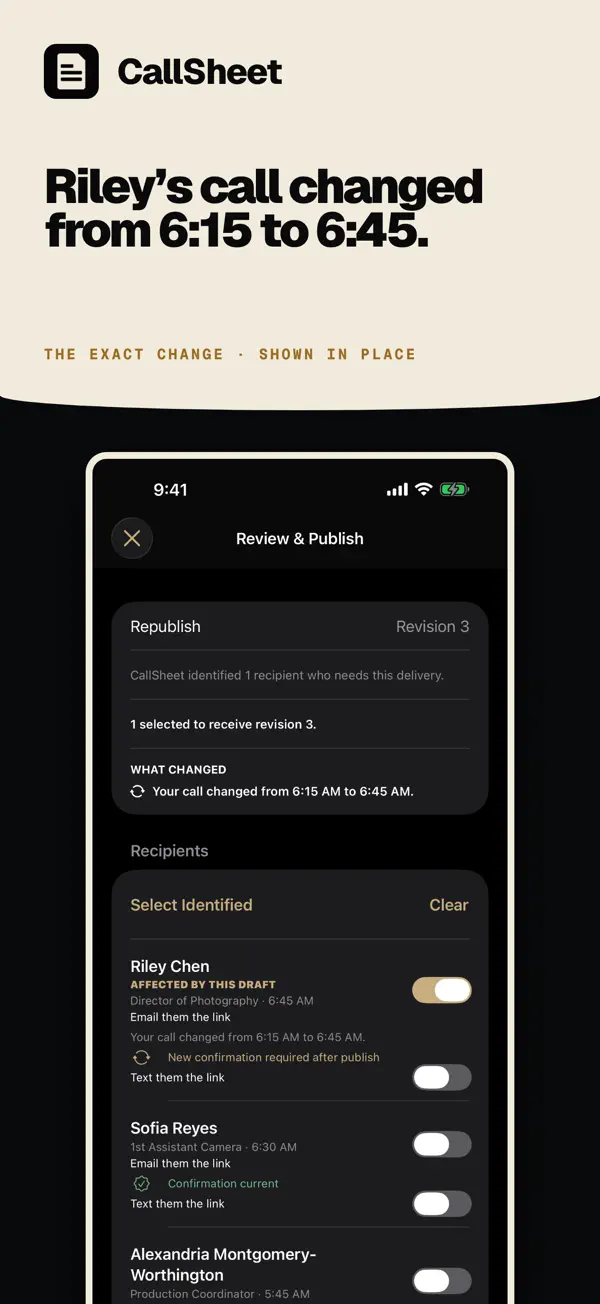
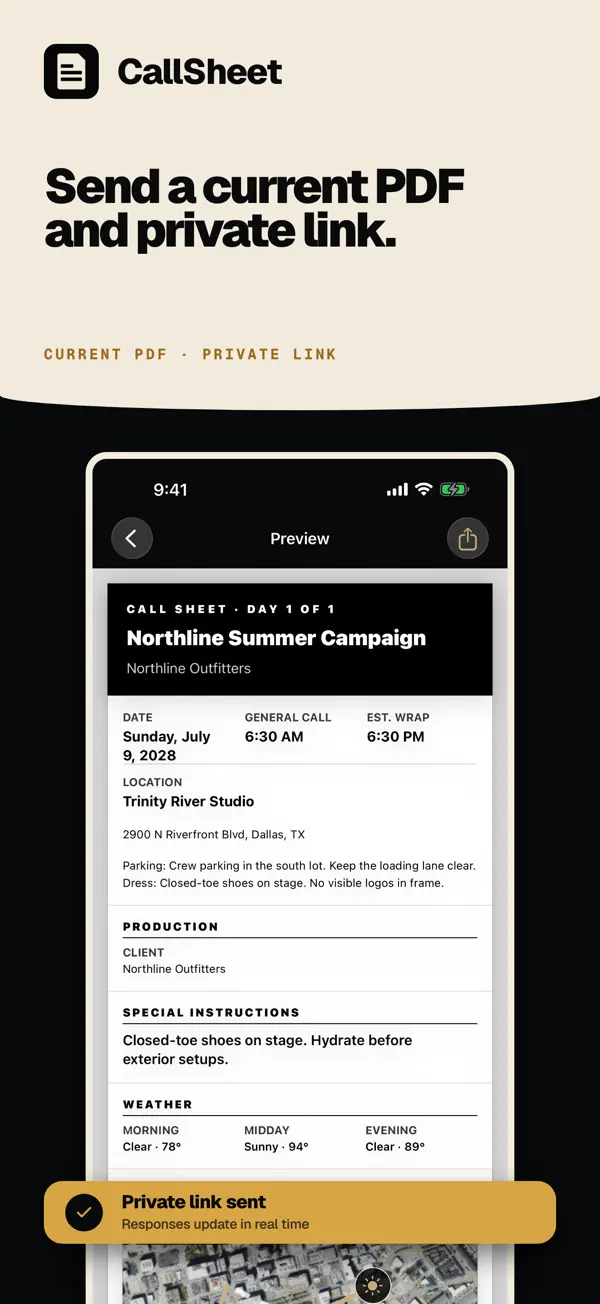
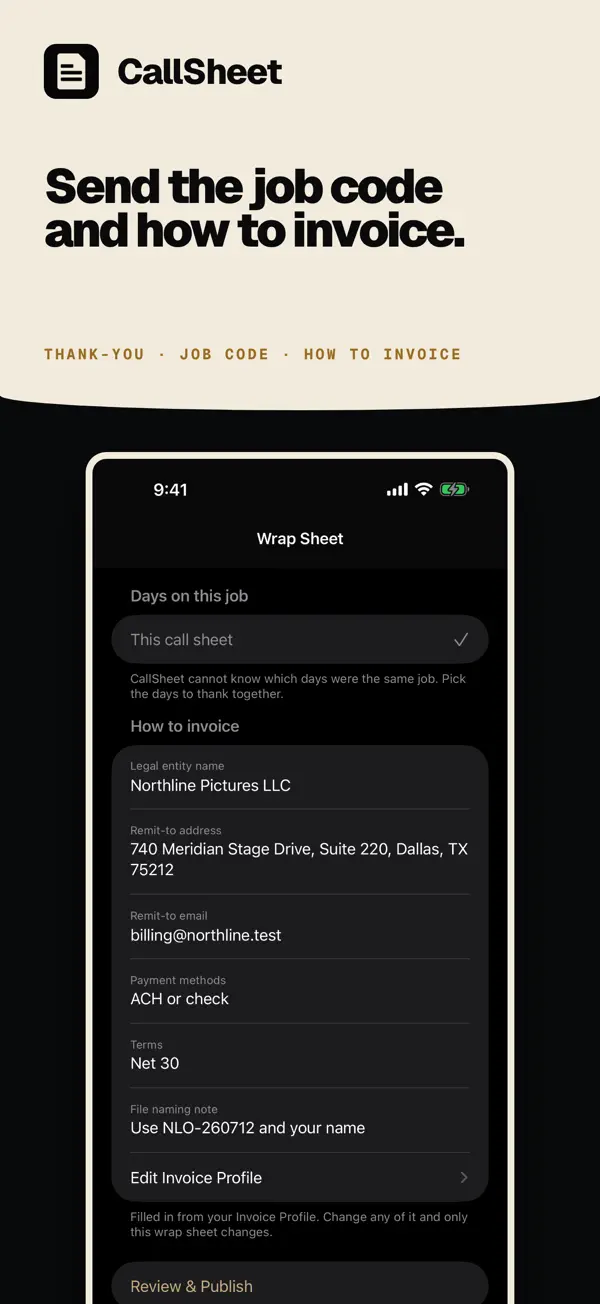
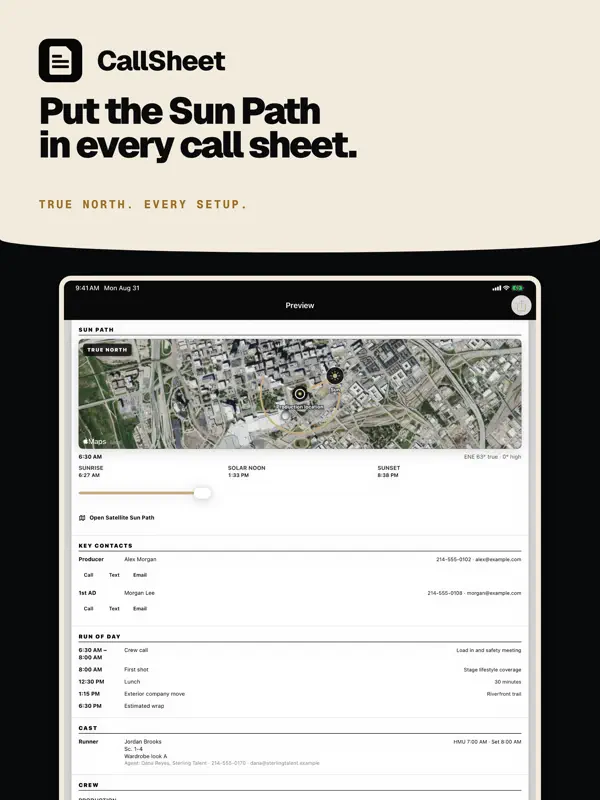
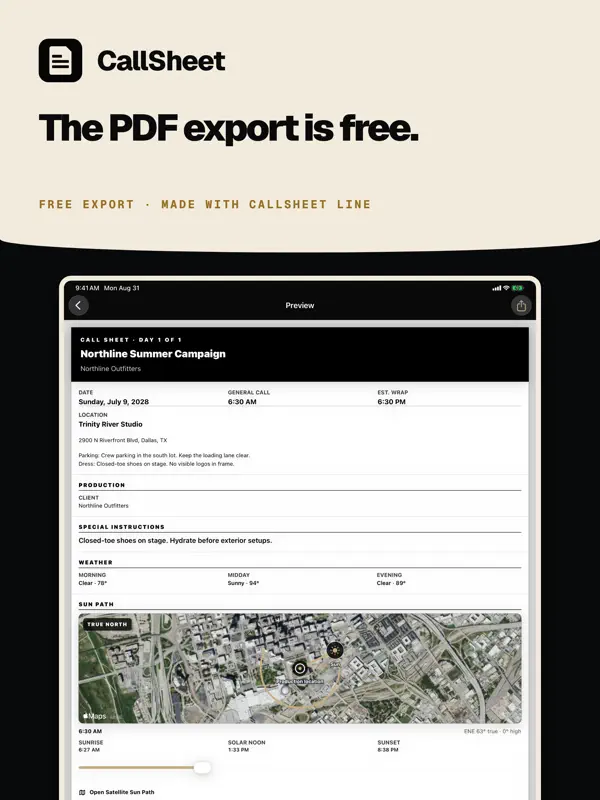
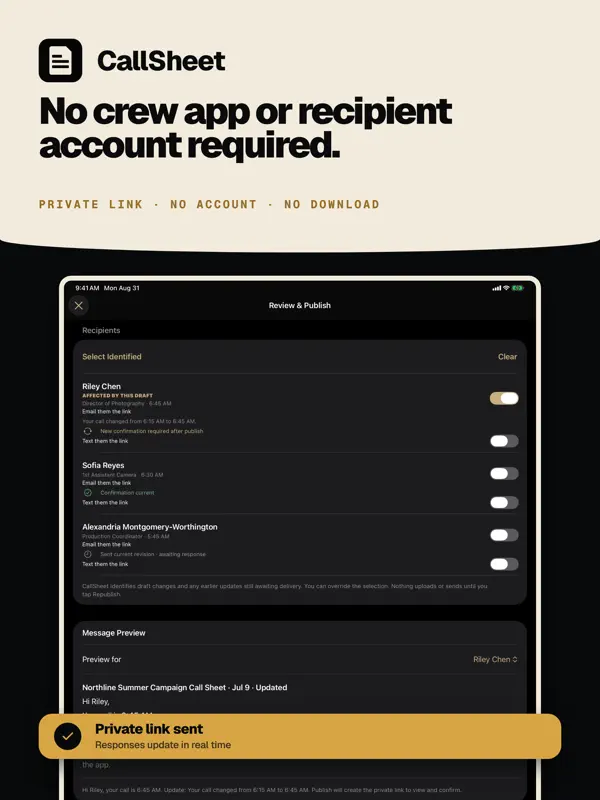
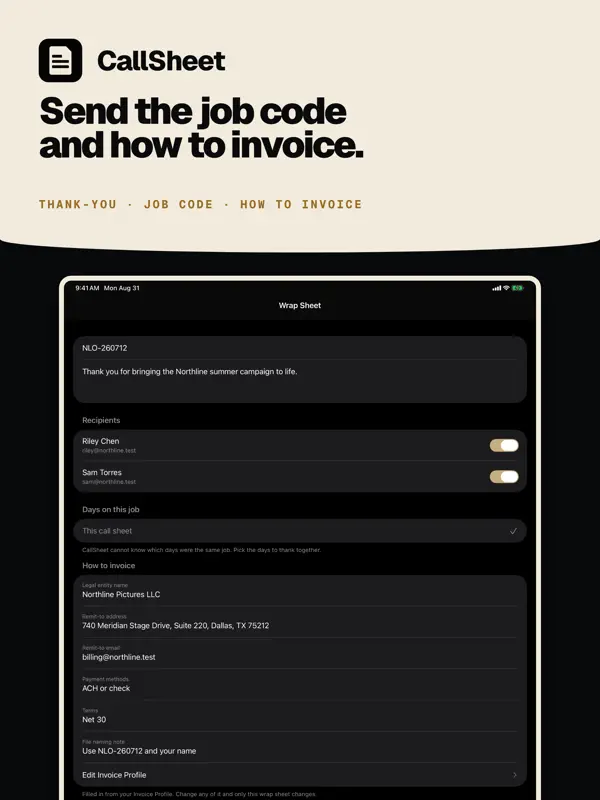
Change one call time. Only the people it touches get a new link. The rest of the crew does not get a new sheet. Select crew, cast, and key contacts, build the shoot day around them, and send each person a private link and current PDF. CallSheet: Crew Calls is a crew call-sheet app at calltimes.app. It is not the movie-lookup Callsheet and not Callsheet Pro by Early Studios. BUILD THE SHOOT DAY • Create and edit unlimited local drafts offline • Add selected people from Apple Contacts, or a whole Apple Contacts list • Import a vCard or CSV exported from Google Contacts, Outlook, or a spreadsheet • Confirm CSV columns and review every person, including new, merged, and repeated entries, before saving • Set a department, position, or list for everyone in one pass • Export your crew directory as vCard or CSV • Add people manually when they are not in Contacts • Assign roles, departments, personal calls, or relative calls • Drag Run of Day items into place, move them up or down, sort by time, or resequence the times • Shift the entire shoot day at once • Add schedule, locations, company moves, parking, weather, safety, meals, vehicles, equipment, and notes • Find the nearest hospital from the location address, with phone and distance Local drafting works without an account or network connection. CallSheet Pro and Sign in with Apple are required for cloud distribution, private recipient links, email delivery, confirmation tracking, and cloud restore. KEEP THE CREW CURRENT Change one person’s call time or a shared production detail and CallSheet identifies only who needs the update. The producer reviews the affected recipients, publishes the revision, and sees who confirmed the current information. Crew and cast use private web links, so they do not need the app or an account. CHANGE • Edit a personal call time or shared production detail • See exactly what changed before publishing PUBLISH • Preselect only recipients whose information changed • Keep unaffected recipients’ current delivery and response status • Send recipient-specific private links and the current PDF • Include maps, safety plans, sides, and other production files • Prepare Apple Messages links without sending automatically CONFIRM • Track delivery, link opens, confirmations, and declines • Bind confirmations to the information that recipient reviewed • Reject stale confirmations after a relevant newer change • Revoke private links when access should end WRAP THE JOB • Send selected crew one closing email when the job wraps • It carries a thank-you, the job code for their invoice, and how to invoice the production • Enter the legal entity, remit-to address and email, payment methods, terms, and file naming note once on your Account page • Those details appear under every Wrap Sheet after that • See who was already sent one • Crew need no app and no account REUSE THE WORK • Keep a device-local Crew Directory built from people you already added • Mark Go-To crew and reuse people from past call sheets • Compare two external call-sheet PDFs on device to see which known recipients are affected PLAN FOR THE SUN • See the Sun Path in the native app over satellite imagery that provides geographic context • Jump to crew call, first shot, company moves, meals, or wrap SUBSCRIPTION CallSheet Pro is an auto-renewing subscription. Eligible new subscribers may receive a one-week introductory trial. The App Store shows current pricing, trial eligibility, and renewal terms for your country or region before purchase. Payment is charged to your Apple ID account at confirmation of purchase. Subscriptions automatically renew unless auto-renew is turned off at least 24 hours before the end of the current period. Manage or cancel your subscription in your App Store account settings. Privacy Policy: https://calltimes.app/privacy. Terms of Use: https://calltimes.app/terms. Terms of Use (EULA): https://www.apple.com/legal/internet-services/itunes/dev/stdeula/
主な機能
- 連絡先、vCard、CSVからクルーを取り込み
- 個別・相対的な集合時間
- 全体のシフトに対応した、ドラッグ&ドロップの進行表
- 各人への専用リンクとPDF
- 変更時は影響を受ける人にだけ新しいリンクを送信
- オフラインの下書き
- Sun Pathビュー
iPhone Duo での CallSheet: Crew Calls:よくある質問
CallSheet: Crew Calls は iPhone Duo に最適化されていますか?
はい。CallSheet: Crew Calls は「Duo 専用設計」で、折りたたみ、Split View、外側ディスプレイを活用しています。2026年10月8日 に確認(開発者の発表)。
iPhone Duo での CallSheet: Crew Calls はどう見えますか?
開発元のリリースノートによると、CallSheetはiPhone Duo向けに作られています。折りたたんだ状態では外側ディスプレイでコールシートを利用でき、開くと、「Call Sheets」「Crew」「Preview」「Sun Path」の各セクションが縦持ちでも横持ちでも内側ディスプレイいっぱいに表示されます。ノートによると、「Sun in Camera」機能はiPhone Duoではまだ提供されておらず、そのためSun Pathでは衛星ビューとタイムラインの時刻が表示されます。当サイトではまだiPhone Duoの実機でテストしていません。
CallSheet: Crew Calls の価格は?
CallSheet: Crew Calls は App Store で 無料 · アプリ内課金あり です。
その他の仕事効率化アプリ
すべて見る ›
所要時間でタスクを分ける、落ち着いた ToDo リスト兼ペーパー風プランナー

iPhone Duo の両ディスプレイ向けレイアウトを備えたタスク・プロジェクト管理

展開するとメッセージと受信ボックスを並べて表示できる、Readdle の統合受信ボックス

iPhone Duo のあらゆる姿勢に合わせて形を変える、Cultured Code のタスク管理アプリ

iPhone Duo を開くとノートが開く、手書き風のプライベートノートブック

ブックとテーブルトップの姿勢向けの集中タイマーを備えた、ビジュアルタイムライン式の 1 日プランナー