
CallSheet: Crew Calls
影视剧组通告单制作应用,在 iPhone Duo 上支持外屏模式
Geared Like A Machine LLC · 效率 · 免费 · 含 App 内购买
iPhone 截图
iPad 截图
在 iPhone Duo 上的表现
开发者的更新说明称,CallSheet 专为 iPhone Duo 打造。折叠时,通告单可在外屏上使用;展开时,“通告单”“剧组”“预览”和“日照轨迹”板块铺满内屏,竖持或横持均可。说明还提到,“镜头中的太阳”功能暂未在 iPhone Duo 上提供,因此那里的“日照轨迹”改为显示卫星视图和当日流程上的时间。我们尚未在 iPhone Duo 上测试。
新功能
版本 1.2.34 ·
Built for iPhone Duo. Folded, your call sheet works on the outer screen. Unfolded, Call Sheets, Crew, Preview and Sun Path fill the inner screen, held tall or wide. Sun in Camera is not offered on iPhone Duo yet, so Sun Path shows the satellite view and every time on the run of day there. On every other iPhone, iPad and Mac, CallSheet works as before.
开发者尚未提供此内容的中文版本。
关于这款应用
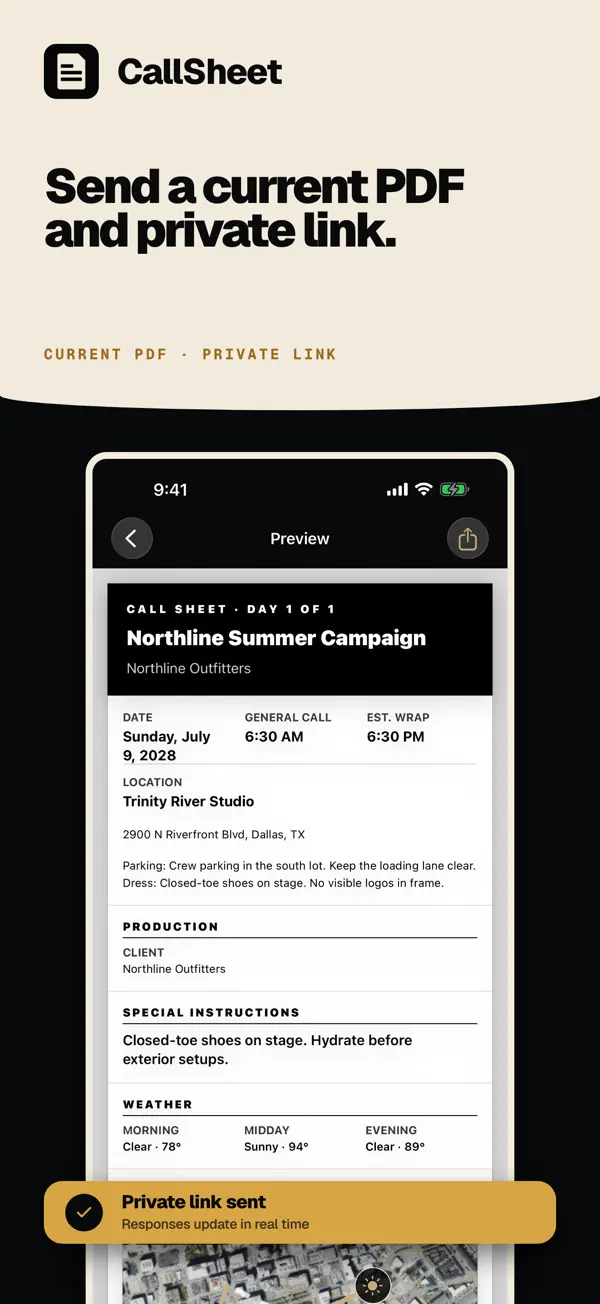
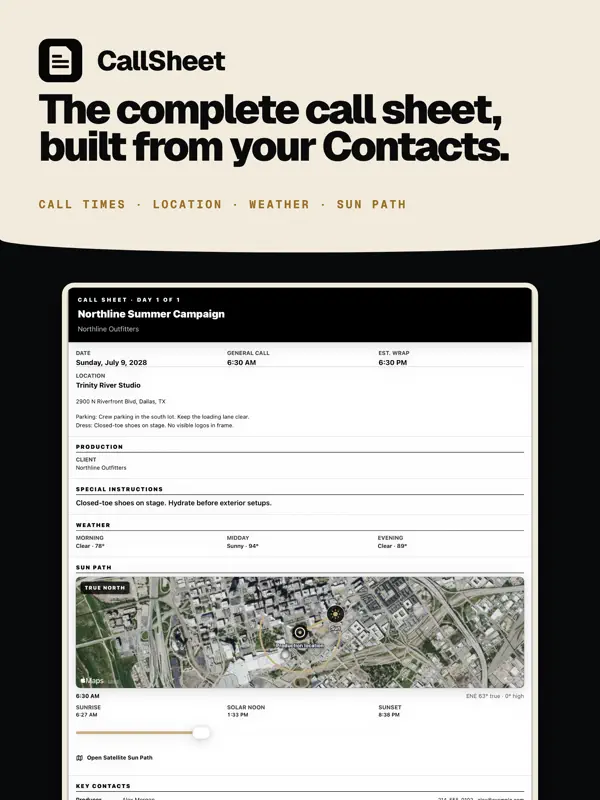
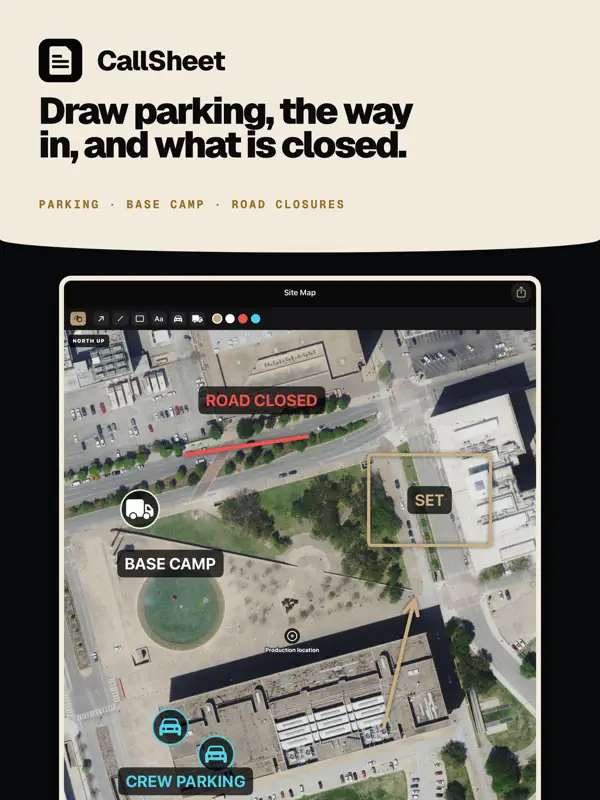
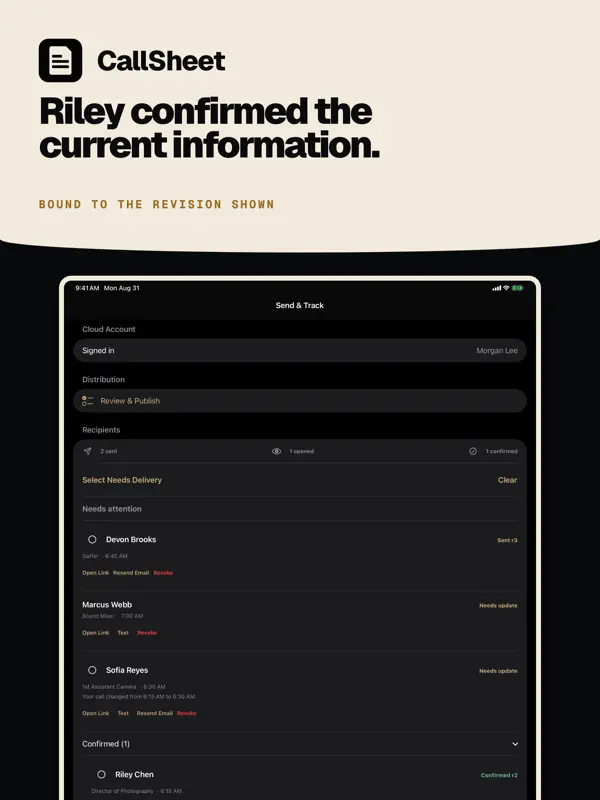
CallSheet: Crew Calls 由 Geared Like A Machine LLC 推出,是面向电影和视频制作的通告单应用。它与影视资料查询应用 Callsheet 是不同的产品,开发者在自己的商店页面上也做了这一区分。制片人和副导演可以围绕参与人员来制定拍摄日:剧组成员、演员和重要联系人可从 Apple 通讯录添加,或从 vCard 或 CSV 文件导入,然后指定部门、职位以及个人或相对的通告时间。当日流程可以拖动排序、重新排序或整体平移,通告单中可以写入地点、转场、停车、天气、安全提示、餐食、车辆和设备。每个人会收到一条私人链接和一份最新的 PDF,当某个通告时间变化时,只有受影响的人才会收到新链接。草稿可在离线状态下创建和编辑。应用可免费下载,Pro 订阅通过应用内购买提供,其中包括单独的 Pro Duo 档位。开发者称 1.2.34 版本为 iPhone Duo 而打造,外屏上可使用通告单,展开后主要板块铺满内屏。适合希望在片场用手机管理通告单的小型制作团队。
本条目译自英文原文。
App Store 简介由开发者撰写。
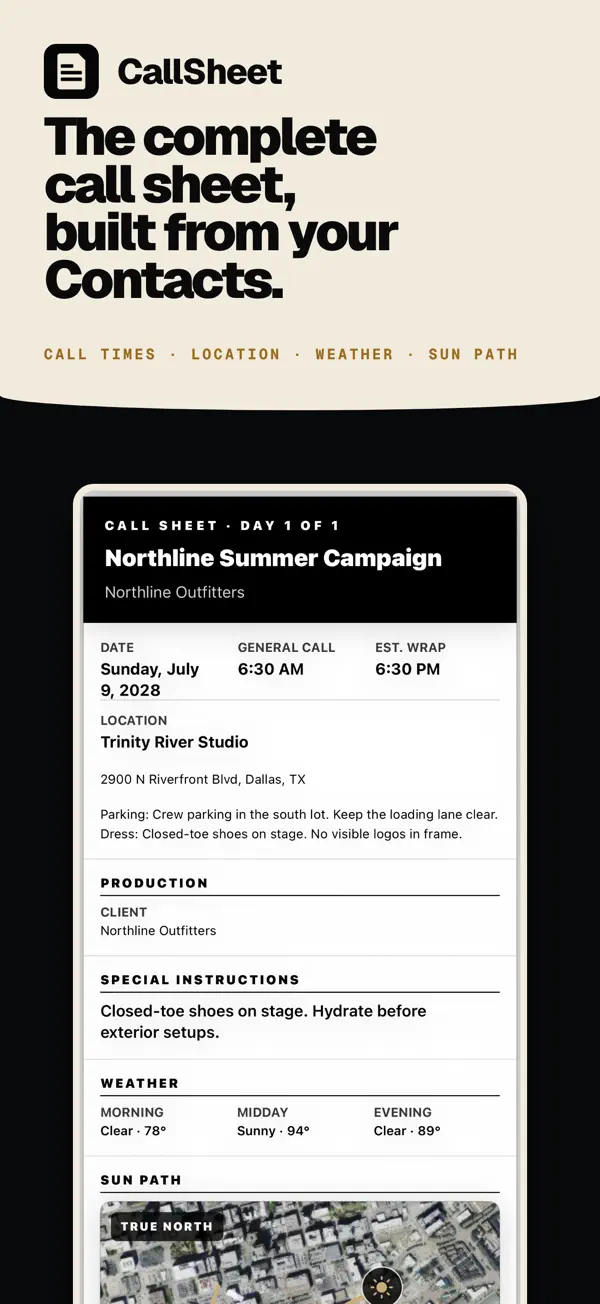
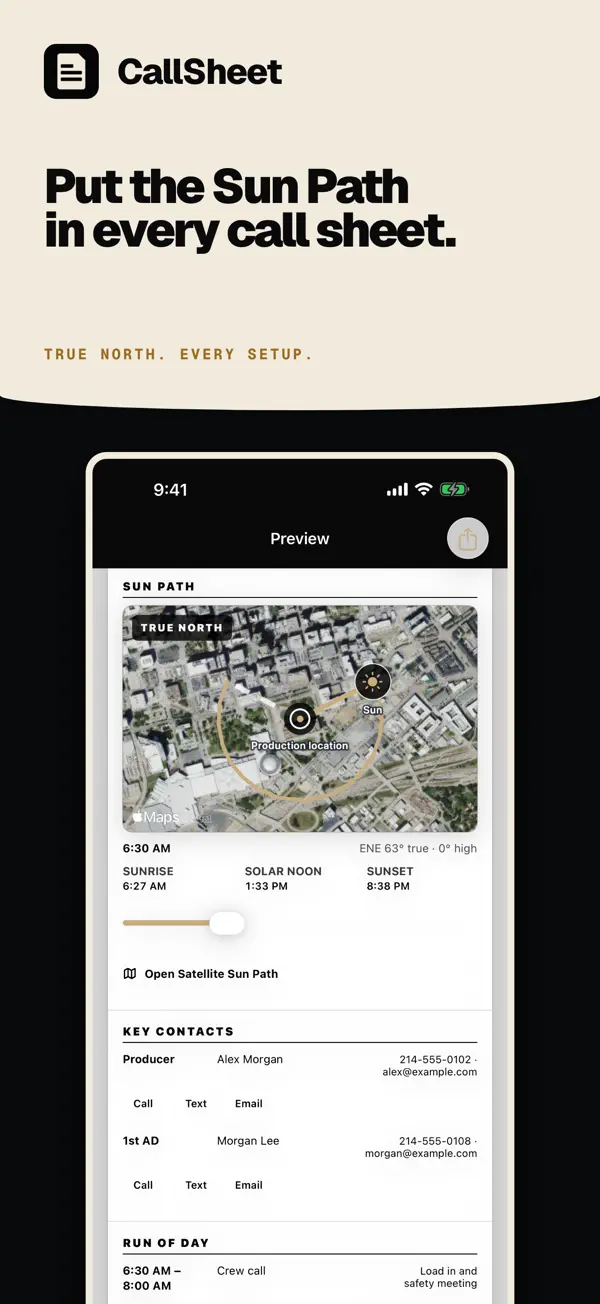
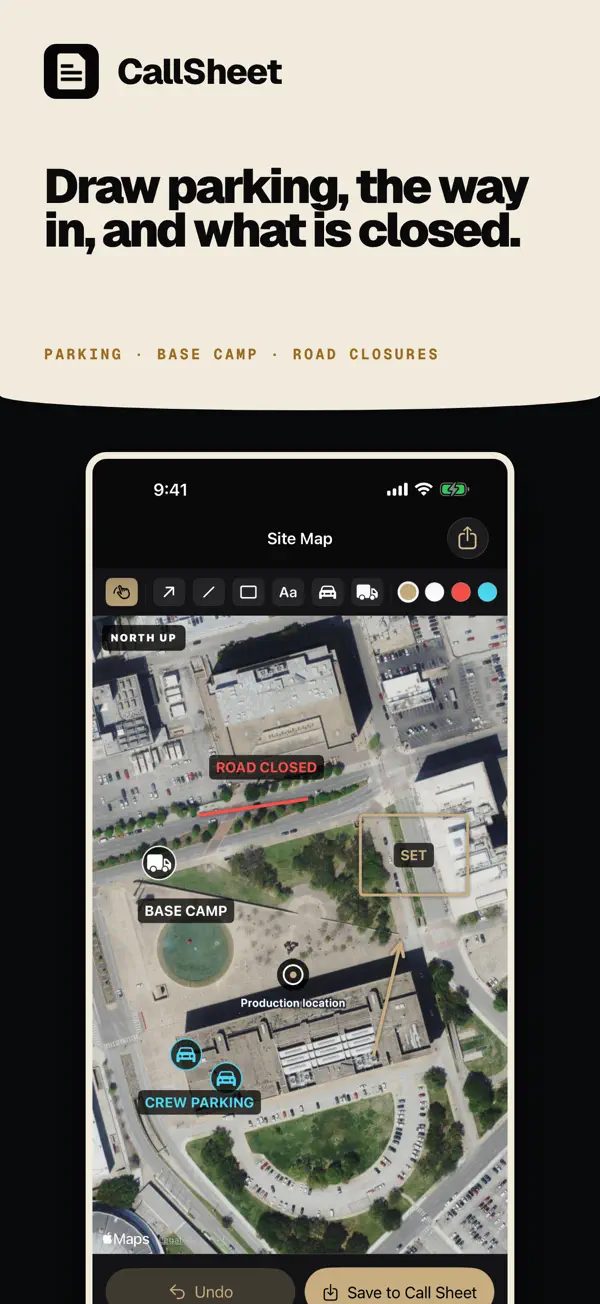
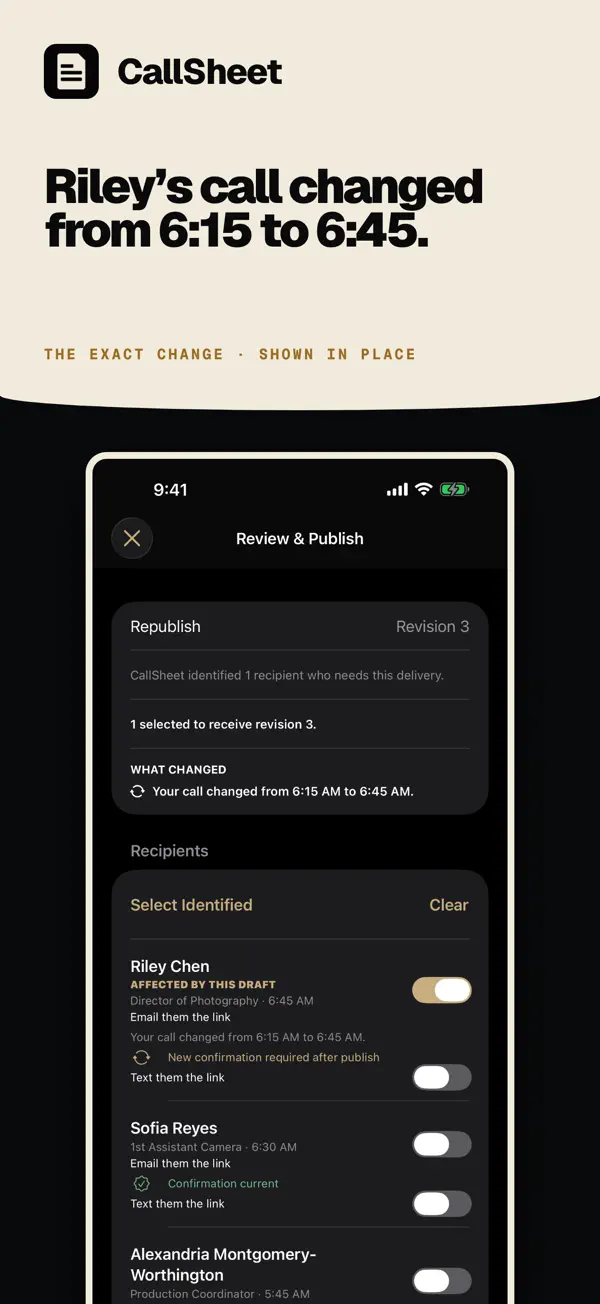
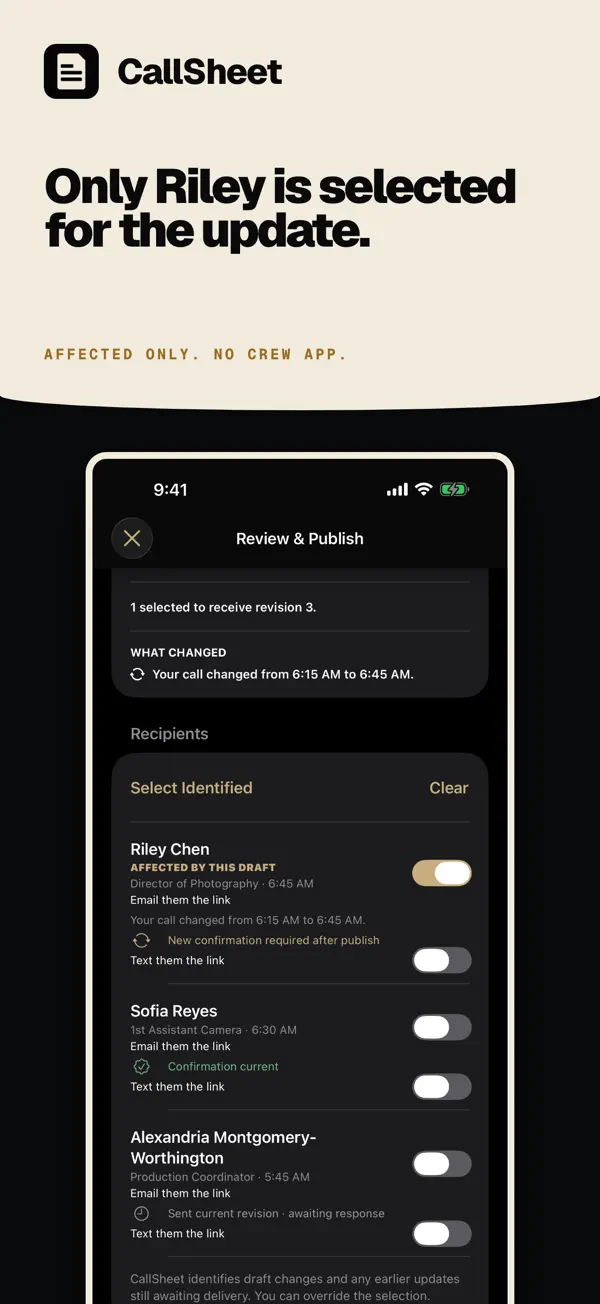
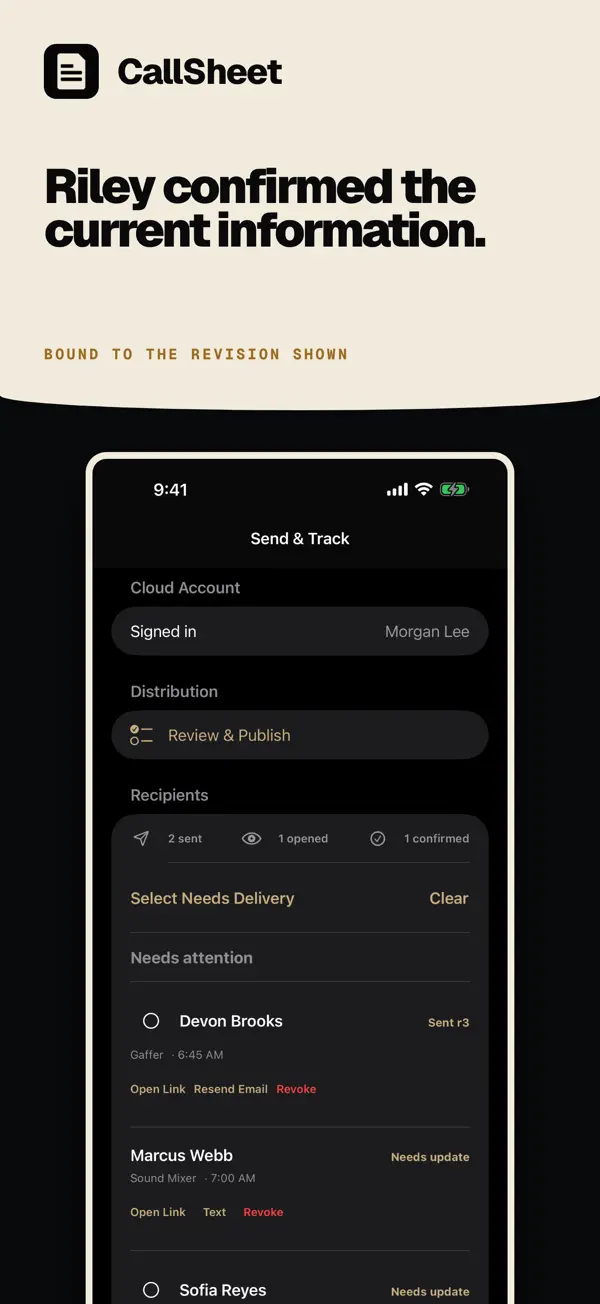
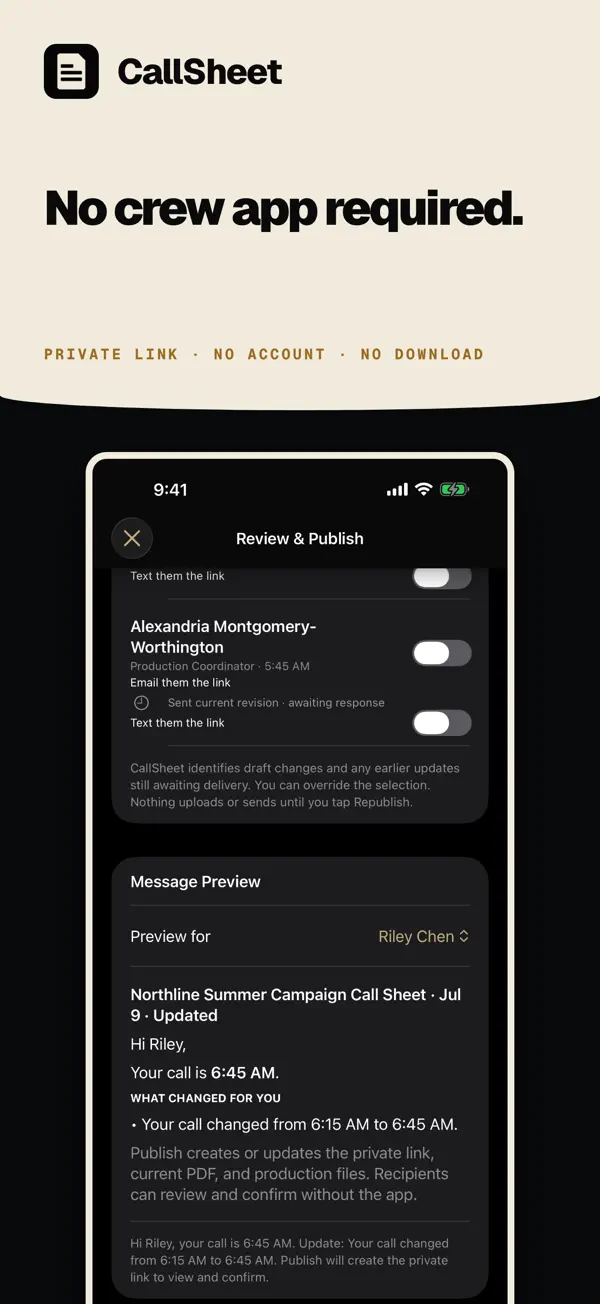
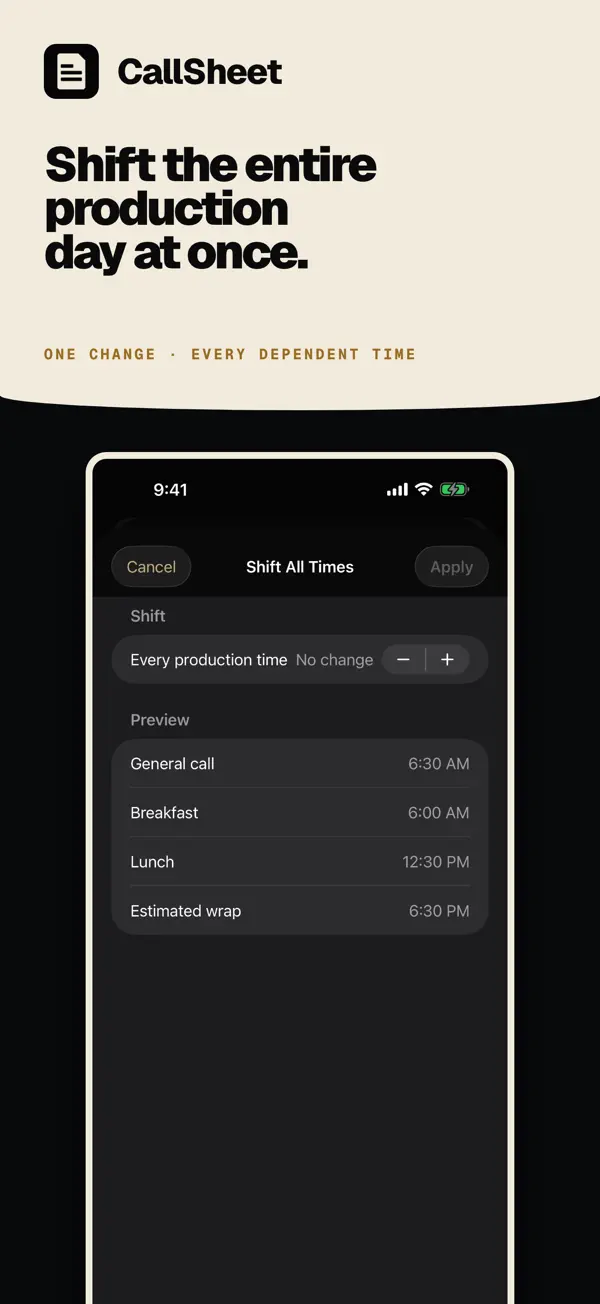
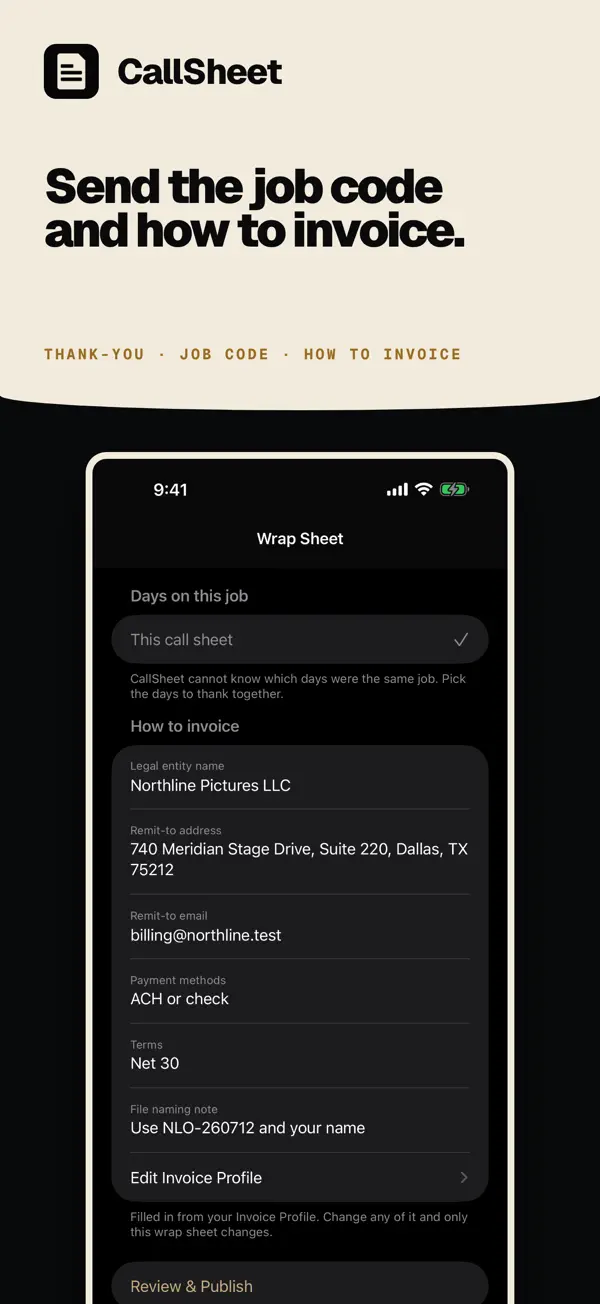
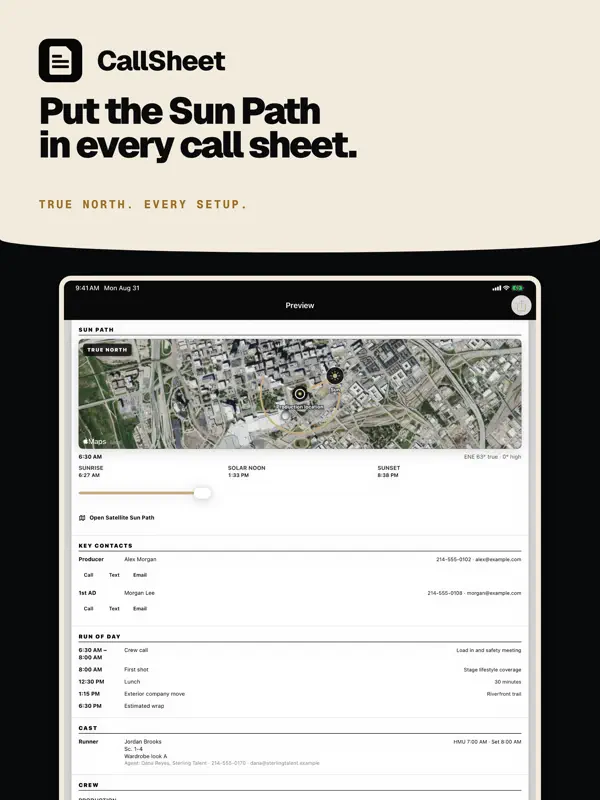
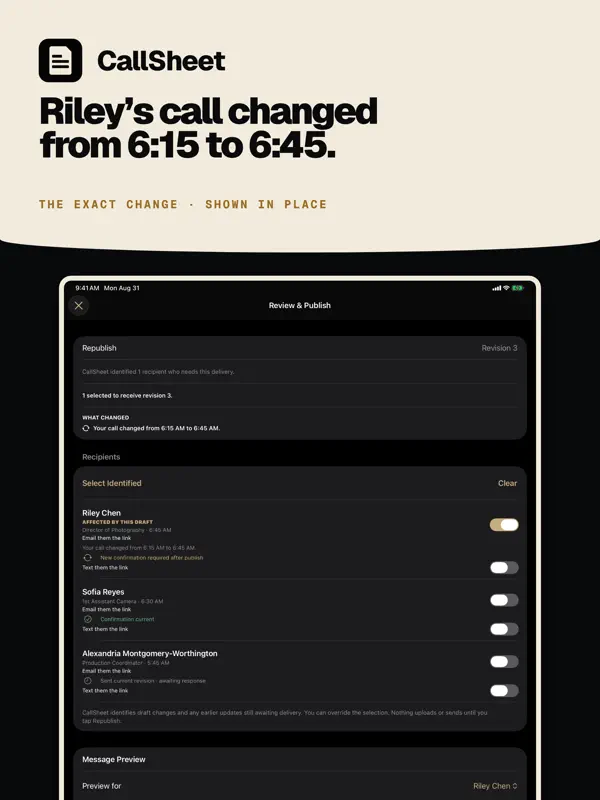
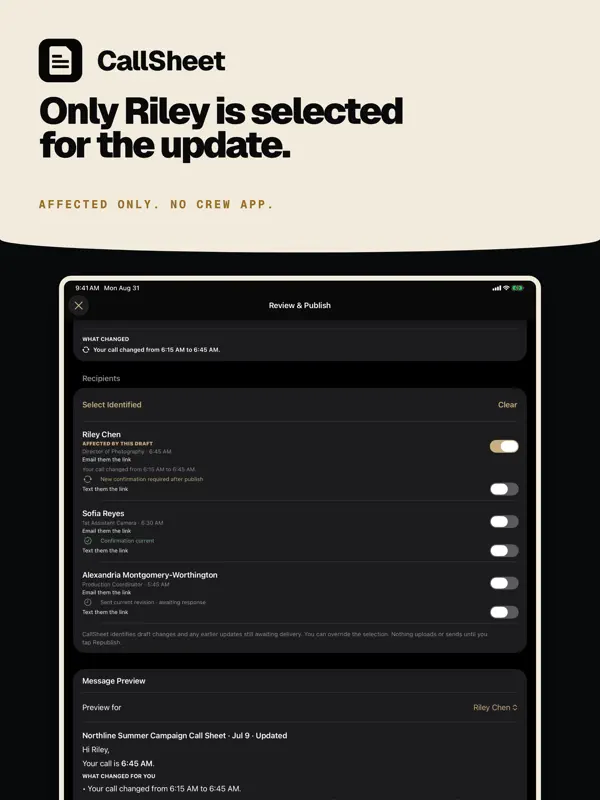
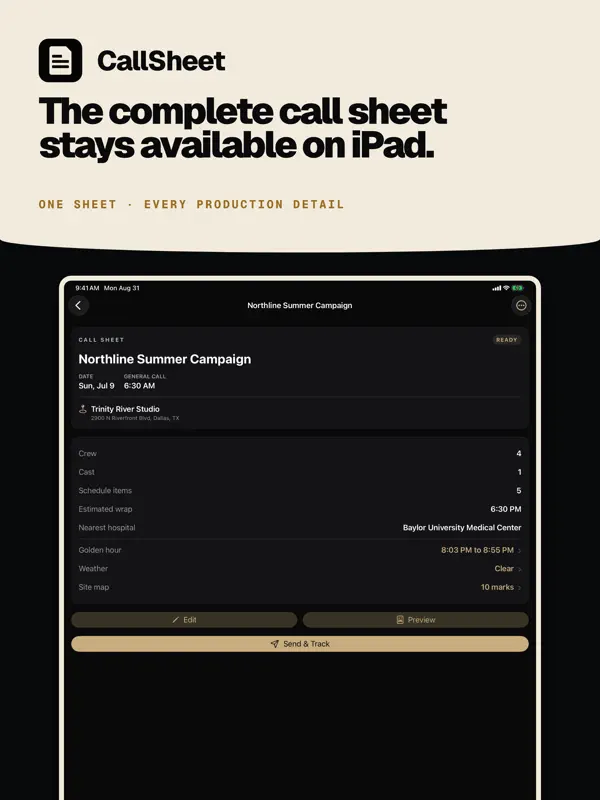
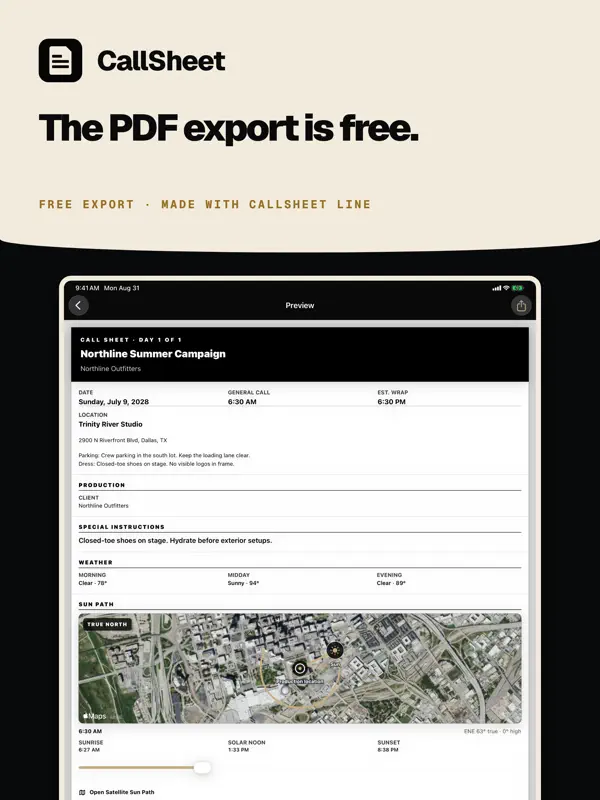
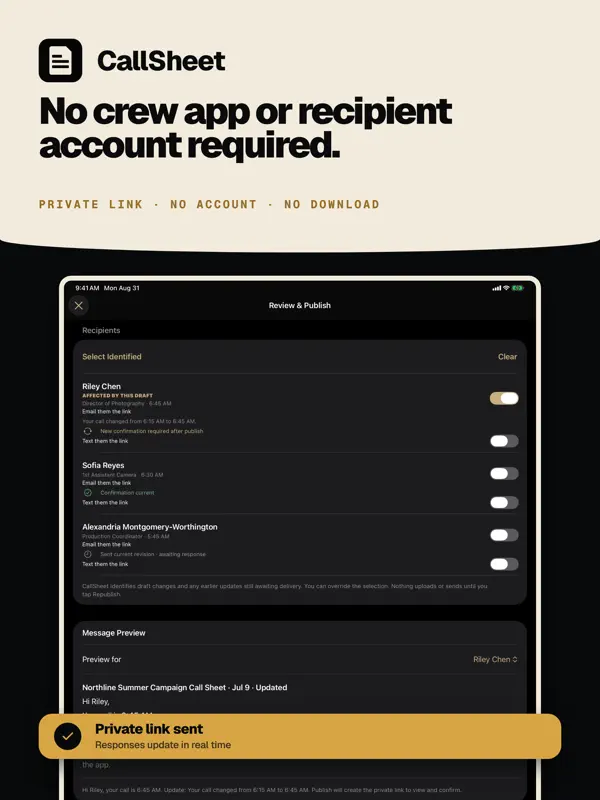
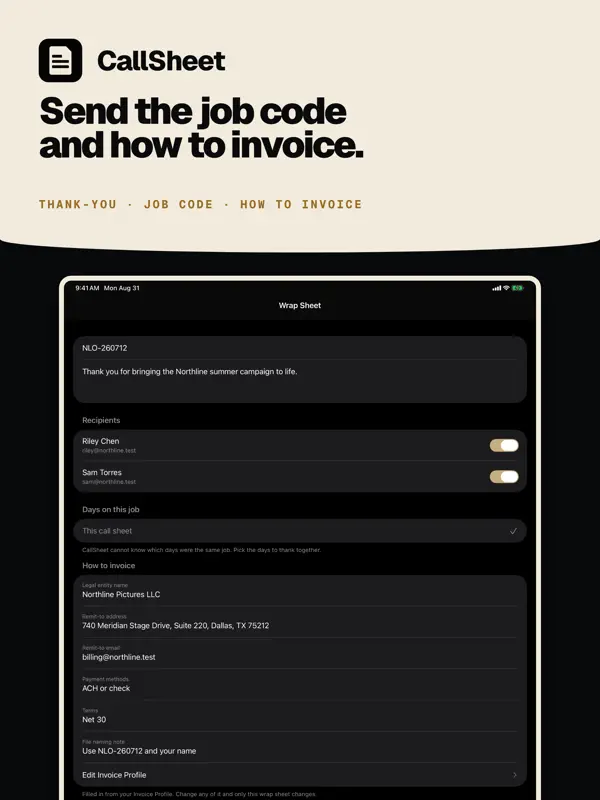
Change one call time. Only the people it touches get a new link. The rest of the crew does not get a new sheet. Select crew, cast, and key contacts, build the shoot day around them, and send each person a private link and current PDF. CallSheet: Crew Calls is a crew call-sheet app at calltimes.app. It is not the movie-lookup Callsheet and not Callsheet Pro by Early Studios. BUILD THE SHOOT DAY • Create and edit unlimited local drafts offline • Add selected people from Apple Contacts, or a whole Apple Contacts list • Import a vCard or CSV exported from Google Contacts, Outlook, or a spreadsheet • Confirm CSV columns and review every person, including new, merged, and repeated entries, before saving • Set a department, position, or list for everyone in one pass • Export your crew directory as vCard or CSV • Add people manually when they are not in Contacts • Assign roles, departments, personal calls, or relative calls • Drag Run of Day items into place, move them up or down, sort by time, or resequence the times • Shift the entire shoot day at once • Add schedule, locations, company moves, parking, weather, safety, meals, vehicles, equipment, and notes • Find the nearest hospital from the location address, with phone and distance Local drafting works without an account or network connection. CallSheet Pro and Sign in with Apple are required for cloud distribution, private recipient links, email delivery, confirmation tracking, and cloud restore. KEEP THE CREW CURRENT Change one person’s call time or a shared production detail and CallSheet identifies only who needs the update. The producer reviews the affected recipients, publishes the revision, and sees who confirmed the current information. Crew and cast use private web links, so they do not need the app or an account. CHANGE • Edit a personal call time or shared production detail • See exactly what changed before publishing PUBLISH • Preselect only recipients whose information changed • Keep unaffected recipients’ current delivery and response status • Send recipient-specific private links and the current PDF • Include maps, safety plans, sides, and other production files • Prepare Apple Messages links without sending automatically CONFIRM • Track delivery, link opens, confirmations, and declines • Bind confirmations to the information that recipient reviewed • Reject stale confirmations after a relevant newer change • Revoke private links when access should end WRAP THE JOB • Send selected crew one closing email when the job wraps • It carries a thank-you, the job code for their invoice, and how to invoice the production • Enter the legal entity, remit-to address and email, payment methods, terms, and file naming note once on your Account page • Those details appear under every Wrap Sheet after that • See who was already sent one • Crew need no app and no account REUSE THE WORK • Keep a device-local Crew Directory built from people you already added • Mark Go-To crew and reuse people from past call sheets • Compare two external call-sheet PDFs on device to see which known recipients are affected PLAN FOR THE SUN • See the Sun Path in the native app over satellite imagery that provides geographic context • Jump to crew call, first shot, company moves, meals, or wrap SUBSCRIPTION CallSheet Pro is an auto-renewing subscription. Eligible new subscribers may receive a one-week introductory trial. The App Store shows current pricing, trial eligibility, and renewal terms for your country or region before purchase. Payment is charged to your Apple ID account at confirmation of purchase. Subscriptions automatically renew unless auto-renew is turned off at least 24 hours before the end of the current period. Manage or cancel your subscription in your App Store account settings. Privacy Policy: https://calltimes.app/privacy. Terms of Use: https://calltimes.app/terms. Terms of Use (EULA): https://www.apple.com/legal/internet-services/itunes/dev/stdeula/
亮点
- 从通讯录、vCard 或 CSV 导入剧组人员
- 个人与相对通告时间
- 可拖拽的当日流程,支持整体平移
- 为每个人生成私人链接和 PDF
- 变更时只向受影响的人发送新链接
- 离线草稿
- 日照轨迹视图
CallSheet: Crew Calls 在 iPhone Duo 上:常见问题
CallSheet: Crew Calls 针对 iPhone Duo 优化了吗?
是的。CallSheet: Crew Calls 属于「专为 Duo 打造」:它利用了折叠形态、Split View 或外屏。核验于 2026年10月8日(开发者声明)。
CallSheet: Crew Calls 在 iPhone Duo 上是什么样子?
开发者的更新说明称,CallSheet 专为 iPhone Duo 打造。折叠时,通告单可在外屏上使用;展开时,“通告单”“剧组”“预览”和“日照轨迹”板块铺满内屏,竖持或横持均可。说明还提到,“镜头中的太阳”功能暂未在 iPhone Duo 上提供,因此那里的“日照轨迹”改为显示卫星视图和当日流程上的时间。我们尚未在 iPhone Duo 上测试。
CallSheet: Crew Calls 多少钱?
CallSheet: Crew Calls 在 App Store 售价 免费 · 含 App 内购买。
更多效率应用
查看全部 ›
安静的待办清单与纸质风格计划本,按所需时长给任务分类

任务与项目管理,为 iPhone Duo 的两块屏幕分别优化布局

Readdle 的统一收件箱邮件应用,展开后收件箱与邮件并排显示

Cultured Code 的任务管理器,针对 iPhone Duo 每种姿态重新调整布局

展开 iPhone Duo 即可打开的私密手写风格笔记本

可视化时间线日程规划应用,专门为书本和桌面姿态设计了专注计时器