
在 iPhone Duo 上
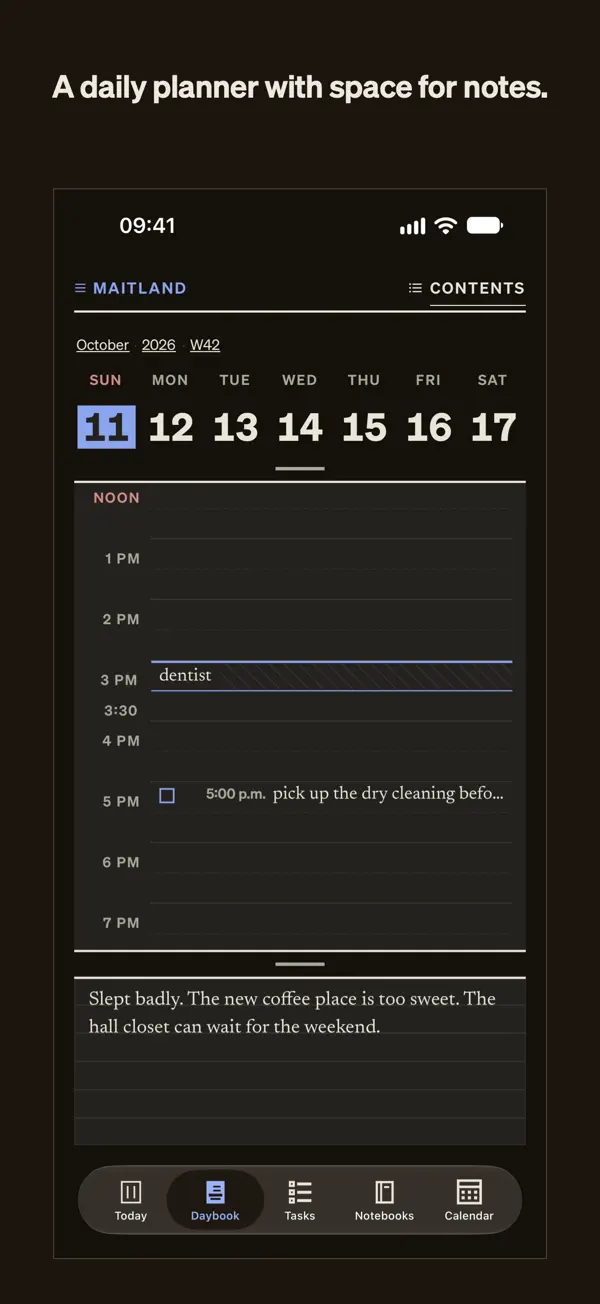
iPhone 截图
iPad 截图
在 iPhone Duo 上的表现
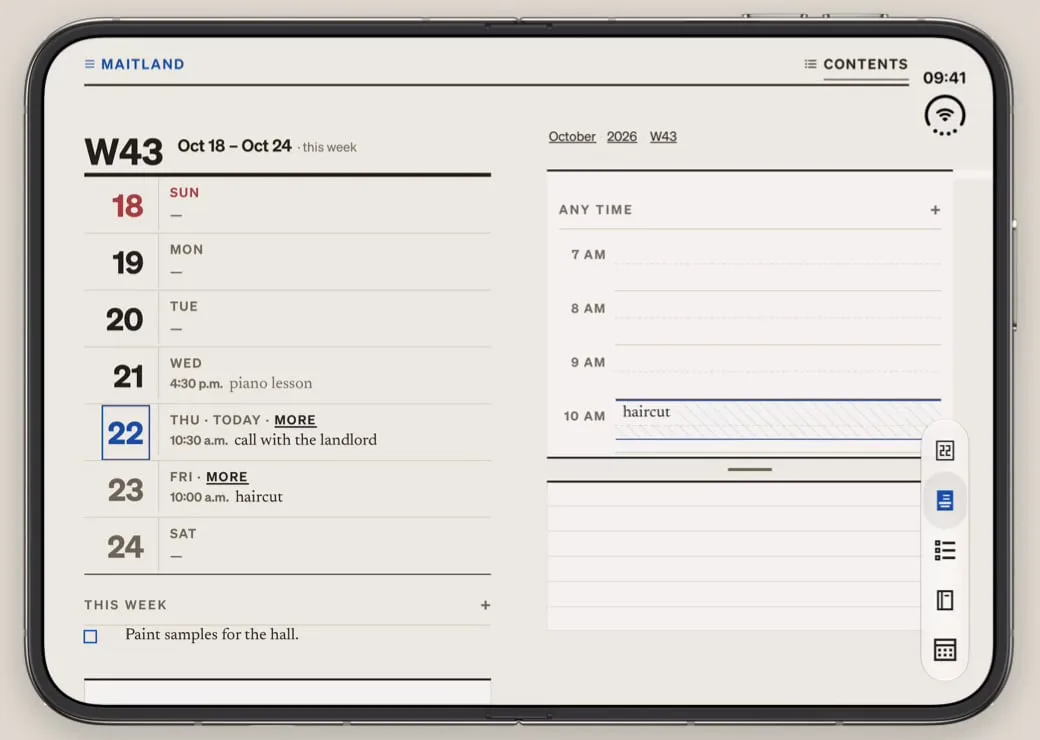
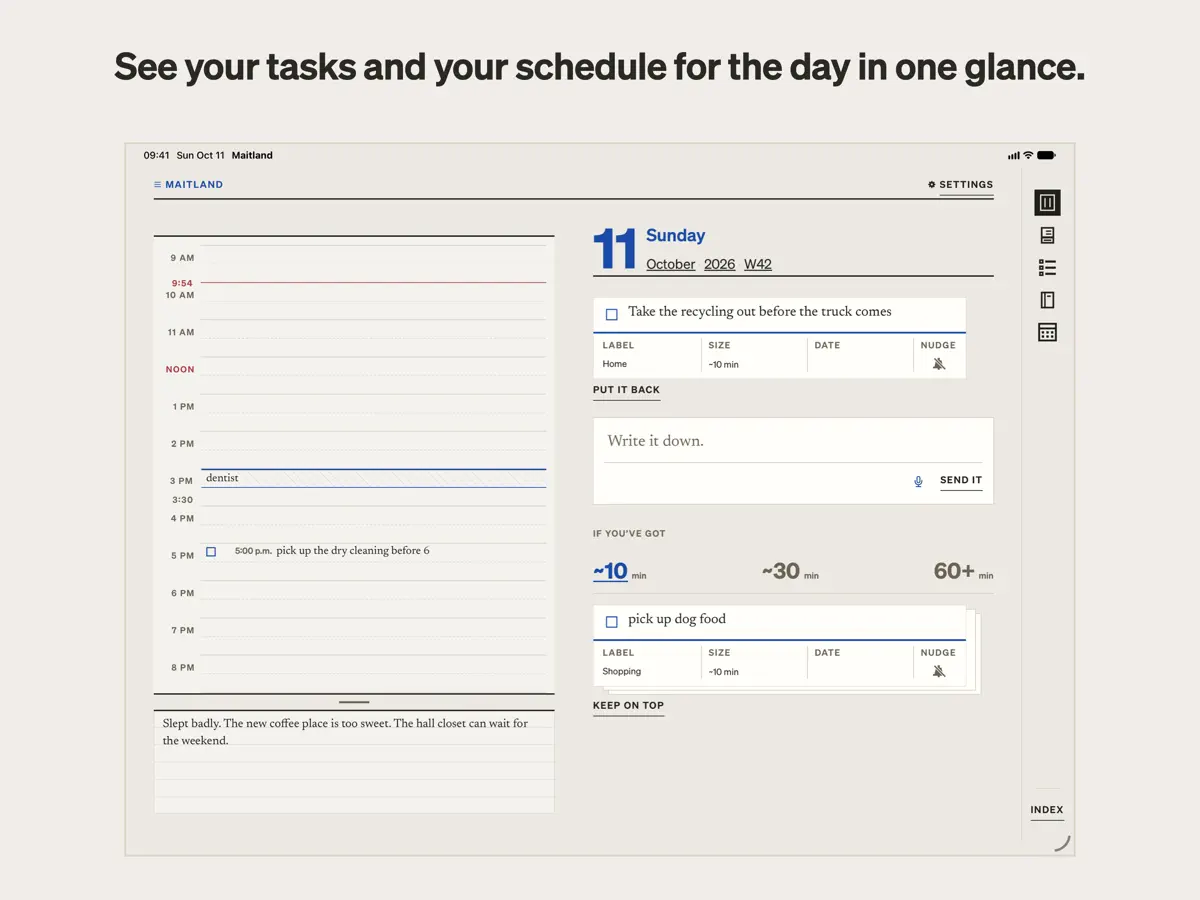
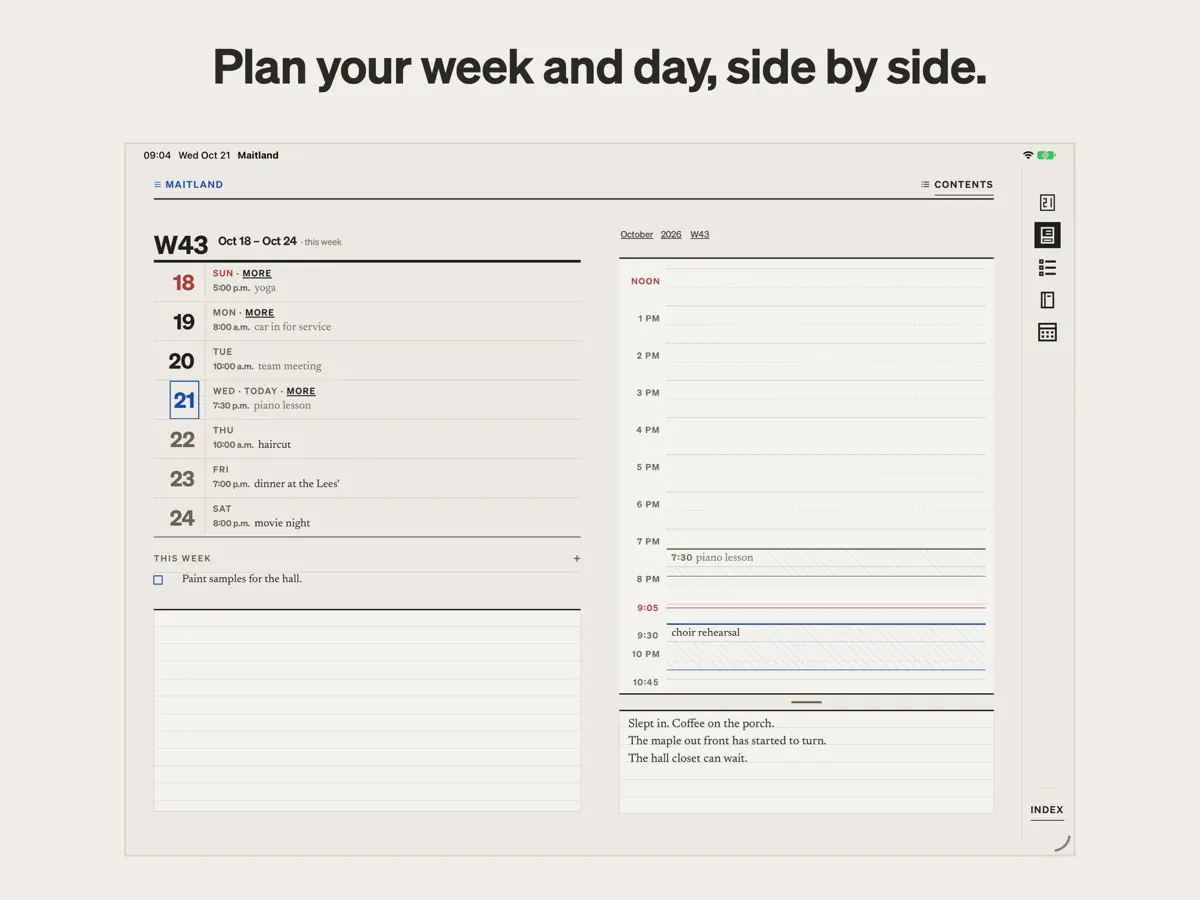
根据 Maitland 的 App Store 介绍,「在 iPad 和展开的 iPhone Duo 上,计划本会像纸质日记一样以左右对开的两页打开」。开发者发布的展开 iPhone Duo 演示视频显示:左页是本周,右页是当天逐小时的日程,任务堆则位于日视图旁边。开发者没有介绍具体的外屏或半开布局。我们尚未在真机上测试 Maitland;视频和截图均由开发者提供。
新功能
版本 1.0.1 ·
Mostly fixes. - The box reads more of what you write the way you meant it: a pasted checklist becomes a card each, "remind me to A, B" puts the reminder on both, and fewer things get a date you didn't mean. - On a trip, the calendar follows your phone into the new time zone. - Dragging an event across midnight stops at midnight. - Sync is steadier: a sync asked for during another is no longer dropped, and signing in on a new phone keeps your calendar settings.
开发者尚未提供此内容的中文版本。
关于这款应用
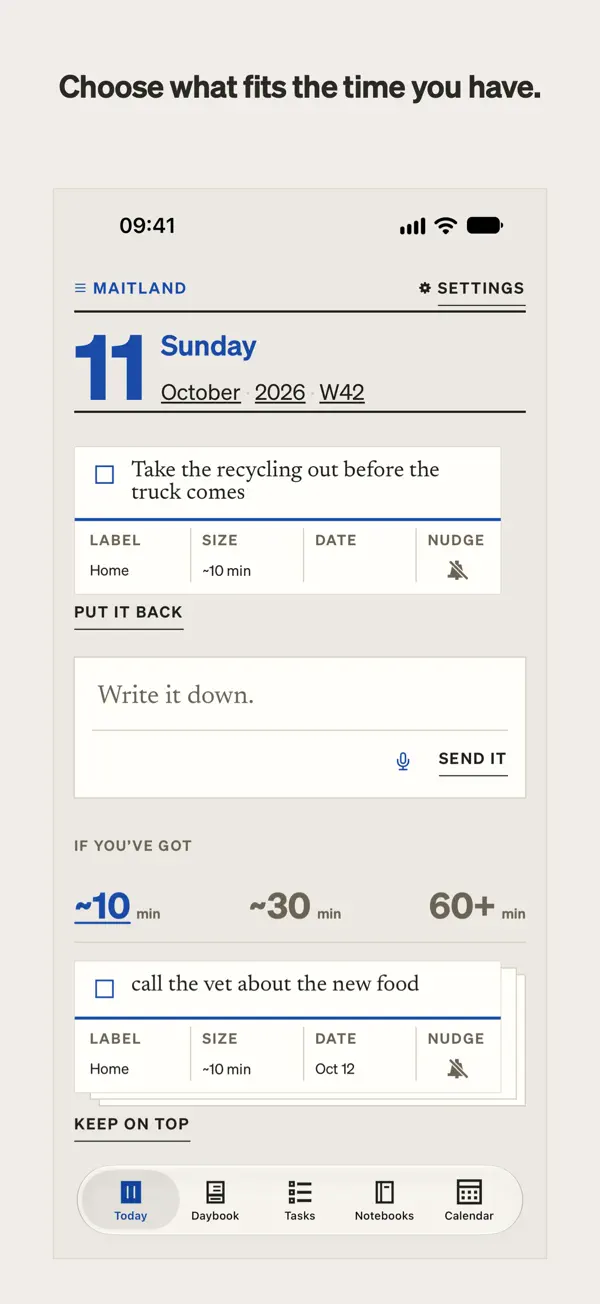
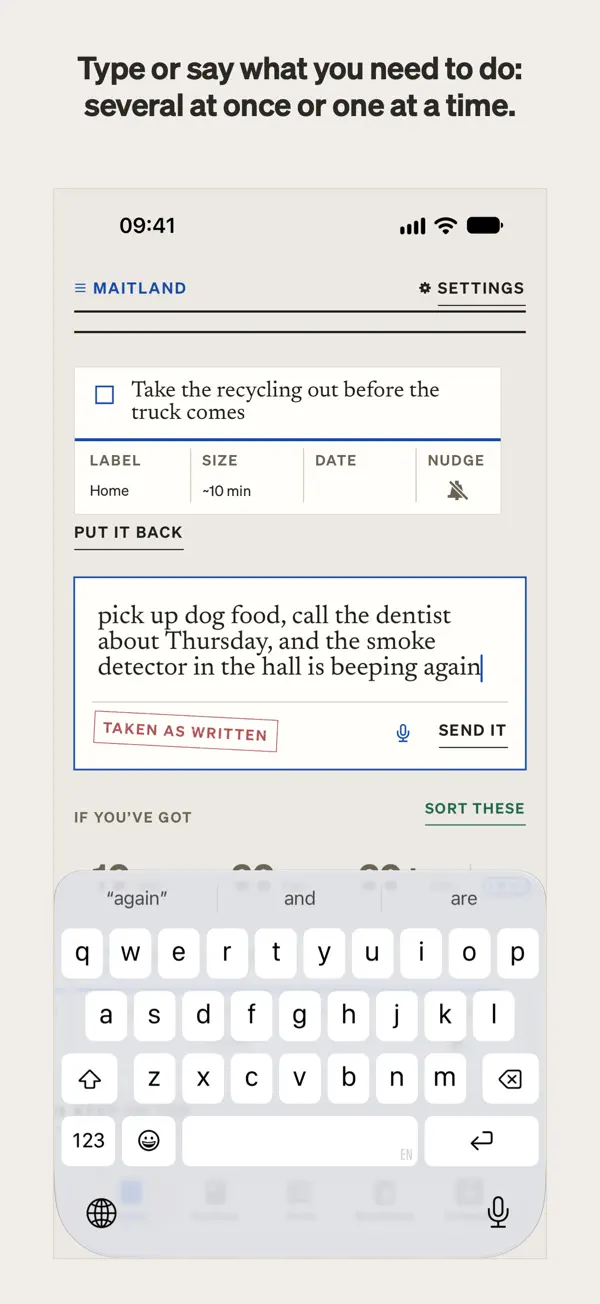
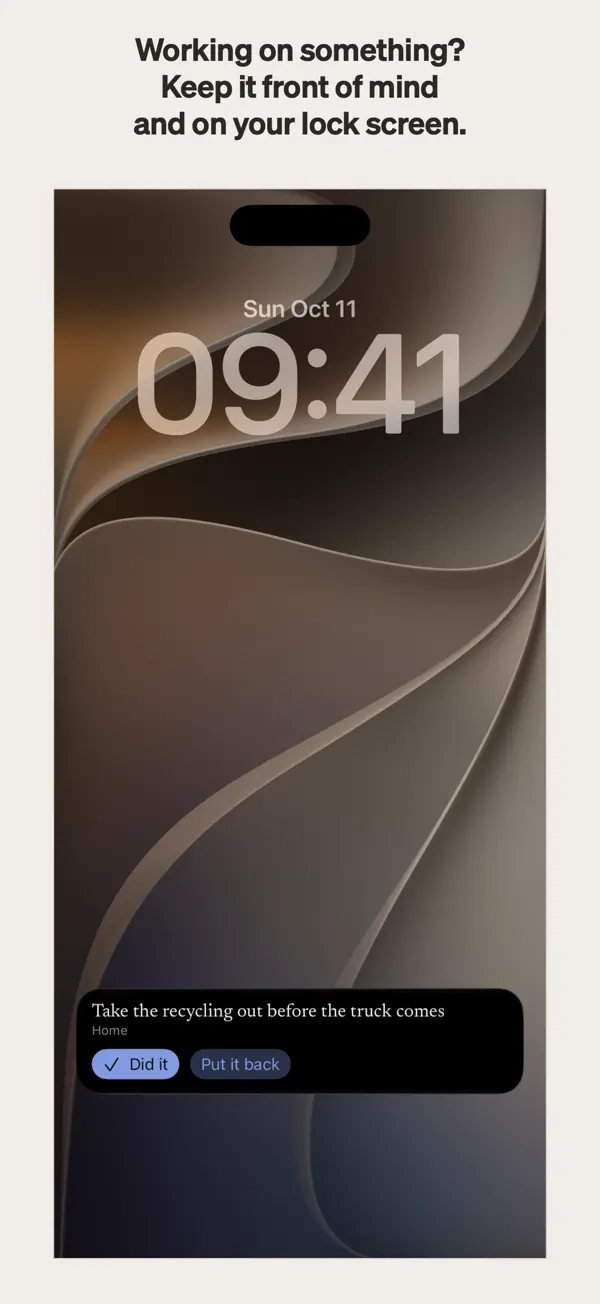
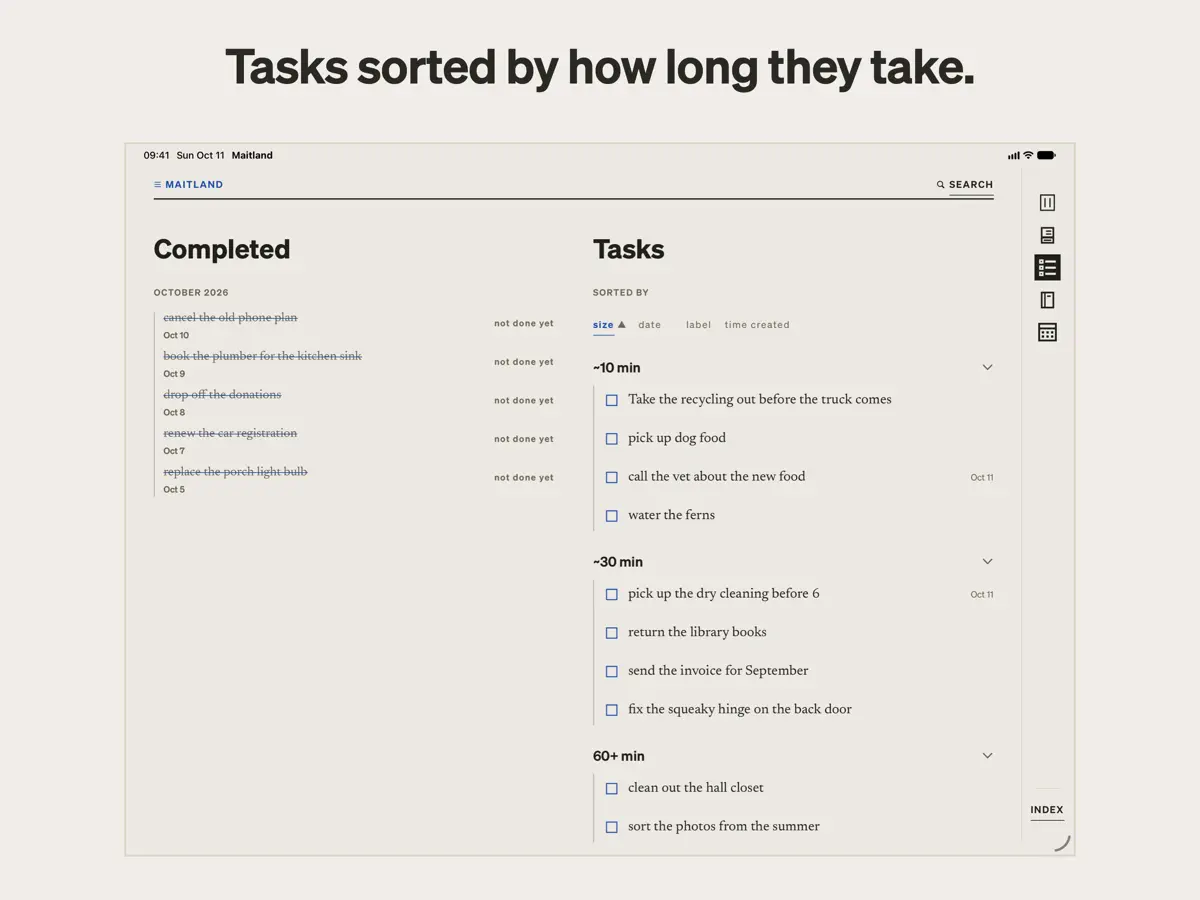
Maitland 由 Maitland Desk LLC 开发,是一款待办与计划应用,适合不喜欢被自己的清单催促的人。这里没有连续打卡、逾期标记或红色角标:任务一次只呈现一项,滑走一项也不会被记录。 记录任务很快捷。你可以输入或说出要做的事,比如「买狗粮,给牙医打电话问周四的事」,Maitland 会按你的原话拆分成独立的卡片,不改写内容,并估算每项所需时间。任务随后被分入三个任务堆:约 10 分钟、约 30 分钟、一小时以上,方便你根据手头的时间来挑选。一张卡片可以固定置顶,显示在「今天」视图和锁定屏幕上,直到你把它放回或勾掉。只有你的话里提到日期时才会设置日期,也只有你要求时才会设置提醒。 计划本为每一天、每一周、每个月和每一年都准备了页面,含逐小时日程和下方留白的笔记区,并可读写你的 iPhone 日历。在 iPad 上,Apple Pencil 可在任意页面书写。 Maitland 可免费下载,含内购项目。
本条目译自英文原文。
App Store 简介由开发者撰写。
Maitland is a to-do app and planner for people who hate being micromanaged, even by themselves. Write down what you need to do, and it sorts everything by how long it takes, so you can pick something that fits your day. Most to-do apps are built to nag. They flag what’s overdue, keep streaks, and turn things red when you fall behind. For some people, that works. For others, those streaks, alerts and nags quickly turn to guilt, and the to-do list becomes something to avoid. Maitland takes a quieter, intentional approach: your tasks are offered to you one at a time. Nothing keeps track if you swipe one away. They’re yours to take at your own pace. EASY TASK CAPTURE Type or say what you need to do: “pick up dog food, call the dentist about thursday.” Maitland splits it into separate cards in your own words, never rewriting them, and guesses how long each might take. SORTED BY HOW LONG THEY TAKE Maitland sorts your tasks into three piles: about 10 minutes, about 30 minutes, and an hour or more. Pick by what you have time for or want to do, not by artificial urgency. If you want, keep a card on top to hold it in front of you, on Today and on your lock screen, until you put it back or tick it done. DATES AND REMINDERS, ONLY IF YOU ASK Maitland sets a date only when your words give one. You can always add a date or a time to a task yourself. Write “remind me” or “nudge me” in a task, or tap its bell, and your phone will remind you. THE PLANNER A page for every day, week, month and year. Write against an hour-by-hour schedule, or in the open space below it. On iPad, Apple Pencil can write on any page. On iPad and an open iPhone Duo, the planner opens across two facing pages. THE CALENDAR AND NOTEBOOKS Maitland can read and write to your iPhone’s calendar, displaying its events alongside your plans, in a quiet design inspired by the International Typographic Style. Notebooks give your notes and journaling a place of their own. INSPIRED BY NEURODIVERSITY. BUILT FOR EVERYONE. Everyone interacts with tasks differently. For some, the pressure that comes with being told to do a task, even by themselves, can spur anxious feelings. Called “demand avoidance” or “PDA,” this trait is reported in people with ADHD or autism, but it is not limited to those groups. Many apps, including some made for neurodivergent people, use loud alerts, reminders you didn’t ask for, streaks and gamification, which can trigger this feeling. Maitland leaves those out by design. Tasks are presented as offers, not demands, and dates and reminders come only when you ask. Maitland is not a medical app or a therapy. It is for anyone who hates being told what to do, including by themselves. WHAT IT LEAVES OUT No counts of what’s open or overdue. No streaks, badges or red dots. Nothing that says you’re behind, and nothing old brought back unless you go looking. That’s deliberate. PRIVATE AND SECURE What you write is encrypted on your device. The key stays in your iCloud Keychain, and Maitland’s servers cannot read anything you write. Sorting runs on your device, through Maitland’s own parser; nothing goes to an AI service. No ads, no tracking. ON ANY SCREEN On a computer? Your lists, Today, the planner and your notebooks are in the web app at maitland.app. It syncs with your phone and keeps your data encrypted the whole way. YOUR COLORS Subscribers choose from five ink colors, each tuned for day and night. YOU OWN YOUR DATA Everything is stored as plain markdown files. Export any list from its page, or everything at once from the web app at maitland.app. If you stop using Maitland, your writing comes with you. SUBSCRIPTION Capture, lists, Today, Tasks, the Calendar, notebooks and export are free. A subscription turns on the sorting, the planner’s pages and the colors: in the US, $4.99 a month or $39.99 a year after a two-week free trial, with Family Sharing. Terms of Use: https://maitland.app/terms Privacy Policy: https://maitland.app/privacy
亮点
- 输入或口述任务,每项按你的原话生成独立卡片
- 任务按 10 分钟、30 分钟和一小时以上分堆
- 没有连续打卡、逾期标记或催促
- 仅在你提出时才设置日期和提醒
- 日、周、月、年计划页
- 读写你的 iPhone 日历
- 在 iPhone Duo 上:计划本以左右对开的两页打开
Maitland 在 iPhone Duo 上:常见问题
Maitland 针对 iPhone Duo 优化了吗?
是的。Maitland 属于「专为 Duo 打造」:它利用了折叠形态、Split View 或外屏。核验于 2026年10月22日(开发者声明)。
Maitland 在 iPhone Duo 上是什么样子?
根据 Maitland 的 App Store 介绍,「在 iPad 和展开的 iPhone Duo 上,计划本会像纸质日记一样以左右对开的两页打开」。开发者发布的展开 iPhone Duo 演示视频显示:左页是本周,右页是当天逐小时的日程,任务堆则位于日视图旁边。开发者没有介绍具体的外屏或半开布局。我们尚未在真机上测试 Maitland;视频和截图均由开发者提供。
Maitland 多少钱?
Maitland 在 App Store 售价 免费 · 含 App 内购买。
更多效率应用
查看全部 ›
任务与项目管理,为 iPhone Duo 的两块屏幕分别优化布局

Readdle 的统一收件箱邮件应用,展开后收件箱与邮件并排显示

Cultured Code 的任务管理器,针对 iPhone Duo 每种姿态重新调整布局
展开 iPhone Duo 即可打开的私密手写风格笔记本

可视化时间线日程规划应用,专门为书本和桌面姿态设计了专注计时器
iPhone Duo 展开后,清单与日程并排显示