
iPhone Duo에서
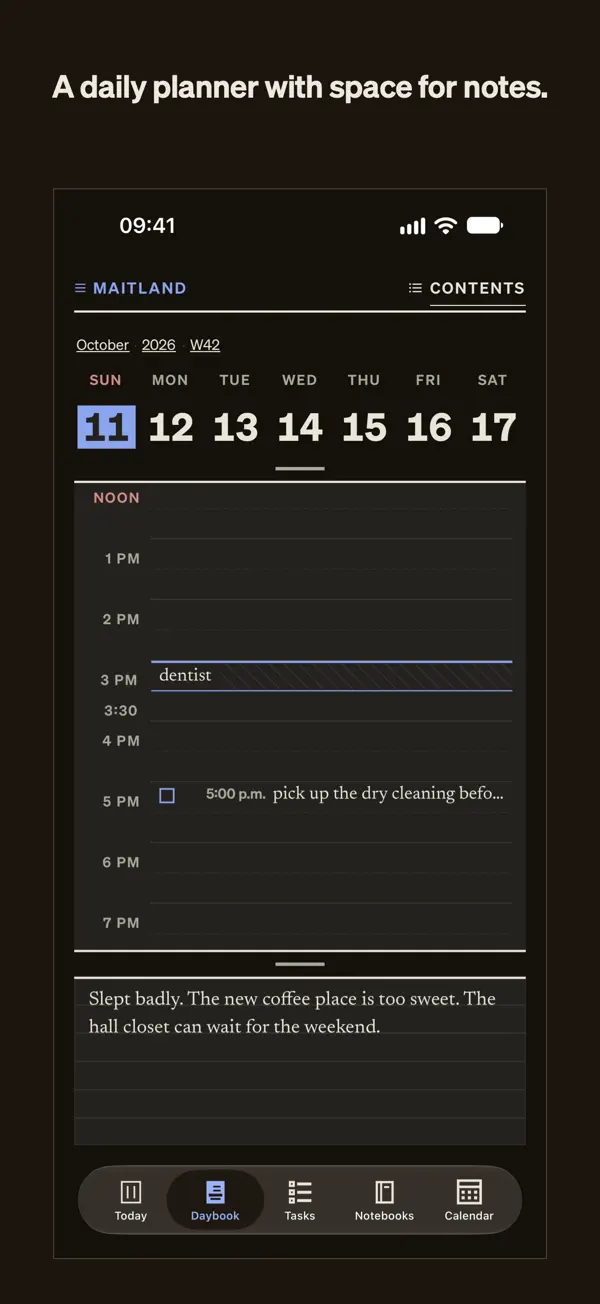
iPhone 스크린샷
iPad 스크린샷
iPhone Duo 활용 방식
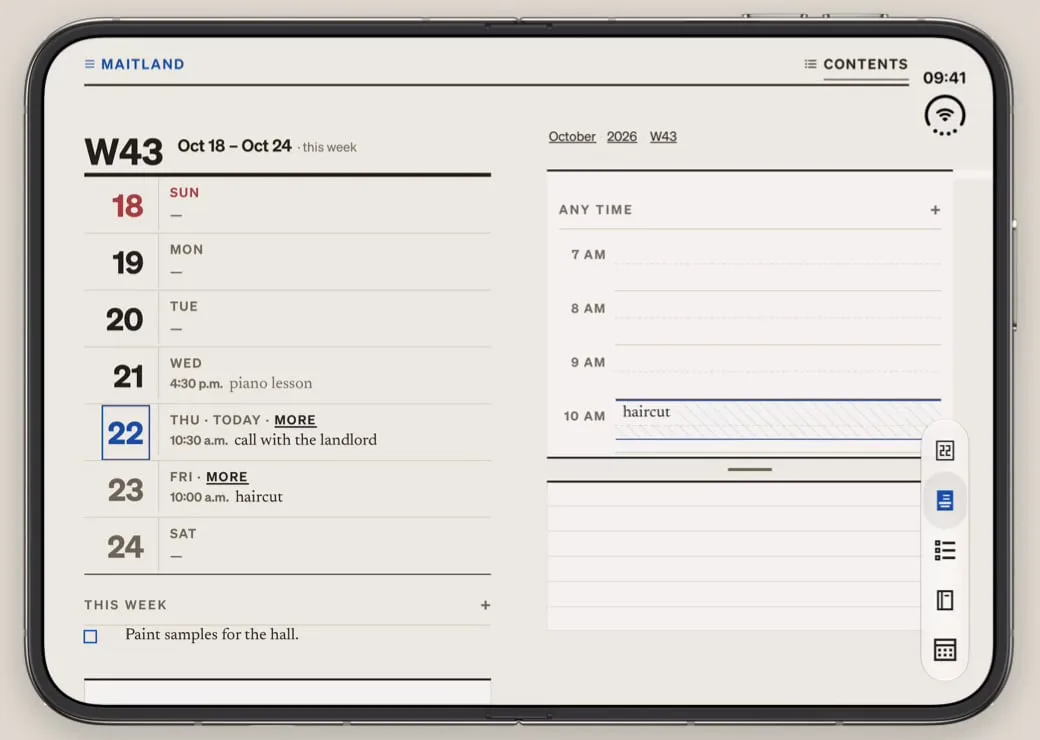
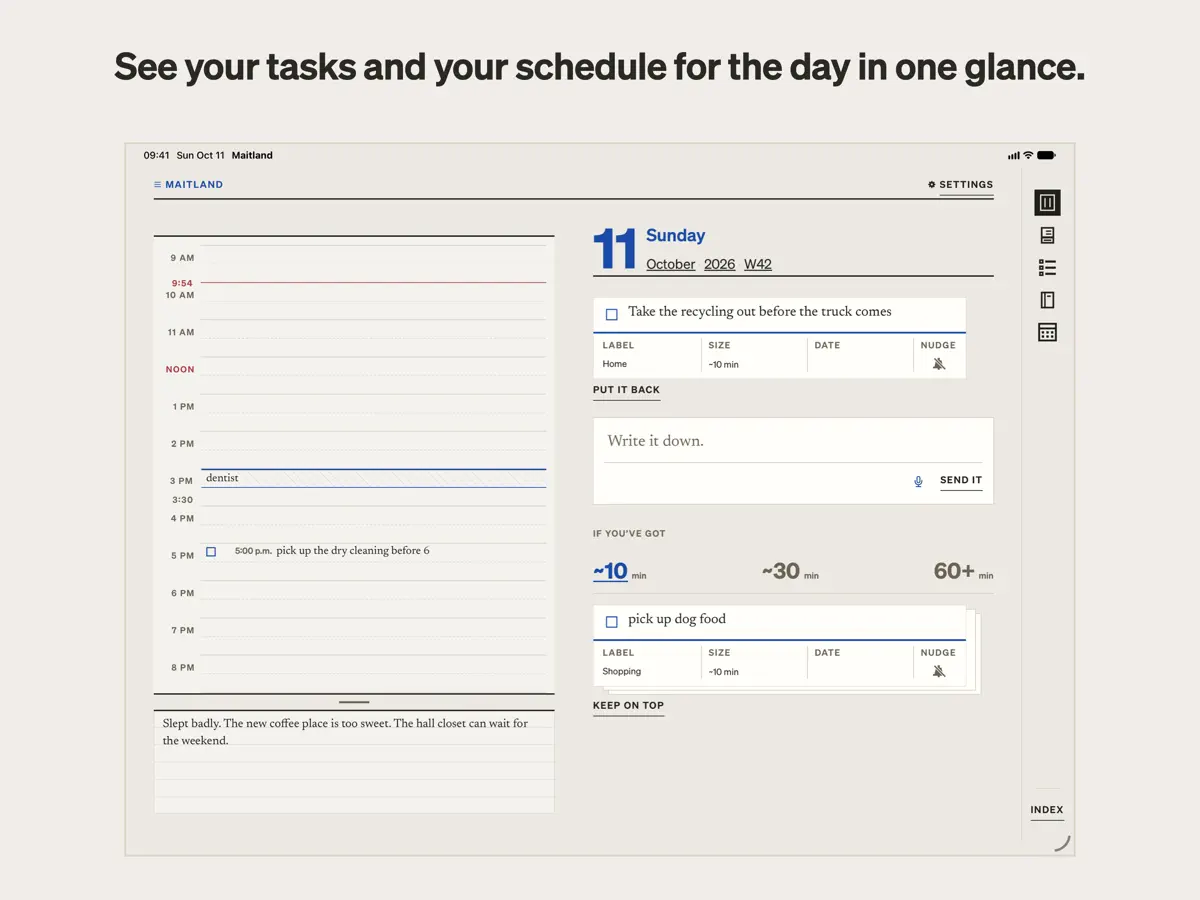
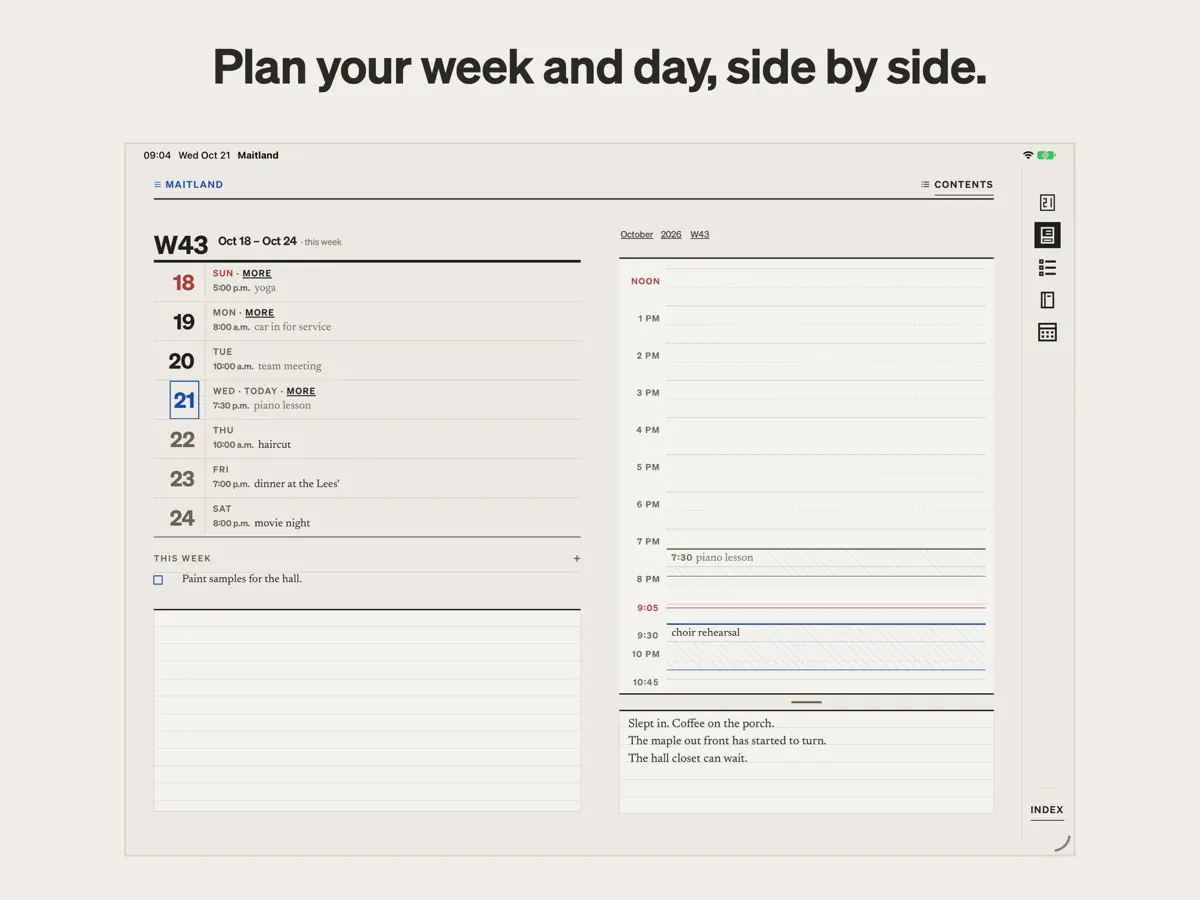
Maitland의 App Store 설명에 따르면 'iPad와 펼친 iPhone Duo에서 플래너가 마주 보는 두 페이지로 열리며', 종이 다이어리와 비슷합니다. 개발사가 공개한 펼친 iPhone Duo 영상에서는 왼쪽 페이지에 주간 일정이, 오른쪽 페이지에 시간대별 하루 일정이 나오고 할 일 더미가 하루 보기 옆에 놓입니다. 개발사는 외부 디스플레이나 반쯤 접힌 상태에 대한 별도 레이아웃은 설명하지 않았습니다. Maitland는 아직 실기기에서 테스트하지 않았으며, 영상과 스크린샷은 개발사가 제공한 것입니다.
새로운 기능
버전 1.0.1 ·
Mostly fixes. - The box reads more of what you write the way you meant it: a pasted checklist becomes a card each, "remind me to A, B" puts the reminder on both, and fewer things get a date you didn't mean. - On a trip, the calendar follows your phone into the new time zone. - Dragging an event across midnight stops at midnight. - Sync is steadier: a sync asked for during another is no longer dropped, and signing in on a new phone keeps your calendar settings.
개발자가 이 내용을 한국어로 제공하지 않았습니다.
앱 소개
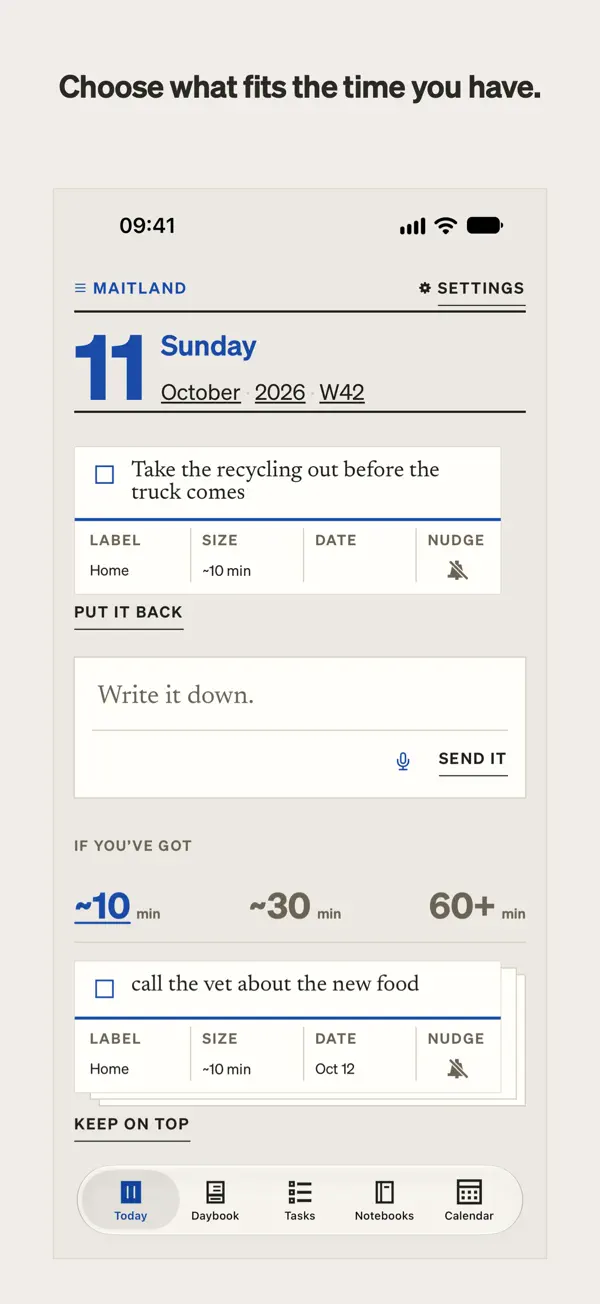
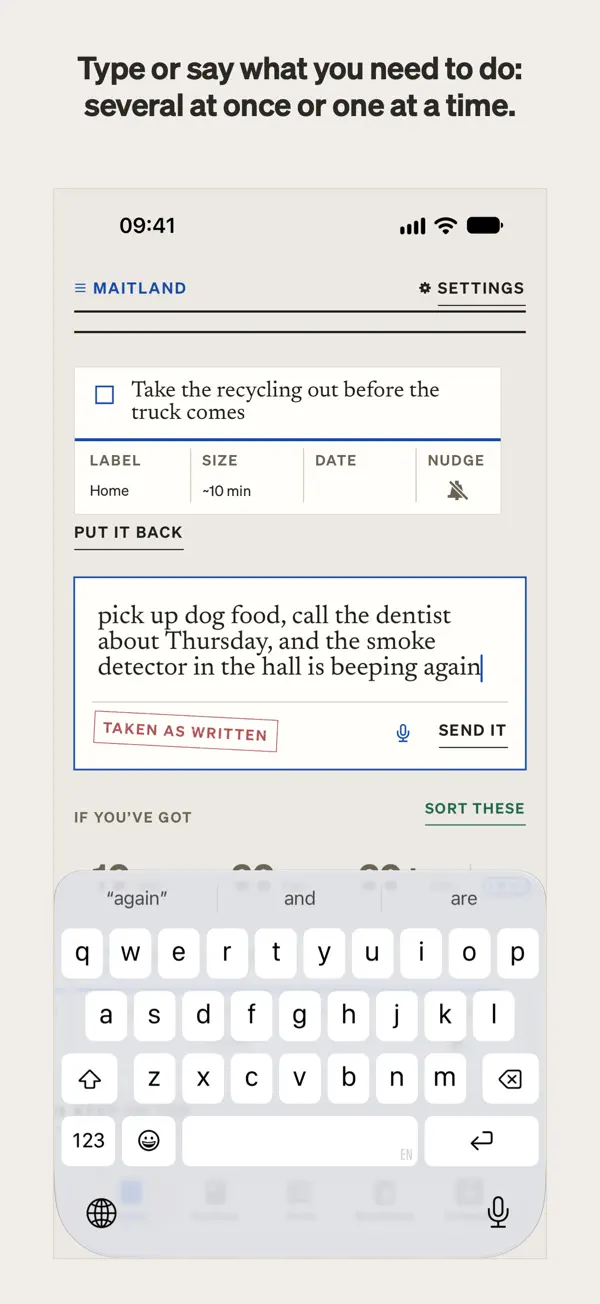
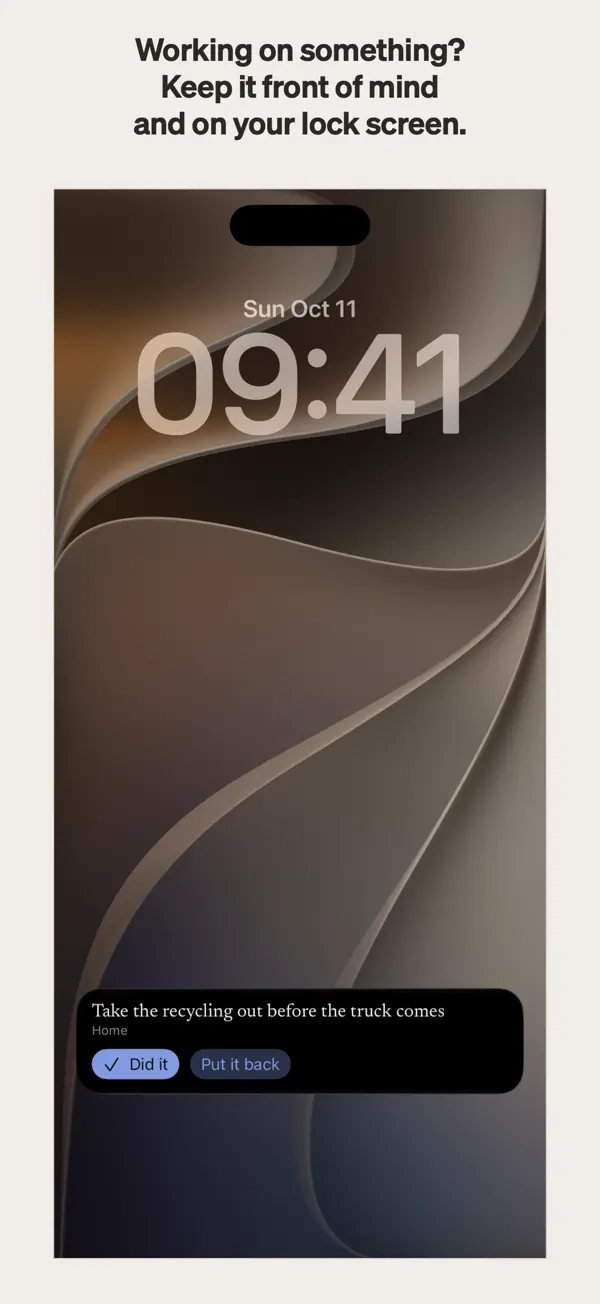
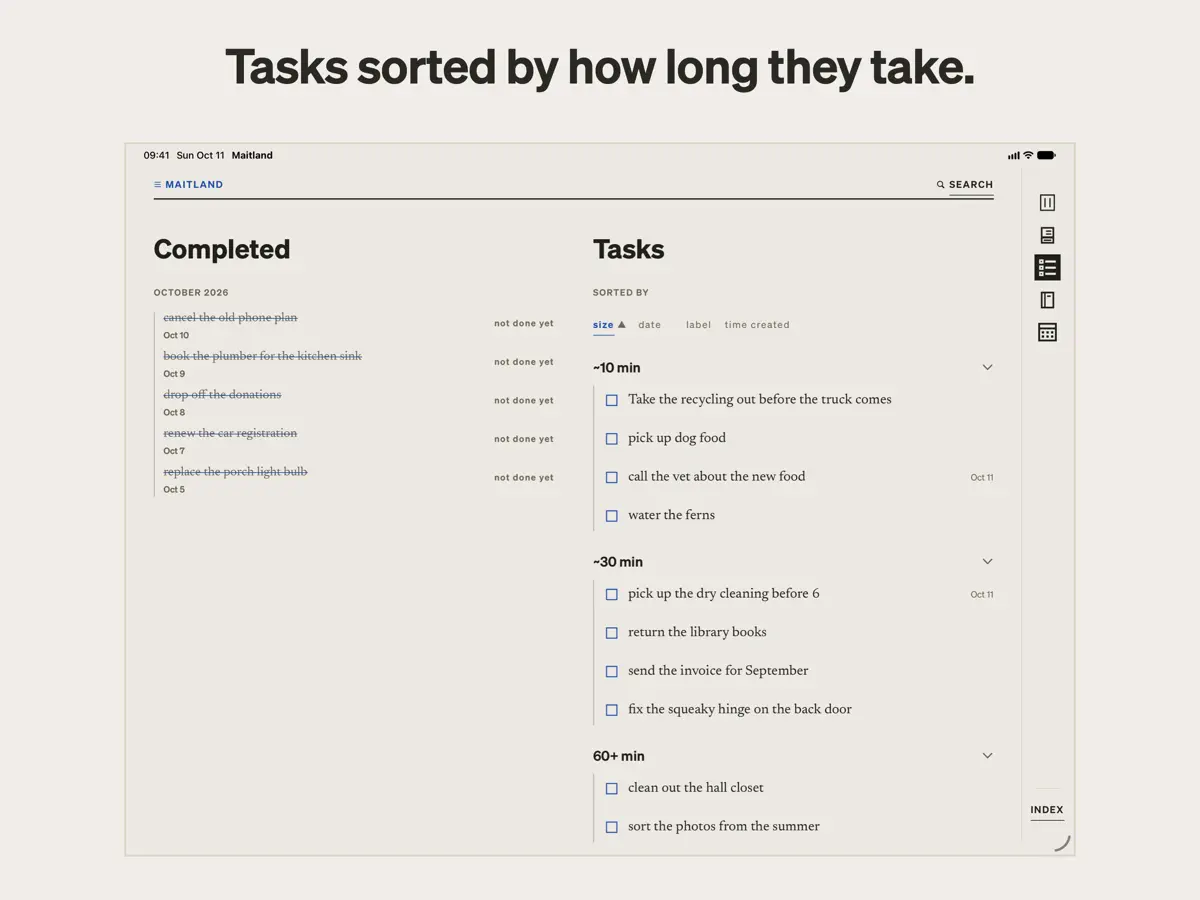
Maitland Desk LLC의 Maitland는 자기 목록에 잔소리를 듣기 싫어하는 사람을 위한 할 일 앱 겸 플래너입니다. 연속 달성 기록, 기한 초과 표시, 빨간 배지가 없고, 할 일은 하나씩 제안되며 스와이프로 넘긴 것은 기록되지 않습니다. 입력은 빠릅니다. '강아지 사료 사기, 목요일 치과에 전화하기'처럼 말하거나 입력하면 Maitland가 내용을 고치지 않고 사용자의 표현 그대로 개별 카드로 나누고 각각의 소요 시간을 추정합니다. 그런 다음 할 일을 약 10분, 약 30분, 1시간 이상의 세 더미로 분류하므로 가진 시간에 맞춰 고를 수 있습니다. 카드 하나를 오늘 보기와 잠금 화면 맨 위에 고정해 두었다가 되돌리거나 완료할 수 있습니다. 날짜는 입력한 문장에 날짜가 있을 때만 설정되고, 알림은 요청할 때만 설정됩니다. 플래너는 매일, 매주, 매월, 매년 페이지를 갖추고 시간대별 일정과 아래쪽 메모 공간이 있으며 iPhone 캘린더를 읽고 쓸 수 있습니다. iPad에서는 Apple Pencil로 어느 페이지에나 쓸 수 있습니다. Maitland는 무료로 내려받을 수 있고 앱 내 구입이 있습니다.
영어 원문을 번역한 내용입니다.
App Store 설명개발자가 작성한 내용입니다.
Maitland is a to-do app and planner for people who hate being micromanaged, even by themselves. Write down what you need to do, and it sorts everything by how long it takes, so you can pick something that fits your day. Most to-do apps are built to nag. They flag what’s overdue, keep streaks, and turn things red when you fall behind. For some people, that works. For others, those streaks, alerts and nags quickly turn to guilt, and the to-do list becomes something to avoid. Maitland takes a quieter, intentional approach: your tasks are offered to you one at a time. Nothing keeps track if you swipe one away. They’re yours to take at your own pace. EASY TASK CAPTURE Type or say what you need to do: “pick up dog food, call the dentist about thursday.” Maitland splits it into separate cards in your own words, never rewriting them, and guesses how long each might take. SORTED BY HOW LONG THEY TAKE Maitland sorts your tasks into three piles: about 10 minutes, about 30 minutes, and an hour or more. Pick by what you have time for or want to do, not by artificial urgency. If you want, keep a card on top to hold it in front of you, on Today and on your lock screen, until you put it back or tick it done. DATES AND REMINDERS, ONLY IF YOU ASK Maitland sets a date only when your words give one. You can always add a date or a time to a task yourself. Write “remind me” or “nudge me” in a task, or tap its bell, and your phone will remind you. THE PLANNER A page for every day, week, month and year. Write against an hour-by-hour schedule, or in the open space below it. On iPad, Apple Pencil can write on any page. On iPad and an open iPhone Duo, the planner opens across two facing pages. THE CALENDAR AND NOTEBOOKS Maitland can read and write to your iPhone’s calendar, displaying its events alongside your plans, in a quiet design inspired by the International Typographic Style. Notebooks give your notes and journaling a place of their own. INSPIRED BY NEURODIVERSITY. BUILT FOR EVERYONE. Everyone interacts with tasks differently. For some, the pressure that comes with being told to do a task, even by themselves, can spur anxious feelings. Called “demand avoidance” or “PDA,” this trait is reported in people with ADHD or autism, but it is not limited to those groups. Many apps, including some made for neurodivergent people, use loud alerts, reminders you didn’t ask for, streaks and gamification, which can trigger this feeling. Maitland leaves those out by design. Tasks are presented as offers, not demands, and dates and reminders come only when you ask. Maitland is not a medical app or a therapy. It is for anyone who hates being told what to do, including by themselves. WHAT IT LEAVES OUT No counts of what’s open or overdue. No streaks, badges or red dots. Nothing that says you’re behind, and nothing old brought back unless you go looking. That’s deliberate. PRIVATE AND SECURE What you write is encrypted on your device. The key stays in your iCloud Keychain, and Maitland’s servers cannot read anything you write. Sorting runs on your device, through Maitland’s own parser; nothing goes to an AI service. No ads, no tracking. ON ANY SCREEN On a computer? Your lists, Today, the planner and your notebooks are in the web app at maitland.app. It syncs with your phone and keeps your data encrypted the whole way. YOUR COLORS Subscribers choose from five ink colors, each tuned for day and night. YOU OWN YOUR DATA Everything is stored as plain markdown files. Export any list from its page, or everything at once from the web app at maitland.app. If you stop using Maitland, your writing comes with you. SUBSCRIPTION Capture, lists, Today, Tasks, the Calendar, notebooks and export are free. A subscription turns on the sorting, the planner’s pages and the colors: in the US, $4.99 a month or $39.99 a year after a two-week free trial, with Family Sharing. Terms of Use: https://maitland.app/terms Privacy Policy: https://maitland.app/privacy
주요 기능
- 말하거나 입력한 할 일이 사용자의 표현 그대로 개별 카드가 됨
- 10분·30분·1시간 이상 더미로 할 일 분류
- 연속 달성 기록, 기한 초과 표시, 잔소리 없음
- 요청할 때만 날짜와 알림 설정
- 일·주·월·연 플래너 페이지
- iPhone 캘린더 읽기·쓰기
- iPhone Duo에서는 플래너가 마주 보는 두 페이지로 열림
iPhone Duo에서의 Maitland: 자주 묻는 질문
Maitland은(는) iPhone Duo에 최적화되어 있나요?
네. Maitland은(는) Duo 전용 설계 앱으로, 폴딩, Split View 또는 외부 디스플레이를 활용합니다. 2026년 10월 22일 확인(개발자 발표).
iPhone Duo에서 Maitland은(는) 어떻게 보이나요?
Maitland의 App Store 설명에 따르면 'iPad와 펼친 iPhone Duo에서 플래너가 마주 보는 두 페이지로 열리며', 종이 다이어리와 비슷합니다. 개발사가 공개한 펼친 iPhone Duo 영상에서는 왼쪽 페이지에 주간 일정이, 오른쪽 페이지에 시간대별 하루 일정이 나오고 할 일 더미가 하루 보기 옆에 놓입니다. 개발사는 외부 디스플레이나 반쯤 접힌 상태에 대한 별도 레이아웃은 설명하지 않았습니다. Maitland는 아직 실기기에서 테스트하지 않았으며, 영상과 스크린샷은 개발사가 제공한 것입니다.
Maitland의 가격은 얼마인가요?
Maitland은(는) App Store에서 무료 · 앱 내 구입입니다.
다른 생산성 앱
모두 보기 ›
iPhone Duo의 두 디스플레이에 맞춘 레이아웃을 갖춘 작업·프로젝트 관리 앱

펼치면 메시지와 받은 편지함을 나란히 보여 주는 Readdle의 통합 받은 편지함
Cultured Code의 작업 관리 앱, iPhone Duo의 모든 자세에 맞게 재구성
iPhone Duo를 펼치면 열리는, 손글씨 느낌의 프라이빗 노트

북 자세와 탁상 자세에 맞춘 집중 타이머를 갖춘 시각적 타임라인 일일 플래너
iPhone Duo를 펼치면 목록과 일정을 나란히