
iPhone Duo での表示
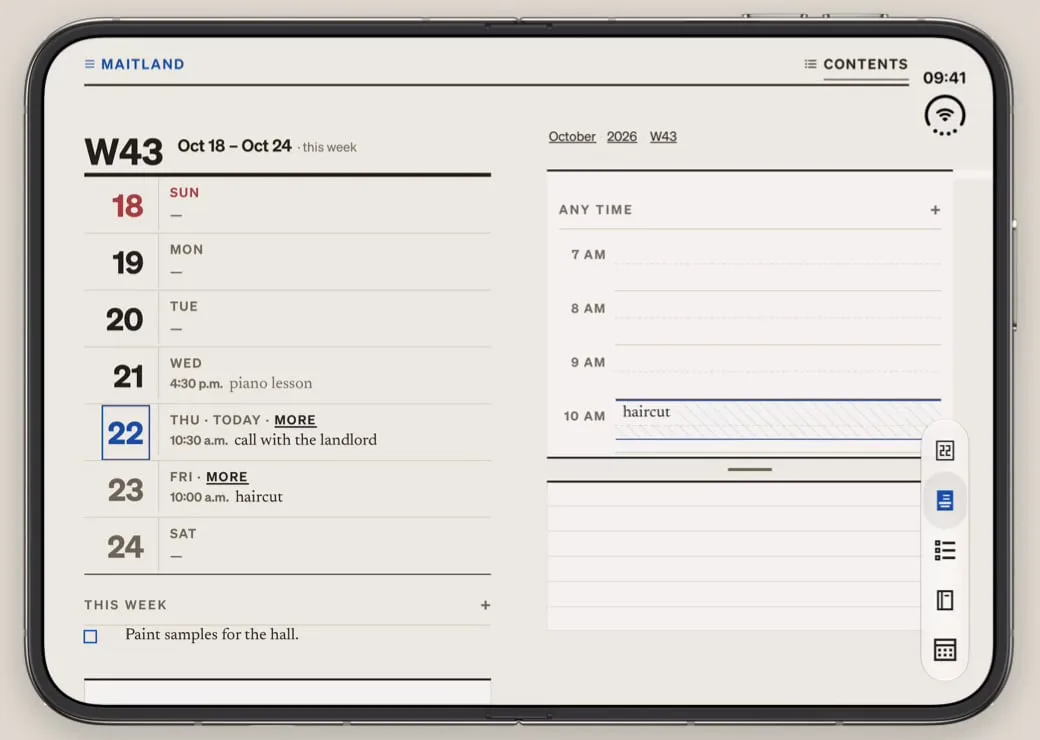
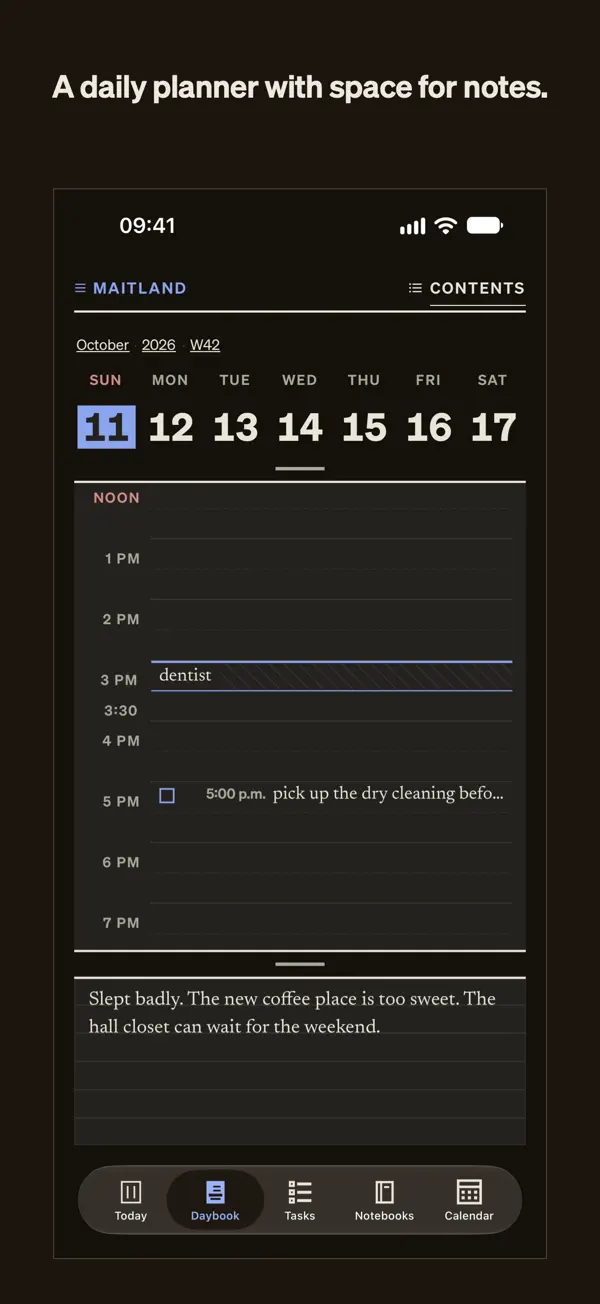
iPhone スクリーンショット
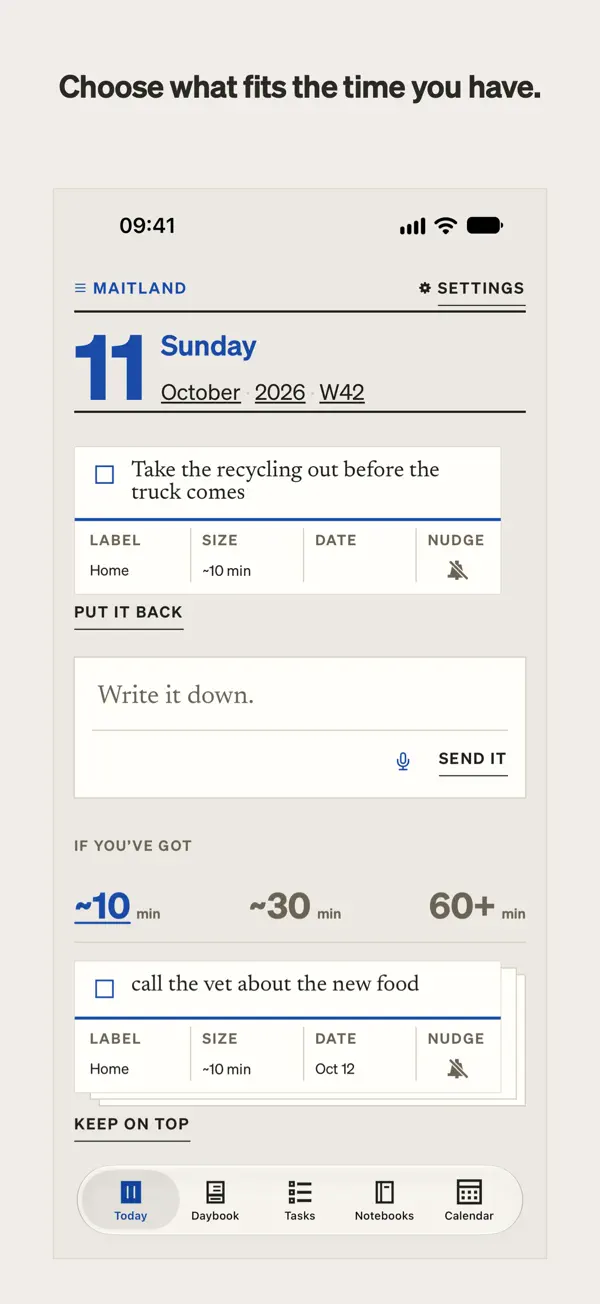
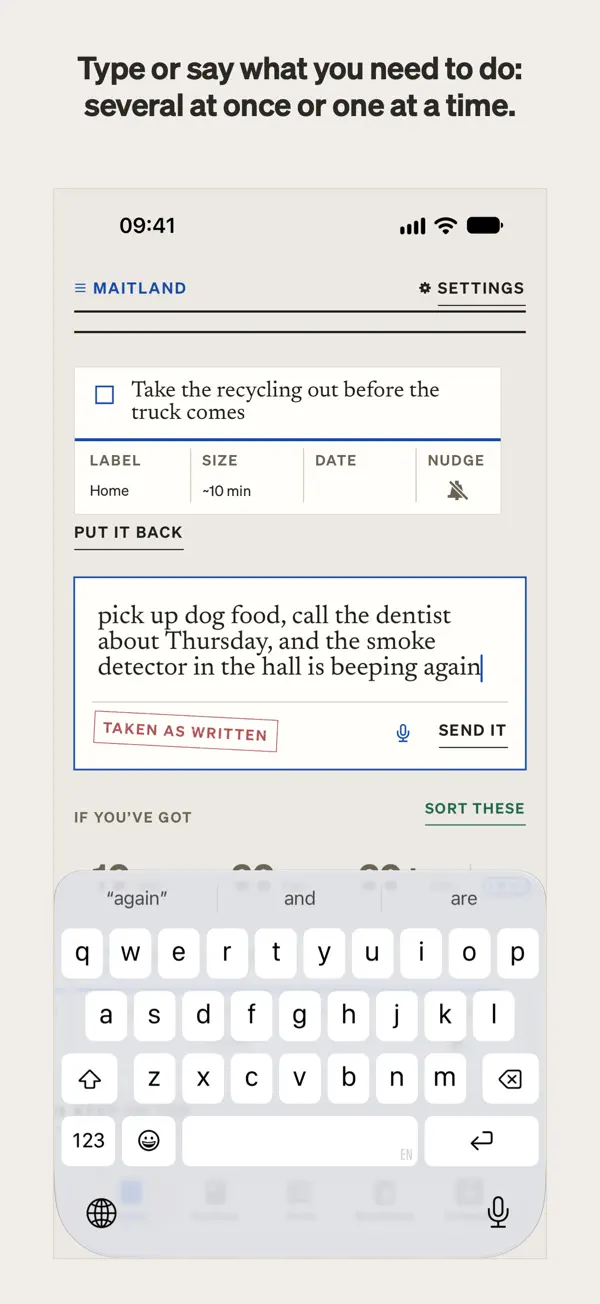
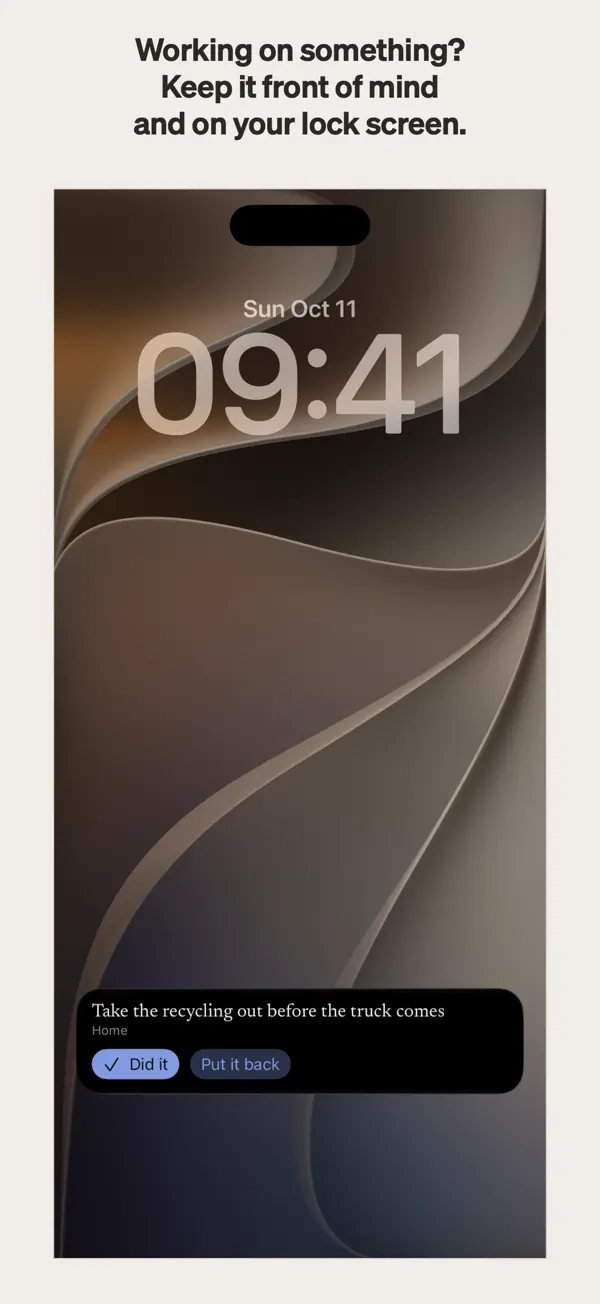
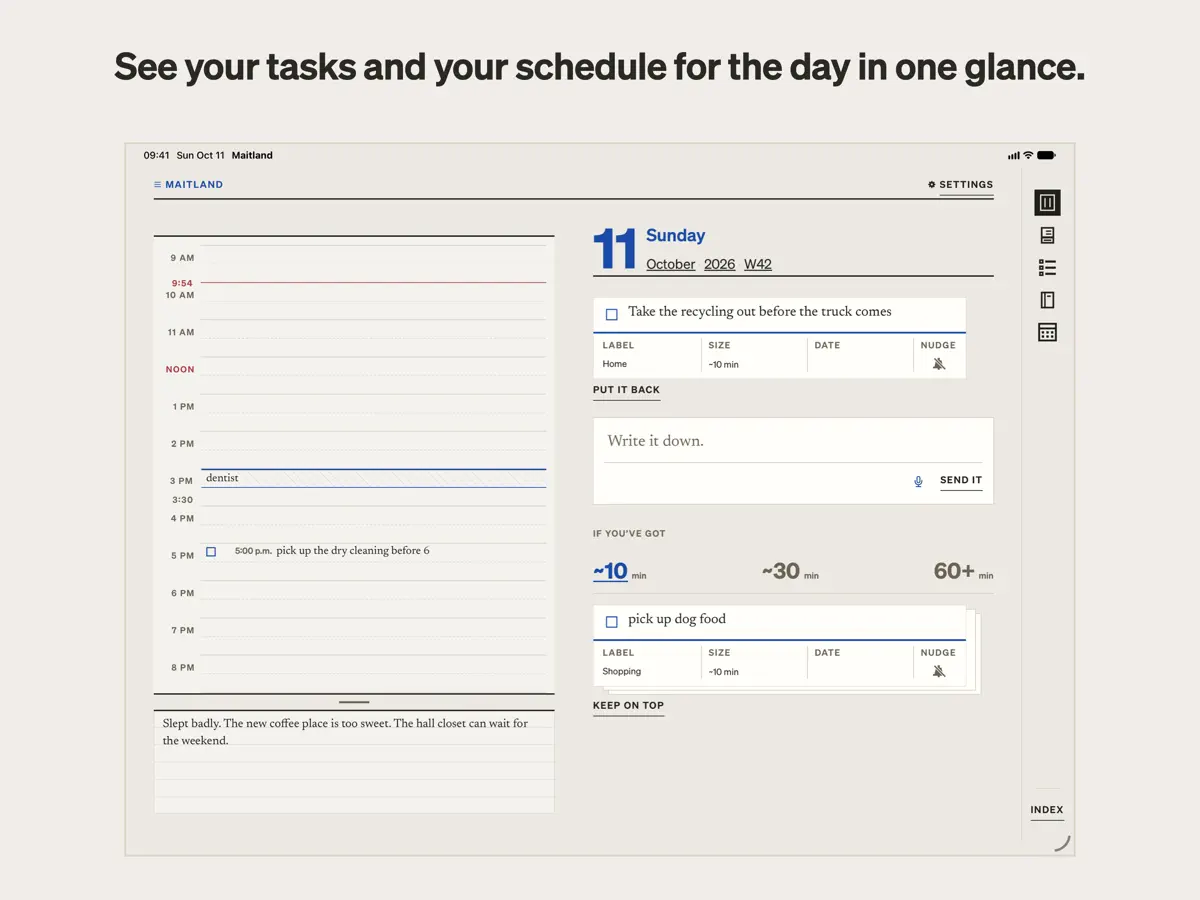
iPad スクリーンショット
iPhone Duo での活用
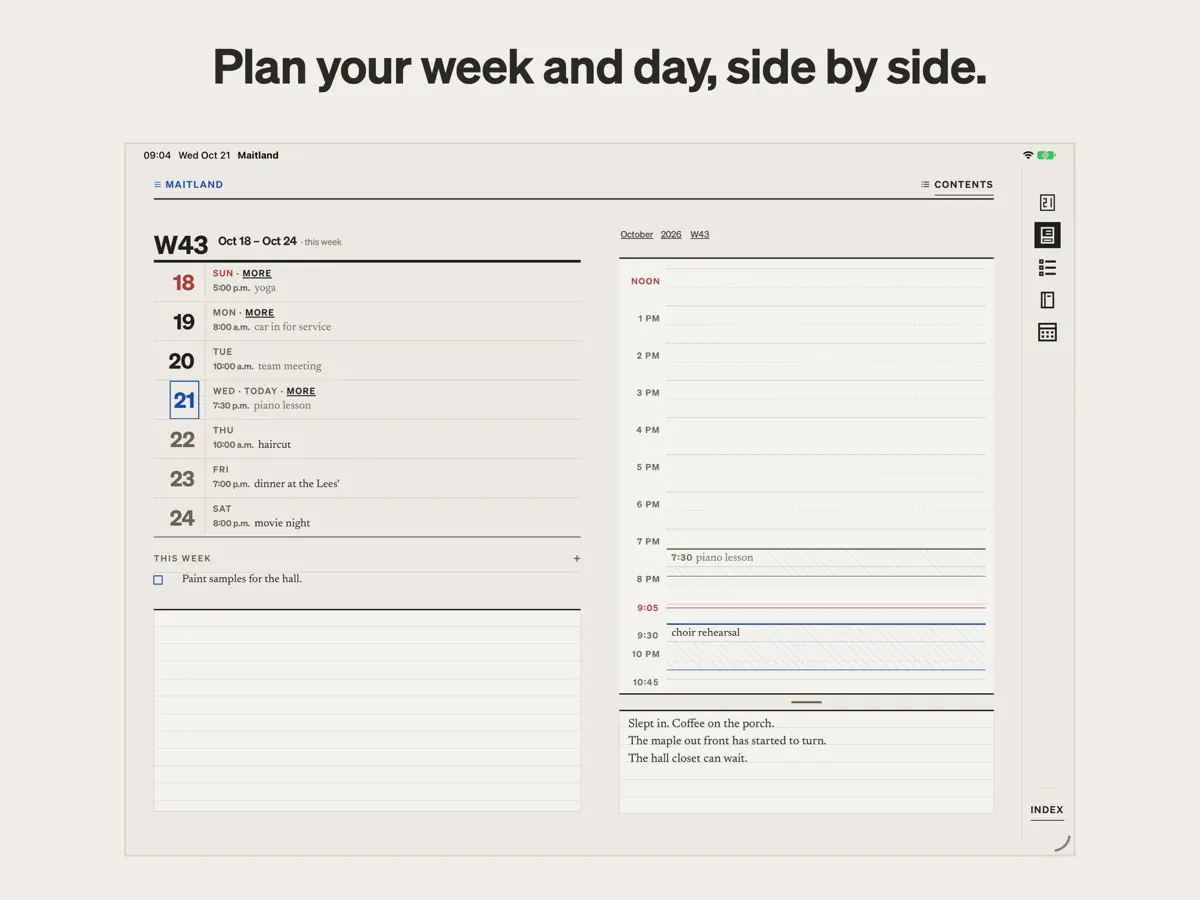
Maitland の App Store の説明によると、「iPad と開いた iPhone Duo では、プランナーが見開き 2 ページで開き」、紙の手帳のような表示になります。開発元が公開している、開いた iPhone Duo 上のアプリの動画では、左ページに週、右ページにその日の時間ごとのスケジュールが表示され、日表示の横にタスクの山が並んでいます。外側ディスプレイや半開き状態に固有のレイアウトについては説明がありません。当サイトではまだ実機で Maitland をテストしていません。動画とスクリーンショットは開発元によるものです。
新機能
バージョン 1.0.1 ·
Mostly fixes. - The box reads more of what you write the way you meant it: a pasted checklist becomes a card each, "remind me to A, B" puts the reminder on both, and fewer things get a date you didn't mean. - On a trip, the calendar follows your phone into the new time zone. - Dragging an event across midnight stops at midnight. - Sync is steadier: a sync asked for during another is no longer dropped, and signing in on a new phone keeps your calendar settings.
開発者はこの内容を日本語化していません。
このアプリについて
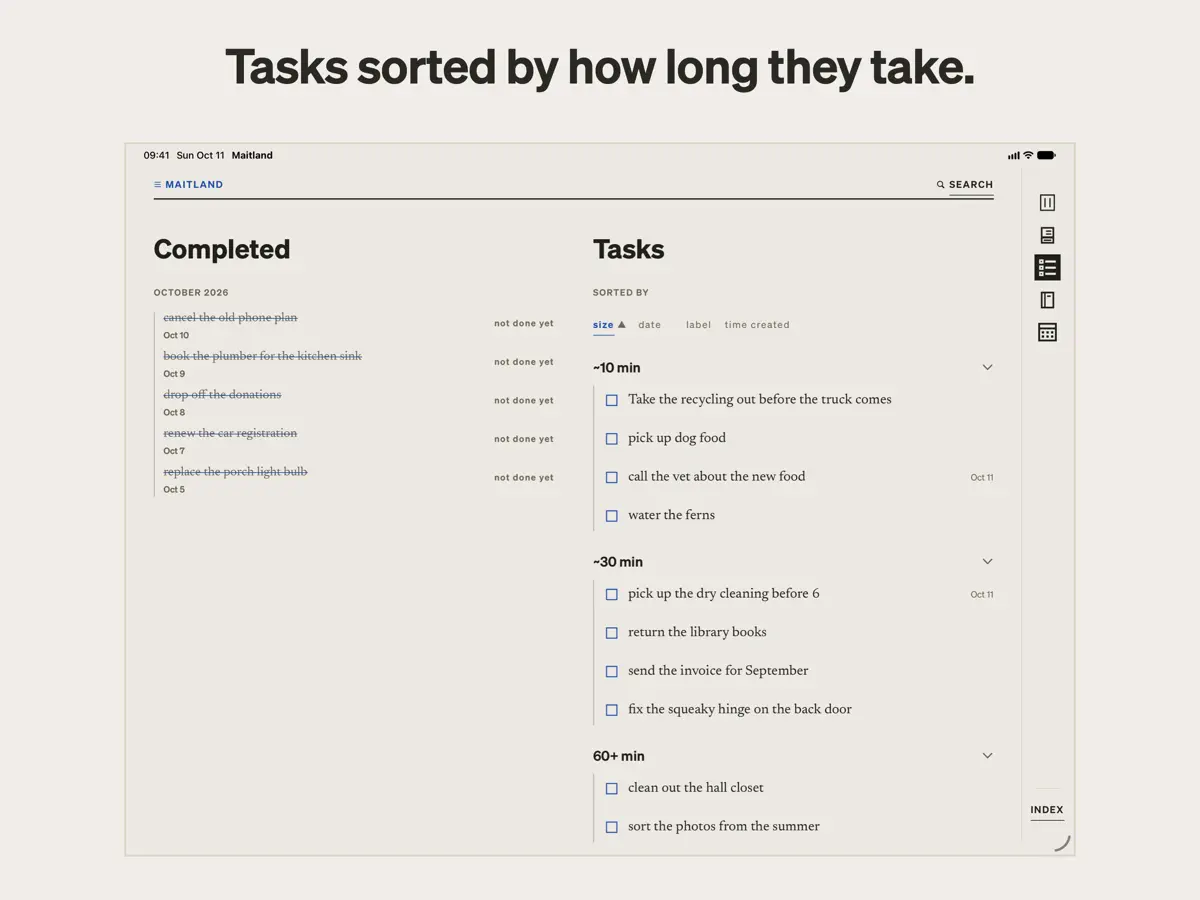
Maitland は Maitland Desk LLC が提供する、自分のリストにせっつかれるのが苦手な人向けの ToDo アプリ兼プランナーです。連続記録、期限超過のフラグ、赤いバッジはなく、タスクは 1 つずつ提示され、スワイプして見送っても記録されません。 入力は手早く行えます。「ドッグフードを買う、木曜のことで歯医者に電話する」のようにタイプまたは音声で伝えると、Maitland は言葉を書き換えずに別々のカードに分け、それぞれの所要時間を見積もります。タスクは、約 10 分、約 30 分、1 時間以上の 3 つの山に仕分けられるので、手元の時間に合わせて選べます。カードは、元に戻すか完了にするまで、今日のビューとロック画面の最上部に固定できます。日付は言葉に含まれている場合にのみ設定され、リマインダーも依頼したときだけ設定されます。 プランナーには、日、週、月、年それぞれのページがあり、時間ごとのスケジュールと、メモ用の下部の余白が用意され、iPhone のカレンダーの読み書きもできます。iPad では Apple Pencil で任意のページに書き込めます。 Maitland は無料でダウンロードでき、アプリ内課金があります。
英語版の掲載内容を翻訳しています。
App Store の説明開発者による説明です。
Maitland is a to-do app and planner for people who hate being micromanaged, even by themselves. Write down what you need to do, and it sorts everything by how long it takes, so you can pick something that fits your day. Most to-do apps are built to nag. They flag what’s overdue, keep streaks, and turn things red when you fall behind. For some people, that works. For others, those streaks, alerts and nags quickly turn to guilt, and the to-do list becomes something to avoid. Maitland takes a quieter, intentional approach: your tasks are offered to you one at a time. Nothing keeps track if you swipe one away. They’re yours to take at your own pace. EASY TASK CAPTURE Type or say what you need to do: “pick up dog food, call the dentist about thursday.” Maitland splits it into separate cards in your own words, never rewriting them, and guesses how long each might take. SORTED BY HOW LONG THEY TAKE Maitland sorts your tasks into three piles: about 10 minutes, about 30 minutes, and an hour or more. Pick by what you have time for or want to do, not by artificial urgency. If you want, keep a card on top to hold it in front of you, on Today and on your lock screen, until you put it back or tick it done. DATES AND REMINDERS, ONLY IF YOU ASK Maitland sets a date only when your words give one. You can always add a date or a time to a task yourself. Write “remind me” or “nudge me” in a task, or tap its bell, and your phone will remind you. THE PLANNER A page for every day, week, month and year. Write against an hour-by-hour schedule, or in the open space below it. On iPad, Apple Pencil can write on any page. On iPad and an open iPhone Duo, the planner opens across two facing pages. THE CALENDAR AND NOTEBOOKS Maitland can read and write to your iPhone’s calendar, displaying its events alongside your plans, in a quiet design inspired by the International Typographic Style. Notebooks give your notes and journaling a place of their own. INSPIRED BY NEURODIVERSITY. BUILT FOR EVERYONE. Everyone interacts with tasks differently. For some, the pressure that comes with being told to do a task, even by themselves, can spur anxious feelings. Called “demand avoidance” or “PDA,” this trait is reported in people with ADHD or autism, but it is not limited to those groups. Many apps, including some made for neurodivergent people, use loud alerts, reminders you didn’t ask for, streaks and gamification, which can trigger this feeling. Maitland leaves those out by design. Tasks are presented as offers, not demands, and dates and reminders come only when you ask. Maitland is not a medical app or a therapy. It is for anyone who hates being told what to do, including by themselves. WHAT IT LEAVES OUT No counts of what’s open or overdue. No streaks, badges or red dots. Nothing that says you’re behind, and nothing old brought back unless you go looking. That’s deliberate. PRIVATE AND SECURE What you write is encrypted on your device. The key stays in your iCloud Keychain, and Maitland’s servers cannot read anything you write. Sorting runs on your device, through Maitland’s own parser; nothing goes to an AI service. No ads, no tracking. ON ANY SCREEN On a computer? Your lists, Today, the planner and your notebooks are in the web app at maitland.app. It syncs with your phone and keeps your data encrypted the whole way. YOUR COLORS Subscribers choose from five ink colors, each tuned for day and night. YOU OWN YOUR DATA Everything is stored as plain markdown files. Export any list from its page, or everything at once from the web app at maitland.app. If you stop using Maitland, your writing comes with you. SUBSCRIPTION Capture, lists, Today, Tasks, the Calendar, notebooks and export are free. A subscription turns on the sorting, the planner’s pages and the colors: in the US, $4.99 a month or $39.99 a year after a two-week free trial, with Family Sharing. Terms of Use: https://maitland.app/terms Privacy Policy: https://maitland.app/privacy
主な機能
- タイプまたは音声でタスクを入力し、言葉のまま 1 枚ずつのカードに
- 10 分・30 分・1 時間以上の山にタスクを仕分け
- 連続記録も期限超過フラグも催促もなし
- 日付とリマインダーは依頼したときだけ
- 日・週・月・年のプランナーページ
- iPhone のカレンダーの読み書き
- iPhone Duo では、プランナーが見開き 2 ページで開く
iPhone Duo での Maitland:よくある質問
Maitland は iPhone Duo に最適化されていますか?
はい。Maitland は「Duo 専用設計」で、折りたたみ、Split View、外側ディスプレイを活用しています。2026年10月22日 に確認(開発者の発表)。
iPhone Duo での Maitland はどう見えますか?
Maitland の App Store の説明によると、「iPad と開いた iPhone Duo では、プランナーが見開き 2 ページで開き」、紙の手帳のような表示になります。開発元が公開している、開いた iPhone Duo 上のアプリの動画では、左ページに週、右ページにその日の時間ごとのスケジュールが表示され、日表示の横にタスクの山が並んでいます。外側ディスプレイや半開き状態に固有のレイアウトについては説明がありません。当サイトではまだ実機で Maitland をテストしていません。動画とスクリーンショットは開発元によるものです。
Maitland の価格は?
Maitland は App Store で 無料 · アプリ内課金あり です。
その他の仕事効率化アプリ
すべて見る ›
iPhone Duo の両ディスプレイ向けレイアウトを備えたタスク・プロジェクト管理

展開するとメッセージと受信ボックスを並べて表示できる、Readdle の統合受信ボックス

iPhone Duo のあらゆる姿勢に合わせて形を変える、Cultured Code のタスク管理アプリ
iPhone Duo を開くとノートが開く、手書き風のプライベートノートブック

ブックとテーブルトップの姿勢向けの集中タイマーを備えた、ビジュアルタイムライン式の 1 日プランナー
iPhone Duoを開くとリストとスケジュールを並べて表示