
Maitland
Calm to-do list and paper-style planner that sorts tasks by how long they take
Maitland Desk LLC · Productivity · Free · in-app purchases
On iPhone Duo
iPhone screenshots
iPad screenshots
How it uses iPhone Duo
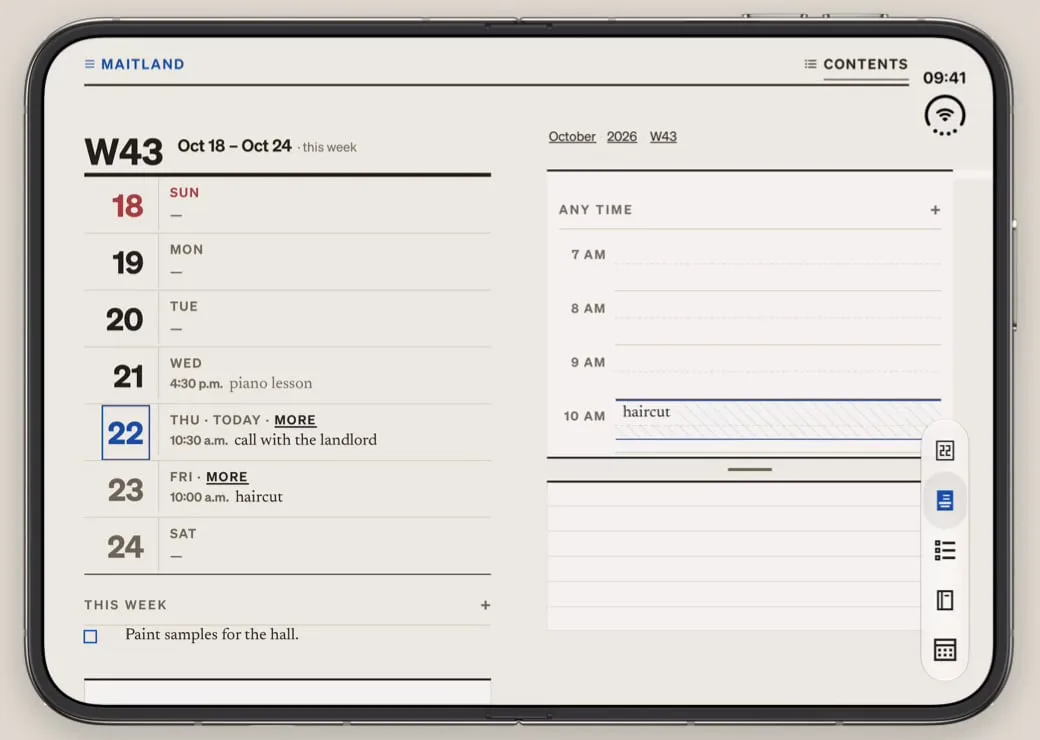
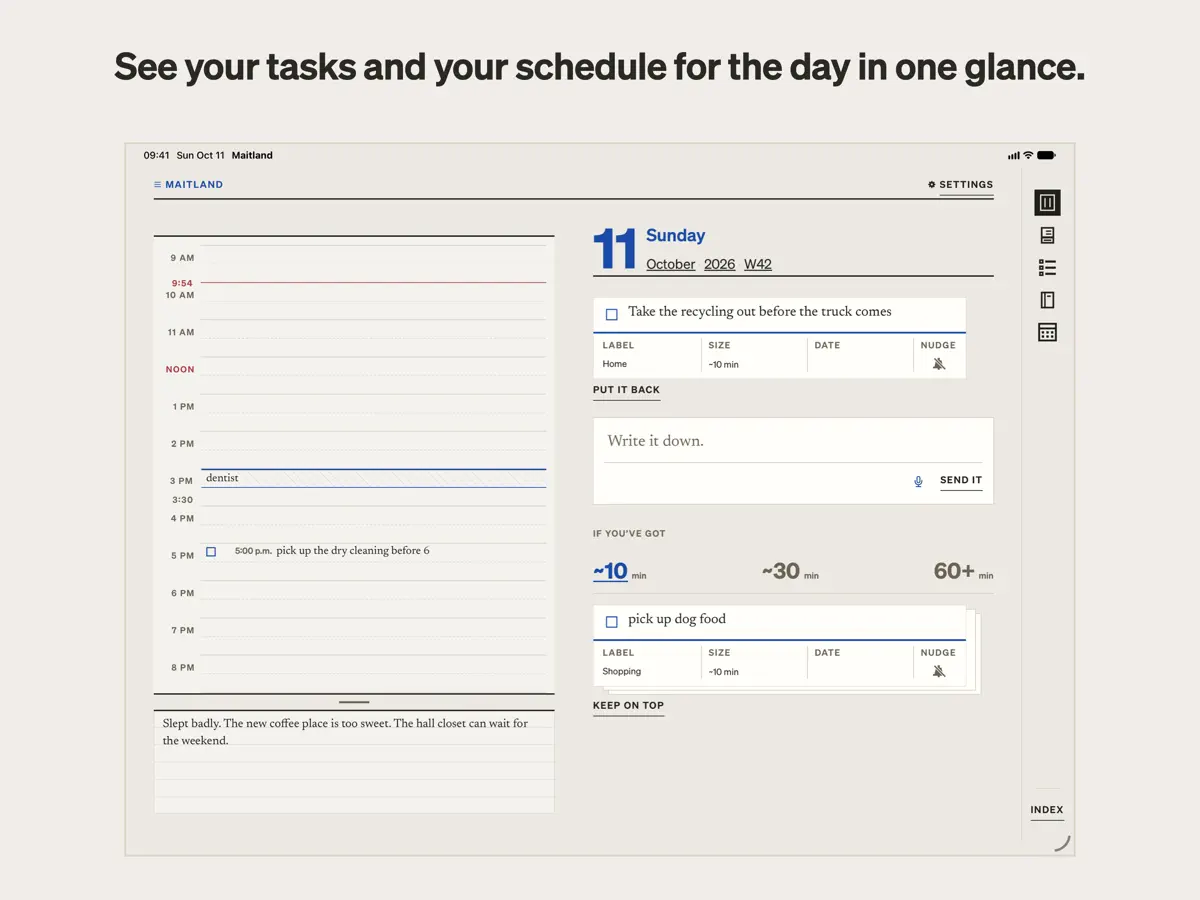
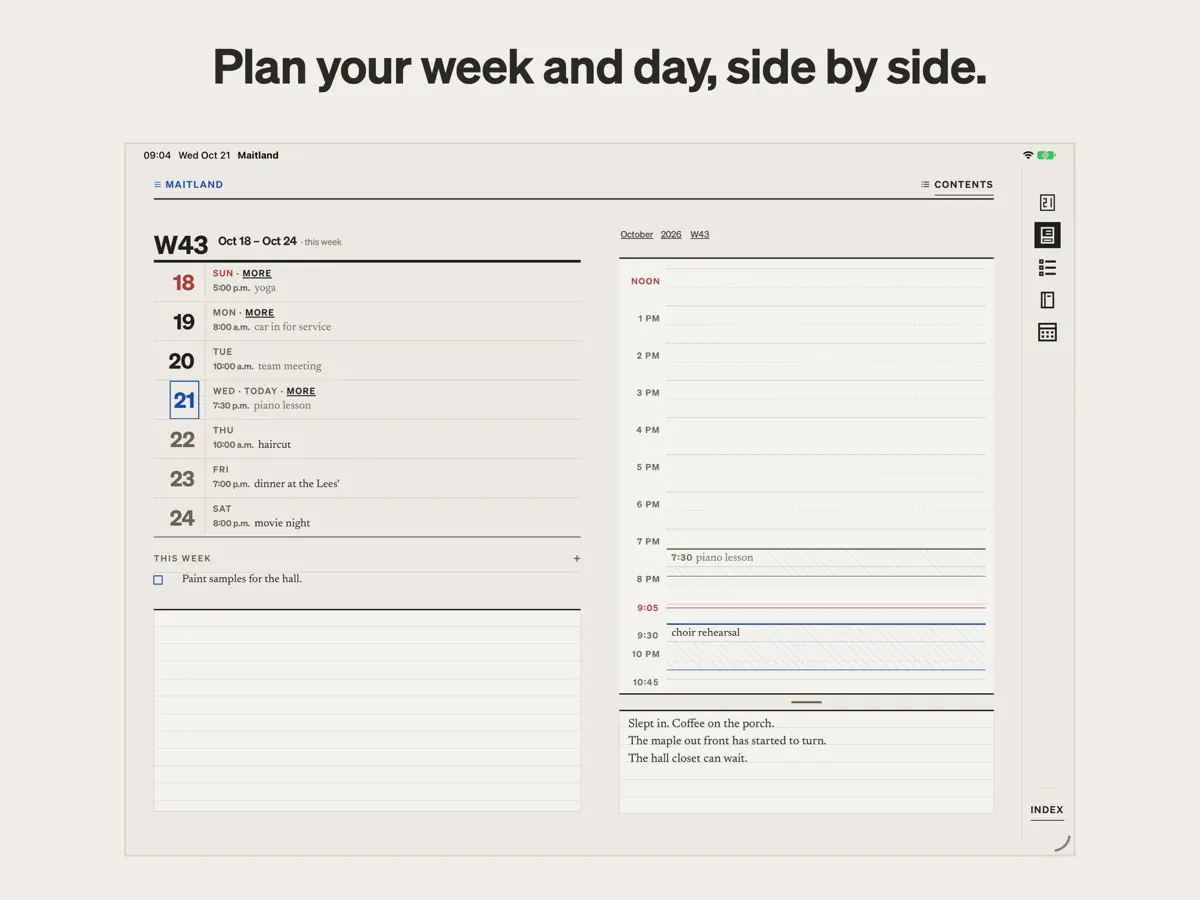
According to Maitland's App Store description, "on iPad and an open iPhone Duo, the planner opens across two facing pages", like a paper diary. The developer's video of the app on an unfolded iPhone Duo shows the week on the left page and the day's hour-by-hour schedule on the right, and the task piles next to the day view. The developer does not describe a specific outer-display or half-open layout. We have not yet tested Maitland on a device; the video and screenshot come from the developer.
What’s New
Version 1.0.1 ·
Mostly fixes. - The box reads more of what you write the way you meant it: a pasted checklist becomes a card each, "remind me to A, B" puts the reminder on both, and fewer things get a date you didn't mean. - On a trip, the calendar follows your phone into the new time zone. - Dragging an event across midnight stops at midnight. - Sync is steadier: a sync asked for during another is no longer dropped, and signing in on a new phone keeps your calendar settings.
About this app
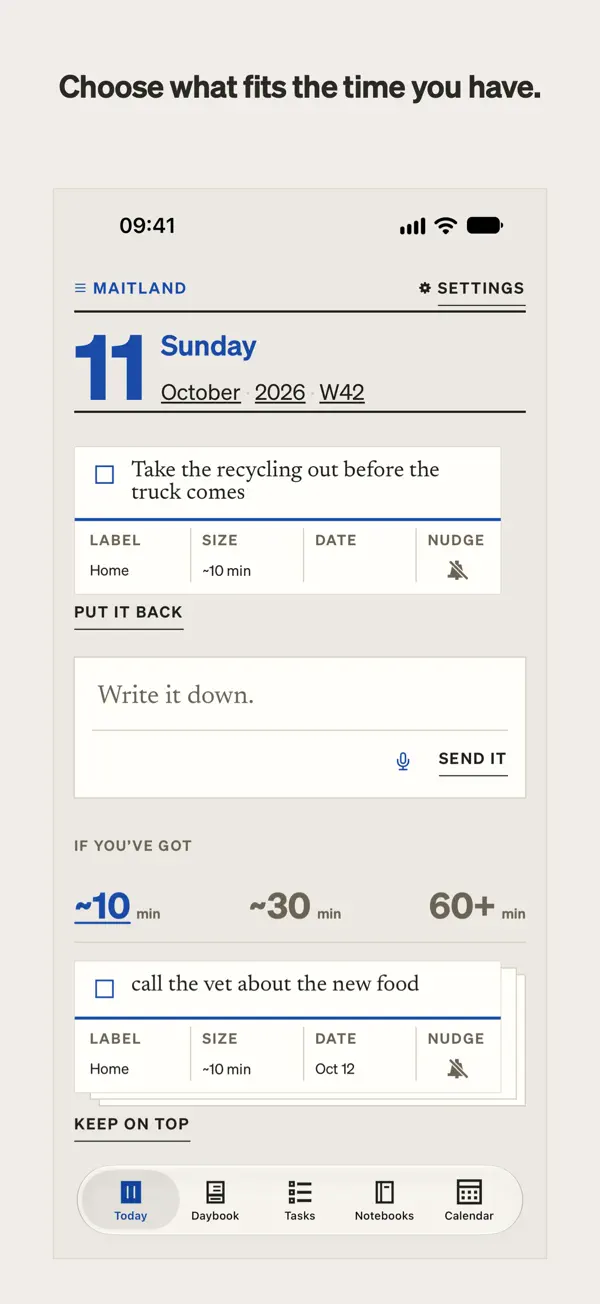
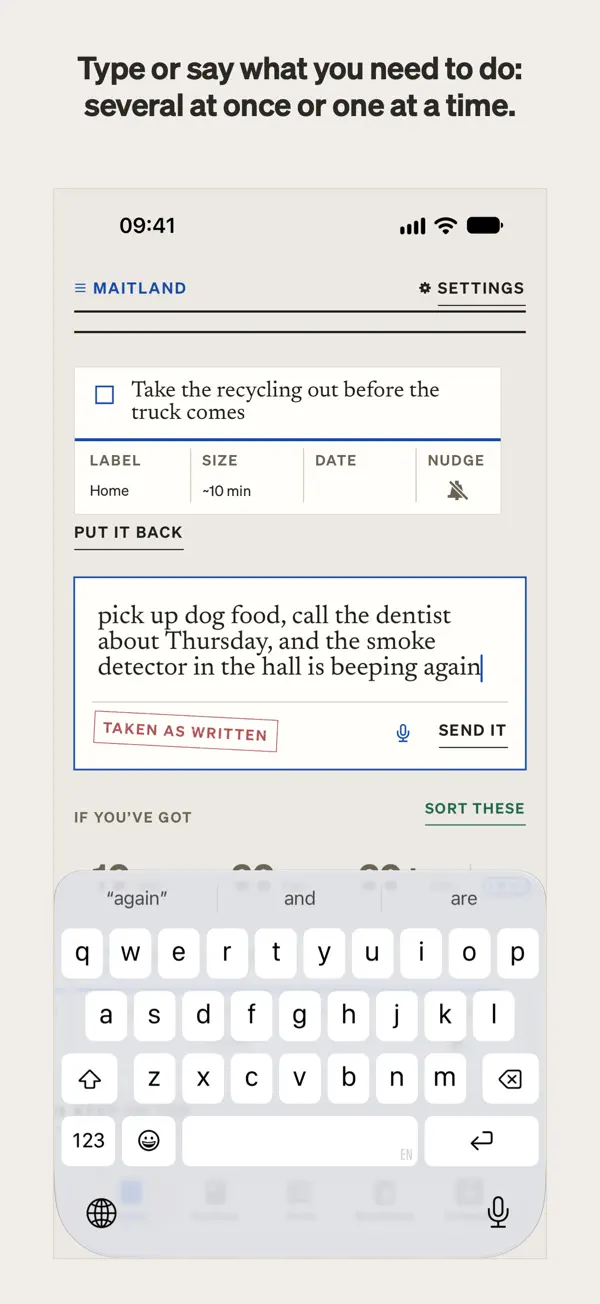
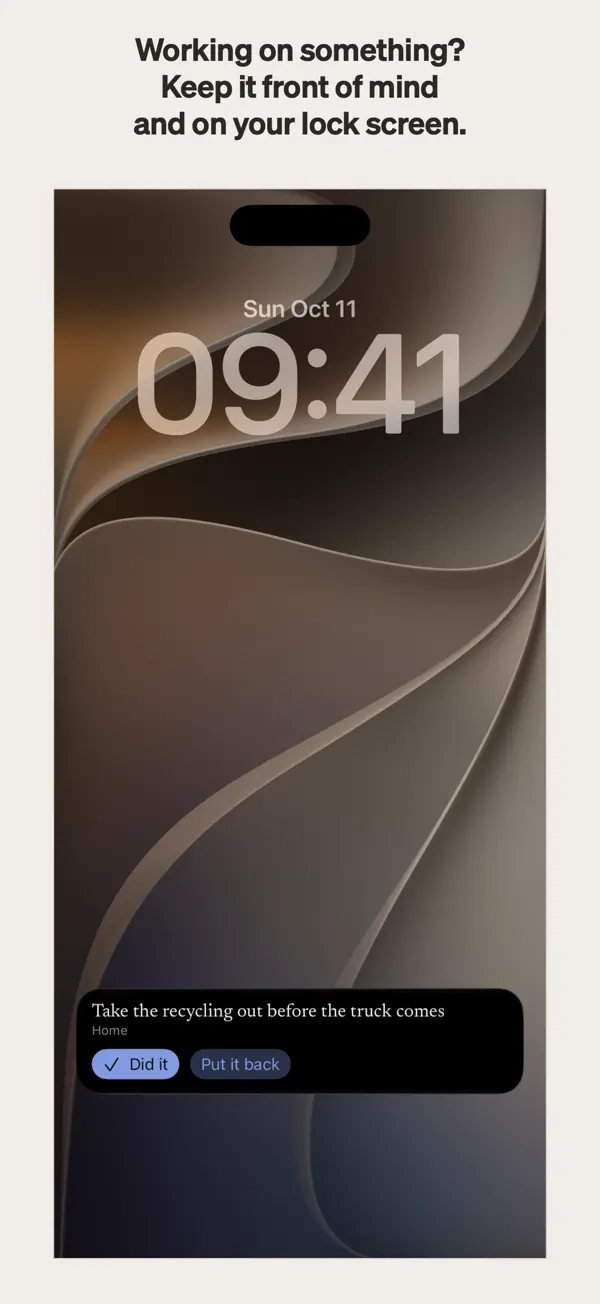
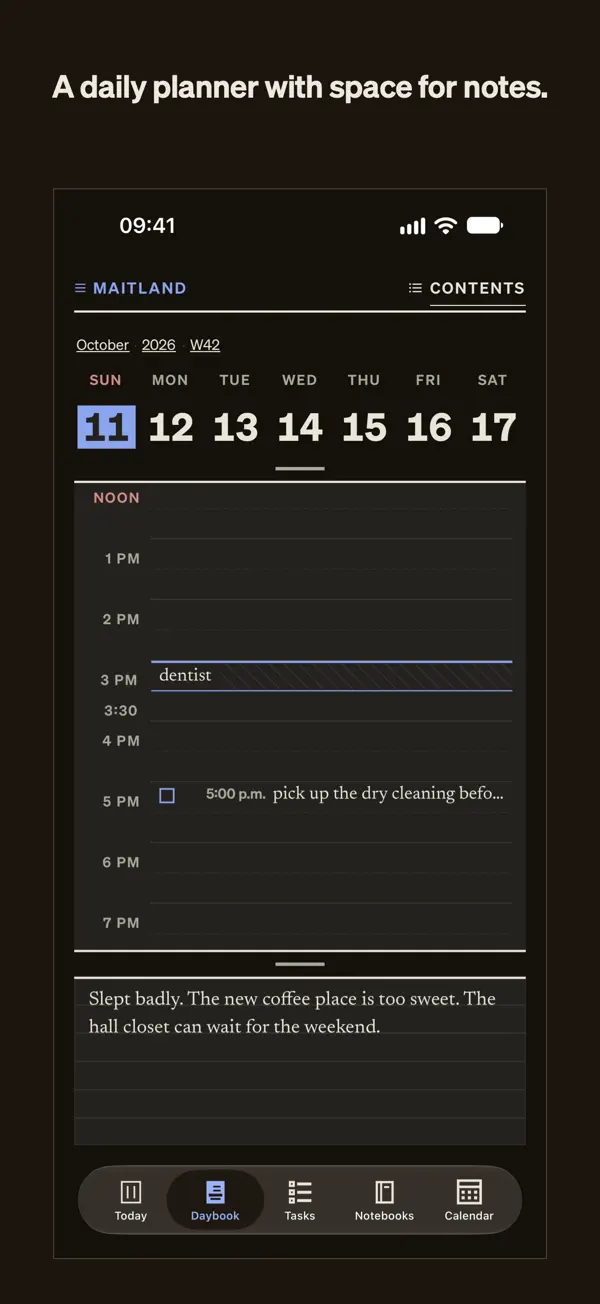
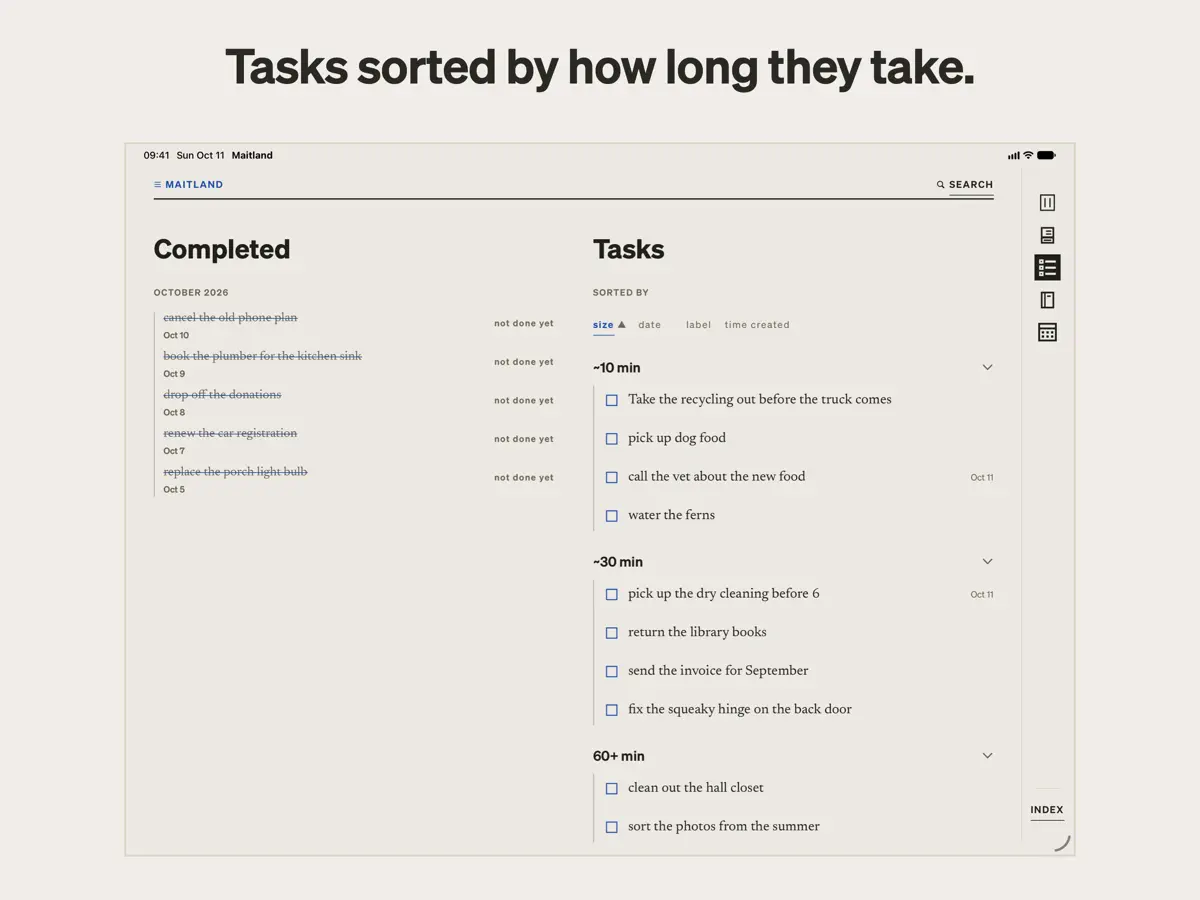
Maitland, from Maitland Desk LLC, is a to-do app and planner for people who dislike being nagged by their own lists. There are no streaks, overdue flags or red badges: tasks are offered one at a time, and swiping one away is not tracked. Capturing is quick. You type or say what needs doing, for example "pick up dog food, call the dentist about thursday", and Maitland splits it into separate cards in your own words, without rewriting them, and estimates how long each one takes. Tasks are then sorted into three piles: about 10 minutes, about 30 minutes, and an hour or more, so you can choose by the time you have. A card can be kept on top, on the Today view and the Lock Screen, until you put it back or tick it off. Dates are only set when your words include one, and reminders only when you ask for them. The planner has a page for every day, week, month and year, with an hour-by-hour schedule and open space below for notes, and it can read and write your iPhone calendar. On iPad, Apple Pencil can write on any page. Maitland is free to download, with in-app purchases.
App Store descriptionWritten by the developer.
Maitland is a to-do app and planner for people who hate being micromanaged, even by themselves. Write down what you need to do, and it sorts everything by how long it takes, so you can pick something that fits your day. Most to-do apps are built to nag. They flag what’s overdue, keep streaks, and turn things red when you fall behind. For some people, that works. For others, those streaks, alerts and nags quickly turn to guilt, and the to-do list becomes something to avoid. Maitland takes a quieter, intentional approach: your tasks are offered to you one at a time. Nothing keeps track if you swipe one away. They’re yours to take at your own pace. EASY TASK CAPTURE Type or say what you need to do: “pick up dog food, call the dentist about thursday.” Maitland splits it into separate cards in your own words, never rewriting them, and guesses how long each might take. SORTED BY HOW LONG THEY TAKE Maitland sorts your tasks into three piles: about 10 minutes, about 30 minutes, and an hour or more. Pick by what you have time for or want to do, not by artificial urgency. If you want, keep a card on top to hold it in front of you, on Today and on your lock screen, until you put it back or tick it done. DATES AND REMINDERS, ONLY IF YOU ASK Maitland sets a date only when your words give one. You can always add a date or a time to a task yourself. Write “remind me” or “nudge me” in a task, or tap its bell, and your phone will remind you. THE PLANNER A page for every day, week, month and year. Write against an hour-by-hour schedule, or in the open space below it. On iPad, Apple Pencil can write on any page. On iPad and an open iPhone Duo, the planner opens across two facing pages. THE CALENDAR AND NOTEBOOKS Maitland can read and write to your iPhone’s calendar, displaying its events alongside your plans, in a quiet design inspired by the International Typographic Style. Notebooks give your notes and journaling a place of their own. INSPIRED BY NEURODIVERSITY. BUILT FOR EVERYONE. Everyone interacts with tasks differently. For some, the pressure that comes with being told to do a task, even by themselves, can spur anxious feelings. Called “demand avoidance” or “PDA,” this trait is reported in people with ADHD or autism, but it is not limited to those groups. Many apps, including some made for neurodivergent people, use loud alerts, reminders you didn’t ask for, streaks and gamification, which can trigger this feeling. Maitland leaves those out by design. Tasks are presented as offers, not demands, and dates and reminders come only when you ask. Maitland is not a medical app or a therapy. It is for anyone who hates being told what to do, including by themselves. WHAT IT LEAVES OUT No counts of what’s open or overdue. No streaks, badges or red dots. Nothing that says you’re behind, and nothing old brought back unless you go looking. That’s deliberate. PRIVATE AND SECURE What you write is encrypted on your device. The key stays in your iCloud Keychain, and Maitland’s servers cannot read anything you write. Sorting runs on your device, through Maitland’s own parser; nothing goes to an AI service. No ads, no tracking. ON ANY SCREEN On a computer? Your lists, Today, the planner and your notebooks are in the web app at maitland.app. It syncs with your phone and keeps your data encrypted the whole way. YOUR COLORS Subscribers choose from five ink colors, each tuned for day and night. YOU OWN YOUR DATA Everything is stored as plain markdown files. Export any list from its page, or everything at once from the web app at maitland.app. If you stop using Maitland, your writing comes with you. SUBSCRIPTION Capture, lists, Today, Tasks, the Calendar, notebooks and export are free. A subscription turns on the sorting, the planner’s pages and the colors: in the US, $4.99 a month or $39.99 a year after a two-week free trial, with Family Sharing. Terms of Use: https://maitland.app/terms Privacy Policy: https://maitland.app/privacy
Highlights
- Type or say tasks; each becomes its own card in your words
- Tasks sorted into 10-minute, 30-minute and hour-plus piles
- No streaks, overdue flags or nagging
- Dates and reminders only when you ask
- Day, week, month and year planner pages
- Reads and writes your iPhone calendar
- On iPhone Duo: the planner opens across two facing pages
Maitland on iPhone Duo: FAQ
Is Maitland optimized for iPhone Duo?
Yes. Maitland is Built for Duo: it uses the fold, Split View or the outer display. Verified on October 22, 2026 (Developer statement).
What does Maitland look like on iPhone Duo?
According to Maitland's App Store description, "on iPad and an open iPhone Duo, the planner opens across two facing pages", like a paper diary. The developer's video of the app on an unfolded iPhone Duo shows the week on the left page and the day's hour-by-hour schedule on the right, and the task piles next to the day view. The developer does not describe a specific outer-display or half-open layout. We have not yet tested Maitland on a device; the video and screenshot come from the developer.
How much does Maitland cost?
Maitland costs Free · in-app purchases on the App Store.
More Productivity apps
See all ›
Task and project management with layouts for both iPhone Duo displays

Unified inbox from Readdle with message and inbox side by side when unfolded

Task manager from Cultured Code, reshaped for every iPhone Duo pose

A private handwriting-style notebook that opens when you unfold iPhone Duo

Visual timeline day planner with a Focus Timer for book and tabletop poses
Lists and schedule side by side when iPhone Duo is open