
iPhone スクリーンショット
新機能
バージョン 3.6.0 ·
## New Features - Added the medium Ocean Window widget, with a view of the sea through a ship's window. - Added the small Retro Shell widget in five vibrant colors. Touch and hold the widget on your Home Screen, then choose “Edit Widget” to change its color. - Added author information to wallpaper details, so you can discover the creators behind the artwork. ## Fixes and Optimizations - You can now manage your email address, phone number, and WeChat account in Settings. - Improved recovery and cloud syncing of favorites from older versions, reducing missing favorites after an update. - Improved widget image loading and fixed issues that could prevent images from appearing. - Fixed stretched custom backgrounds in progress wallpapers.
開発者はこの内容を日本語化していません。
App Store の説明開発者による説明です。
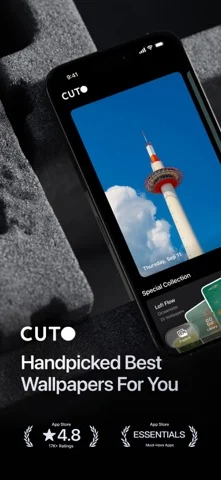
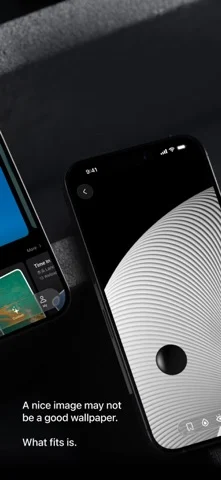
Curated wallpapers that refresh automatically. Cuto handpicks beautiful wallpapers for your phone, so your screen always feels fresh — without endless scrolling. Use automation tools to change wallpapers by time, mood, or routine. - Featured by Apple CN App Store 10+ Times - Featured in App Store "iPhone Essentials: Decorate Your New Device" - App Store Editors' Pick A beautiful image is just the beginning. A great wallpaper feels right on your screen. For 10 years, we’ve chosen every Cuto wallpaper by hand—with care for the image itself, and how it looks on your phone. [ A little more care. Every day. ] One new wallpaper, every day. Handpicked by our editors, with no recommendation algorithms or automated image feeds. From daily finds to themed collections, there’s always something worth a closer look. [ Have something in mind? Search for it. ] An ocean view. A snowy day. A certain mood. Browse by color, theme, or atmosphere, or simply describe what you’re looking for. Try “sunrise over snowy mountains,” “something cheerful,” or “dark wallpapers for my Lock Screen.” Find a wallpaper that fits the feeling. [ A view that moves you. ] Bring a little motion to your Lock Screen with Cuto’s live wallpapers. Discover a scene you love, and watch it come to life when your screen wakes. [ A fresh wallpaper. Automatically. ] Keep things fresh without lifting a finger. Use Apple Shortcuts to change your wallpaper on a schedule that suits you, or switch it with a tap in Cuto. A new look, already taken care of. [ More ways to enjoy your favorites. ] See mountains and oceans through an airplane window, or give a favorite photo a frame. Cuto widgets bring a little scenery to your Home Screen and StandBy. And with progress wallpapers, you can see the year taking shape—or count down to a date that matters—right on your Lock Screen. [ Thoughtfully designed. Beautiful to browse. ] Liquid Glass meets carefully selected wallpapers. From the first look to your next favorite, finding a wallpaper should feel as good as it looks. --- If you encounter any issues while using Cuto, please contact us through the "Feedback" feature in the app. Term of Use: Apple’s standard end user license agreement (EULA): https://www.apple.com/legal/internet-services/itunes/dev/stdeula/
iPhone Duo での Cuto Wallpaper:よくある質問
Cuto Wallpaper は iPhone Duo に最適化されていますか?
開発者またはストアに iPhone Duo 対応の記載があります。
Cuto Wallpaper の価格は?
Cuto Wallpaper は App Store で無料でダウンロードできます。
その他のクリエイティブアプリ
すべて見る ›
iPhoneやiPadを映画用スレートにし、クラップと同期、テイク記録を行う。

Duoの画面半分に描き、閉じて開くと鏡像の絵が現れるお絵かきアプリ。

スポイトと折りたたみ、こすりで折り染めインク作品を作り、保存や共有ができる。

iPhoneをインスタントカメラに変え、白フチ付き写真を撮ってキャプションを添え保存できる。

カスタムブラシと無制限のレイヤーを備えたお絵描き・ペイントアプリ

フロントカメラとバックカメラで同時に録画