
Cuto Wallpaper
Duo support is reported in the linked sources. The specific fold interaction and real-device behavior have not been independently verified.
Potatso Lab LTD · Creative · Free
iPhone screenshots
How it uses iPhone Duo
Duo support is reported in the linked sources. The specific fold interaction and real-device behavior have not been independently verified.
What’s New
Version 3.6.0 ·
## New Features - Added the medium Ocean Window widget, with a view of the sea through a ship's window. - Added the small Retro Shell widget in five vibrant colors. Touch and hold the widget on your Home Screen, then choose “Edit Widget” to change its color. - Added author information to wallpaper details, so you can discover the creators behind the artwork. ## Fixes and Optimizations - You can now manage your email address, phone number, and WeChat account in Settings. - Improved recovery and cloud syncing of favorites from older versions, reducing missing favorites after an update. - Improved widget image loading and fixed issues that could prevent images from appearing. - Fixed stretched custom backgrounds in progress wallpapers.
About this app
Curated wallpapers that refresh automatically.
App Store descriptionWritten by the developer.
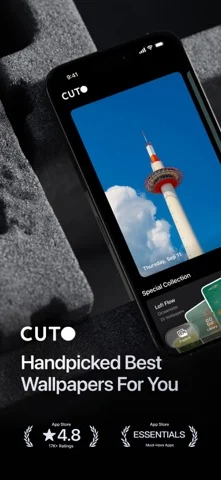
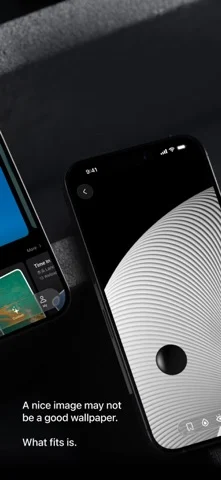
Curated wallpapers that refresh automatically. Cuto handpicks beautiful wallpapers for your phone, so your screen always feels fresh — without endless scrolling. Use automation tools to change wallpapers by time, mood, or routine. - Featured by Apple CN App Store 10+ Times - Featured in App Store "iPhone Essentials: Decorate Your New Device" - App Store Editors' Pick A beautiful image is just the beginning. A great wallpaper feels right on your screen. For 10 years, we’ve chosen every Cuto wallpaper by hand—with care for the image itself, and how it looks on your phone. [ A little more care. Every day. ] One new wallpaper, every day. Handpicked by our editors, with no recommendation algorithms or automated image feeds. From daily finds to themed collections, there’s always something worth a closer look. [ Have something in mind? Search for it. ] An ocean view. A snowy day. A certain mood. Browse by color, theme, or atmosphere, or simply describe what you’re looking for. Try “sunrise over snowy mountains,” “something cheerful,” or “dark wallpapers for my Lock Screen.” Find a wallpaper that fits the feeling. [ A view that moves you. ] Bring a little motion to your Lock Screen with Cuto’s live wallpapers. Discover a scene you love, and watch it come to life when your screen wakes. [ A fresh wallpaper. Automatically. ] Keep things fresh without lifting a finger. Use Apple Shortcuts to change your wallpaper on a schedule that suits you, or switch it with a tap in Cuto. A new look, already taken care of. [ More ways to enjoy your favorites. ] See mountains and oceans through an airplane window, or give a favorite photo a frame. Cuto widgets bring a little scenery to your Home Screen and StandBy. And with progress wallpapers, you can see the year taking shape—or count down to a date that matters—right on your Lock Screen. [ Thoughtfully designed. Beautiful to browse. ] Liquid Glass meets carefully selected wallpapers. From the first look to your next favorite, finding a wallpaper should feel as good as it looks. --- If you encounter any issues while using Cuto, please contact us through the "Feedback" feature in the app. Term of Use: Apple’s standard end user license agreement (EULA): https://www.apple.com/legal/internet-services/itunes/dev/stdeula/
Cuto Wallpaper on iPhone Duo: FAQ
Is Cuto Wallpaper optimized for iPhone Duo?
The developer or App Store listing mentions iPhone Duo support.
What does Cuto Wallpaper look like on iPhone Duo?
Duo support is reported in the linked sources. The specific fold interaction and real-device behavior have not been independently verified.
How much does Cuto Wallpaper cost?
Cuto Wallpaper is free to download on the App Store.
More Creative apps
See all ›
On iPhone Duo, the phone is the clapperboard. Open it to the slate, hold it up to the lens and shut it

Requires iPhone Duo with iOS 27.1 or later for drawing.

On iPhone Duo the sheet fills the inner display with its crease on the fold. Close the phone and you've folded the

DESIGNED FOR IPHONE DUO

Drawing and painting app with custom brushes and unlimited layers

Record with the front and back cameras at the same time