
iPhone 스크린샷
새로운 기능
버전 3.6.0 ·
## New Features - Added the medium Ocean Window widget, with a view of the sea through a ship's window. - Added the small Retro Shell widget in five vibrant colors. Touch and hold the widget on your Home Screen, then choose “Edit Widget” to change its color. - Added author information to wallpaper details, so you can discover the creators behind the artwork. ## Fixes and Optimizations - You can now manage your email address, phone number, and WeChat account in Settings. - Improved recovery and cloud syncing of favorites from older versions, reducing missing favorites after an update. - Improved widget image loading and fixed issues that could prevent images from appearing. - Fixed stretched custom backgrounds in progress wallpapers.
개발자가 이 내용을 한국어로 제공하지 않았습니다.
App Store 설명개발자가 작성한 내용입니다.
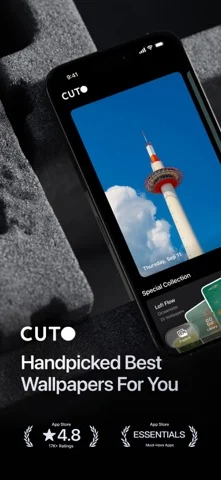
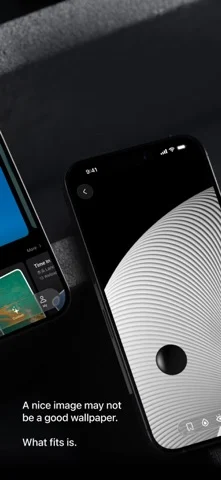
Curated wallpapers that refresh automatically. Cuto handpicks beautiful wallpapers for your phone, so your screen always feels fresh — without endless scrolling. Use automation tools to change wallpapers by time, mood, or routine. - Featured by Apple CN App Store 10+ Times - Featured in App Store "iPhone Essentials: Decorate Your New Device" - App Store Editors' Pick A beautiful image is just the beginning. A great wallpaper feels right on your screen. For 10 years, we’ve chosen every Cuto wallpaper by hand—with care for the image itself, and how it looks on your phone. [ A little more care. Every day. ] One new wallpaper, every day. Handpicked by our editors, with no recommendation algorithms or automated image feeds. From daily finds to themed collections, there’s always something worth a closer look. [ Have something in mind? Search for it. ] An ocean view. A snowy day. A certain mood. Browse by color, theme, or atmosphere, or simply describe what you’re looking for. Try “sunrise over snowy mountains,” “something cheerful,” or “dark wallpapers for my Lock Screen.” Find a wallpaper that fits the feeling. [ A view that moves you. ] Bring a little motion to your Lock Screen with Cuto’s live wallpapers. Discover a scene you love, and watch it come to life when your screen wakes. [ A fresh wallpaper. Automatically. ] Keep things fresh without lifting a finger. Use Apple Shortcuts to change your wallpaper on a schedule that suits you, or switch it with a tap in Cuto. A new look, already taken care of. [ More ways to enjoy your favorites. ] See mountains and oceans through an airplane window, or give a favorite photo a frame. Cuto widgets bring a little scenery to your Home Screen and StandBy. And with progress wallpapers, you can see the year taking shape—or count down to a date that matters—right on your Lock Screen. [ Thoughtfully designed. Beautiful to browse. ] Liquid Glass meets carefully selected wallpapers. From the first look to your next favorite, finding a wallpaper should feel as good as it looks. --- If you encounter any issues while using Cuto, please contact us through the "Feedback" feature in the app. Term of Use: Apple’s standard end user license agreement (EULA): https://www.apple.com/legal/internet-services/itunes/dev/stdeula/
iPhone Duo에서의 Cuto Wallpaper: 자주 묻는 질문
Cuto Wallpaper은(는) iPhone Duo에 최적화되어 있나요?
개발자 또는 스토어가 iPhone Duo 지원을 안내합니다.
Cuto Wallpaper의 가격은 얼마인가요?
Cuto Wallpaper은(는) App Store에서 무료로 다운로드할 수 있습니다.
다른 크리에이티브 앱
모두 보기 ›
iPhone이나 iPad를 영화 슬레이트로 바꿔 클랩, 동기화, 테이크 기록을 합니다.

Duo 화면 절반에 그린 뒤 접었다 펴면 대칭 그림이 나타나는 드로잉 앱.

스포이트와 접기, 문지르기로 접힌 잉크 그림을 만들고 저장하거나 공유합니다.

iPhone을 즉석 카메라로 바꿔 흰 테두리 사진을 찍고 글귀를 붙여 보관한다.

사용자 지정 브러시와 무제한 레이어를 갖춘 드로잉·페인팅 앱

전면·후면 카메라로 동시에 녹화