
FoldSketch for Duo
Draw on one half of the Duo, fold it shut, then reopen to reveal a mirrored picture.
Jannis Guhl · Creative · Free
iPhone screenshots
How it uses iPhone Duo
Requires iPhone Duo with iOS 27.1 or later for drawing.
App Store descriptionWritten by the developer.
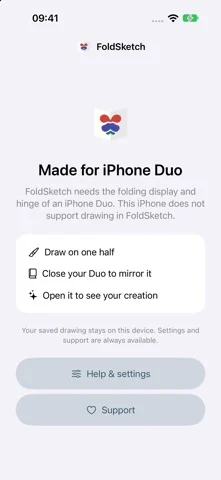
Requires iPhone Duo with iOS 27.1 or later for drawing. Turn a few strokes into a symmetrical picture with the fold of your iPhone Duo. Draw on one half of the open inner screen, close your Duo completely, then open it to reveal the mirrored imprint. Add more strokes and fold again to build your picture. Choose your drawing side and explore: • Five coordinated palettes, each with four colors plus graphite. • Four paper styles: smooth white, cream sketch paper, graph paper, and kraft paper. • 50 optional tracing guides, grouped into animals, nature, objects, and shapes. Previews show only the dashed template half. The guides stay out of your exported picture. • Three brush widths and three eraser sizes. Erase either half independently and undo drawing, erasing, or imprint actions. Your current page saves automatically on your device, so you can continue later. Save a PNG with your chosen paper or a transparent background. Add it to Photos or share it with the apps you use, then keep drawing. All drawing features are free. No ads, subscriptions, account, or tracking. Drawing works offline. Optional, repeatable support purchases help with the development and care of small, ad-free apps without unlocking extra features. On other iPhone models, FoldSketch explains the device requirement and keeps settings and support available.
FoldSketch for Duo on iPhone Duo: FAQ
Is FoldSketch for Duo optimized for iPhone Duo?
Yes. FoldSketch for Duo is Built for Duo: it uses the fold, Split View or the outer display. Verified on October 25, 2026 (App Store text).
What does FoldSketch for Duo look like on iPhone Duo?
Requires iPhone Duo with iOS 27.1 or later for drawing.
How much does FoldSketch for Duo cost?
FoldSketch for Duo is free to download on the App Store.
More Creative apps
See all ›
Turns iPhone or iPad into a film slate that claps, syncs, and logs takes.

Make folded inkblot prints with droppers, folding and rubbing, then save or share each print.

Turns your iPhone into an instant camera that prints framed photos you can caption and keep.

Drawing and painting app with custom brushes and unlimited layers

Record with the front and back cameras at the same time

Camera app, teleprompter and AI video editor for creators in one place