
Detail
Camera app, teleprompter and AI video editor for creators in one place
Detail Technologies B.V. · Creative · Free · in-app purchases
iPhone screenshots
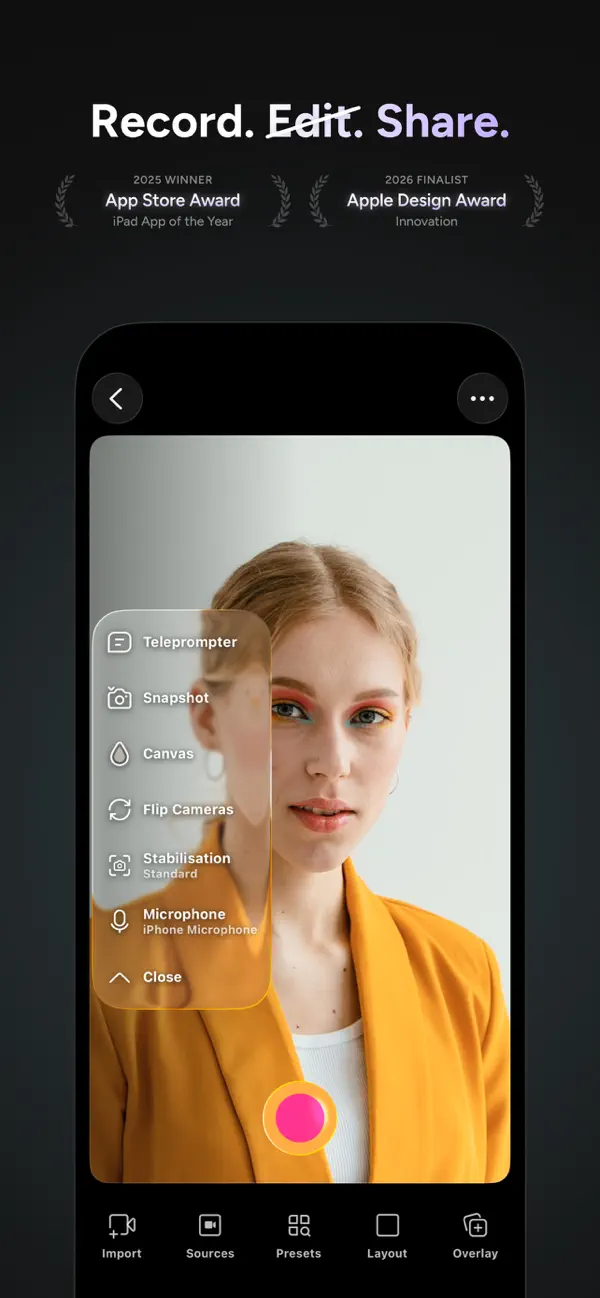
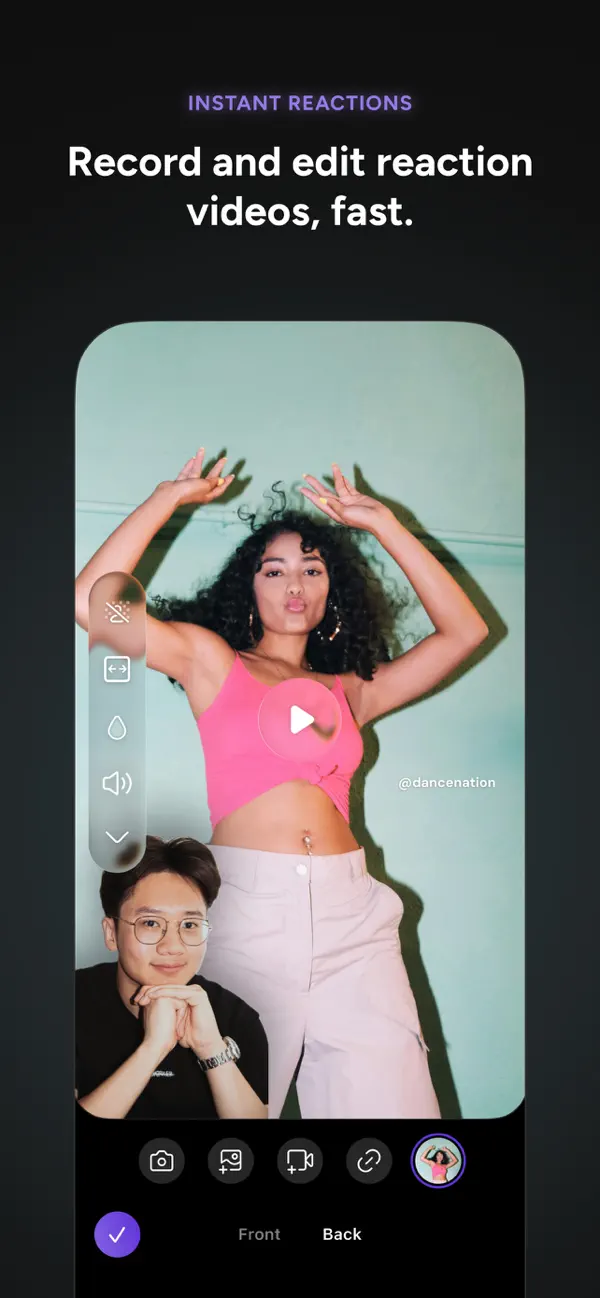
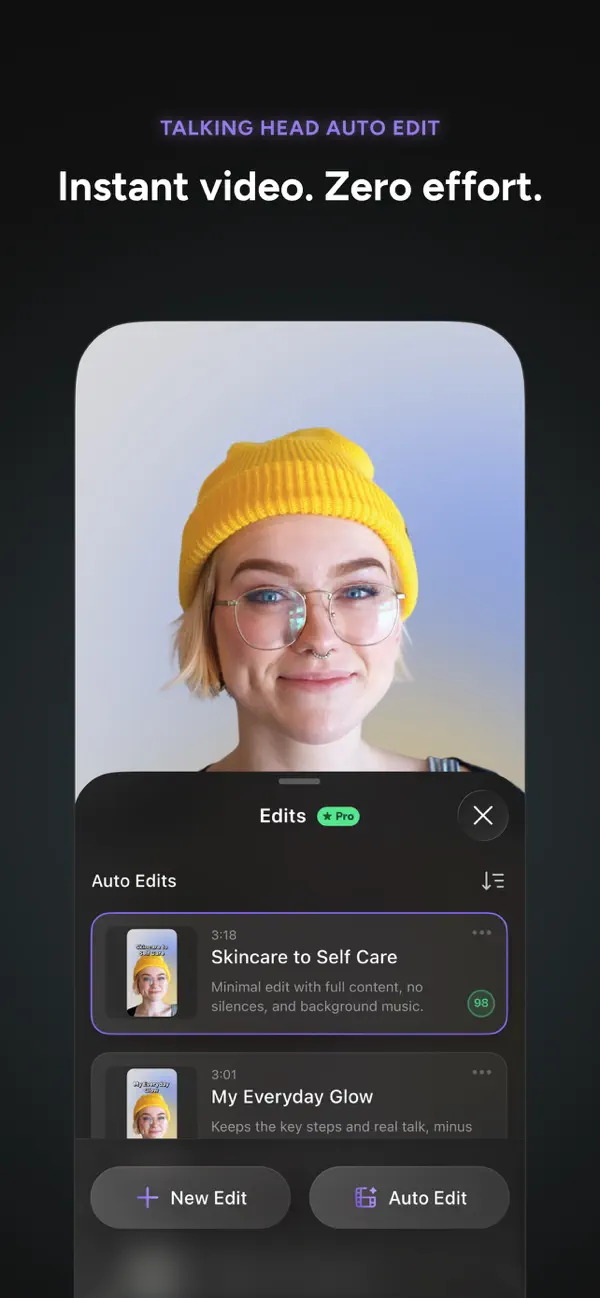
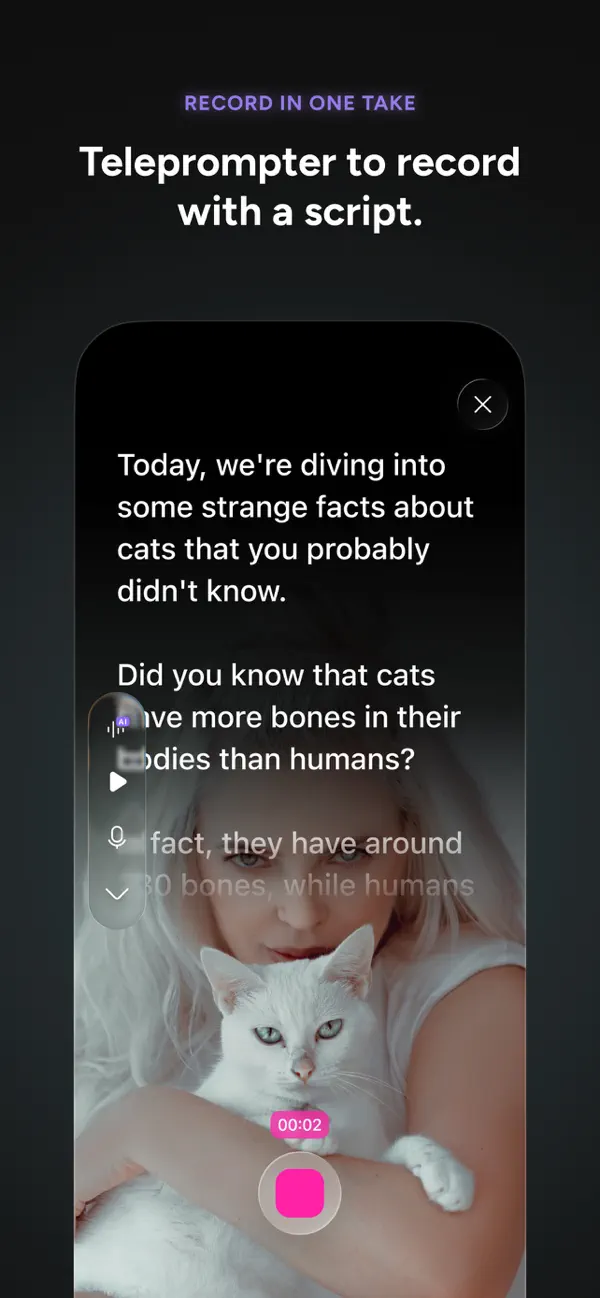
iPad screenshots
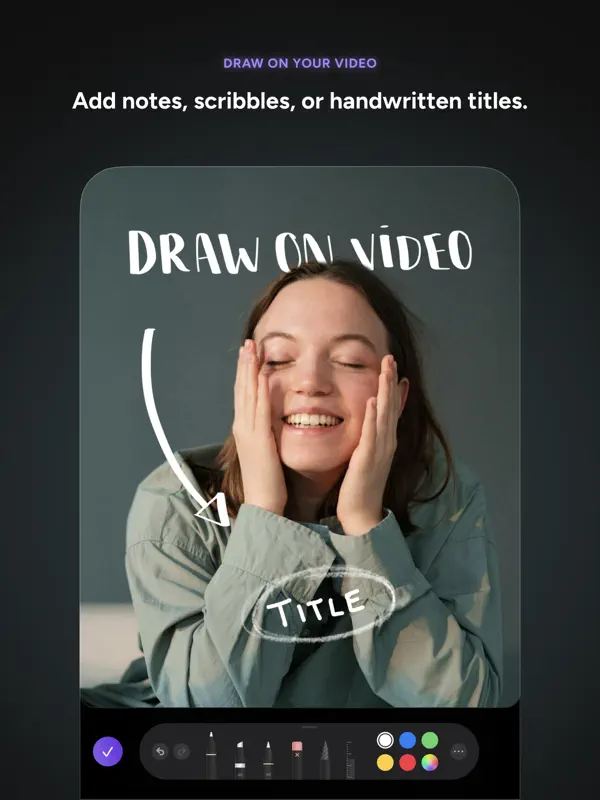
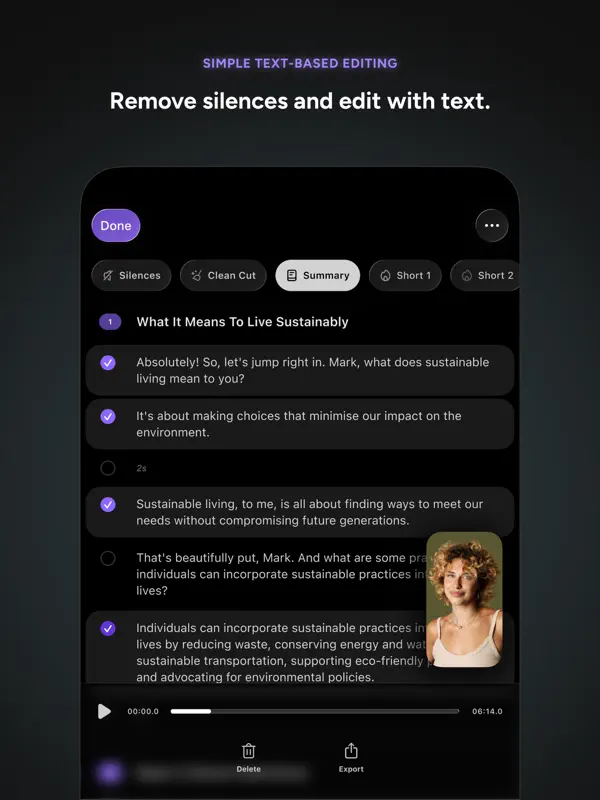
How it uses iPhone Duo
According to Detail's 6.0.4 release notes (October 12, 2026), the app supports iPhone Duo and can record with all three of its cameras: outer, inner and rear. With the phone open, Flip Cameras cycles through all three; closed, it switches between the outer and rear cameras. When filming yourself with the rear camera, an Outer Display button shows your live preview on the outer screen so you can frame the shot, and an open teleprompter script appears there too, next to the lens. A Book Mode shortcut in the library opens a split-screen recording using the outer and rear cameras together. Apple's iPhone Duo product page pictures Detail on the inner display of an opened iPhone Duo. We have not yet tested Detail on an iPhone Duo.
What’s New
Version 6.0.5 ·
Bug fixes and improvements
About this app
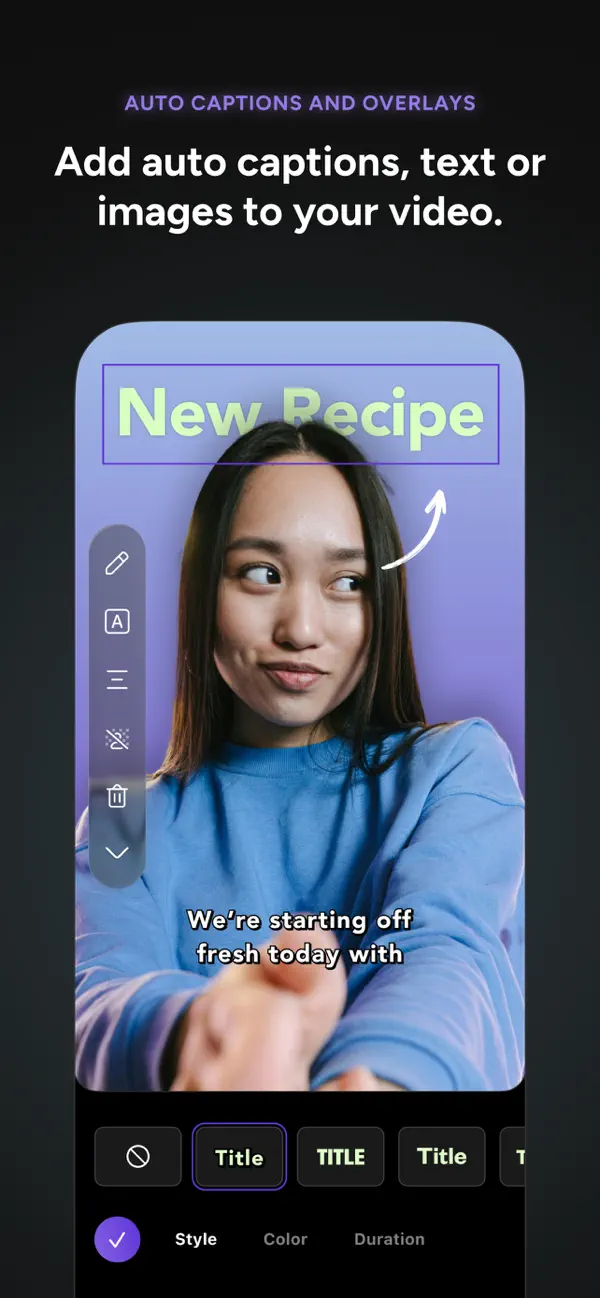
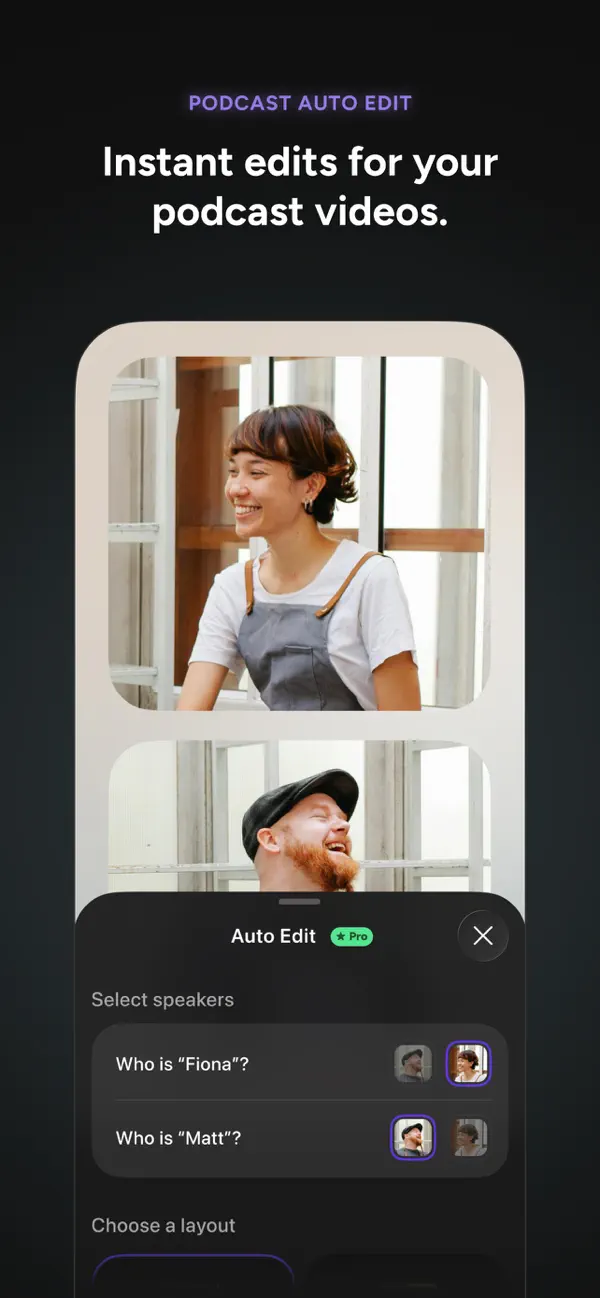
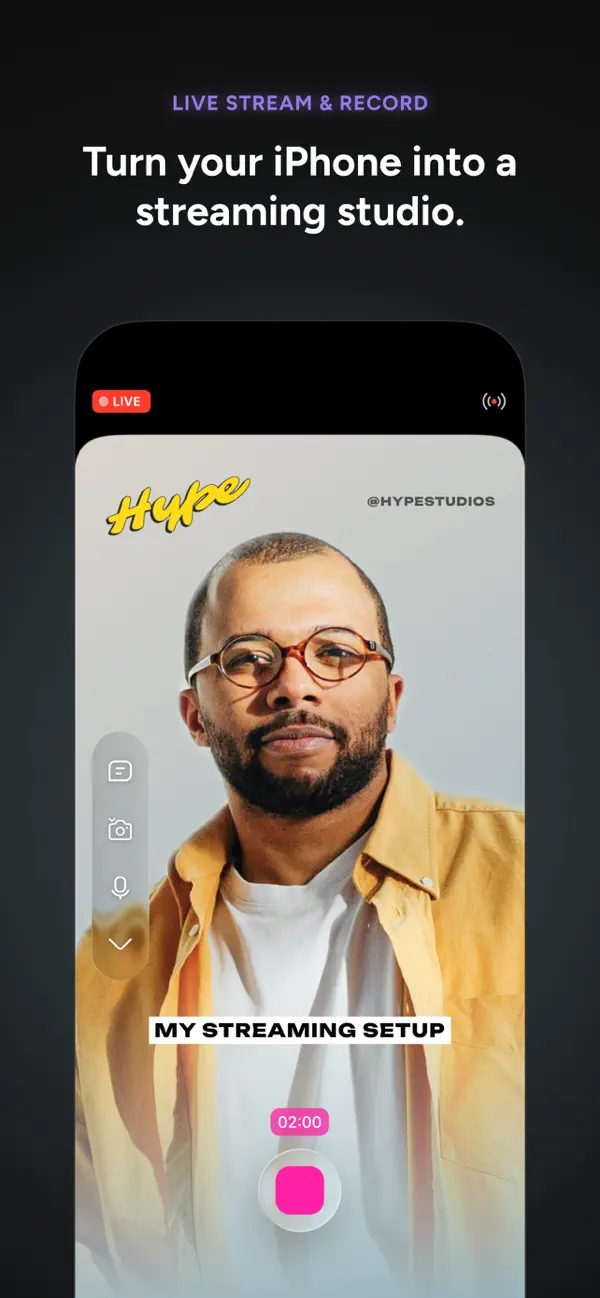
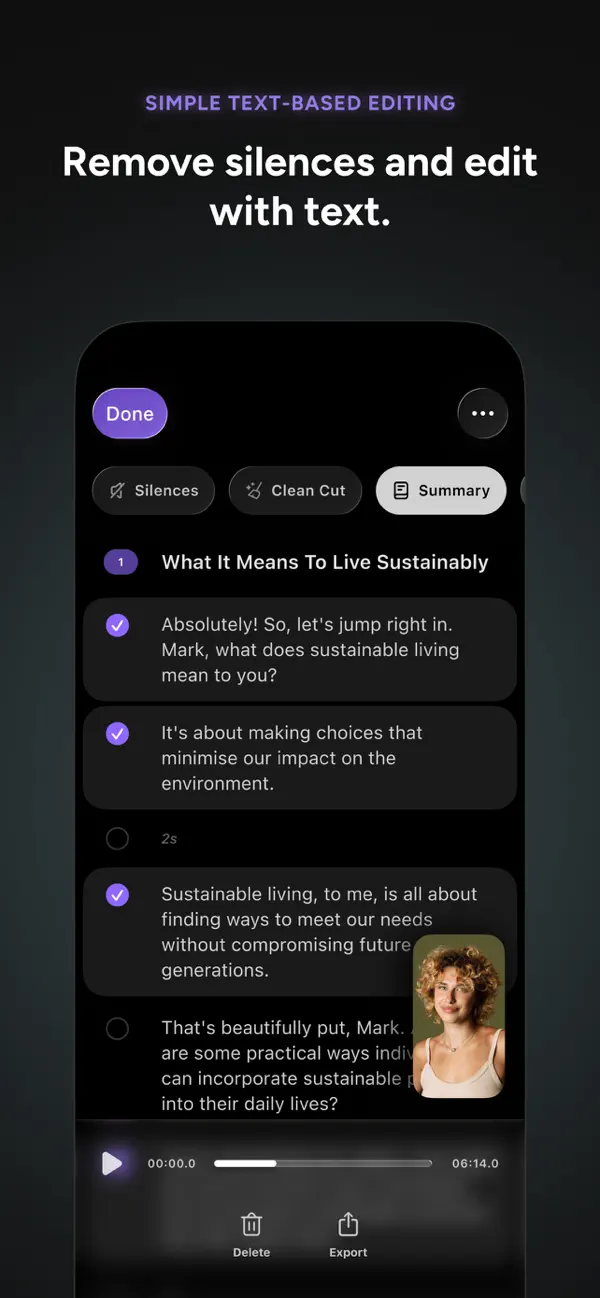
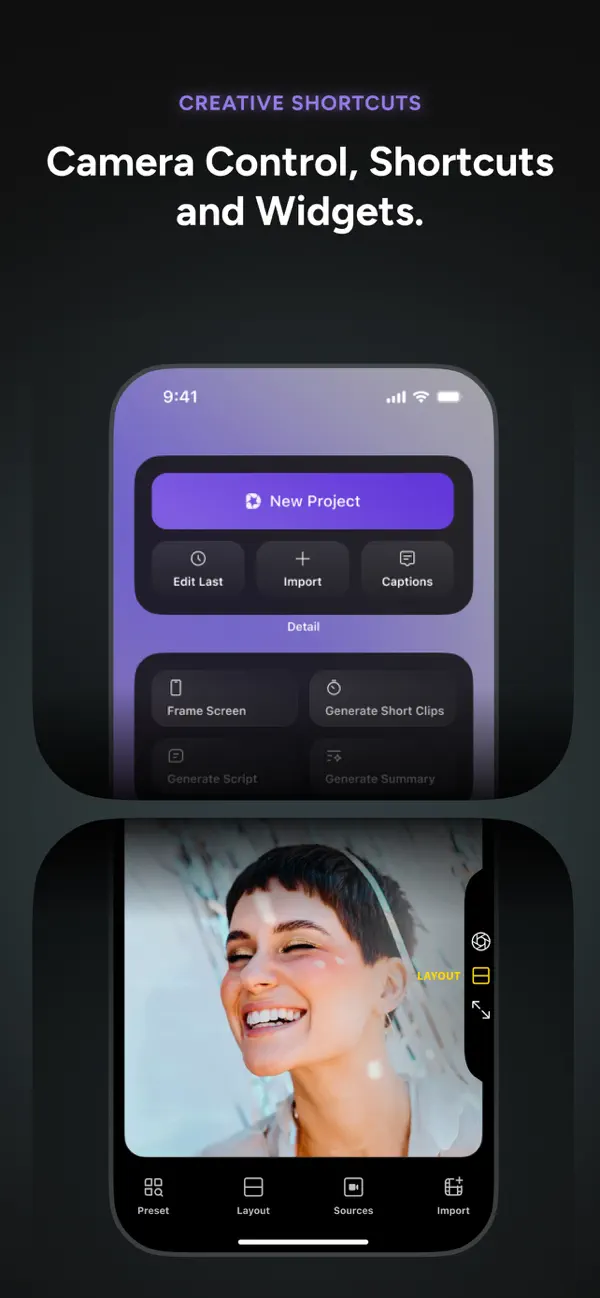
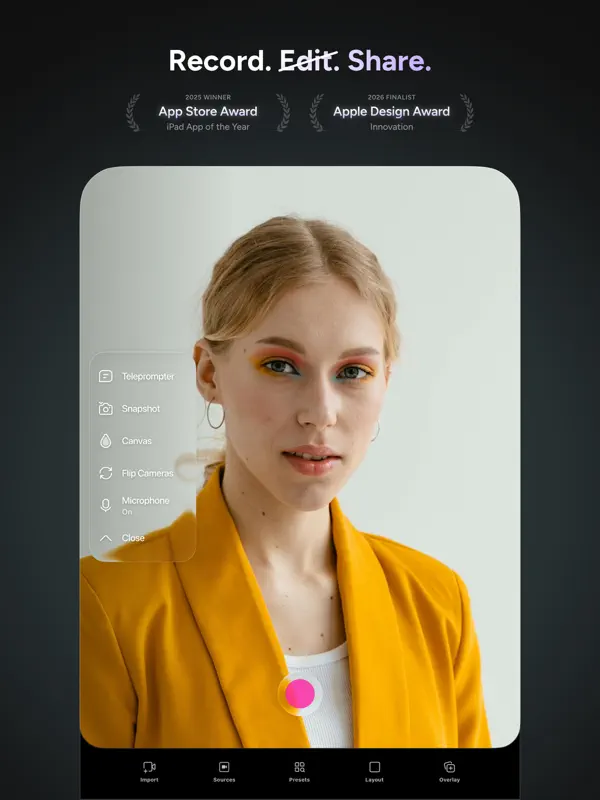
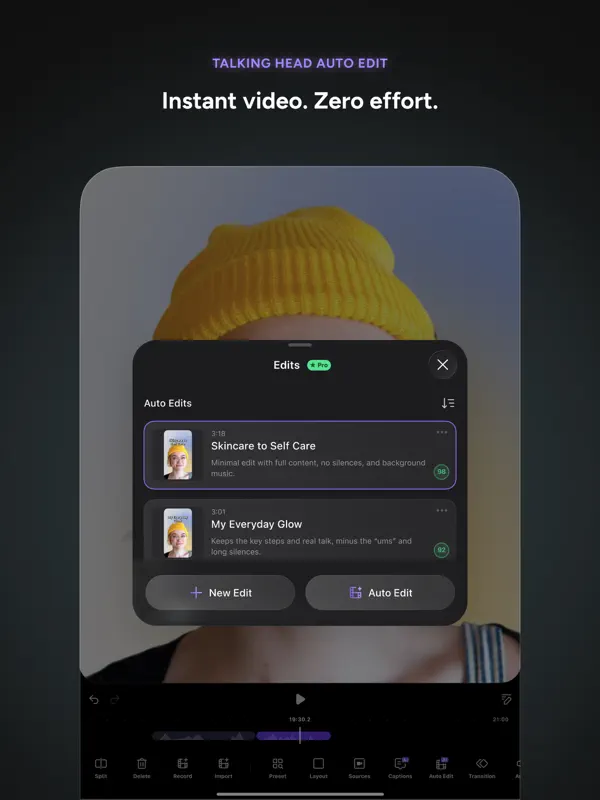
Detail, from the Amsterdam-based Detail Technologies, puts recording and editing in a single app. You can shoot or import footage and have its AI Auto-Edit pick out the strongest moments, cut silences and turn the result into short clips for social platforms. For people who speak to camera there is AI Director, a teleprompter that follows along as you talk. Beyond that, the app records from several cameras at once and lets you switch angles live, handles split-screen reaction videos, and works as a small studio for video podcasts with remote guests. It can also livestream to YouTube, Twitch, Facebook or any RTMP destination, remove backgrounds without a physical green screen, and generate editable captions in more than 50 languages. The editor covers trimming, text, filters, speed changes and 4K export. Detail is aimed at vloggers, educators, podcasters and other solo creators who would rather not juggle separate recording and editing apps. It is free to download, with in-app purchases. Apple shows Detail on the inner display of an opened iPhone Duo on its iPhone Duo product page, and version 6.0.4 (October 12, 2026) added iPhone Duo support: all three cameras can be used, the outer display can show a live preview and the teleprompter script while you film with the rear camera, and a Book Mode shortcut records the outer and rear cameras side by side.
App Store descriptionWritten by the developer.
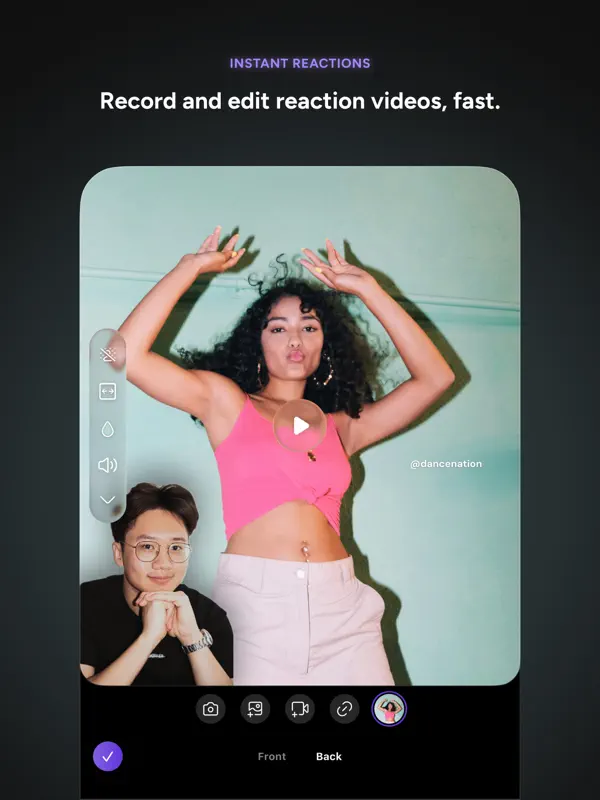
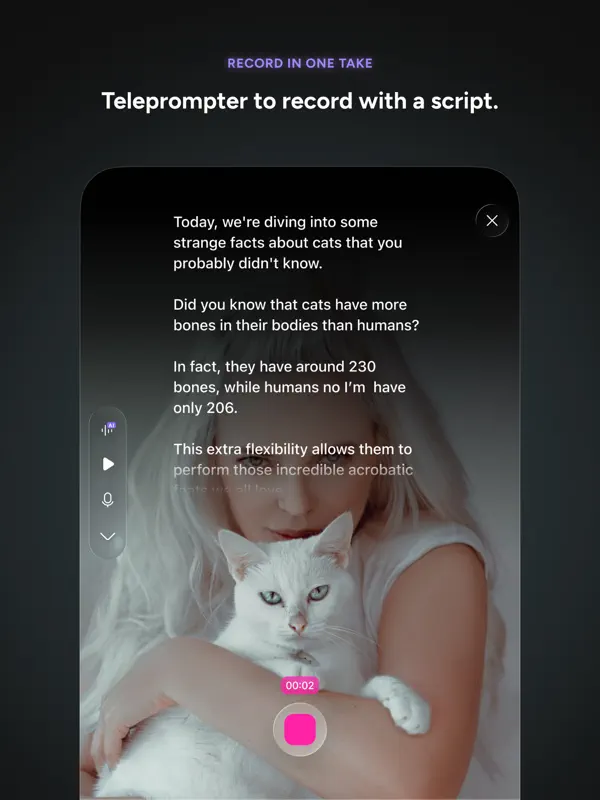
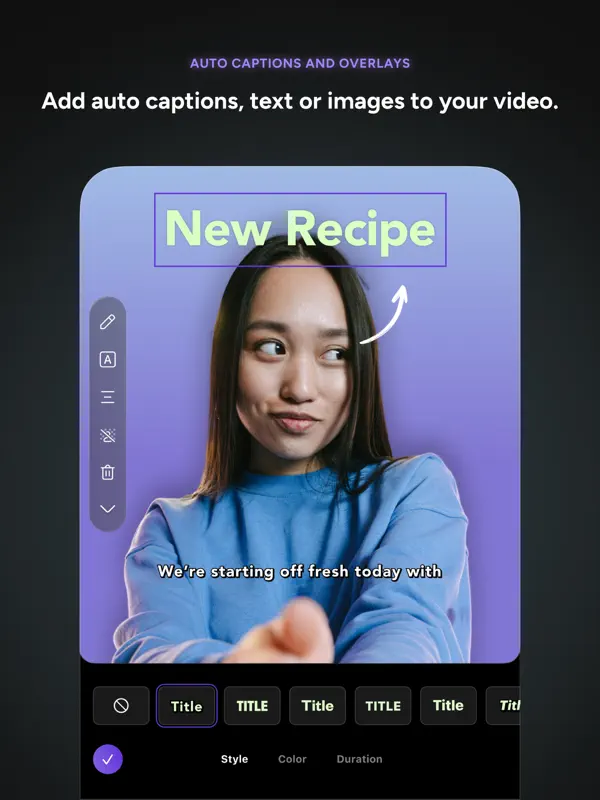
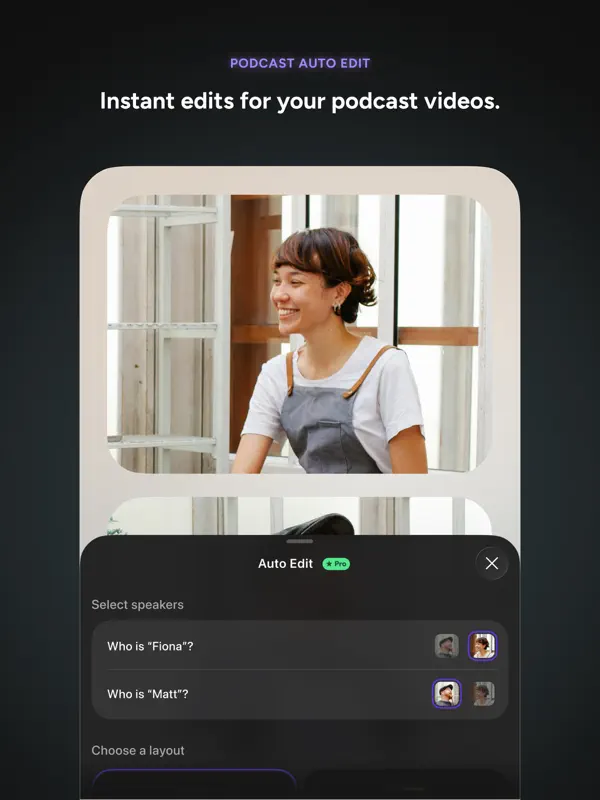
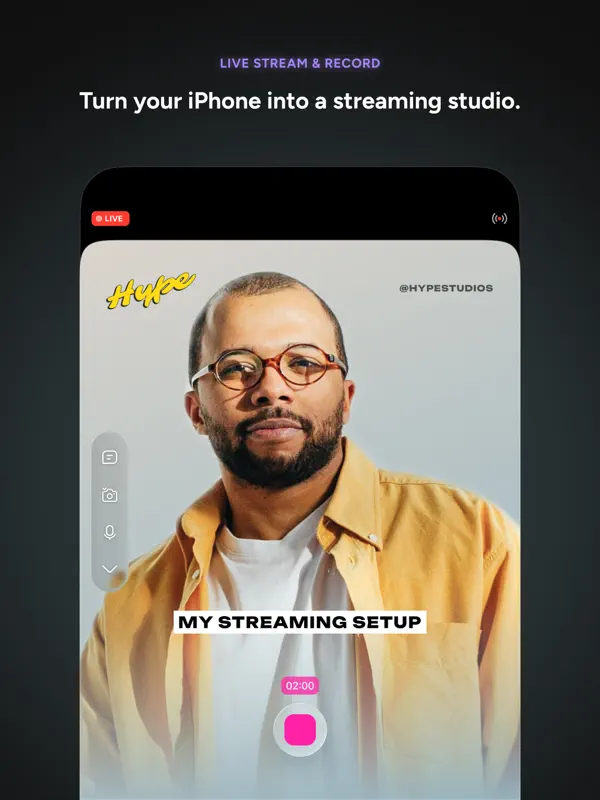
Detail combines the simplicity of a camera app with the power of a professional AI video editor. Whether you're creating a 60-second reaction video, a polished YouTube vlog, a 30-minute interview or podcast, or going live to thousands of viewers, you can do it all in one place with Detail. INSTANT VIDEO WITH AI AUTO-EDIT Record or import a video and let AI Auto-Edit do the rest. Detail's AI finds the best moments, removes silences, and creates ready-to-share shorts and reels automatically. Instant video — record, done. AI DIRECTOR — YOUR PERSONAL TELEPROMPTER Stay on script with AI Director, your conversational teleprompter guide. It listens as you speak and keeps you on track, so every take is your best take. Perfect for content creators, educators, and presenters. MULTICAM RECORDING Turn your iPhone and iPad into a multi-camera video studio. Record from multiple angles simultaneously and switch between them in real time. Professional multicam production without the professional price tag. REACTION VIDEOS MADE EASY Record split-screen reaction videos to any content in seconds. Import a video, hit record, and share your reaction with the world. The fastest way to create reaction content for TikTok, YouTube Shorts, and Instagram Reels. PODCAST & VIDEO PODCAST STUDIO Record, edit, and publish professional video podcasts. Detail handles layouts, audio levels, and transitions so you can focus on the conversation. Support for remote guests and multi-camera setups. LIVESTREAMING TO ANY PLATFORM Go live to YouTube, Twitch, Facebook, or any RTMP destination directly from Detail. Add overlays, switch cameras, and engage your audience — all from your iPhone or iPad. GREEN SCREEN & CHROMA KEY Remove or replace your background instantly with green screen support. No physical green screen needed — Detail's AI handles background removal automatically. AI AUTO-CAPTIONS & SUBTITLES Add accurate auto captions in 50+ languages. Customize fonts, colors, and styles. Captions are fully editable and can be exported as separate subtitle files. Transcribe your content with a single tap. PROFESSIONAL EDITING TOOLS • Trim, cut, and split clips with precision • Add text, stickers, and overlays • Apply filters, effects, and color grading • Adjust speed — slow motion, time-lapse, and more • 4K video export for maximum quality • Music and sound effects library BUILT FOR CONTENT CREATORS Detail is the all-in-one video editor for UGC creators, vloggers, podcasters, and social media content creators. Create professional content for TikTok, YouTube, Instagram, and every platform — without juggling complicated apps or expensive gear. CLOUD SYNC & COLLABORATION Access your projects across all your Apple devices. Collaborate with your team in real time. Your video studio, everywhere you go. Download Detail today and join millions of creators making better videos with AI. Terms of Use: https://detail.co/terms Privacy Policy: https://detail.co/privacy
Highlights
- AI Auto-Edit finds highlights, removes silences and makes short clips
- AI Director teleprompter that follows your speech
- Multicam recording with live angle switching
- Livestreaming to YouTube, Twitch, Facebook or any RTMP destination
- Auto captions in 50+ languages and AI background removal
- On iPhone Duo, records with the outer, inner and rear cameras
- Outer display shows your live preview and teleprompter script when filming with the rear camera
- Book Mode records the outer and rear cameras in split screen
Detail on iPhone Duo: FAQ
Is Detail optimized for iPhone Duo?
Yes. Detail is Built for Duo: it uses the fold, Split View or the outer display. Verified on October 12, 2026 (Developer statement).
What does Detail look like on iPhone Duo?
According to Detail's 6.0.4 release notes (October 12, 2026), the app supports iPhone Duo and can record with all three of its cameras: outer, inner and rear. With the phone open, Flip Cameras cycles through all three; closed, it switches between the outer and rear cameras. When filming yourself with the rear camera, an Outer Display button shows your live preview on the outer screen so you can frame the shot, and an open teleprompter script appears there too, next to the lens. A Book Mode shortcut in the library opens a split-screen recording using the outer and rear cameras together. Apple's iPhone Duo product page pictures Detail on the inner display of an opened iPhone Duo. We have not yet tested Detail on an iPhone Duo.
How much does Detail cost?
Detail costs Free · in-app purchases on the App Store.
More Creative apps
See all ›
Drawing and painting app with custom brushes and unlimited layers

Record with the front and back cameras at the same time

Multitrack video editor for iPhone, iPad and Mac

Multi-track video and photo editor with keyframes, effects and text

Home Screen themes, wallpapers and custom widgets for iPhone

A tabbed Flickr photo browser with grid views, maps and slideshows