
Duorama: Waist Level Camera
ウエストレベルのファインダーで正方形の写真を撮り、フィルムとコンタクトシートにまとめます。
Serkan DAL · クリエイティブ · 無料
iPhone スクリーンショット
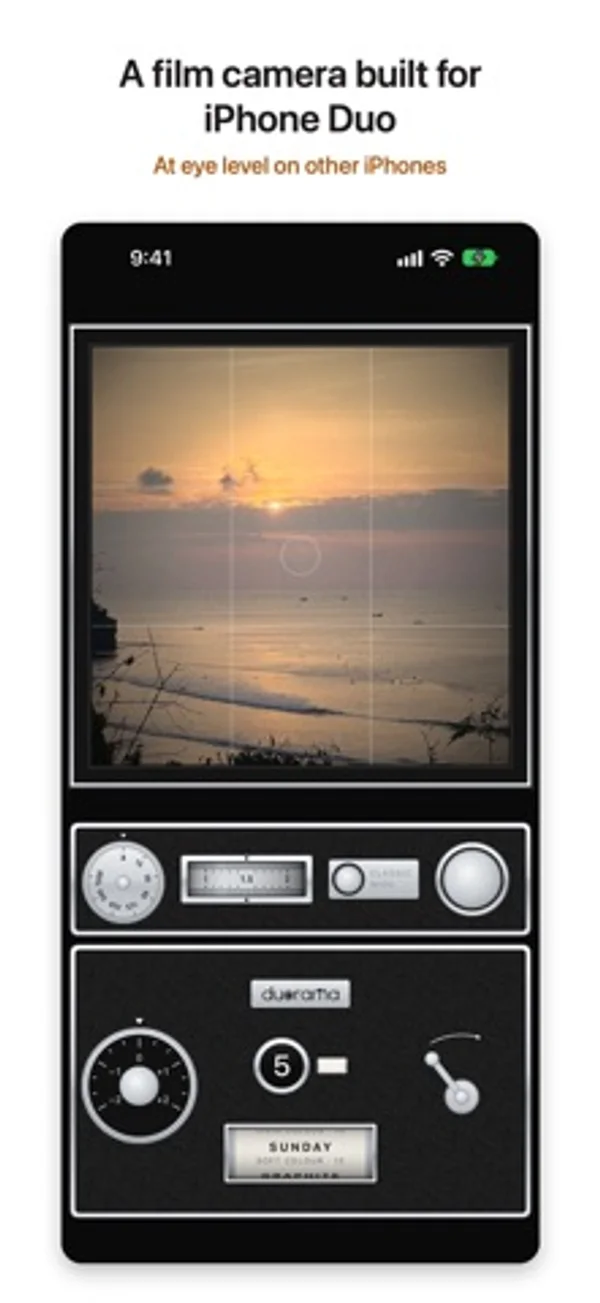
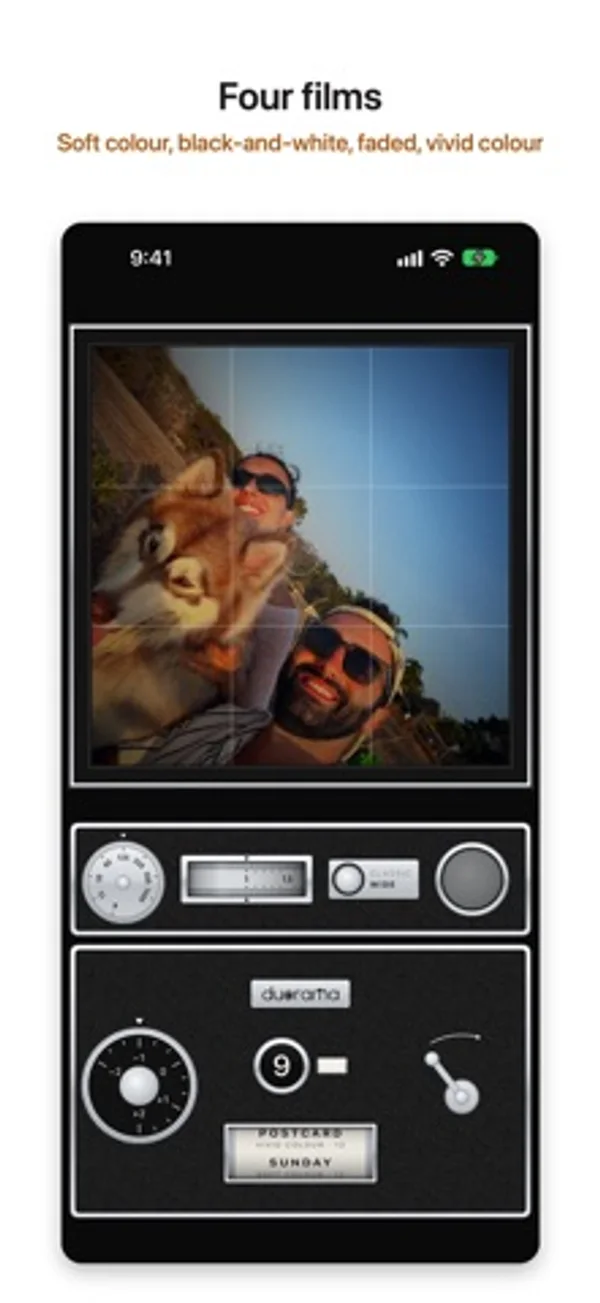
iPhone Duo での活用
半開きではカメラ側が立ち、平らな側がウエストレベルのファインダーになります。閉じるか平らに開くとアイレベルに戻ります。
App Store の説明開発者による説明です。
Duorama is a vintage film camera built for iPhone Duo. Half-fold it, hold it at your waist and look down into the glass, like the box cameras of the late 1950s. The waist-level finder needs iPhone Duo. The half with the cameras stands up and faces your subject, and the flat half becomes a ground glass. Every picture is a square frame on a roll of 12. The waist-level finder - The folding hood springs open over the glass when the camera starts. - A live square picture on ground glass, with an etched grid, a bright centre and darker corners. It's reversed left to right, like the real thing. A switch in Settings turns that off. - Tap the glass to raise a magnifier and focus there. - A small counter on the film back shows how far the phone is folded. - Close the phone, or open it out flat, and the same camera works at eye level. A camera, not a filter - Press the shutter release and hear the shutter. The signal turns red and the glass goes dark until you wind on with the crank. - Turn the exposure ring in click stops, set a shutter speed from 1/15 to 1/1000 or leave it on A, and roll the zoom wheel or tap between the classic and wide views. Four films Roll the film card to change film. Each film has its own look and its own roll: - SUNDAY, soft colour - GRAPHITE, black-and-white - KEEPSAKE, faded and warm - POSTCARD, vivid colour Each look has grain (off, light or heavy, in Settings), a slight glow in the highlights and a gentle vignette, on the glass and in the photo. An optional film border adds a black edge with the frame number. Rolls and contact sheets Finish a roll of 12 and it becomes a contact sheet: four strips of three frames on black, with the film's name and the date. Developed photos go to Photos at full size, and you can share each contact sheet. Three finishes Instrument, Heirloom and Atelier: the same camera in cool bright chrome, warm and lived-in, or graphic with a coloured enamel for each film. Free to try, one purchase to develop Every part of the camera is free to try: all four films, the finishes, the border and every control. Until you buy, your first roll on each film back stays in the camera, undeveloped, and can't be saved or shared. One purchase, paid once, develops it: a finished roll's photos and contact sheet go to Photos at full size, and a roll you're still shooting follows when you finish it. From then on, each roll goes to Photos when you finish it, all 12 frames and the contact sheet together; or turn on Save each photo right away in Settings to get each photo as you take it. Photos waiting in the camera are kept when you close the app. Restore Purchases is on the contact sheet and in Settings. No subscription. Private No account, no ads and no tracking. The app only adds photos to your Photos library. It can't see the photos already there. Which iPhone Duorama is built for iPhone Duo, and the waist-level finder needs iPhone Duo. On any other iPhone with iOS 18 or later, Duorama works as an eye-level camera: the same film looks, rolls and controls, without the waist-level finder.
iPhone Duo での Duorama: Waist Level Camera:よくある質問
Duorama: Waist Level Camera は iPhone Duo に最適化されていますか?
はい。Duorama: Waist Level Camera は「Duo 専用設計」で、折りたたみ、Split View、外側ディスプレイを活用しています。2026年10月30日 に確認(開発者の発表)。
iPhone Duo での Duorama: Waist Level Camera はどう見えますか?
半開きではカメラ側が立ち、平らな側がウエストレベルのファインダーになります。閉じるか平らに開くとアイレベルに戻ります。
Duorama: Waist Level Camera の価格は?
Duorama: Waist Level Camera は App Store で無料でダウンロードできます。
その他のクリエイティブアプリ
すべて見る ›
前後のカメラを同時に撮影し、動かせる小窓やプロンプターを使えます。

部屋の写真と好みのスタイルから、内装のアイデアを生成します。

複数のiPhoneカメラを同時に使い、Vlogやインタビューを撮影します。

動画の反転、スロー、区間リピートで振り付けを練習できます。

時計や写真、文字のブロックを配置し、折りたたみアニメーションをプレビューして作品を共有できます。

内側と外側の画面に合わせた壁紙を作り、画像をカスタマイズ可能な端末モックアップで書き出せます。