
iPhone スクリーンショット
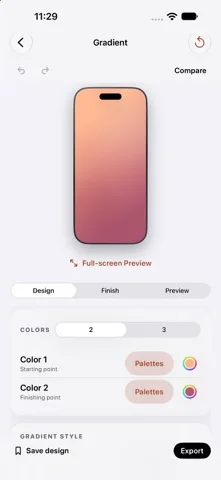
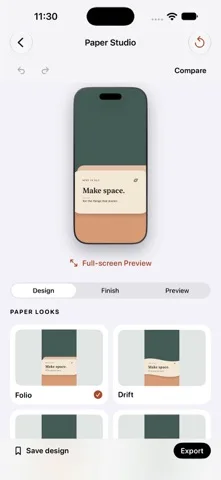
iPhone Duo での活用
Duo Pairで内側と外側の壁紙を揃え、端末の姿勢をプレビューし、Duo専用の編集ツールバーを使えます。
新機能
バージョン 1.2 ·
A little more room to create. • Introducing Papercraft: Paper Landscapes, Cut-out Arches, Folded Forms, and Torn Paper. Make each look yours with custom colors, depth, scale, and placement. • A new editing toolbar on iPhone Duo brings common actions within easy reach. • Larger previews on wide screens, plus Hide Controls to give your design more space. • Pick up where you left off with automatic local wallpaper drafts and Recent Mockups, including your imported images and layout. • Improved English and Arabic layouts, with your existing language choice and saved designs preserved. Drafts stay on your device. Export your finished work to keep a separate copy.
開発者はこの内容を日本語化していません。
App Store の説明開発者による説明です。
Make something that feels like you. DuoWall brings wallpaper creation and device mockups together in one simple studio. Start with a look, make it yours, and see your changes as you edit. CREATE YOUR WALLPAPER Explore gradients, solid colors, Retro, Heritage, Dot Matrix, Papercraft, Paper Studio, Glass & Glow, material-inspired designs, shapes, patterns, typography, and more. Customize colors with curated palettes or the native color picker. Add texture, try light and dark companions, and compare your edits. DESIGN FOR YOUR SCREEN Choose an iPhone size or create coordinated inner and outer wallpapers with Duo Pair. Preview the composition in different device poses and open a distraction-free full-screen view. BUILD A MOCKUP Place your own image in an iPhone, iPad, or Duo frame. Choose a clean or detailed frame, arrange multiple devices, and adjust backgrounds, scenes, shadows, and reflections. Export mockups as PNG, with a transparent background when you need one. KEEP YOUR IDEAS Save editable wallpaper designs in your local library, organize them into collections, and revisit them later. Continue your latest wallpaper draft or reopen Recent Mockups with device-local autosave. Export wallpapers to Photos and mockups to Photos or Files. MADE TO STAY SIMPLE No account, ads, or subscription. Wallpaper rendering and image editing happen on your device. DuoWall creates still-image wallpapers; it does not automatically change your system wallpaper. Device mockups are artistic representations. DuoWall is an independent app and is not affiliated with or endorsed by Apple. Questions or feedback? Contact hi@duowall.app.
iPhone Duo での DuoWall:よくある質問
DuoWall は iPhone Duo に最適化されていますか?
はい。DuoWall は「Duo 専用設計」で、折りたたみ、Split View、外側ディスプレイを活用しています。2026年10月26日 に確認(App Store の記載)。
iPhone Duo での DuoWall はどう見えますか?
Duo Pairで内側と外側の壁紙を揃え、端末の姿勢をプレビューし、Duo専用の編集ツールバーを使えます。
DuoWall の価格は?
DuoWall は App Store で無料でダウンロードできます。
その他のクリエイティブアプリ
すべて見る ›
iPhoneやiPadを映画用スレートにし、クラップと同期、テイク記録を行う。

Duoの画面半分に描き、閉じて開くと鏡像の絵が現れるお絵かきアプリ。

スポイトと折りたたみ、こすりで折り染めインク作品を作り、保存や共有ができる。

iPhoneをインスタントカメラに変え、白フチ付き写真を撮ってキャプションを添え保存できる。

カスタムブラシと無制限のレイヤーを備えたお絵描き・ペイントアプリ

フロントカメラとバックカメラで同時に録画