
iPhone 스크린샷
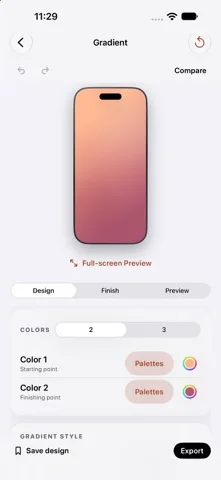
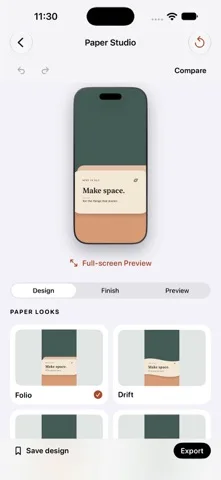
iPhone Duo 활용 방식
Duo Pair로 안쪽·바깥쪽 배경화면을 맞추고 기기 자세를 미리 보며 Duo 전용 편집 도구 모음을 사용합니다.
새로운 기능
버전 1.2 ·
A little more room to create. • Introducing Papercraft: Paper Landscapes, Cut-out Arches, Folded Forms, and Torn Paper. Make each look yours with custom colors, depth, scale, and placement. • A new editing toolbar on iPhone Duo brings common actions within easy reach. • Larger previews on wide screens, plus Hide Controls to give your design more space. • Pick up where you left off with automatic local wallpaper drafts and Recent Mockups, including your imported images and layout. • Improved English and Arabic layouts, with your existing language choice and saved designs preserved. Drafts stay on your device. Export your finished work to keep a separate copy.
개발자가 이 내용을 한국어로 제공하지 않았습니다.
App Store 설명개발자가 작성한 내용입니다.
Make something that feels like you. DuoWall brings wallpaper creation and device mockups together in one simple studio. Start with a look, make it yours, and see your changes as you edit. CREATE YOUR WALLPAPER Explore gradients, solid colors, Retro, Heritage, Dot Matrix, Papercraft, Paper Studio, Glass & Glow, material-inspired designs, shapes, patterns, typography, and more. Customize colors with curated palettes or the native color picker. Add texture, try light and dark companions, and compare your edits. DESIGN FOR YOUR SCREEN Choose an iPhone size or create coordinated inner and outer wallpapers with Duo Pair. Preview the composition in different device poses and open a distraction-free full-screen view. BUILD A MOCKUP Place your own image in an iPhone, iPad, or Duo frame. Choose a clean or detailed frame, arrange multiple devices, and adjust backgrounds, scenes, shadows, and reflections. Export mockups as PNG, with a transparent background when you need one. KEEP YOUR IDEAS Save editable wallpaper designs in your local library, organize them into collections, and revisit them later. Continue your latest wallpaper draft or reopen Recent Mockups with device-local autosave. Export wallpapers to Photos and mockups to Photos or Files. MADE TO STAY SIMPLE No account, ads, or subscription. Wallpaper rendering and image editing happen on your device. DuoWall creates still-image wallpapers; it does not automatically change your system wallpaper. Device mockups are artistic representations. DuoWall is an independent app and is not affiliated with or endorsed by Apple. Questions or feedback? Contact hi@duowall.app.
iPhone Duo에서의 DuoWall: 자주 묻는 질문
DuoWall은(는) iPhone Duo에 최적화되어 있나요?
네. DuoWall은(는) Duo 전용 설계 앱으로, 폴딩, Split View 또는 외부 디스플레이를 활용합니다. 2026년 10월 26일 확인(App Store 설명).
iPhone Duo에서 DuoWall은(는) 어떻게 보이나요?
Duo Pair로 안쪽·바깥쪽 배경화면을 맞추고 기기 자세를 미리 보며 Duo 전용 편집 도구 모음을 사용합니다.
DuoWall의 가격은 얼마인가요?
DuoWall은(는) App Store에서 무료로 다운로드할 수 있습니다.
다른 크리에이티브 앱
모두 보기 ›
iPhone이나 iPad를 영화 슬레이트로 바꿔 클랩, 동기화, 테이크 기록을 합니다.

Duo 화면 절반에 그린 뒤 접었다 펴면 대칭 그림이 나타나는 드로잉 앱.

스포이트와 접기, 문지르기로 접힌 잉크 그림을 만들고 저장하거나 공유합니다.

iPhone을 즉석 카메라로 바꿔 흰 테두리 사진을 찍고 글귀를 붙여 보관한다.

사용자 지정 브러시와 무제한 레이어를 갖춘 드로잉·페인팅 앱

전면·후면 카메라로 동시에 녹화