
Duorama: Waist Level Camera
허리 높이 파인더로 정사각 빈티지 사진을 찍고 필름과 콘택트 시트로 정리합니다.
Serkan DAL · 크리에이티브 · 무료
iPhone 스크린샷
iPhone Duo 활용 방식
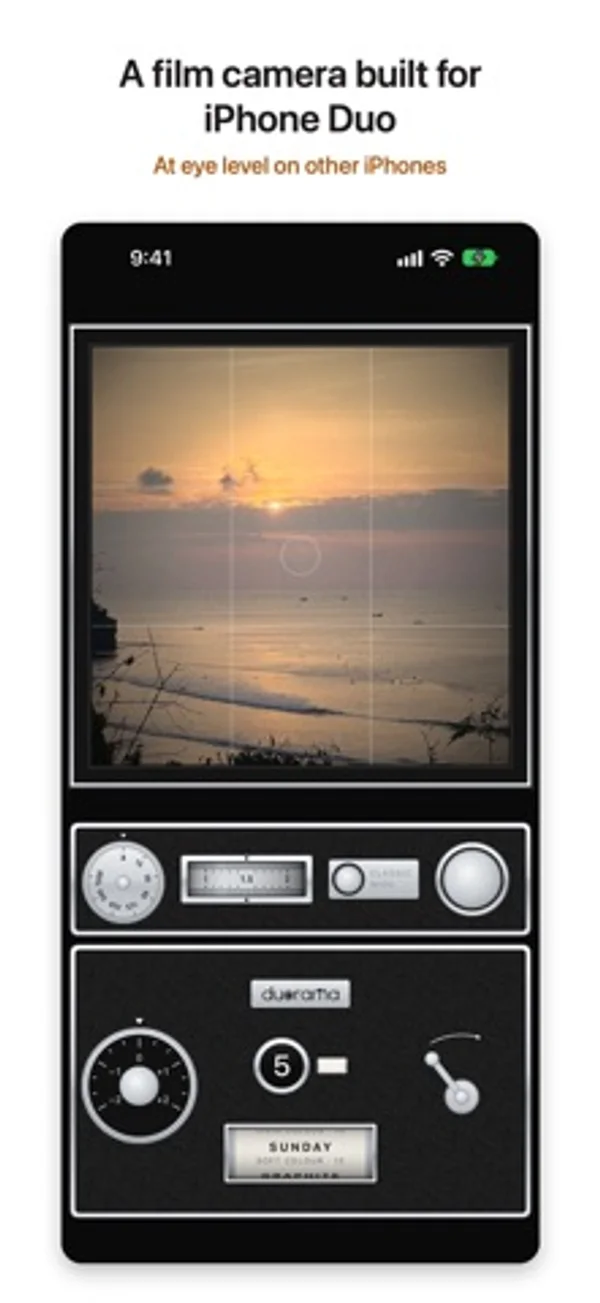
반쯤 접으면 카메라 쪽이 서고 평평한 쪽이 허리 높이 파인더가 되며, 닫거나 완전히 펼치면 눈높이 촬영으로 돌아갑니다.
App Store 설명개발자가 작성한 내용입니다.
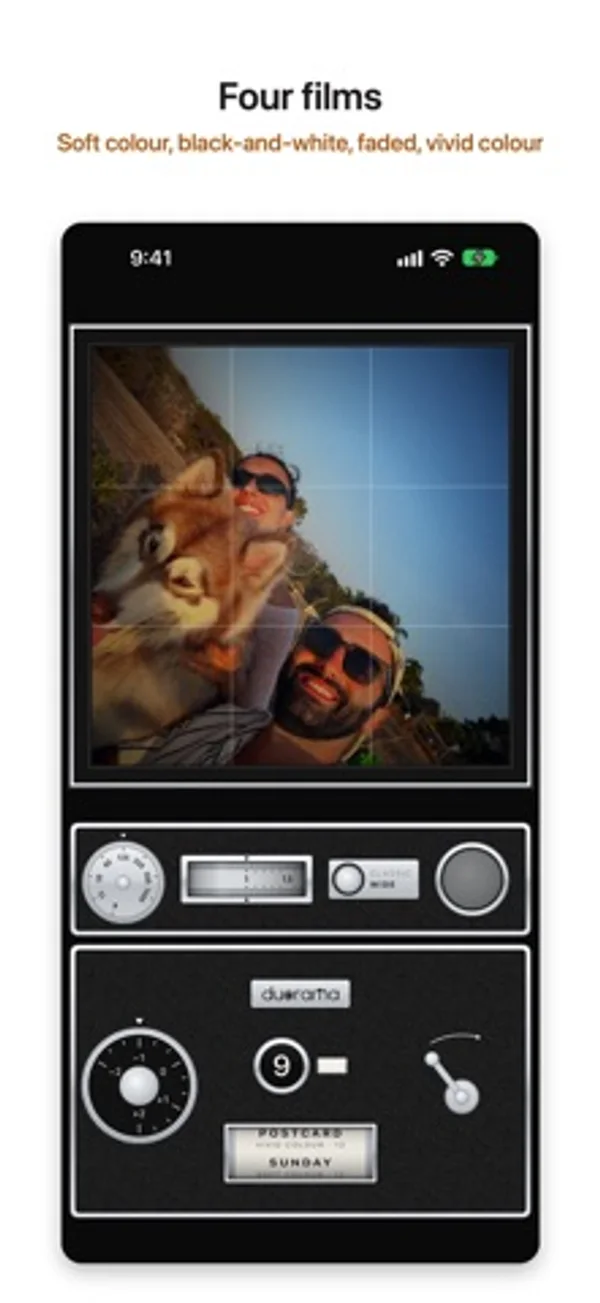
Duorama is a vintage film camera built for iPhone Duo. Half-fold it, hold it at your waist and look down into the glass, like the box cameras of the late 1950s. The waist-level finder needs iPhone Duo. The half with the cameras stands up and faces your subject, and the flat half becomes a ground glass. Every picture is a square frame on a roll of 12. The waist-level finder - The folding hood springs open over the glass when the camera starts. - A live square picture on ground glass, with an etched grid, a bright centre and darker corners. It's reversed left to right, like the real thing. A switch in Settings turns that off. - Tap the glass to raise a magnifier and focus there. - A small counter on the film back shows how far the phone is folded. - Close the phone, or open it out flat, and the same camera works at eye level. A camera, not a filter - Press the shutter release and hear the shutter. The signal turns red and the glass goes dark until you wind on with the crank. - Turn the exposure ring in click stops, set a shutter speed from 1/15 to 1/1000 or leave it on A, and roll the zoom wheel or tap between the classic and wide views. Four films Roll the film card to change film. Each film has its own look and its own roll: - SUNDAY, soft colour - GRAPHITE, black-and-white - KEEPSAKE, faded and warm - POSTCARD, vivid colour Each look has grain (off, light or heavy, in Settings), a slight glow in the highlights and a gentle vignette, on the glass and in the photo. An optional film border adds a black edge with the frame number. Rolls and contact sheets Finish a roll of 12 and it becomes a contact sheet: four strips of three frames on black, with the film's name and the date. Developed photos go to Photos at full size, and you can share each contact sheet. Three finishes Instrument, Heirloom and Atelier: the same camera in cool bright chrome, warm and lived-in, or graphic with a coloured enamel for each film. Free to try, one purchase to develop Every part of the camera is free to try: all four films, the finishes, the border and every control. Until you buy, your first roll on each film back stays in the camera, undeveloped, and can't be saved or shared. One purchase, paid once, develops it: a finished roll's photos and contact sheet go to Photos at full size, and a roll you're still shooting follows when you finish it. From then on, each roll goes to Photos when you finish it, all 12 frames and the contact sheet together; or turn on Save each photo right away in Settings to get each photo as you take it. Photos waiting in the camera are kept when you close the app. Restore Purchases is on the contact sheet and in Settings. No subscription. Private No account, no ads and no tracking. The app only adds photos to your Photos library. It can't see the photos already there. Which iPhone Duorama is built for iPhone Duo, and the waist-level finder needs iPhone Duo. On any other iPhone with iOS 18 or later, Duorama works as an eye-level camera: the same film looks, rolls and controls, without the waist-level finder.
iPhone Duo에서의 Duorama: Waist Level Camera: 자주 묻는 질문
Duorama: Waist Level Camera은(는) iPhone Duo에 최적화되어 있나요?
네. Duorama: Waist Level Camera은(는) Duo 전용 설계 앱으로, 폴딩, Split View 또는 외부 디스플레이를 활용합니다. 2026년 10월 30일 확인(개발자 발표).
iPhone Duo에서 Duorama: Waist Level Camera은(는) 어떻게 보이나요?
반쯤 접으면 카메라 쪽이 서고 평평한 쪽이 허리 높이 파인더가 되며, 닫거나 완전히 펼치면 눈높이 촬영으로 돌아갑니다.
Duorama: Waist Level Camera의 가격은 얼마인가요?
Duorama: Waist Level Camera은(는) App Store에서 무료로 다운로드할 수 있습니다.
다른 크리에이티브 앱
모두 보기 ›
전후 카메라를 함께 녹화하고 이동식 화면 속 화면과 프롬프터를 사용합니다.

방 사진과 원하는 스타일로 인테리어 아이디어를 생성합니다.

여러 iPhone 카메라를 함께 녹화해 브이로그와 인터뷰를 만듭니다.

영상 반전과 속도 조절, 구간 반복으로 안무를 연습합니다.

시계·사진·글자 블록을 배치하고 접힘 애니메이션을 미리 보며 디자인을 공유하는 앱입니다.

안쪽·바깥쪽 화면에 어울리는 배경화면을 만들고 맞춤형 기기 목업으로 이미지를 내보냅니다.