
iPhone Duo での表示
iPhone スクリーンショット
iPad スクリーンショット
iPhone Duo での活用
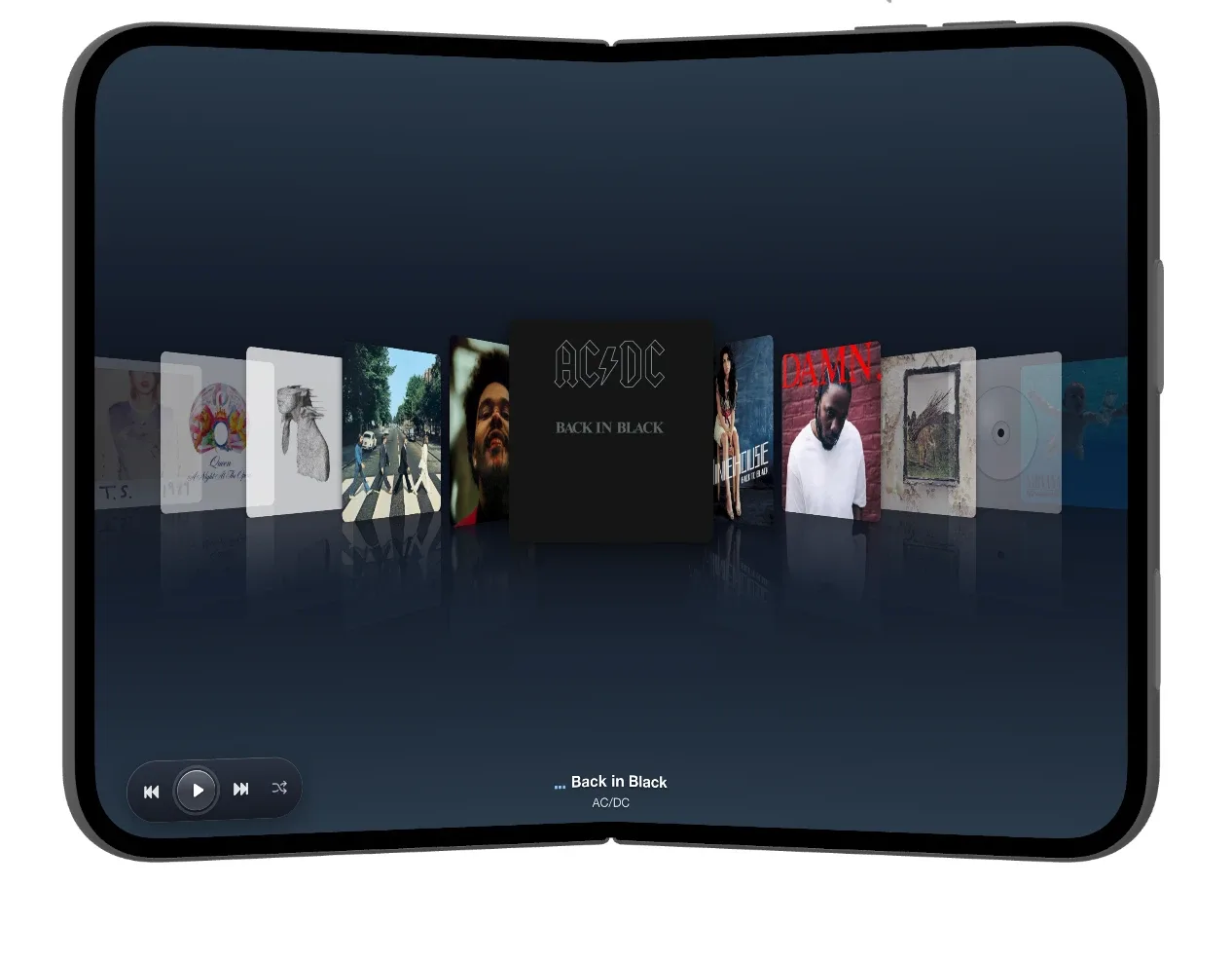
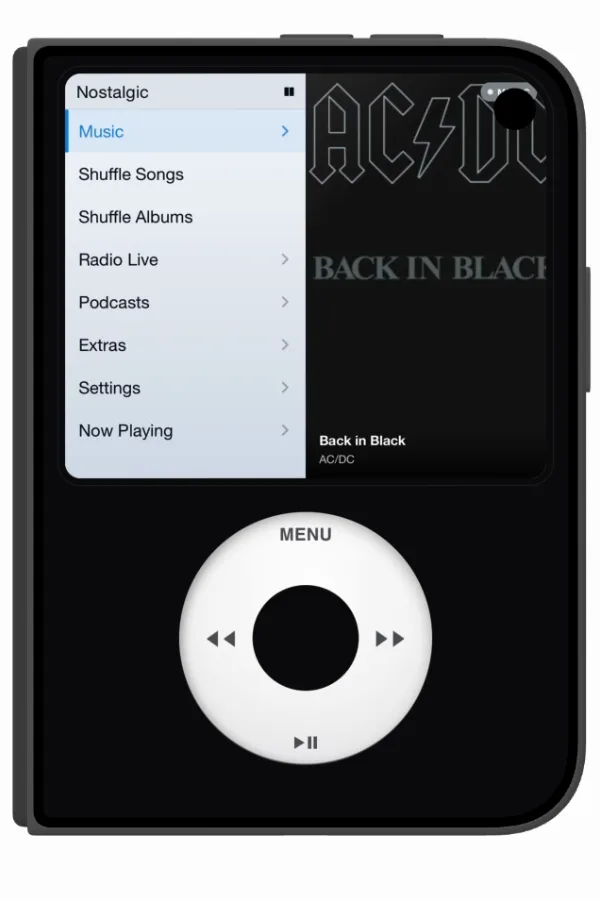
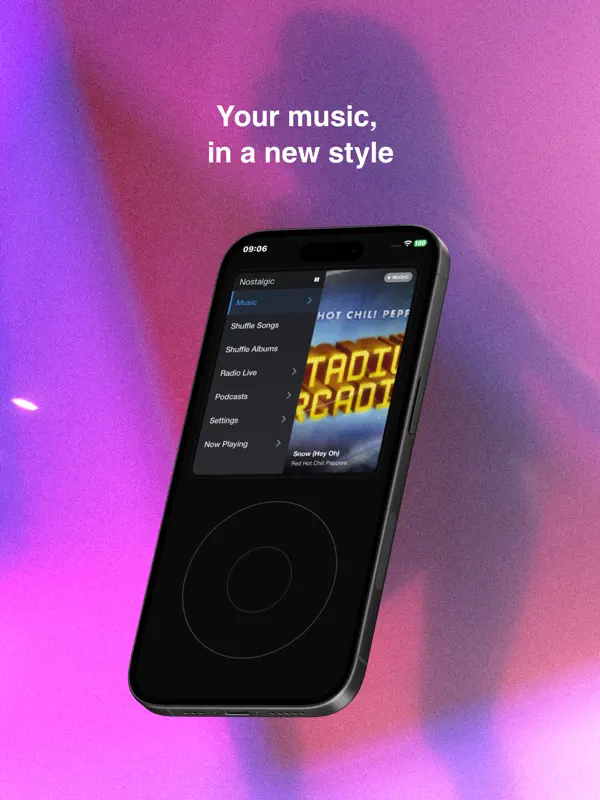
開いた状態では、NostalgicPodは7.6インチの内側ディスプレイいっぱいにアルバムアートのカバーフローカルーセルを表示し、再生コントロールは下隅、現在のトラックとアーティストは下部中央に配置されます。折りたたむと、5.4インチの外側ディスプレイはクラシックなiPodのレイアウトに切り替わります。メニュー(Music、Shuffle Songs、Shuffle Albums、Radio Live、Podcasts、Extras、Settings、Now Playing)が現在のトラックのアルバムアートの隣に並び、その下にMenu、スキップ、再生/一時停止を備えたクリックホイールが表示されます。折りたたんだり開いたりしても同じトラックが画面に表示されたままなので、2つのレイアウトの切り替えが、このアプリがヒンジで行う主な動作です。
新機能
バージョン 1.4.2 ·
WHAT'S NEW • Smoother Album Carousel continuous motion with momentum • New option "Playlist songs in library" (Music Management). • "Ignore “The” in Albums" option (Music Management). • Hide smart playlists • Delete or remove songs again by holding a song. FIXES • Genres are now read correctly from your files (no more odd genres). • Songs and albums deleted from your folders now disappear from the app. • Folder scans no longer get stuck (saved lyrics or damaged covers). • Now Playing shows the right song with Up Next. • Jellyfin/Emby: clearer sync errors and better handling of slow connections.
開発者はこの内容を日本語化していません。
このアプリについて
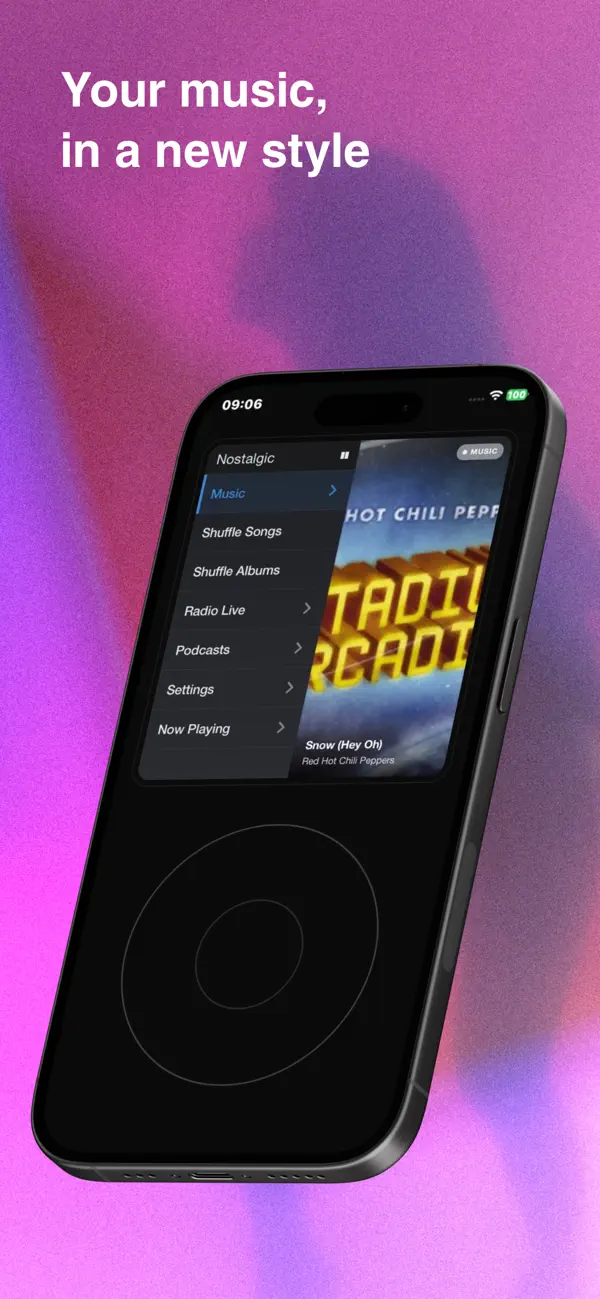
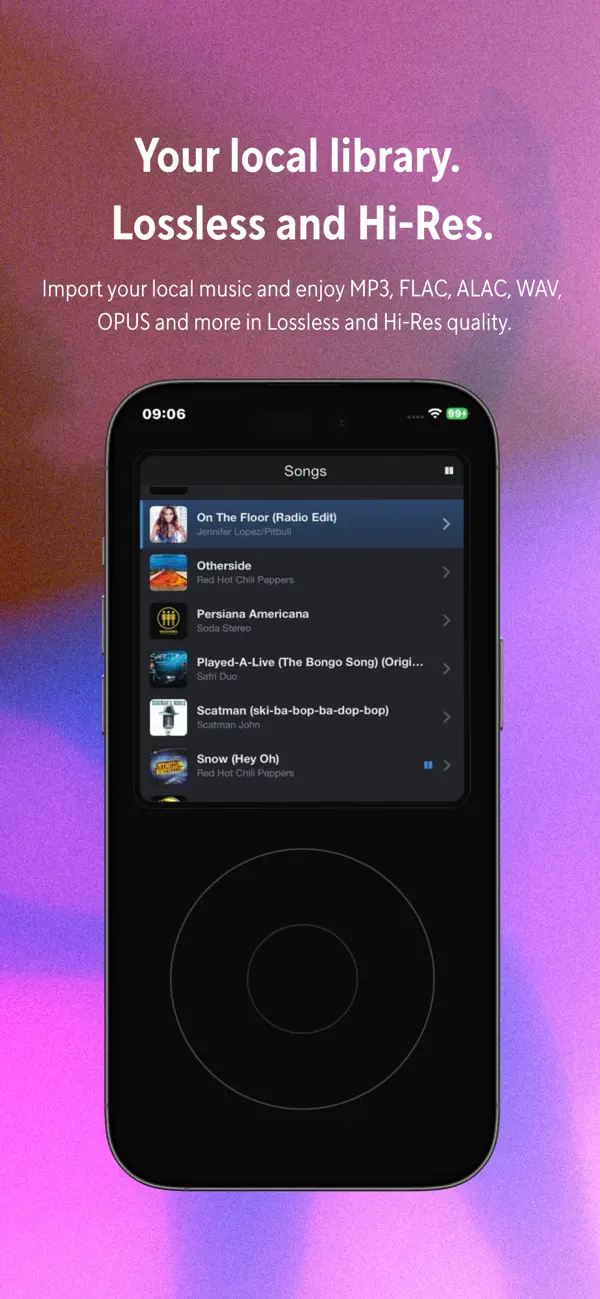
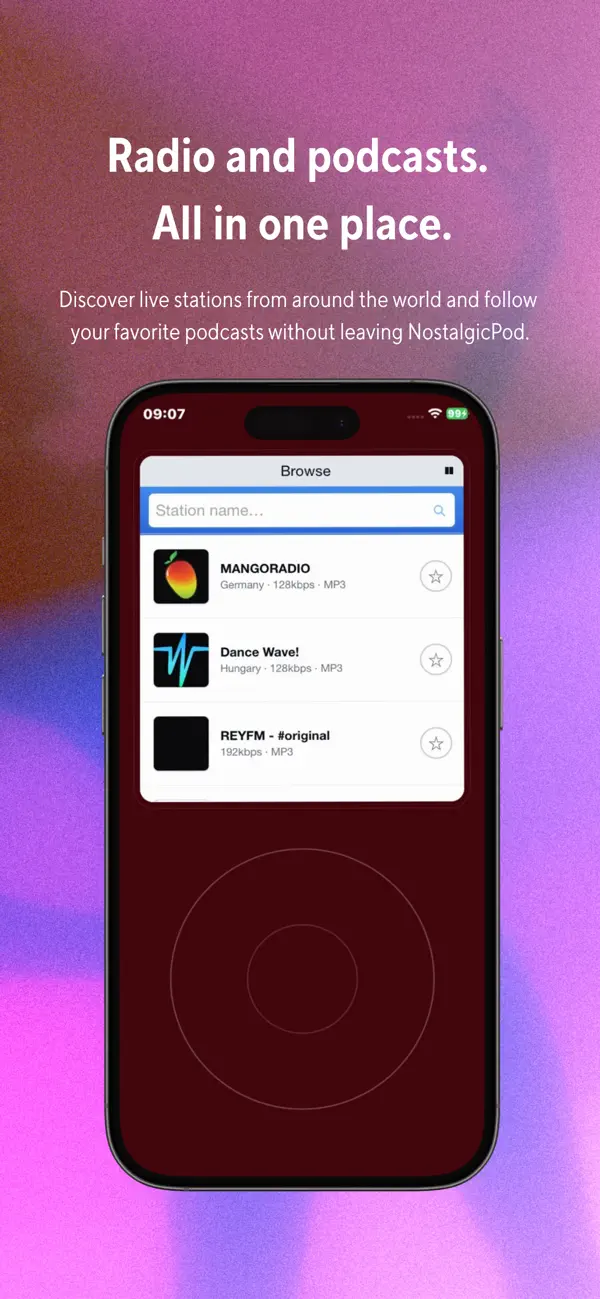
NostalgicPodは、クラシックなiPodをモデルにしたiPhone向けの音楽プレーヤーです。Menu、前へ、次へ、再生/一時停止を備えたクリックホイールでメニューリストを移動でき、アルバムはカバーフロー風のアルバムアートのカルーセルで閲覧でき、下に現在のトラックとアーティストが表示されます。 すでに持っている音楽を中心に作られています。ファイルは「ファイル」アプリ、iCloud Drive、またはフォルダごとに追加でき、コピーされずにその場所のまま再生されます。iPhoneに同期済みの曲やプレイリストを取り込め、Apple Musicのサブスクリプションがあればライブラリを接続できます。自分のメディアサーバーを運用している方向けには、Plex、Jellyfin、Navidrome、Emby、Subsonic、OpenSubsonicからのストリーミングに対応しています。M3Uプレイリストの読み込みと書き出しも可能です。 再生はMP3、AAC、ALAC、FLAC、WAVなど主要なフォーマットに対応し、FLACは最大24ビット/192 kHzまで対応します。ギャップレス再生、曲単位またはアルバム単位のシャッフル、星評価、スリープタイマーも備えています。メインメニューにはインターネットラジオ、RSSによるポッドキャスト、Extrasセクションの小さなゲーム集も含まれます。 iPhone Duoでは、アプリがディスプレイごとに別のレイアウトを用意しており、内側ディスプレイにはアルバムのカルーセル、外側ディスプレイにはクリックホイール付きのiPodメニューが表示されます。 NostalgicPodはApp Storeで4.99ドルの買い切りです。アカウントは不要で、掲載情報によると、広告は表示されず、データも収集されません。
英語版の掲載内容を翻訳しています。
App Store の説明開発者による説明です。
Remember when a music player was just that: a player? You would scroll the wheel, pick a song and listen. No algorithms deciding for you. No notifications. No endless feed. Just your music, in your pocket, NostalgicPod brings that feeling back, rebuilt from scratch for iPhone. A retro music player for your personal library, home media servers, internet radio and podcasts built in. The soul of a classic music player, with the engine of a serious modern app. ALL YOUR MUSIC, ONE WHEEL Bring your library from anywhere and play it all in one place. Import your own files through the Files app, iCloud Drive or whole folders — played in place, with no duplicates. Pull in the music already synced to your iPhone, songs and playlists included, with no subscription needed. Stream from your own server, Plex, Navidrome, Subsonic, OpenSubsonic, Jellyfin and Emby. Your old M3U playlists import automatically. THE SOUND Underneath the nostalgia is a serious audio player. FLAC lossless playback up to 24-bit/192 kHz with an automatic Hi-Res badge, gapless playback, and support for MP3, AAC, ALAC, FLAC, WAV, M4A, OGG and more. Server streams direct-play whenever possible, so lossless stays lossless. Shuffle with no unwanted repeats, plus Shuffle Albums for full records. Albums keep playing like the classics did: the last track flows into the next album. Plus star ratings and automatic playlists. YOUR LIBRARY, YOUR RULES One-time purchase. No subscriptions required for your own music, no in-app purchases, no account, no advertising, no tracking, no personal data collection. Your library stays on your device, and your own files play 100% offline. Pay once and keep it forever. You choose the music — NostalgicPod simply gives you a better way to enjoy it. MORE THAN A PLAYER Internet radio with stations from around the world. A full podcast player with RSS support and playback progress. A sleep timer. Classic games including Snake and Brick. Available in English, Spanish, Italian, German, French and Japanese. More games, audiobook support, CarPlay and additional customization are planned for future updates. Your music. Your device. Press play. NostalgicPod is not affiliated with or endorsed by Apple Inc. or any media server project. No account is required, and the app does not collect personal data.
主な機能
- 「ファイル」アプリ、iCloud Drive、フォルダごとに追加したローカルファイルを再生
- iPhoneに同期済みの曲とプレイリストを取り込み
- Apple Musicライブラリに接続(Apple Musicのサブスクリプションが必要)
- Plex、Jellyfin、Navidrome、Emby、Subsonic、OpenSubsonicサーバーからストリーミング
- MP3、AAC、ALAC、FLAC、WAV、M4A、OGGの再生に対応し、FLACは最大24ビット/192 kHz
- ギャップレス再生、Shuffle SongsとShuffle Albums
- インターネットラジオとRSSによるポッドキャスト
- M3Uプレイリストの読み込みと書き出し
- SnakeやBrickを含む内蔵ゲーム
- アカウント不要、広告なし、アプリ内課金なし
iPhone Duo での NostalgicPod:よくある質問
NostalgicPod は iPhone Duo に最適化されていますか?
はい。NostalgicPod は「Duo 専用設計」で、折りたたみ、Split View、外側ディスプレイを活用しています。2026年10月20日 に確認(開発者の発表)。
iPhone Duo での NostalgicPod はどう見えますか?
開いた状態では、NostalgicPodは7.6インチの内側ディスプレイいっぱいにアルバムアートのカバーフローカルーセルを表示し、再生コントロールは下隅、現在のトラックとアーティストは下部中央に配置されます。折りたたむと、5.4インチの外側ディスプレイはクラシックなiPodのレイアウトに切り替わります。メニュー(Music、Shuffle Songs、Shuffle Albums、Radio Live、Podcasts、Extras、Settings、Now Playing)が現在のトラックのアルバムアートの隣に並び、その下にMenu、スキップ、再生/一時停止を備えたクリックホイールが表示されます。折りたたんだり開いたりしても同じトラックが画面に表示されたままなので、2つのレイアウトの切り替えが、このアプリがヒンジで行う主な動作です。
NostalgicPod の価格は?
NostalgicPod は App Store で ¥600 です。
その他のミュージック/オーディオアプリ
すべて見る ›
iPhone Duo のヒンジをまたいで遊ぶ、クラシックピアノのリズムゲーム

Duo のあらゆる姿勢に合わせた、ソフトボール・野球向けの試合用ウォークアップ音楽アプリ

Duoを開くと折り目でメトロノームとチューナーが分かれるメトロノームアプリ

自前の Plex、Audiobookshelf、ローカルライブラリ向けのオーディオブックプレーヤー

プレイリスト、同期、新しい大画面レイアウトを備えたポッドキャストプレーヤー

Sonos のスピーカーとストリーミングサービスを 1 つのアプリで操作