
NostalgicPod
Retro music player for your own music and streaming libraries.
· Music & Audio · $4.99
On iPhone Duo
iPhone screenshots
iPad screenshots
How it uses iPhone Duo
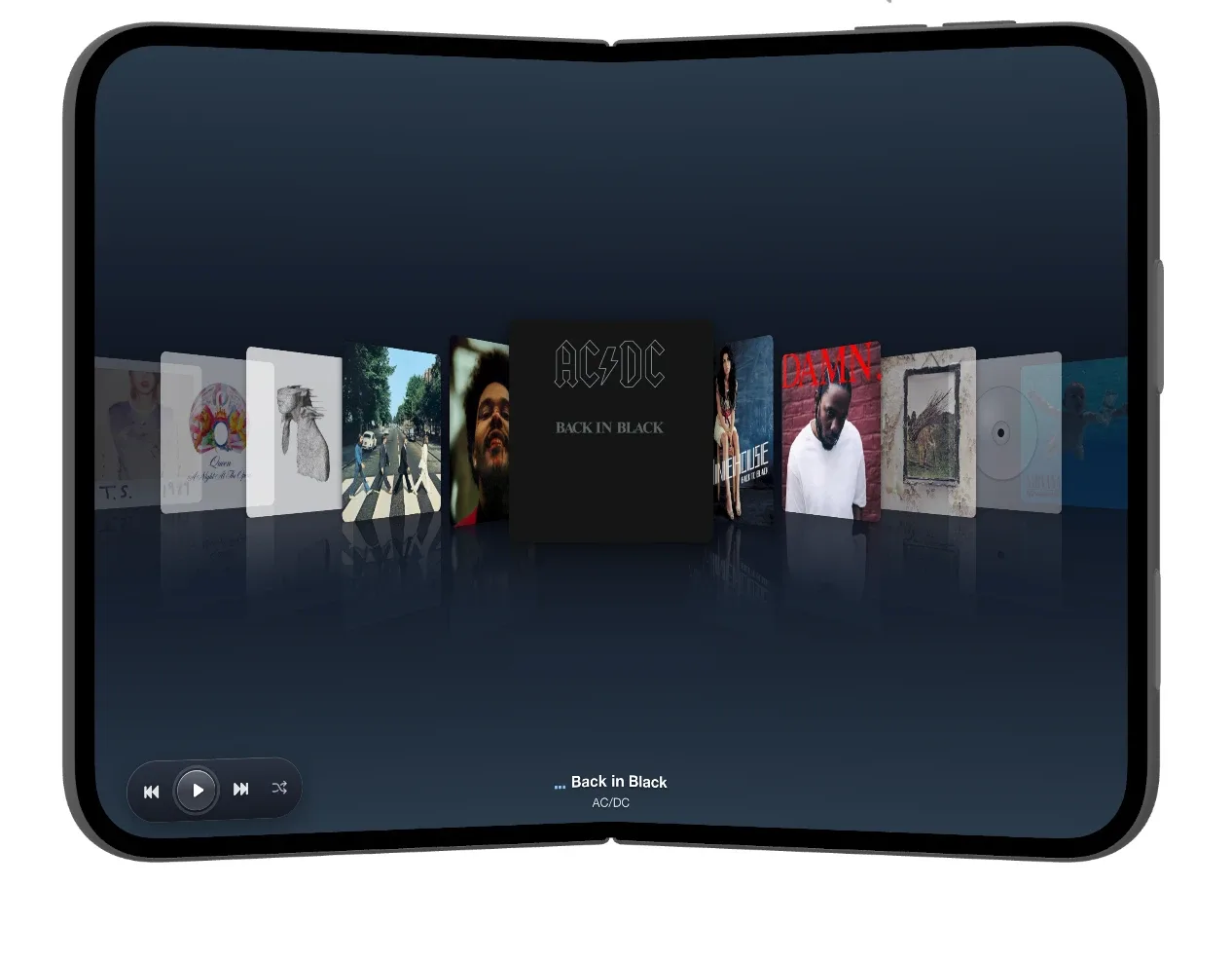
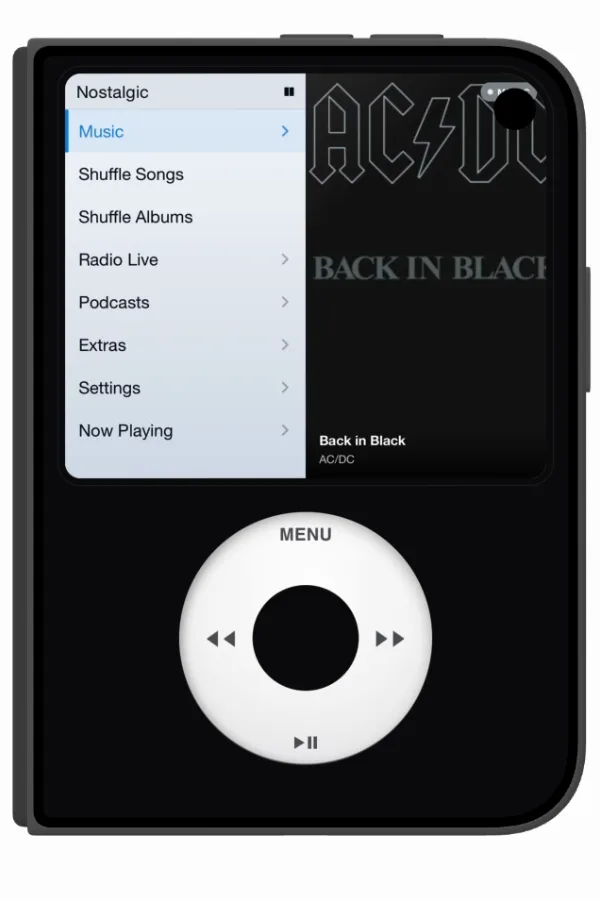
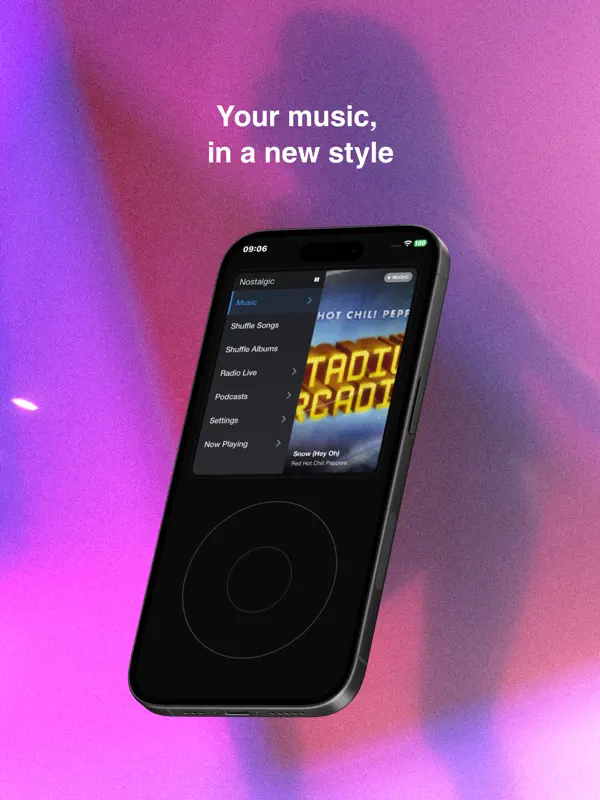
Unfolded, NostalgicPod fills the 7.6-inch inner display with a cover flow carousel of album art, with playback controls in the bottom corner and the current track and artist at the bottom centre. Folded, the 5.4-inch outer display switches to a classic iPod layout: a menu (Music, Shuffle Songs, Shuffle Albums, Radio Live, Podcasts, Extras, Settings, Now Playing) next to the album art of the current track, above a click wheel with Menu, skip and play/pause. The same track stays on screen when you fold or unfold the phone, so the switch between the two layouts is the main thing the app does with the hinge.
What’s New
Version 1.4.2 ·
WHAT'S NEW • Smoother Album Carousel continuous motion with momentum • New option "Playlist songs in library" (Music Management). • "Ignore “The” in Albums" option (Music Management). • Hide smart playlists • Delete or remove songs again by holding a song. FIXES • Genres are now read correctly from your files (no more odd genres). • Songs and albums deleted from your folders now disappear from the app. • Folder scans no longer get stuck (saved lyrics or damaged covers). • Now Playing shows the right song with Up Next. • Jellyfin/Emby: clearer sync errors and better handling of slow connections.
About this app
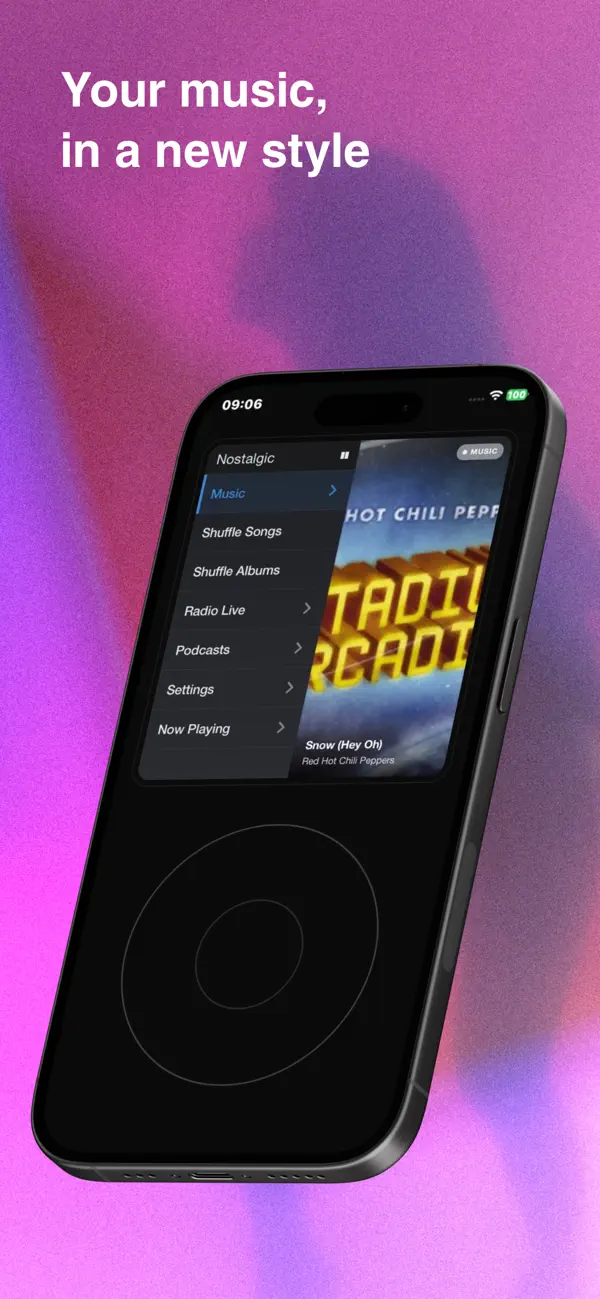
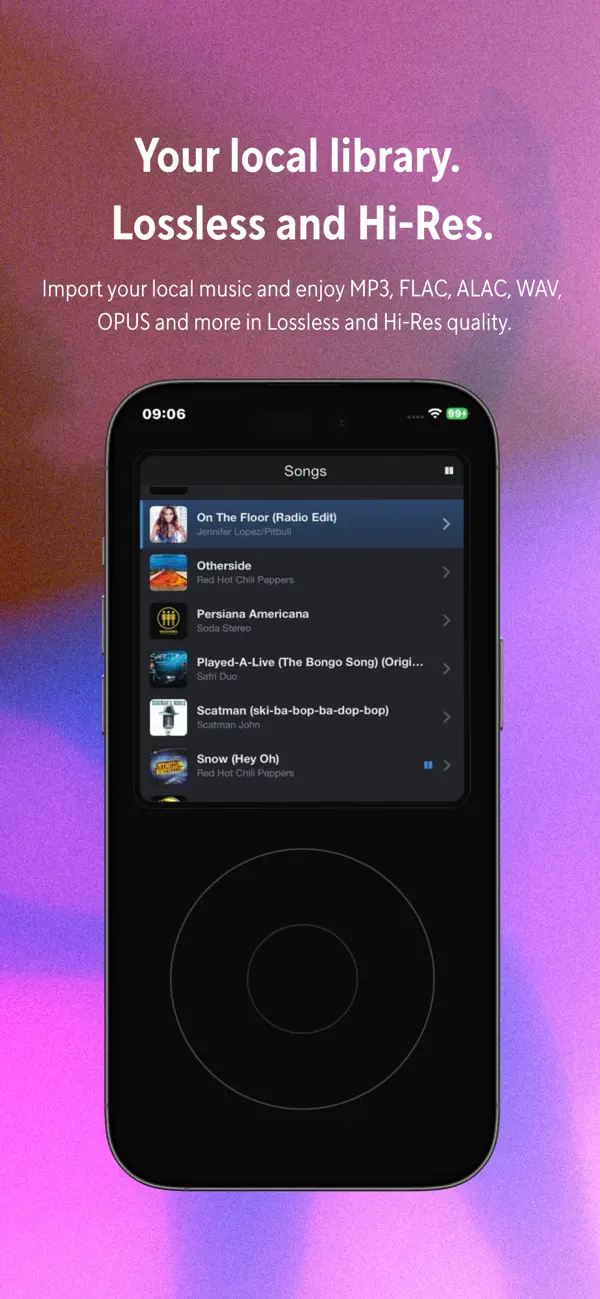
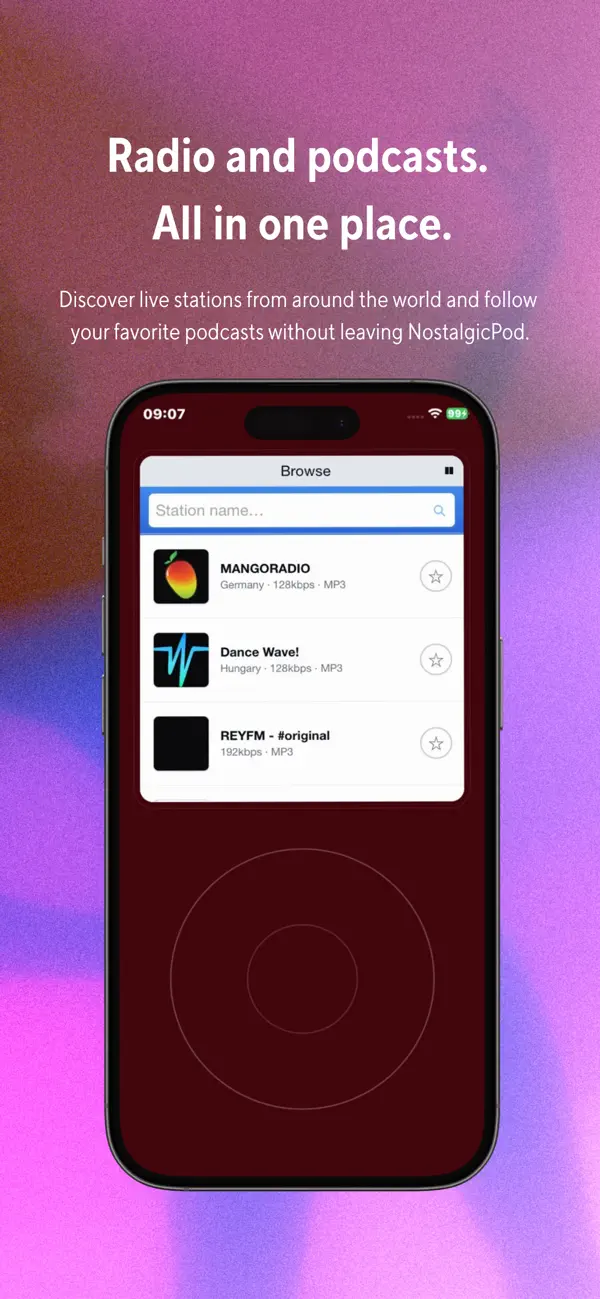
NostalgicPod is a music player for iPhone modelled on the classic iPod. You move through a menu list with a click wheel that has Menu, previous, next and play/pause, and albums can be browsed in a cover flow-style carousel of album art with the current track and artist underneath. It is built around music you already have. Files can be added through the Files app, from iCloud Drive or as whole folders, and they are played where they are rather than copied. Songs and playlists already synced to the iPhone can be pulled in, and an Apple Music library can be connected with an Apple Music subscription. For people who run their own media server, the app streams from Plex, Jellyfin, Navidrome, Emby, Subsonic and OpenSubsonic. M3U playlists can be imported and exported. Playback covers common formats including MP3, AAC, ALAC, FLAC and WAV, with FLAC supported up to 24-bit/192 kHz, plus gapless playback, shuffle by song or by album, star ratings and a sleep timer. The main menu also includes internet radio, podcasts by RSS feed and a small set of games in the Extras section. On iPhone Duo the app gives each display its own layout: the album carousel on the inner display and the iPod menu with its click wheel on the outer display. NostalgicPod is a one-time purchase of $4.99 on the App Store. It needs no account, and the listing states that it shows no ads and collects no data.
App Store descriptionWritten by the developer.
Remember when a music player was just that: a player? You would scroll the wheel, pick a song and listen. No algorithms deciding for you. No notifications. No endless feed. Just your music, in your pocket, NostalgicPod brings that feeling back, rebuilt from scratch for iPhone. A retro music player for your personal library, home media servers, internet radio and podcasts built in. The soul of a classic music player, with the engine of a serious modern app. ALL YOUR MUSIC, ONE WHEEL Bring your library from anywhere and play it all in one place. Import your own files through the Files app, iCloud Drive or whole folders — played in place, with no duplicates. Pull in the music already synced to your iPhone, songs and playlists included, with no subscription needed. Stream from your own server, Plex, Navidrome, Subsonic, OpenSubsonic, Jellyfin and Emby. Your old M3U playlists import automatically. THE SOUND Underneath the nostalgia is a serious audio player. FLAC lossless playback up to 24-bit/192 kHz with an automatic Hi-Res badge, gapless playback, and support for MP3, AAC, ALAC, FLAC, WAV, M4A, OGG and more. Server streams direct-play whenever possible, so lossless stays lossless. Shuffle with no unwanted repeats, plus Shuffle Albums for full records. Albums keep playing like the classics did: the last track flows into the next album. Plus star ratings and automatic playlists. YOUR LIBRARY, YOUR RULES One-time purchase. No subscriptions required for your own music, no in-app purchases, no account, no advertising, no tracking, no personal data collection. Your library stays on your device, and your own files play 100% offline. Pay once and keep it forever. You choose the music — NostalgicPod simply gives you a better way to enjoy it. MORE THAN A PLAYER Internet radio with stations from around the world. A full podcast player with RSS support and playback progress. A sleep timer. Classic games including Snake and Brick. Available in English, Spanish, Italian, German, French and Japanese. More games, audiobook support, CarPlay and additional customization are planned for future updates. Your music. Your device. Press play. NostalgicPod is not affiliated with or endorsed by Apple Inc. or any media server project. No account is required, and the app does not collect personal data.
Highlights
- Plays local files added through the Files app, iCloud Drive or whole folders
- Imports songs and playlists already synced to the iPhone
- Connects to an Apple Music library (Apple Music subscription required)
- Streams from Plex, Jellyfin, Navidrome, Emby, Subsonic and OpenSubsonic servers
- MP3, AAC, ALAC, FLAC, WAV, M4A and OGG playback; FLAC up to 24-bit/192 kHz
- Gapless playback, Shuffle Songs and Shuffle Albums
- Internet radio and podcasts by RSS
- M3U playlist import and export
- Built-in games, including Snake and Brick
- No account, no ads, no in-app purchases
NostalgicPod on iPhone Duo: FAQ
Is NostalgicPod optimized for iPhone Duo?
Yes. NostalgicPod is Built for Duo: it uses the fold, Split View or the outer display. Verified on October 20, 2026 (Developer statement).
What does NostalgicPod look like on iPhone Duo?
Unfolded, NostalgicPod fills the 7.6-inch inner display with a cover flow carousel of album art, with playback controls in the bottom corner and the current track and artist at the bottom centre. Folded, the 5.4-inch outer display switches to a classic iPod layout: a menu (Music, Shuffle Songs, Shuffle Albums, Radio Live, Podcasts, Extras, Settings, Now Playing) next to the album art of the current track, above a click wheel with Menu, skip and play/pause. The same track stays on screen when you fold or unfold the phone, so the switch between the two layouts is the main thing the app does with the hinge.
How much does NostalgicPod cost?
NostalgicPod costs $4.99 on the App Store.
More Music & Audio apps
See all ›
A classical piano rhythm game that plays across the iPhone Duo's hinge

Game-day walk-up music for softball and baseball, laid out for every Duo pose

Metronome and tuner that split across the fold when the Duo is open

Audiobook player for your own Plex, Audiobookshelf or local library

Podcast player with playlists, sync and new large-screen layouts

Control your Sonos speakers and streaming services from one app