Bulletin
iPhone Duo를 접고 펼칠 때마다 화면이 바뀌는, 요약 기능을 갖춘 RSS 리더
Pixelfolio Inc. · 독서 및 뉴스 · 무료 · 앱 내 구입
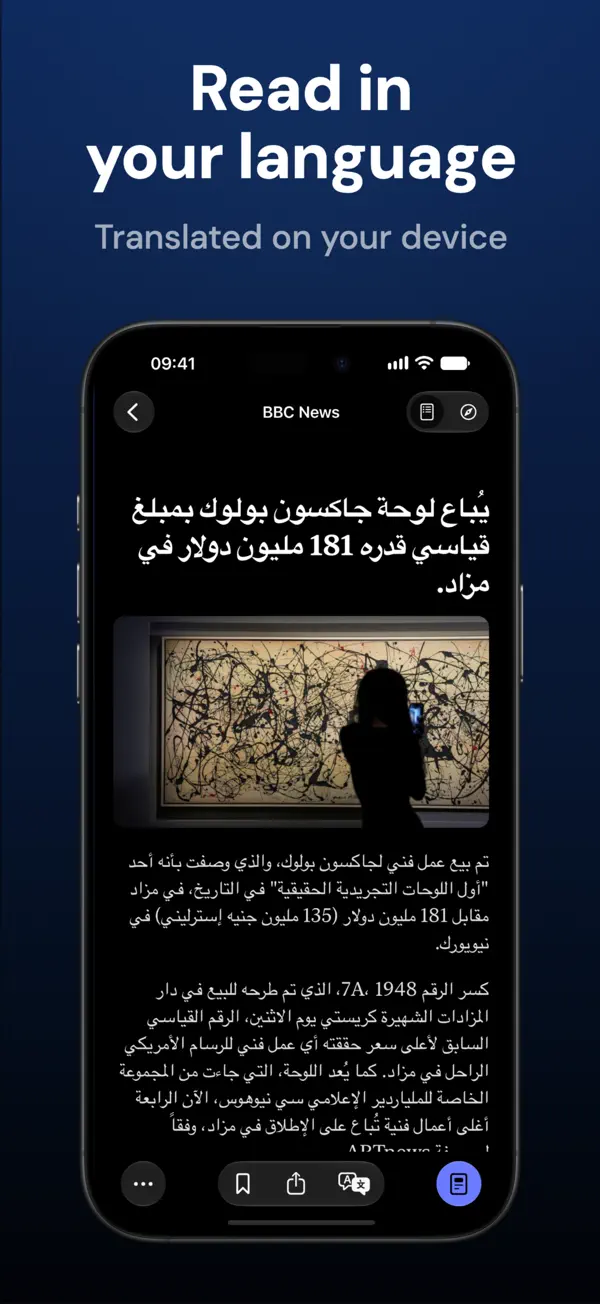
iPhone 스크린샷
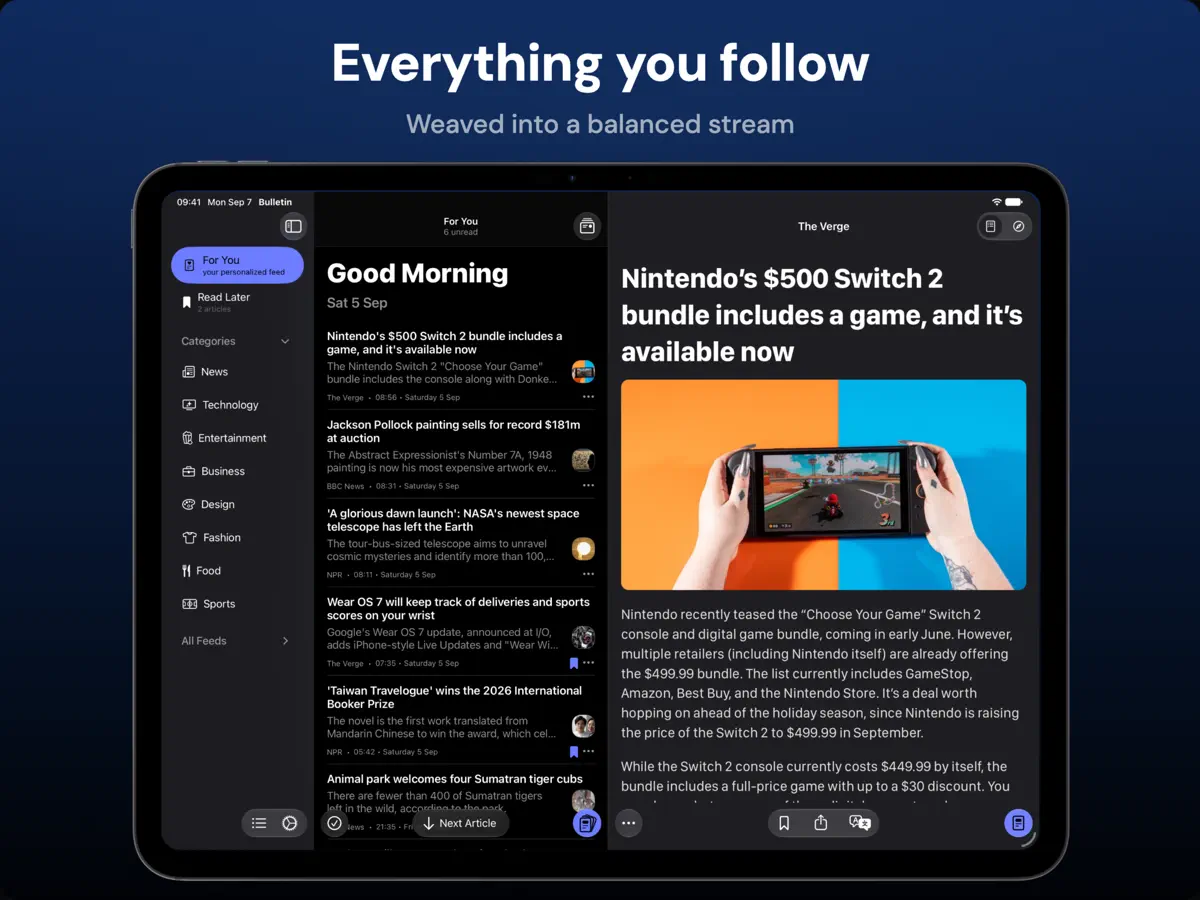
iPad 스크린샷
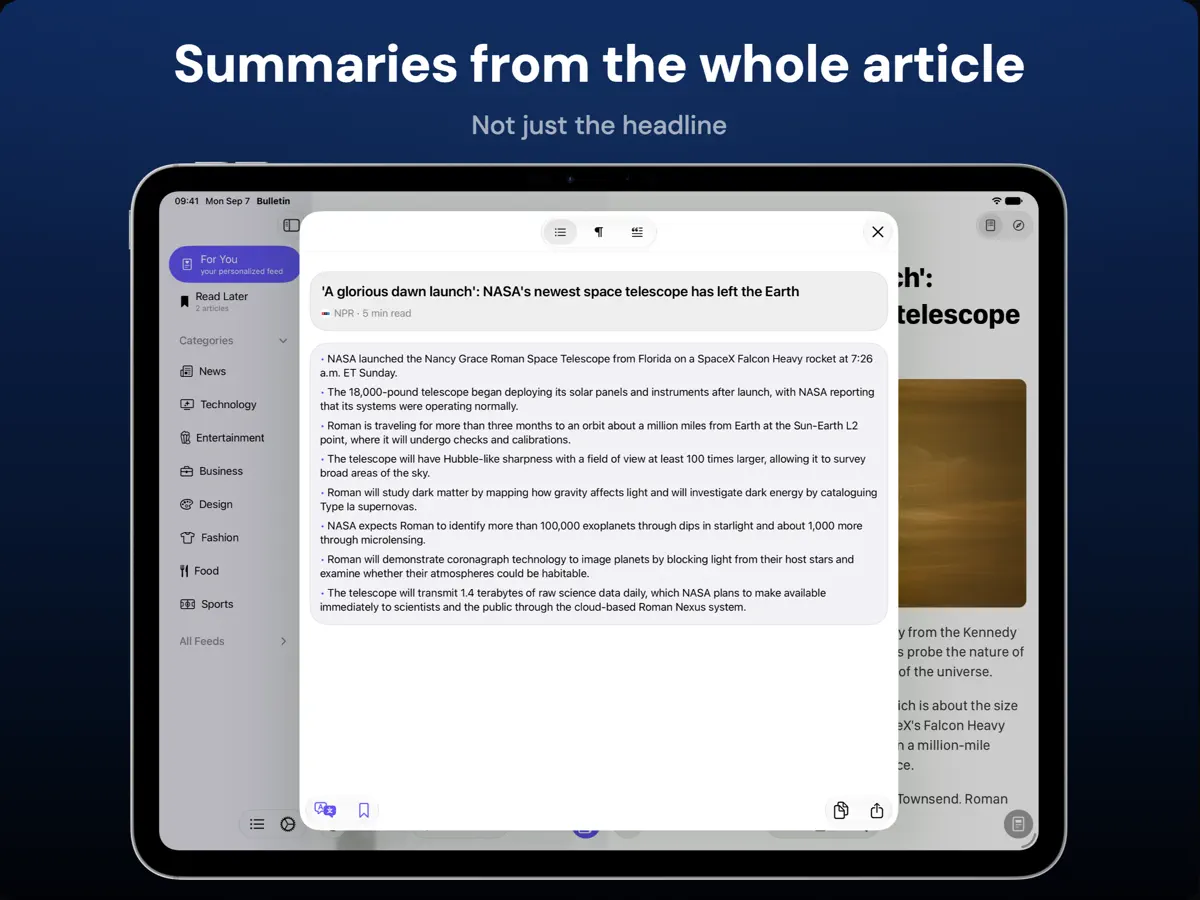
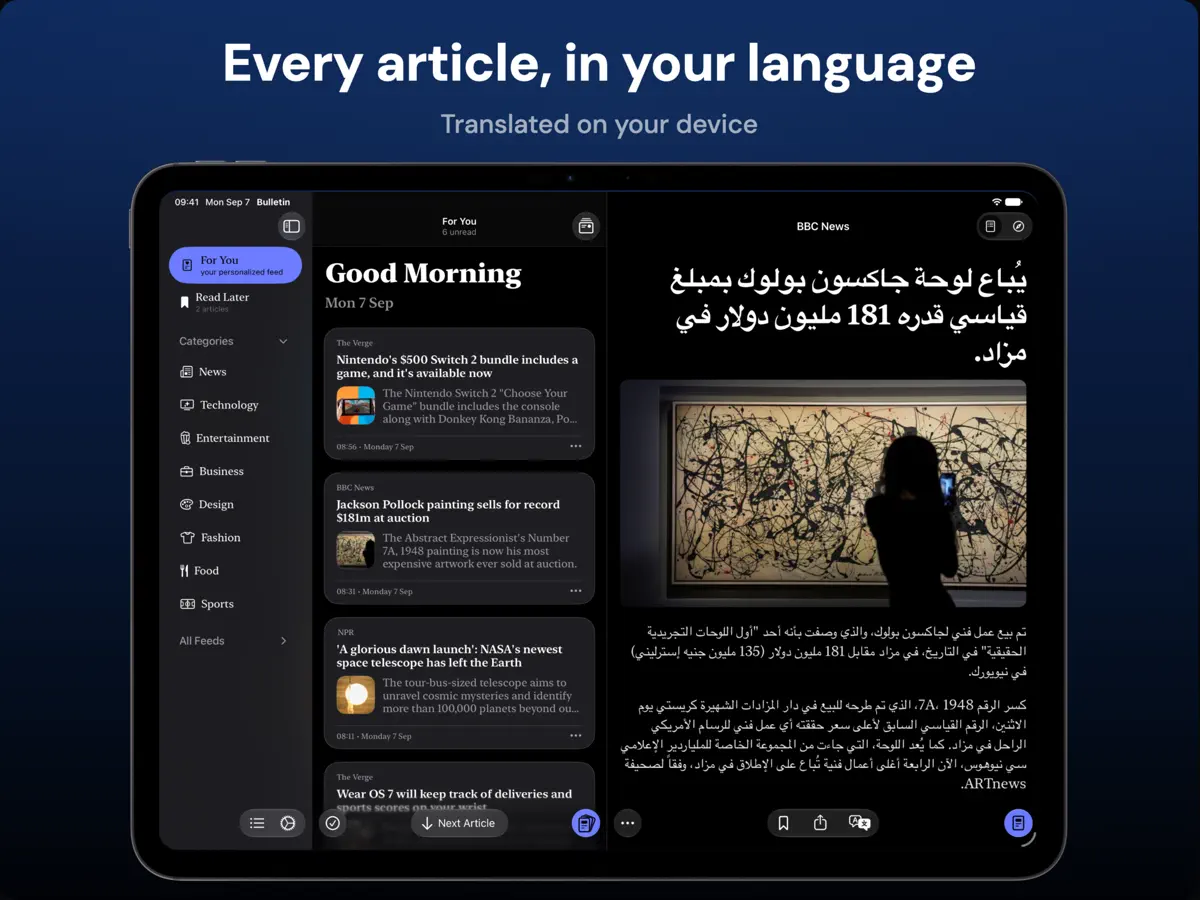
iPhone Duo 활용 방식
Pixelfolio의 Bulletin 3.1 릴리스 노트(2026년 10월 22일)에 따르면 이 앱은 iPhone Duo용으로 만들어져, 휴대폰을 접고 펴고 회전할 때 레이아웃과 도구 모음이 조정되며 읽던 위치도 그대로 유지됩니다. 펼친 iPhone Duo에서는 iPad처럼 기사 목록을 숨기고 바로 다음 기사로 넘어갈 수 있으며 필요하면 목록을 다시 불러오는 전체 화면 읽기 모드를 쓸 수 있습니다. 같은 업데이트로 큰 화면에서는 더 좁은 텍스트 단과 화면에 더 잘 맞는 헤드라인도 적용됩니다. 아직 실기기에서 테스트하지 않았습니다.
새로운 기능
버전 3.1 ·
Bulletin 3.1 is made for iPhone Duo. • Made for iPhone Duo: layouts and toolbars adapt as you fold, unfold and rotate the phone, and you keep your reading place along the way • Full-screen reading on iPad and the unfolded iPhone Duo. Hide the article list for more room, move straight to the next article, and bring the list back when you need it • Choose your translation language before you translate for the first time, with language downloads handled as part of setup • If iCloud can't be reached on first launch, Bulletin now offers retry and recovery options instead of an empty library • More comfortable reading on larger screens, with a narrower text column, better-fitting headlines and smaller article images • Adding a source that's already in your library now offers to open it or add it to another category • Clearer notices when your free articles or summaries are running low, and reopening an article you've already read no longer uses another free article • Clearer explanations when an article can't load, with an option to open the original web page • Refreshed starter feeds, including Hypebae in Fashion Fixes: • Smoother feed scrolling as articles are marked as read, and no more jumping when you return from an article • The reader keeps your place while you scroll, resize or reveal a translation • Article text no longer disappears or shifts as feed images load • Smart Summary no longer uses the previous article's text after you switch articles • Better handling of JSON Feed and Atom subscriptions, and no more formatting tags in headlines • Articles are no longer marked as read or removed from Read Later before they open • Article content is back for TIME and Atlas Obscura, along with NASA Image of the Day images
개발자가 이 내용을 한국어로 제공하지 않았습니다.
앱 소개
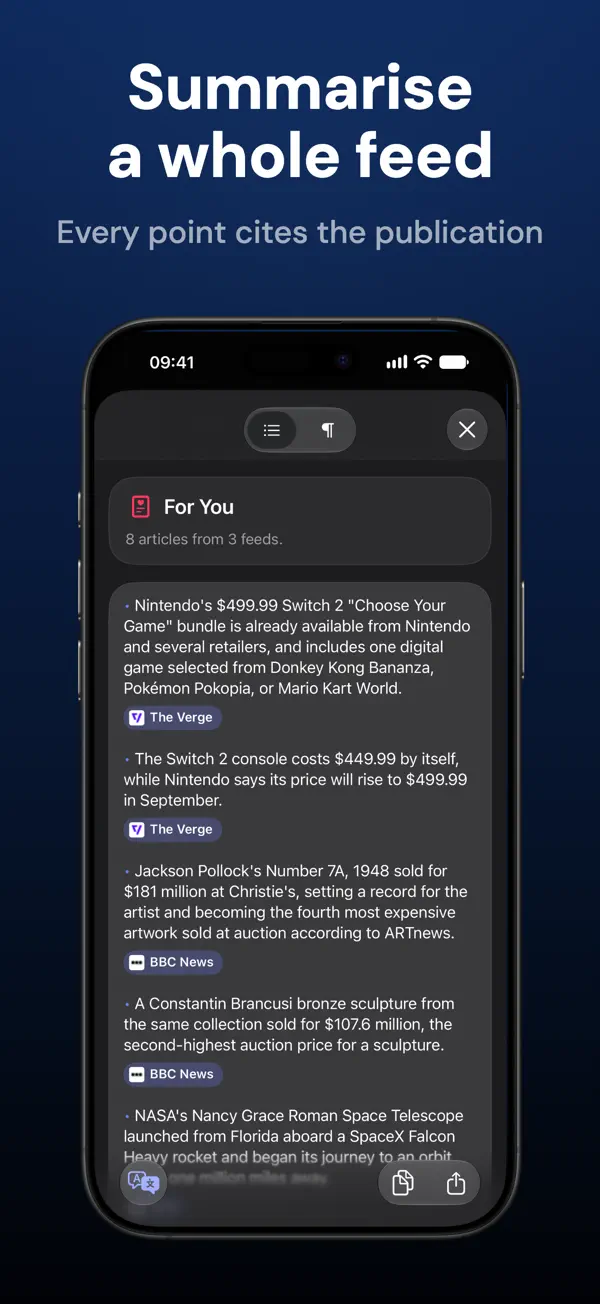
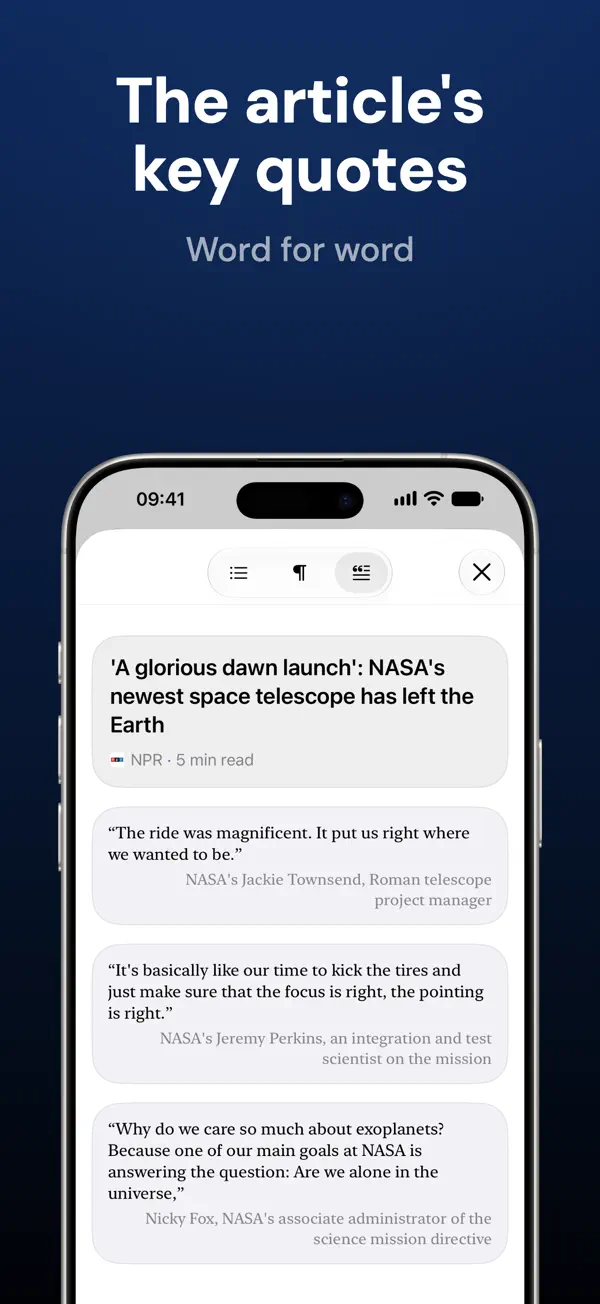
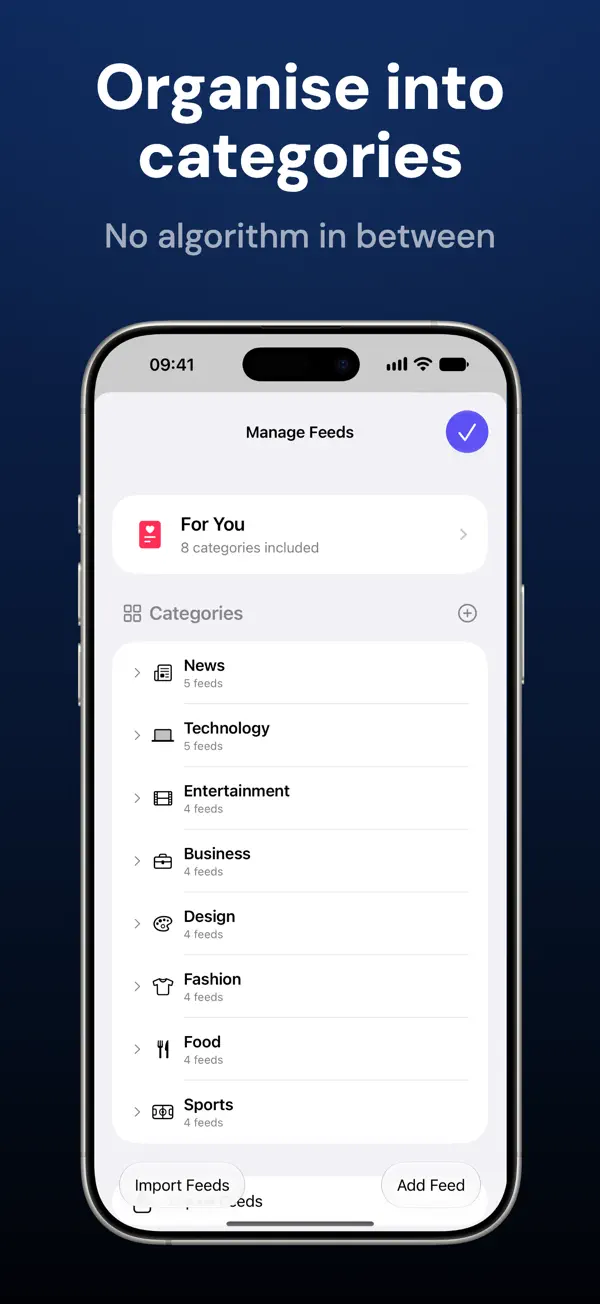
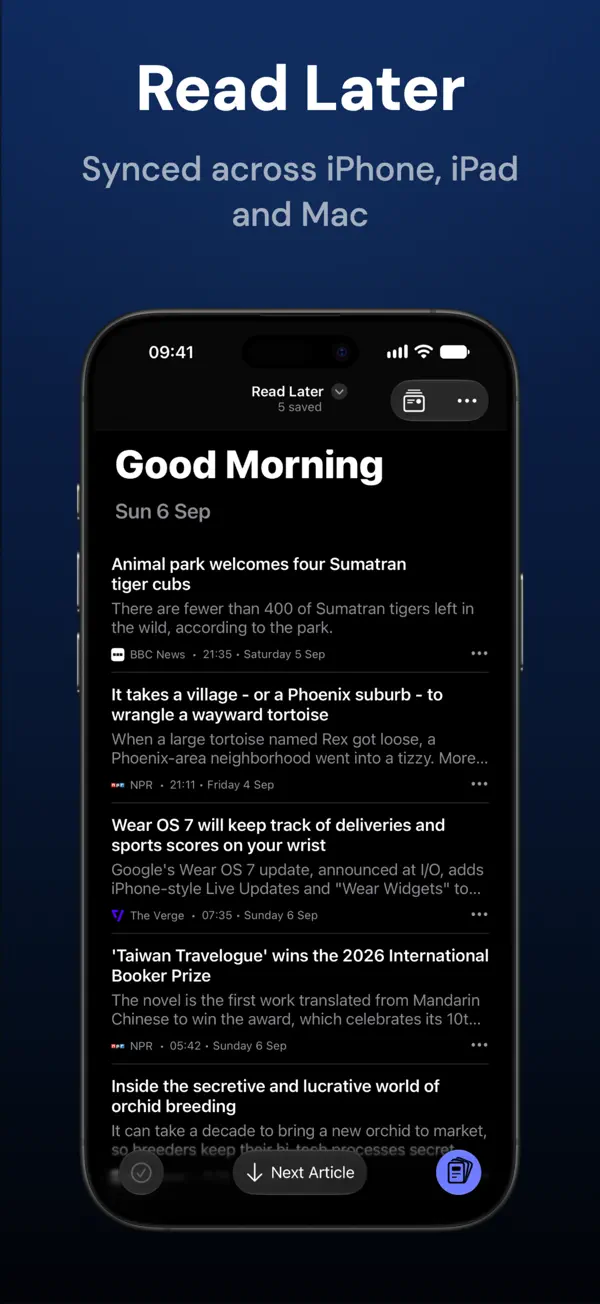
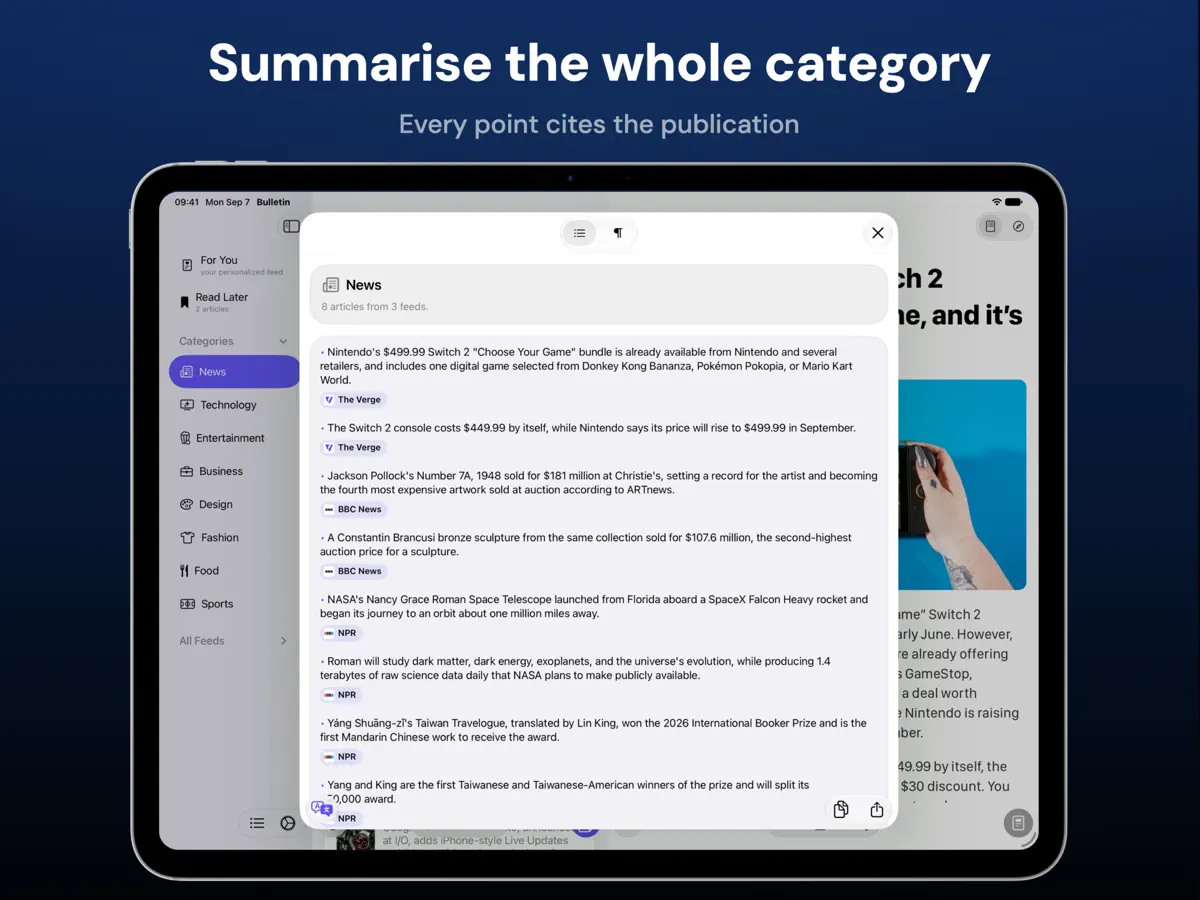
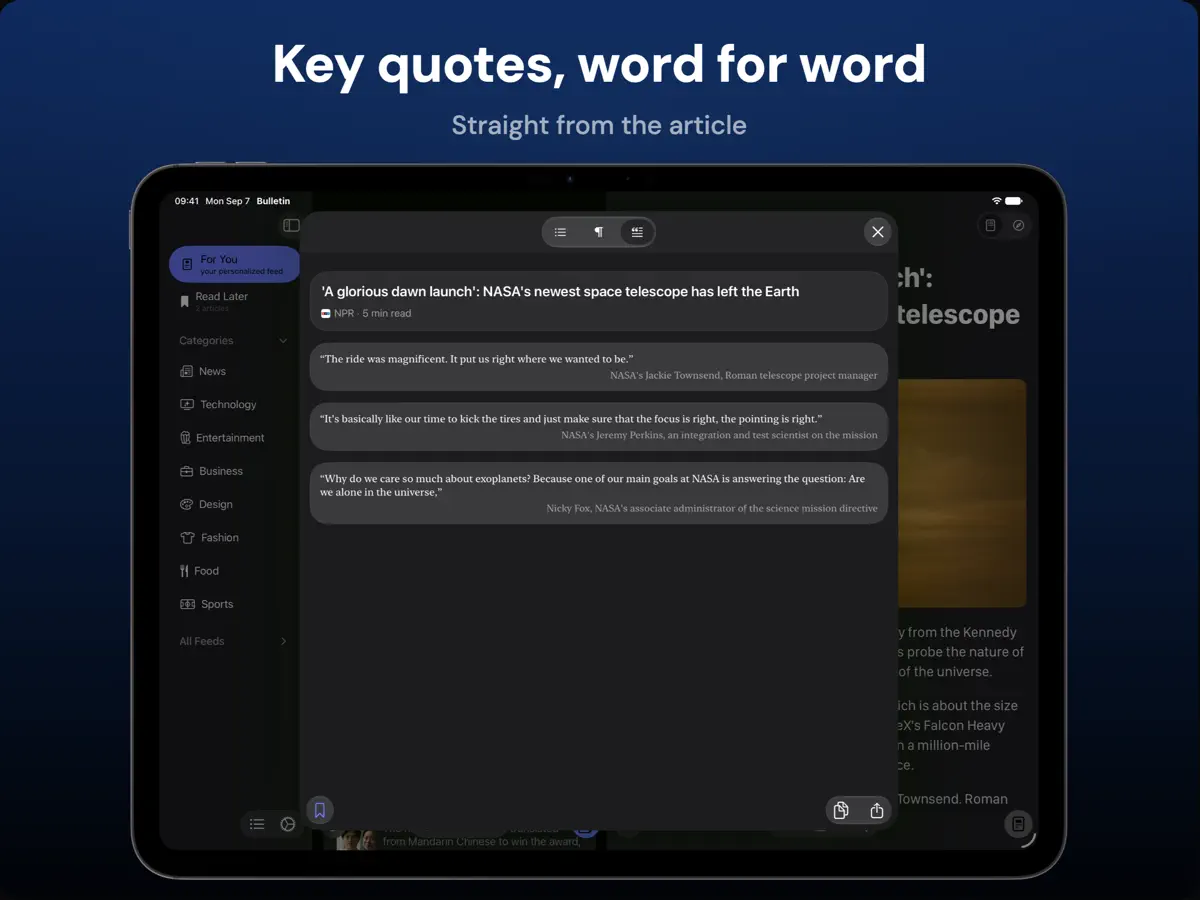
Bulletin은 Pixelfolio의 RSS 뉴스 리더로, 일반적인 피드 리더에 AI 요약을 결합했습니다. 피드에 담긴 짧은 텍스트를 요약하는 대신 먼저 기사 전문을 추출한 뒤 글머리 기호 또는 한 문장 요약, 핵심 발언을 그대로 뽑아 주는 Quotes 모드, 모호하거나 낚시성인 헤드라인을 다시 써 주는 옵션을 제공합니다. 피드 전체나 카테고리도 요약할 수 있으며 각 요점에는 출처 매체 링크가 연결됩니다. 구독할 출처는 모두 직접 고릅니다. 기본 카테고리가 제공되지만 지원되는 사이트나 피드 URL을 자유롭게 추가할 수 있고, OPML 가져오기·내보내기, 카테고리 정리와 이름 변경, 출처별 켜기·끄기, 특정 문구 숨기기를 지원합니다. For You 보기는 순위를 매기거나 홍보하는 요소 없이 선택한 카테고리를 한데 모아 보여 줍니다. 기사는 페이지 광고와 뉴스레터 유도 문구를 걷어낸 깔끔한 리더 보기로 열리고 원본 페이지는 한 번 탭하면 볼 수 있으며, 나중에 읽기 목록, 읽기 기록, 설정은 iCloud로 iPhone, iPad, Mac에 동기화됩니다. 무료 등급에서는 리더 열기와 요약 횟수가 제한되며, 월간·연간 구독 또는 평생 이용권으로 판매되는 Bulletin Pro는 이 제한을 없애고 대체 앱 아이콘을 추가합니다. 버전 3.1이 개발사가 iPhone Duo용으로 만들었다고 설명하는 릴리스입니다.
영어 원문을 번역한 내용입니다.
App Store 설명개발자가 작성한 내용입니다.
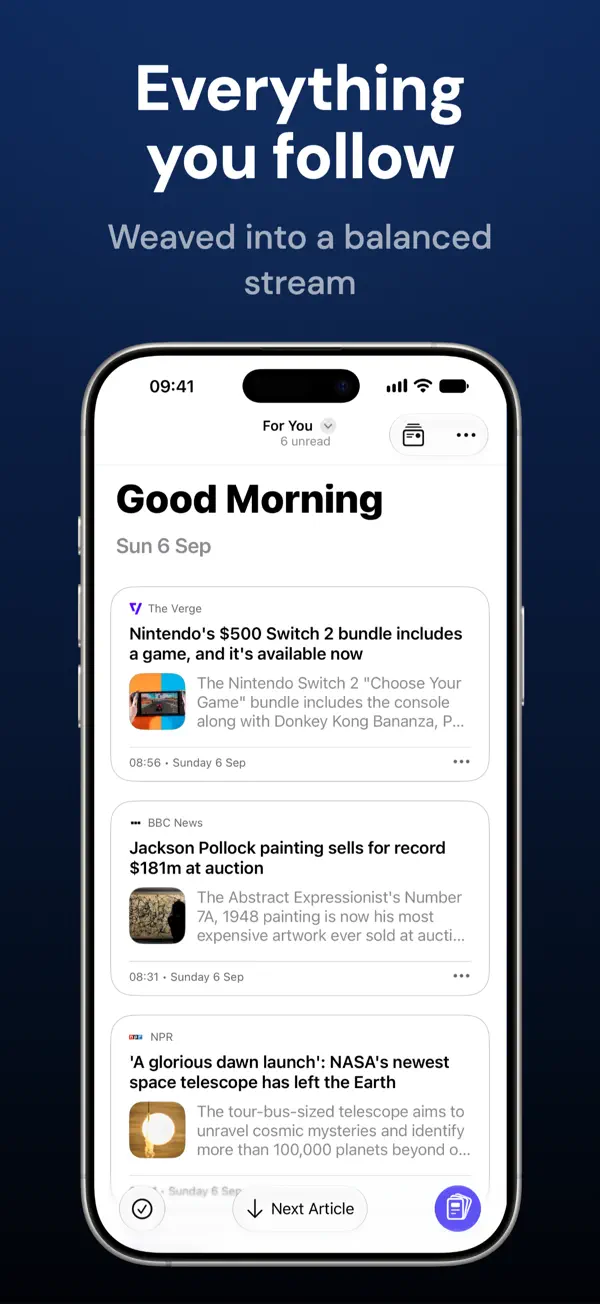
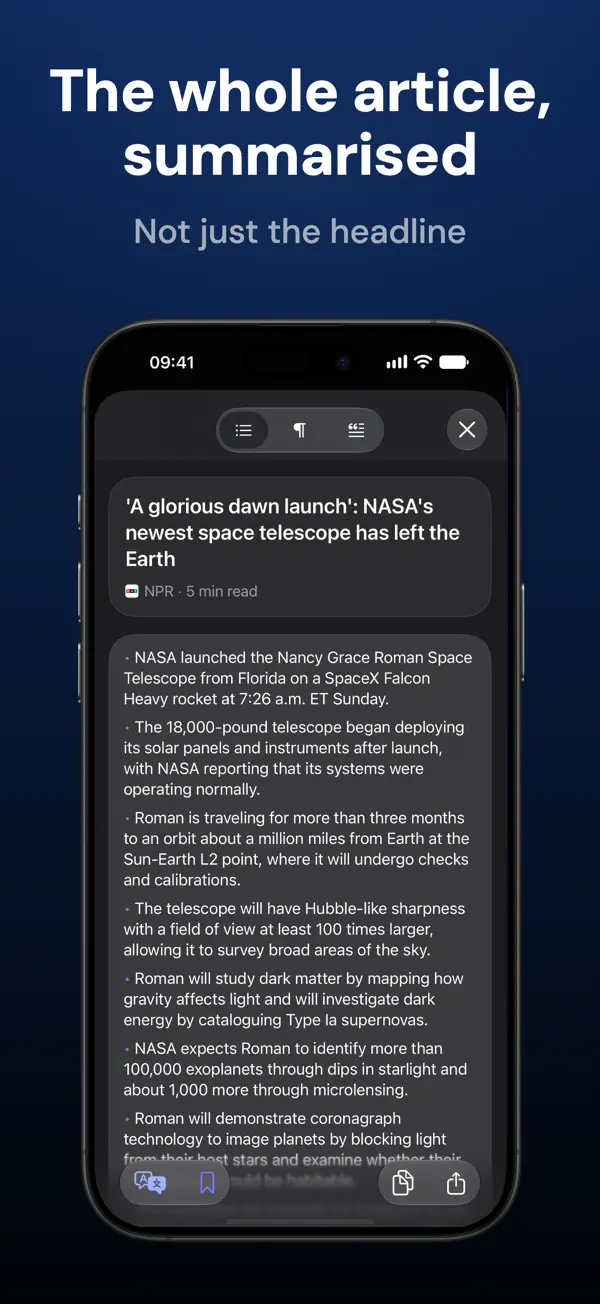
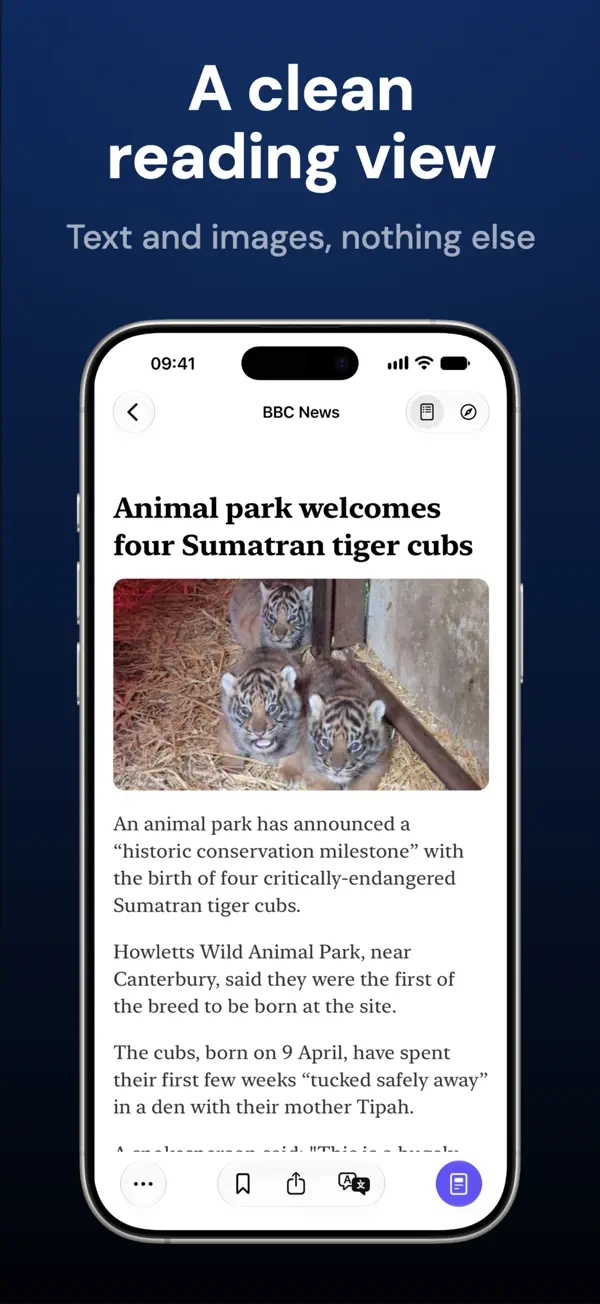
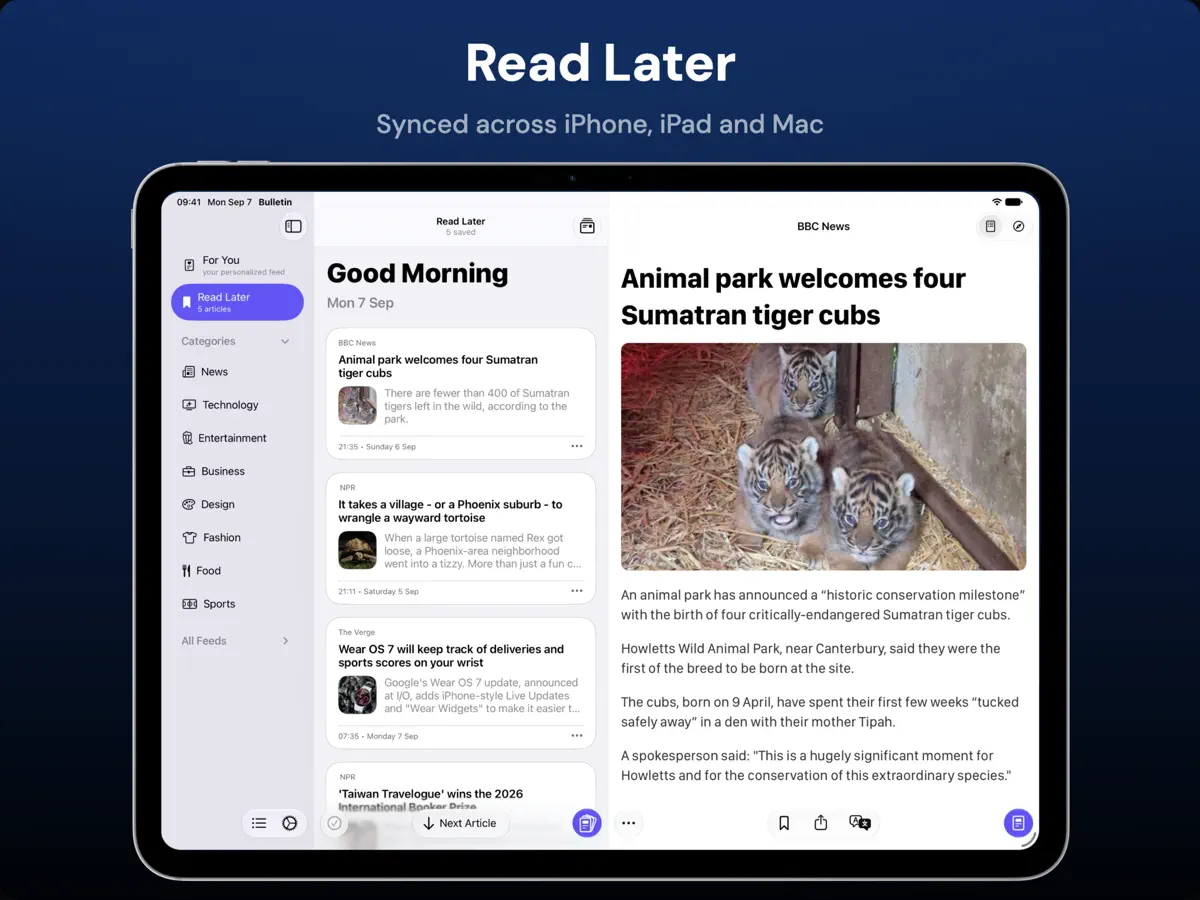
Bulletin is a modern RSS news reader with summaries built in, so you can get through everything you follow in less time. You choose every source, and no algorithm decides what surfaces. Use the summary to decide what to read, then open the article in a distraction-free reader with no ads. SMART SUMMARY, POWERED BY REAL ARTICLE CONTENT Bulletin extracts the article before building its summary, rather than relying on the short text in an RSS feed. The result reflects what the article actually says, so you're not judging a story by its headline. • Read a concise summary in bullet points or one sentence • Switch to Quotes mode to read the article's key quotes, word for word • Improve unclear or clickbait headlines with a clearer, more accurate one • Summarise a whole feed or category, with each point citing the publication behind it. Tap to open the story • Copy, select, or share summaries Bulletin uses AI to summarise article content. YOU PICK EVERY SOURCE Start reading straight away with useful starter categories, then make Bulletin yours. Add the publications, independent writers, blogs, and specialist sites you trust. Nothing is inserted because an algorithm thinks it should be there. • Add an RSS feed from any supported site or feed URL • Import an existing collection with OPML, or export it when you need to • Create, rename, hide, and organise categories around the way you follow news • Enable, disable, or rename individual sources at any time • Mute phrases you do not want to see in your feeds A FOR YOU FEED, ON YOUR TERMS For You brings your chosen categories together in one personalised feed. Nothing is ranked or promoted: it is all from sources you added. Sort a combined feed purely by time and the sites that post twenty times a day bury the ones that post twice a week. Weaved mode keeps For You close to newest first, but never lets one source run more than twice before another gets a turn. Busy sites still appear as often, just spread out, so everything you follow gets seen. • Weaved mode, so no single source takes over the feed • Switch to chronological ordering whenever you prefer • Choose which categories appear together in For You READ THE WAY YOU WANT A summary is a starting point. When an article deserves your attention, open it in a clean reading view that keeps the text and images while removing page ads and newsletter prompts. You can also switch to the original page at any time. • Choose a serif or sans-serif reading font and adjust text size • Use light, dark, or extra-dark reading styles • Change article card size to make feeds compact or visual • Sort feeds, show or hide unread counts, and mark articles as read in batches SAVE IT FOR LATER Save an article to Read Later with one action, then return when the time is right. Your sources, reading history, preferences, and Read Later list stay in sync with iCloud across iPhone, iPad, and Mac. TRANSLATE AS YOU READ When a source is written in another language, translate its headlines, full articles and summaries entirely on your device. WIDGETS, SIRI AND SHORTCUTS • See recent headlines in Home Screen and Lock Screen widgets • Open Bulletin actions from Control Center or Siri • Follow the latest headlines in a Live Activity CLEAR ABOUT YOUR DATA Bulletin removes tracking parameters from article URLs. Anonymous usage analytics can be turned off, and article content is not collected for analytics. Your source list remains yours. TRY BULLETIN FREE The free tier includes 20 opens of the distraction-free reader and 5 shared Smart Summary or headline-improvement uses. Bulletin Pro unlocks unlimited reader opens, unlimited summaries, headline improvements, and alternate app icons. Monthly, Yearly, and Lifetime options are available, with pricing shown before purchase. Choose your sources, read the summary, and open what matters. Terms of Service: https://www.pixelfolio.app/terms.html Privacy Policy: https://www.pixelfolio.app/privacy.html
주요 기능
- 추출한 기사 전문을 바탕으로 한 요약
- Quotes 모드와 헤드라인 재작성
- 출처가 표시되는 피드·카테고리 요약
- OPML 가져오기·내보내기, 문구 숨기기
- 광고 없는 리더 보기와 나중에 읽기
- iPhone, iPad, Mac 간 iCloud 동기화
- iPhone Duo를 접고 펼칠 때 바뀌는 레이아웃
iPhone Duo에서의 Bulletin: 자주 묻는 질문
Bulletin은(는) iPhone Duo에 최적화되어 있나요?
네. Bulletin은(는) Duo 전용 설계 앱으로, 폴딩, Split View 또는 외부 디스플레이를 활용합니다. 2026년 10월 22일 확인(개발자 발표).
iPhone Duo에서 Bulletin은(는) 어떻게 보이나요?
Pixelfolio의 Bulletin 3.1 릴리스 노트(2026년 10월 22일)에 따르면 이 앱은 iPhone Duo용으로 만들어져, 휴대폰을 접고 펴고 회전할 때 레이아웃과 도구 모음이 조정되며 읽던 위치도 그대로 유지됩니다. 펼친 iPhone Duo에서는 iPad처럼 기사 목록을 숨기고 바로 다음 기사로 넘어갈 수 있으며 필요하면 목록을 다시 불러오는 전체 화면 읽기 모드를 쓸 수 있습니다. 같은 업데이트로 큰 화면에서는 더 좁은 텍스트 단과 화면에 더 잘 맞는 헤드라인도 적용됩니다. 아직 실기기에서 테스트하지 않았습니다.
Bulletin의 가격은 얼마인가요?
Bulletin은(는) App Store에서 무료 · 앱 내 구입입니다.
다른 독서 및 뉴스 앱
모두 보기 ›
접고 펼치는 데 맞춰 레이아웃이 바뀌는 RSS·뉴스 리더

구독 중인 매체의 뉴스와 이야기를 모은 나만의 맞춤형 매거진

책을 더미와 홈 화면 위젯으로 보여 주는 독서 기록 앱

세심한 타이포그래피, 제스처, 색상 테마를 갖춘 RSS 리더

피드, 동영상, 팟캐스트, 소셜 게시물을 모은 통합 타임라인

웹 기사를 저장해 두고 광고 없이 오프라인으로 읽는 나중에 읽기 앱