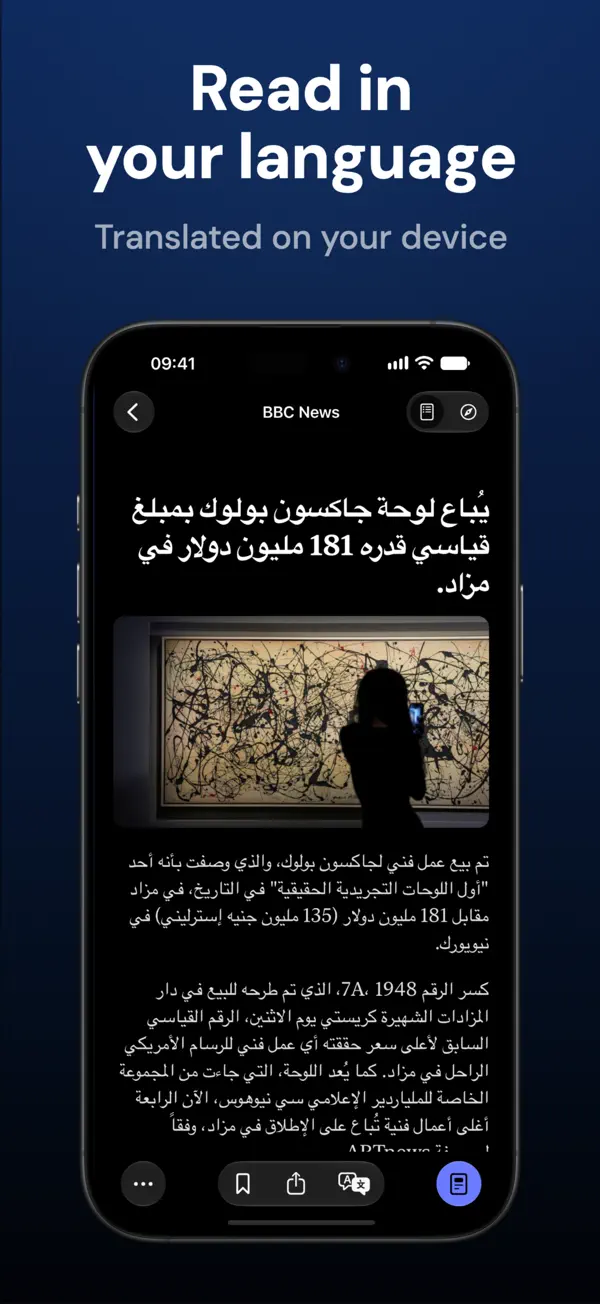
iPhone スクリーンショット
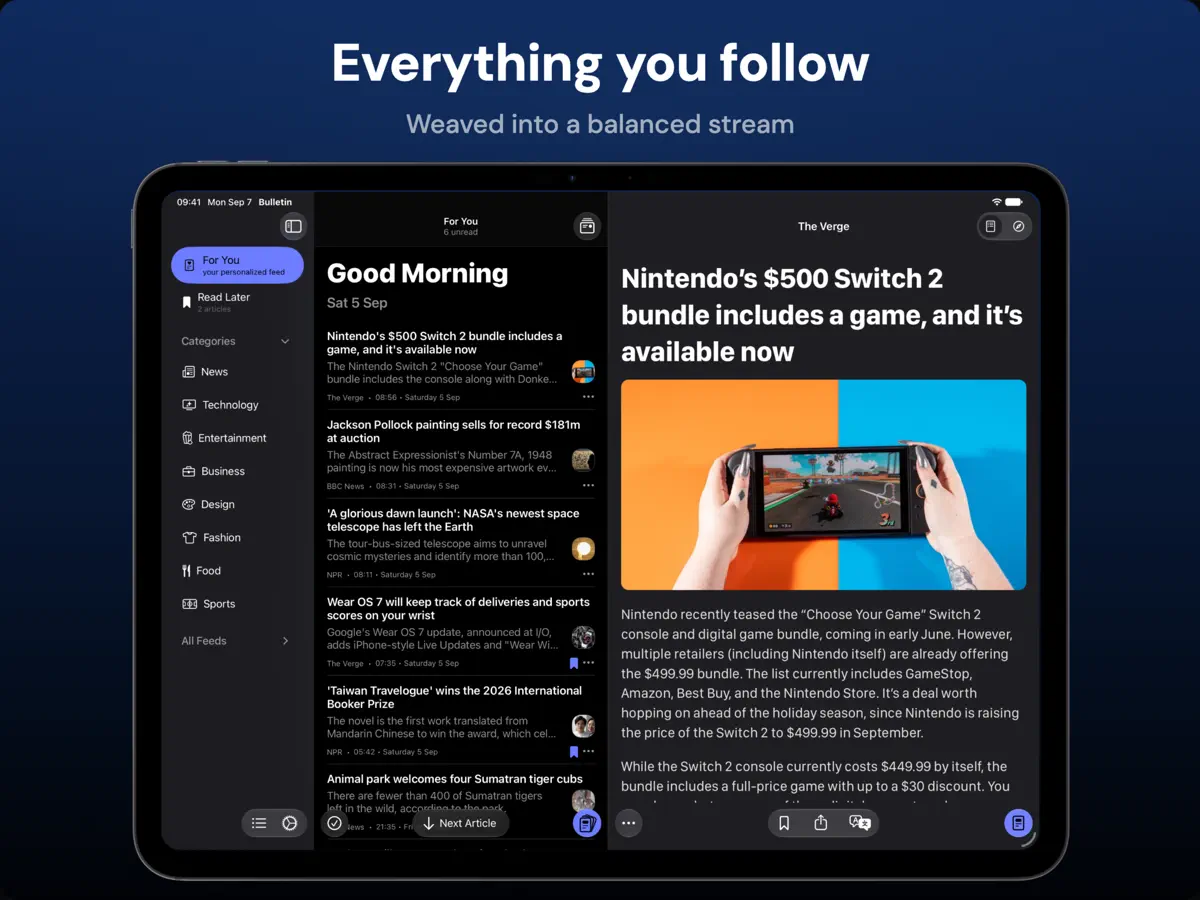
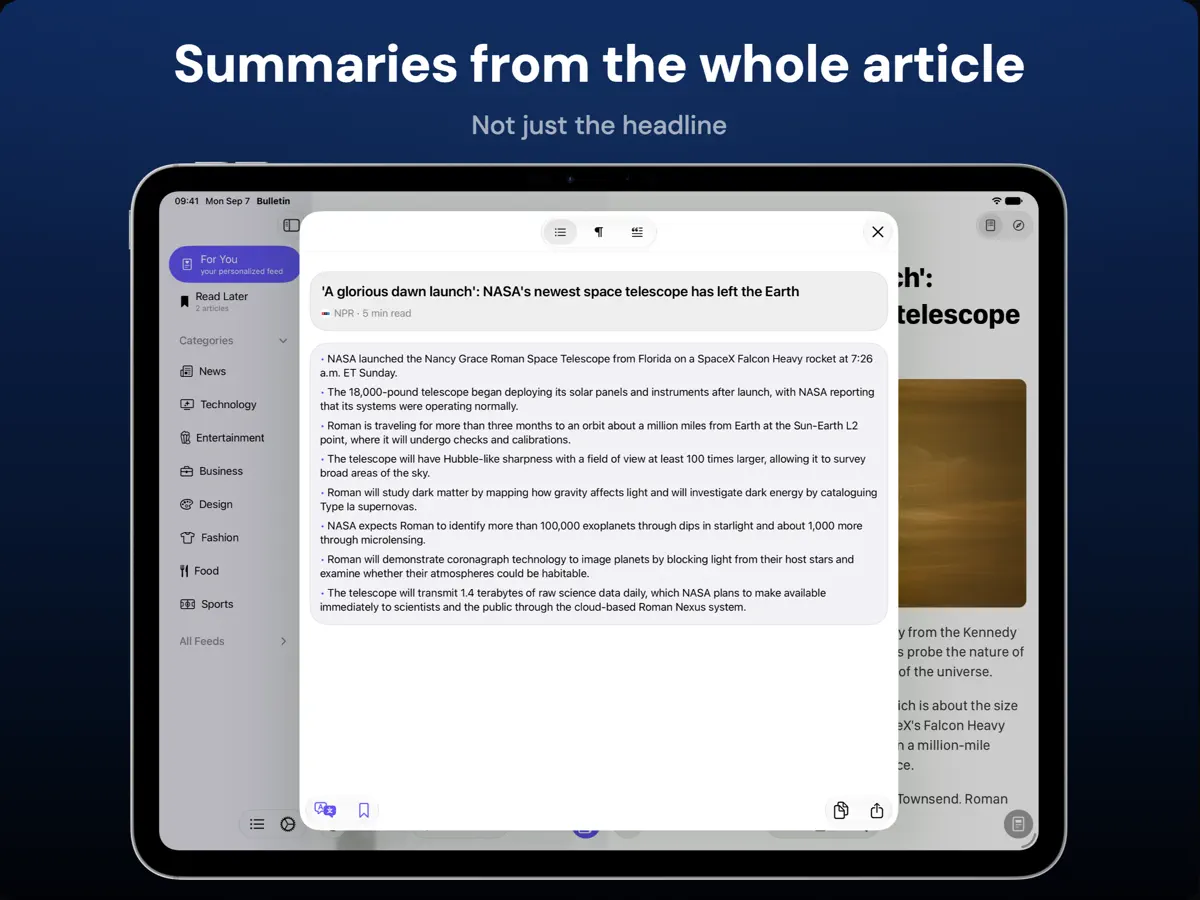
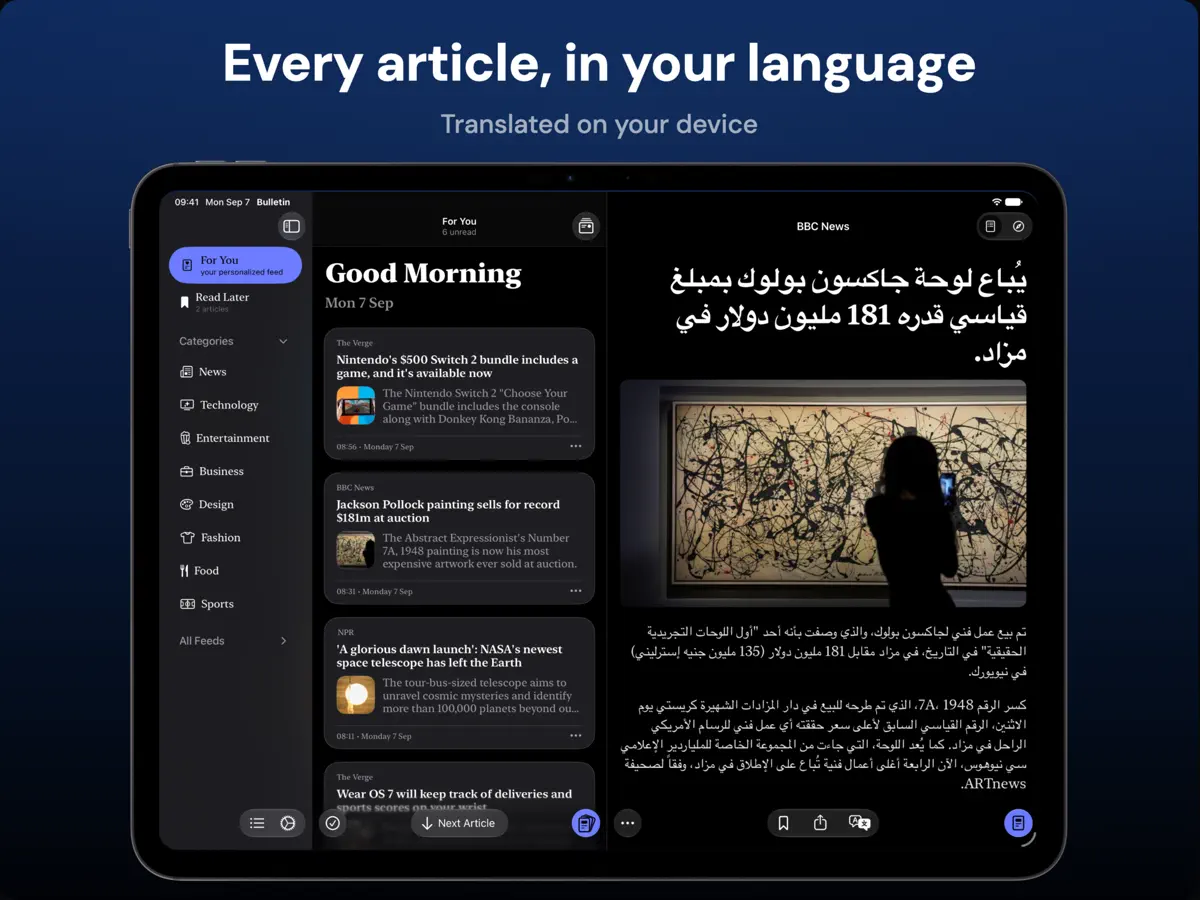
iPad スクリーンショット
iPhone Duo での活用
Pixelfolio の Bulletin 3.1(2026 年 10 月 22 日)のリリースノートによると、アプリは iPhone Duo 向けに作られており、折りたたむ、開く、回転させるといった操作に合わせてレイアウトとツールバーが変わり、読んでいる位置もそのまま保たれます。開いた iPhone Duo では、iPad と同様に、記事リストを隠して次の記事へ直接移動でき、必要なときにリストを呼び戻せる全画面の読書モードが使えます。同じアップデートで、大きな画面向けにテキスト列が狭くなり、見出しの収まりも良くなりました。当サイトではまだ実機でテストしていません。
新機能
バージョン 3.1 ·
Bulletin 3.1 is made for iPhone Duo. • Made for iPhone Duo: layouts and toolbars adapt as you fold, unfold and rotate the phone, and you keep your reading place along the way • Full-screen reading on iPad and the unfolded iPhone Duo. Hide the article list for more room, move straight to the next article, and bring the list back when you need it • Choose your translation language before you translate for the first time, with language downloads handled as part of setup • If iCloud can't be reached on first launch, Bulletin now offers retry and recovery options instead of an empty library • More comfortable reading on larger screens, with a narrower text column, better-fitting headlines and smaller article images • Adding a source that's already in your library now offers to open it or add it to another category • Clearer notices when your free articles or summaries are running low, and reopening an article you've already read no longer uses another free article • Clearer explanations when an article can't load, with an option to open the original web page • Refreshed starter feeds, including Hypebae in Fashion Fixes: • Smoother feed scrolling as articles are marked as read, and no more jumping when you return from an article • The reader keeps your place while you scroll, resize or reveal a translation • Article text no longer disappears or shifts as feed images load • Smart Summary no longer uses the previous article's text after you switch articles • Better handling of JSON Feed and Atom subscriptions, and no more formatting tags in headlines • Articles are no longer marked as read or removed from Read Later before they open • Article content is back for TIME and Atlas Obscura, along with NASA Image of the Day images
開発者はこの内容を日本語化していません。
このアプリについて
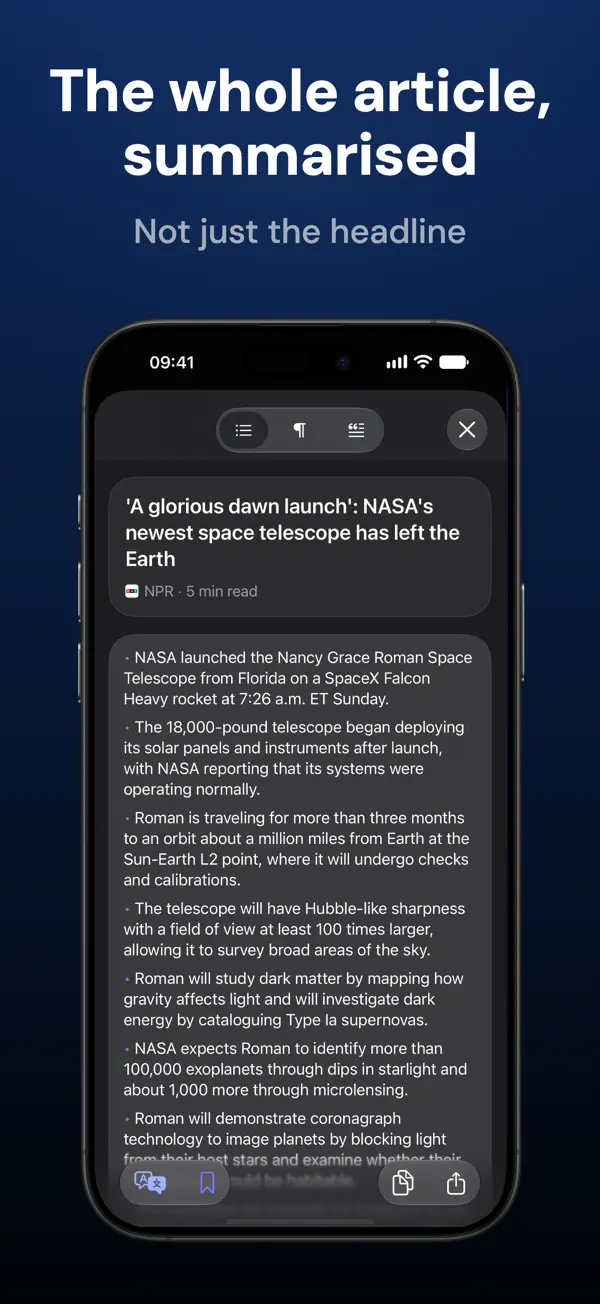
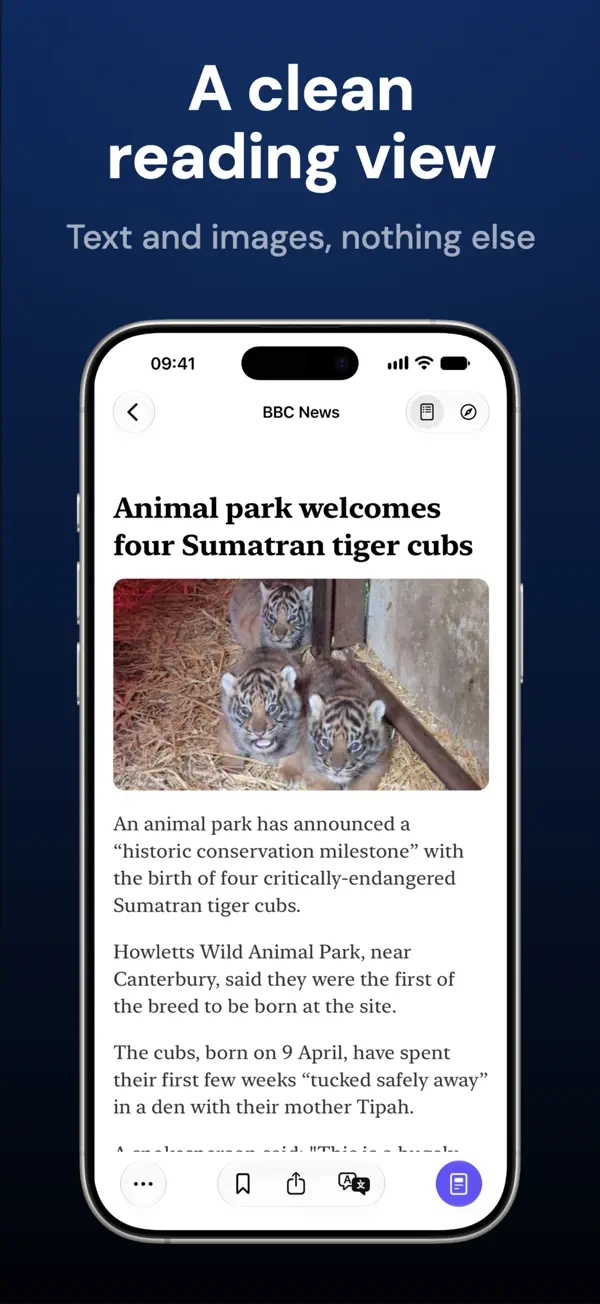
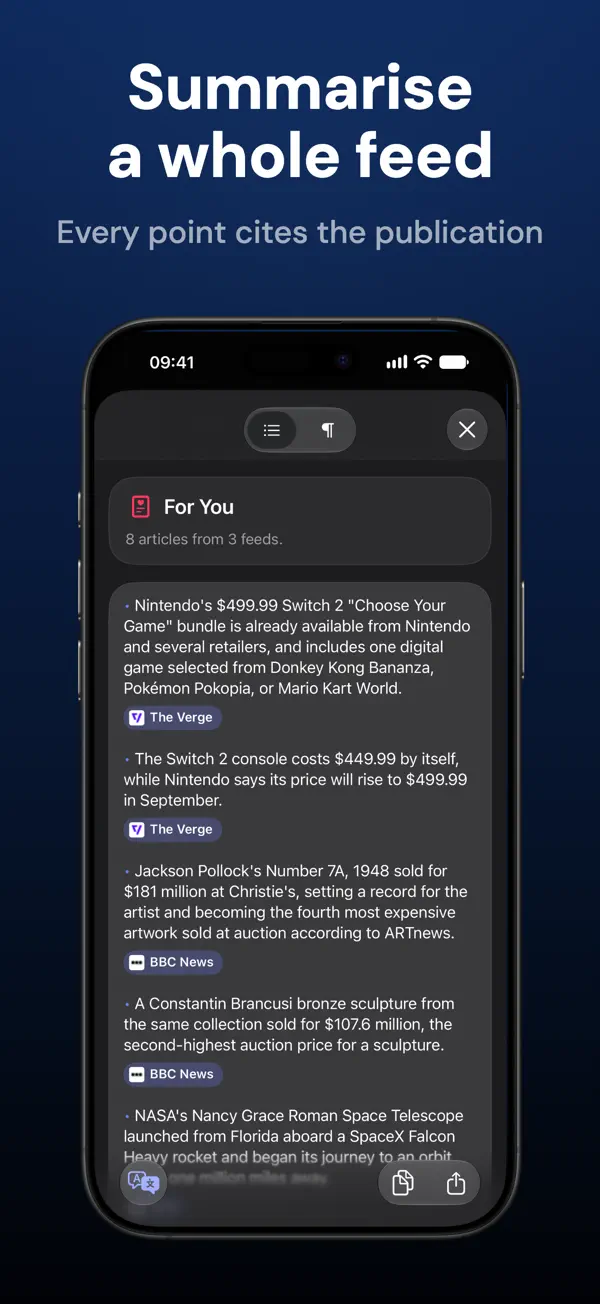
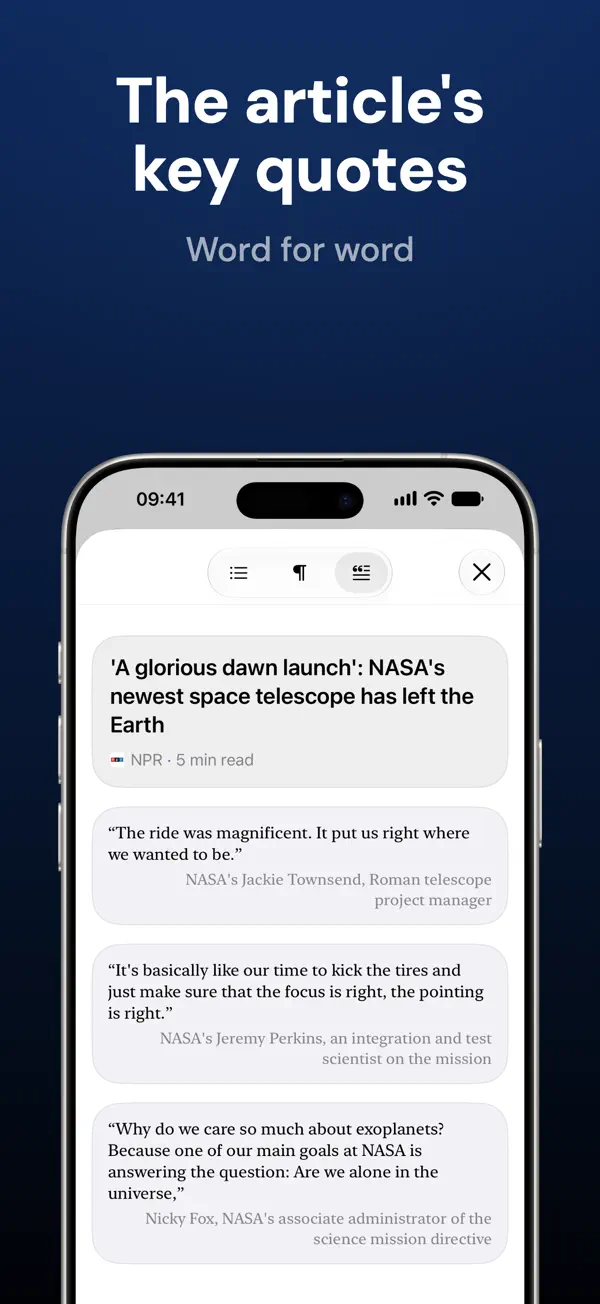
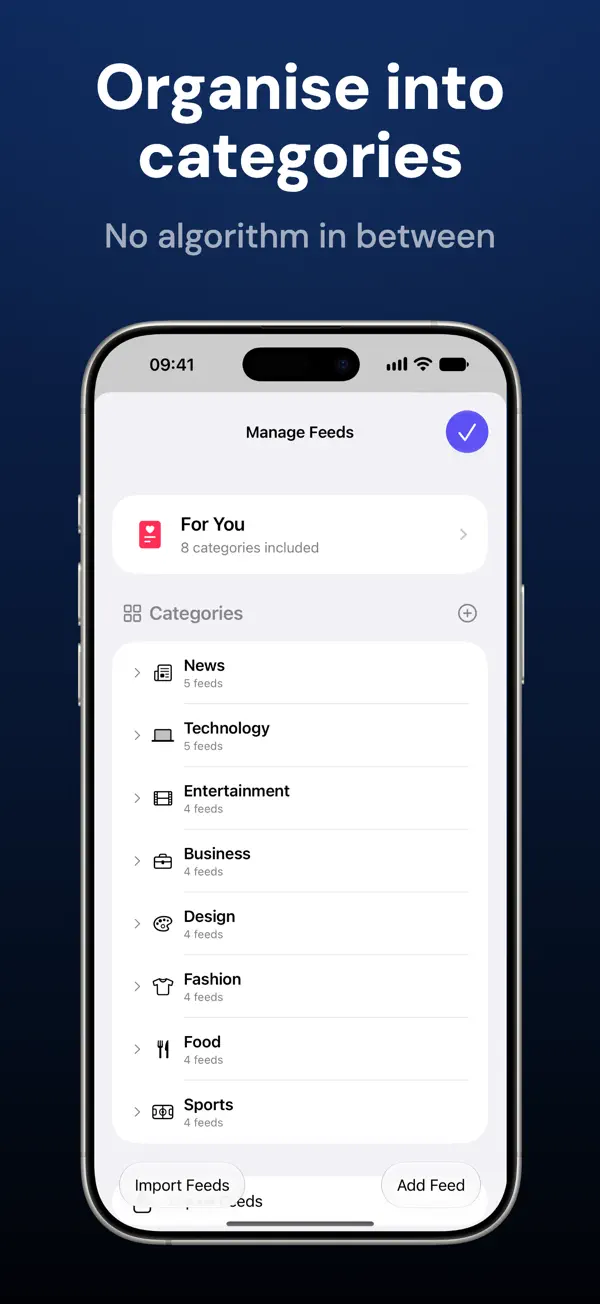
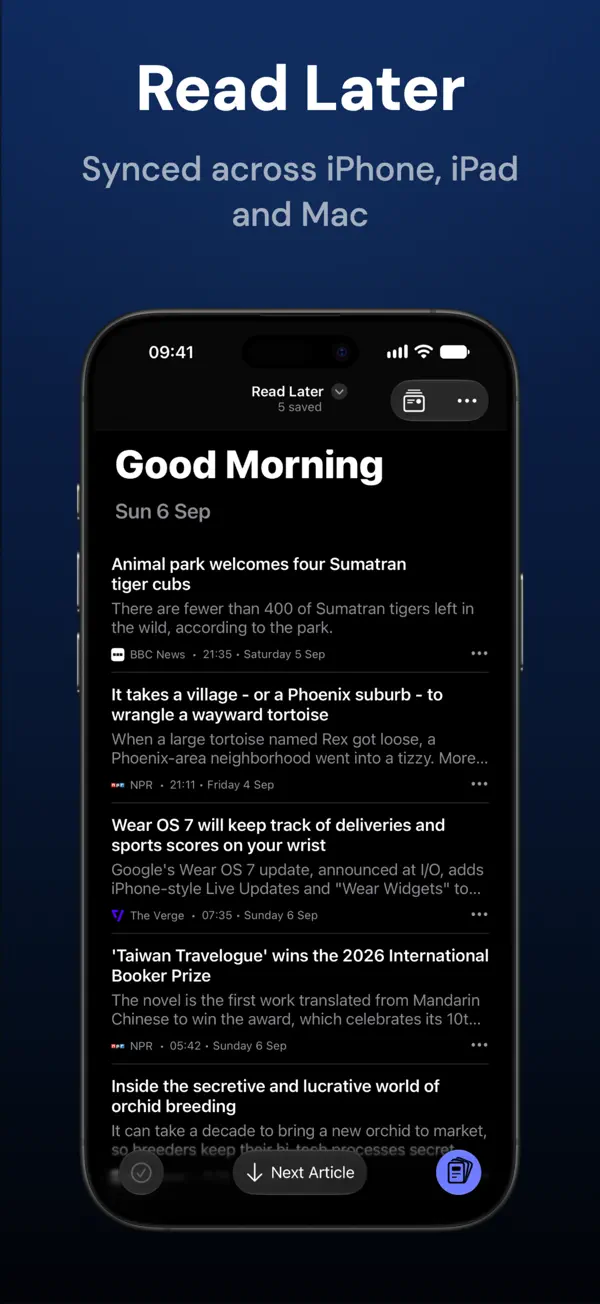
Bulletin は Pixelfolio が提供する RSS ニュースリーダーで、従来型のフィードリーダーに AI 要約を組み合わせています。フィードに含まれる短いテキストを要約するのではなく、まず記事全文を抽出してから、箇条書きまたは 1 文の要約、重要な発言を一言一句そのまま抜き出す Quotes モード、あいまいな見出しやクリックベイトの見出しの書き換えを提供します。フィード全体やカテゴリ全体の要約も可能で、各ポイントには出典の媒体へのリンクが付きます。 情報源はすべて自分で選びます。スターター用のカテゴリが用意されていますが、対応するサイトやフィードの URL を自由に追加でき、OPML のインポートとエクスポート、カテゴリの整理と名前変更、個別のソースのオン・オフ、フレーズのミュートが可能です。「For You」ビューは、選んだカテゴリをランキングや優遇なしにまとめて表示します。記事は、ページ上の広告やニュースレター登録の案内を取り除いたすっきりしたリーダービューで開き、元のページへもワンタップで移動できます。あとで読むリスト、閲覧履歴、設定は iCloud で iPhone、iPad、Mac 間で同期されます。 無料版ではリーダー表示と要約の回数に上限があります。月額、年額、買い切りで提供される Bulletin Pro では、この上限がなくなり、代替アプリアイコンも使えます。バージョン 3.1 は、開発元が iPhone Duo 向けに作られたと説明しているリリースです。
英語版の掲載内容を翻訳しています。
App Store の説明開発者による説明です。
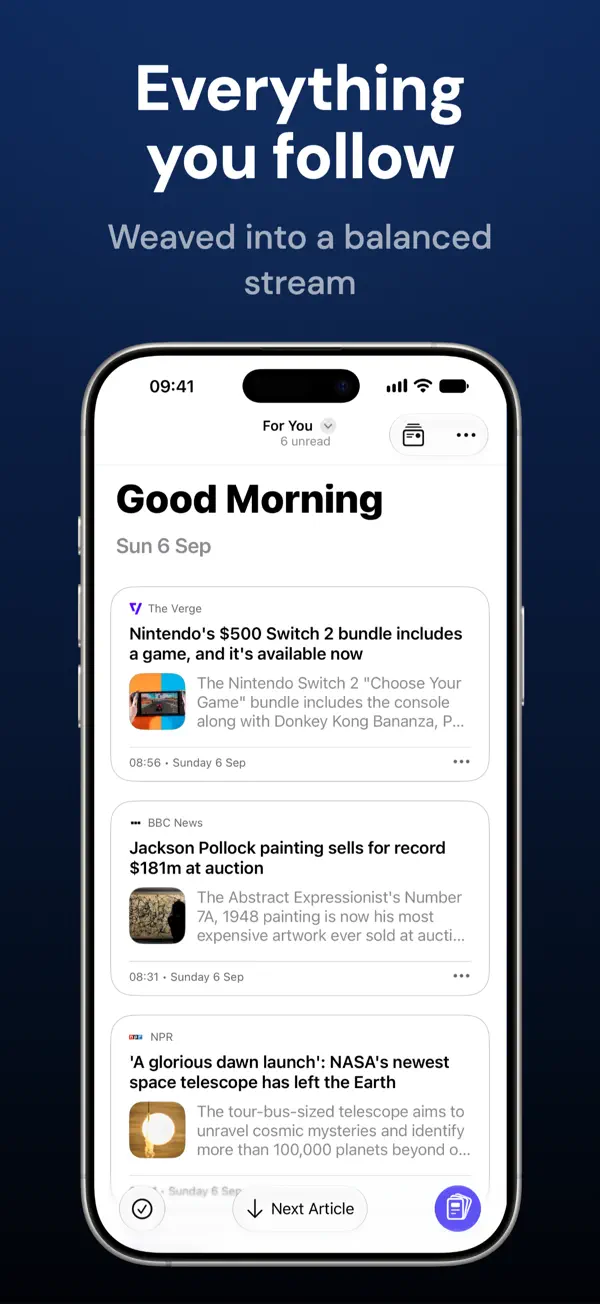
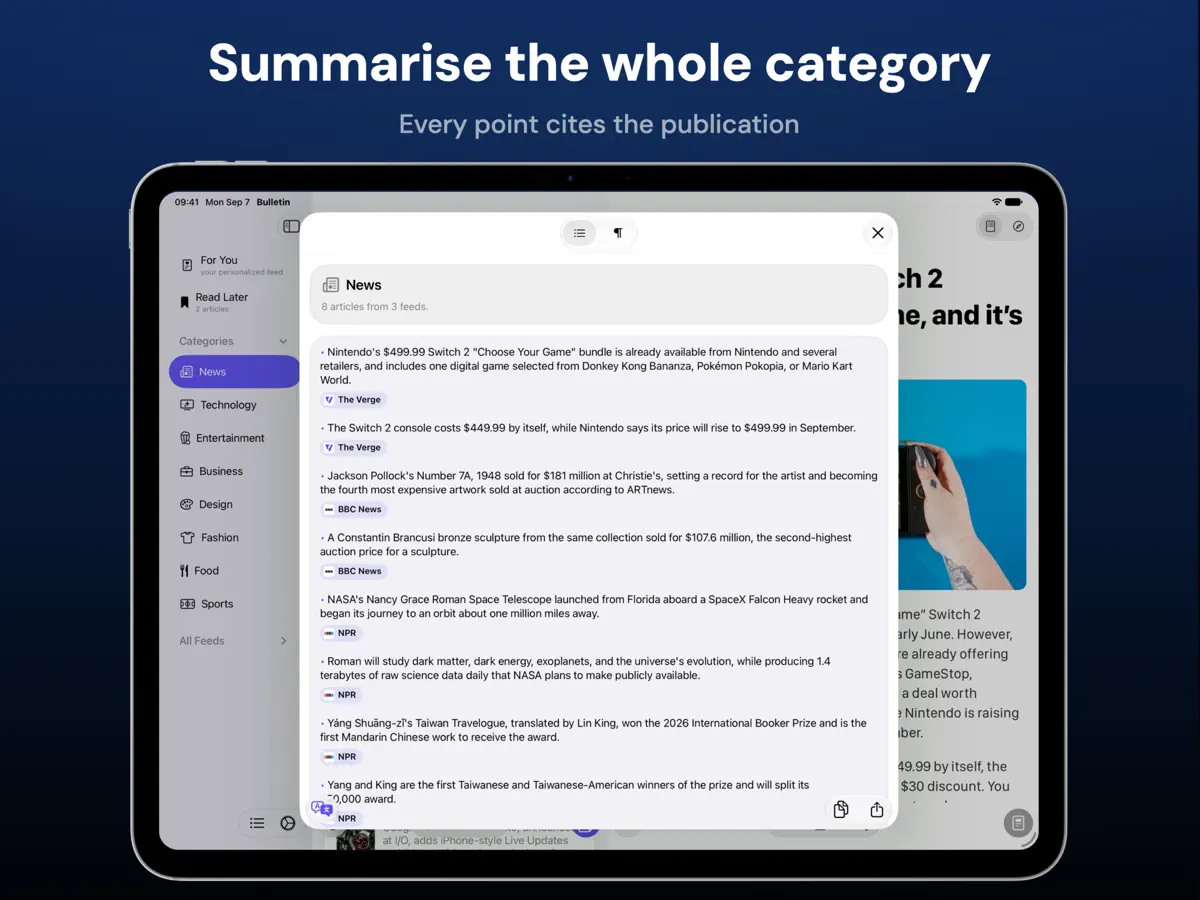
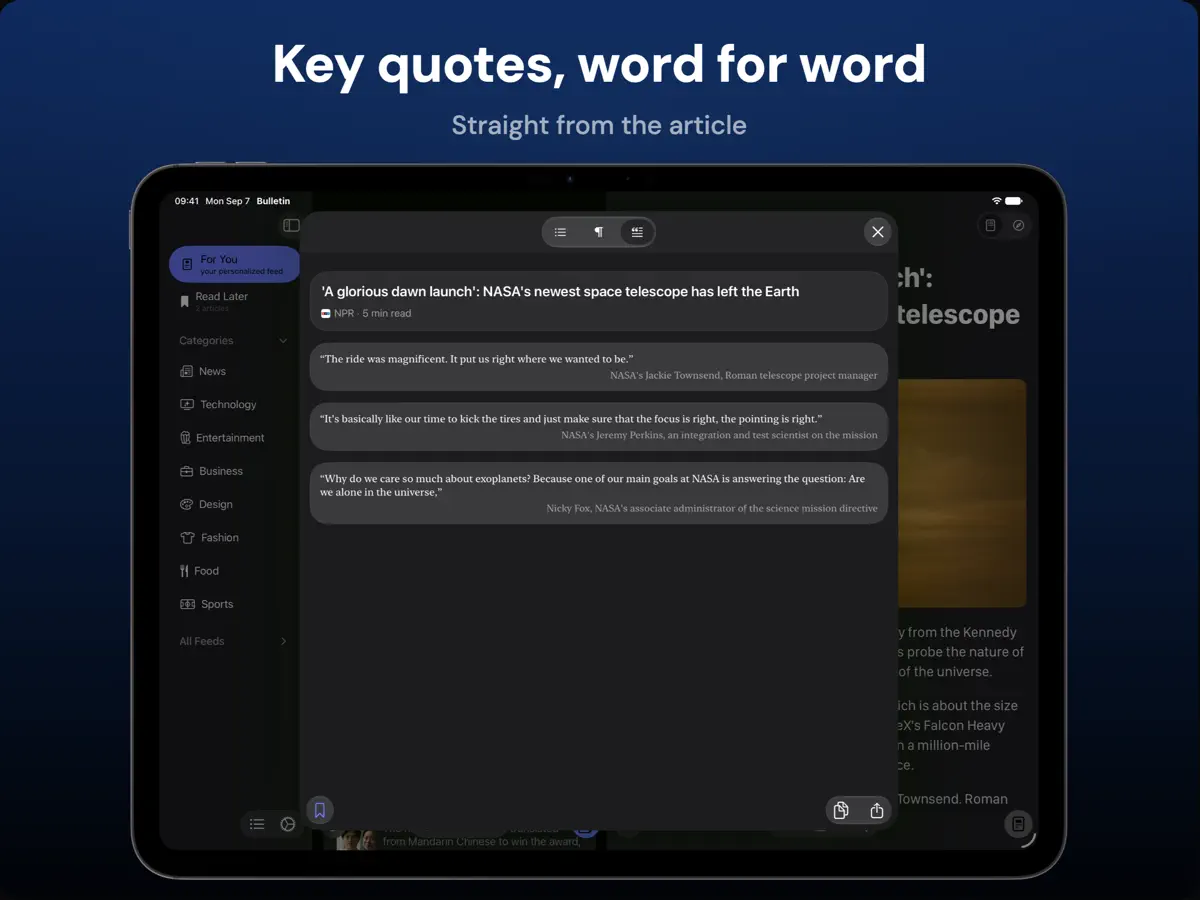
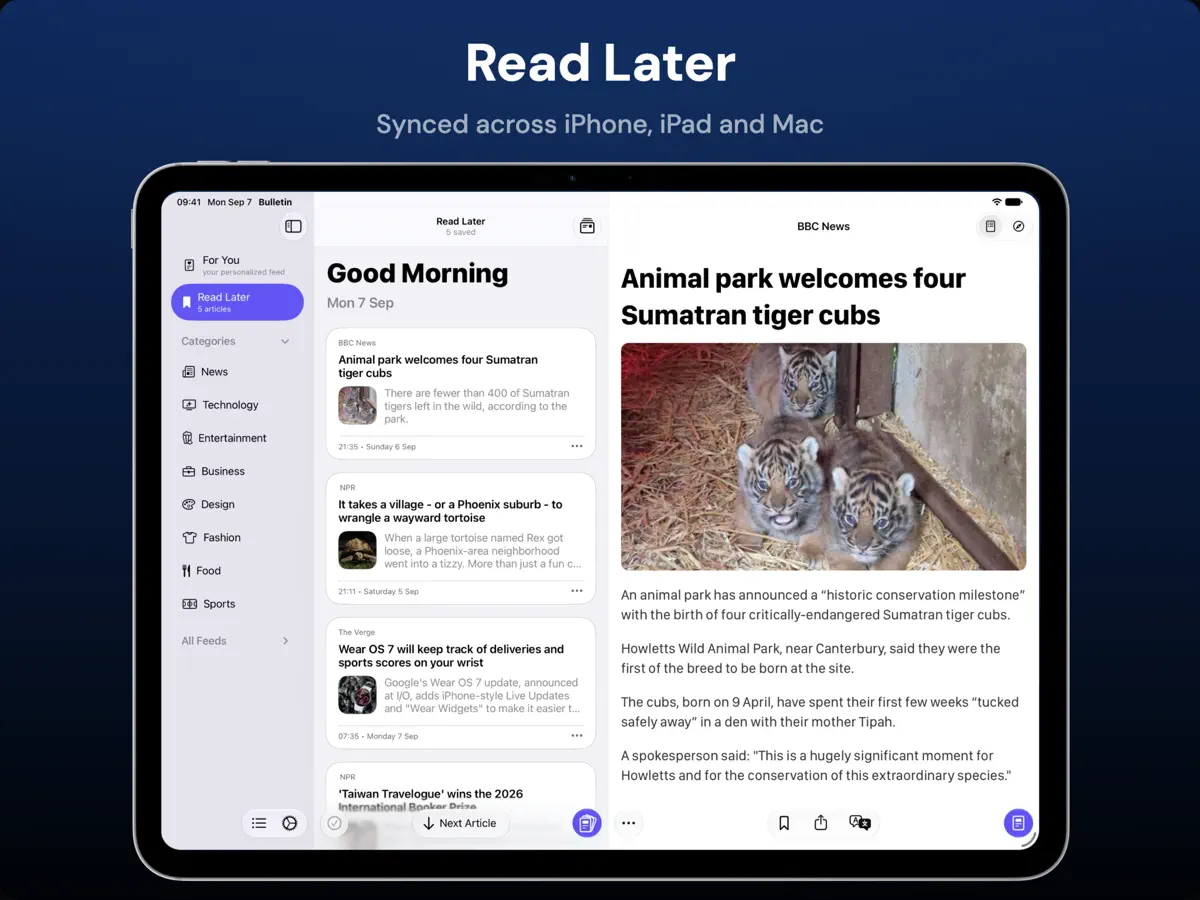
Bulletin is a modern RSS news reader with summaries built in, so you can get through everything you follow in less time. You choose every source, and no algorithm decides what surfaces. Use the summary to decide what to read, then open the article in a distraction-free reader with no ads. SMART SUMMARY, POWERED BY REAL ARTICLE CONTENT Bulletin extracts the article before building its summary, rather than relying on the short text in an RSS feed. The result reflects what the article actually says, so you're not judging a story by its headline. • Read a concise summary in bullet points or one sentence • Switch to Quotes mode to read the article's key quotes, word for word • Improve unclear or clickbait headlines with a clearer, more accurate one • Summarise a whole feed or category, with each point citing the publication behind it. Tap to open the story • Copy, select, or share summaries Bulletin uses AI to summarise article content. YOU PICK EVERY SOURCE Start reading straight away with useful starter categories, then make Bulletin yours. Add the publications, independent writers, blogs, and specialist sites you trust. Nothing is inserted because an algorithm thinks it should be there. • Add an RSS feed from any supported site or feed URL • Import an existing collection with OPML, or export it when you need to • Create, rename, hide, and organise categories around the way you follow news • Enable, disable, or rename individual sources at any time • Mute phrases you do not want to see in your feeds A FOR YOU FEED, ON YOUR TERMS For You brings your chosen categories together in one personalised feed. Nothing is ranked or promoted: it is all from sources you added. Sort a combined feed purely by time and the sites that post twenty times a day bury the ones that post twice a week. Weaved mode keeps For You close to newest first, but never lets one source run more than twice before another gets a turn. Busy sites still appear as often, just spread out, so everything you follow gets seen. • Weaved mode, so no single source takes over the feed • Switch to chronological ordering whenever you prefer • Choose which categories appear together in For You READ THE WAY YOU WANT A summary is a starting point. When an article deserves your attention, open it in a clean reading view that keeps the text and images while removing page ads and newsletter prompts. You can also switch to the original page at any time. • Choose a serif or sans-serif reading font and adjust text size • Use light, dark, or extra-dark reading styles • Change article card size to make feeds compact or visual • Sort feeds, show or hide unread counts, and mark articles as read in batches SAVE IT FOR LATER Save an article to Read Later with one action, then return when the time is right. Your sources, reading history, preferences, and Read Later list stay in sync with iCloud across iPhone, iPad, and Mac. TRANSLATE AS YOU READ When a source is written in another language, translate its headlines, full articles and summaries entirely on your device. WIDGETS, SIRI AND SHORTCUTS • See recent headlines in Home Screen and Lock Screen widgets • Open Bulletin actions from Control Center or Siri • Follow the latest headlines in a Live Activity CLEAR ABOUT YOUR DATA Bulletin removes tracking parameters from article URLs. Anonymous usage analytics can be turned off, and article content is not collected for analytics. Your source list remains yours. TRY BULLETIN FREE The free tier includes 20 opens of the distraction-free reader and 5 shared Smart Summary or headline-improvement uses. Bulletin Pro unlocks unlimited reader opens, unlimited summaries, headline improvements, and alternate app icons. Monthly, Yearly, and Lifetime options are available, with pricing shown before purchase. Choose your sources, read the summary, and open what matters. Terms of Service: https://www.pixelfolio.app/terms.html Privacy Policy: https://www.pixelfolio.app/privacy.html
主な機能
- 抽出した記事全文から作る要約
- Quotes モードと見出しの書き換え
- 出典付きのフィード・カテゴリ要約
- OPML のインポート/エクスポート、ミュートフレーズ
- 広告を除いたリーダービューとあとで読む
- iPhone・iPad・Mac 間の iCloud 同期
- iPhone Duo の折りたたみ・展開に合わせて変わるレイアウト
iPhone Duo での Bulletin:よくある質問
Bulletin は iPhone Duo に最適化されていますか?
はい。Bulletin は「Duo 専用設計」で、折りたたみ、Split View、外側ディスプレイを活用しています。2026年10月22日 に確認(開発者の発表)。
iPhone Duo での Bulletin はどう見えますか?
Pixelfolio の Bulletin 3.1(2026 年 10 月 22 日)のリリースノートによると、アプリは iPhone Duo 向けに作られており、折りたたむ、開く、回転させるといった操作に合わせてレイアウトとツールバーが変わり、読んでいる位置もそのまま保たれます。開いた iPhone Duo では、iPad と同様に、記事リストを隠して次の記事へ直接移動でき、必要なときにリストを呼び戻せる全画面の読書モードが使えます。同じアップデートで、大きな画面向けにテキスト列が狭くなり、見出しの収まりも良くなりました。当サイトではまだ実機でテストしていません。
Bulletin の価格は?
Bulletin は App Store で 無料 · アプリ内課金あり です。
その他の読書/ニュースアプリ
すべて見る ›
折りたたみ・展開に合わせてレイアウトが切り替わるRSS/ニュースリーダー

フォローした媒体のニュースや記事が並ぶ、自分だけのマガジン

本を積み重ねた山とホーム画面ウィジェットで読書を記録するトラッカー

丁寧なタイポグラフィ、ジェスチャー操作、カラーテーマを備えたRSSリーダー

フィード、動画、ポッドキャスト、SNS 投稿をまとめた統合タイムライン

Web記事を保存して、オフラインで余計な要素なしに後から読める