
Desktop 95
픽셀 아트로 만든 레트로 컴퓨터에서 핀볼과 카드 게임을 즐기고 그림이나 메모를 남깁니다.
Justin McCahill · 엔터테인먼트 · ₩3,300
iPhone 스크린샷
iPhone Duo 활용 방식
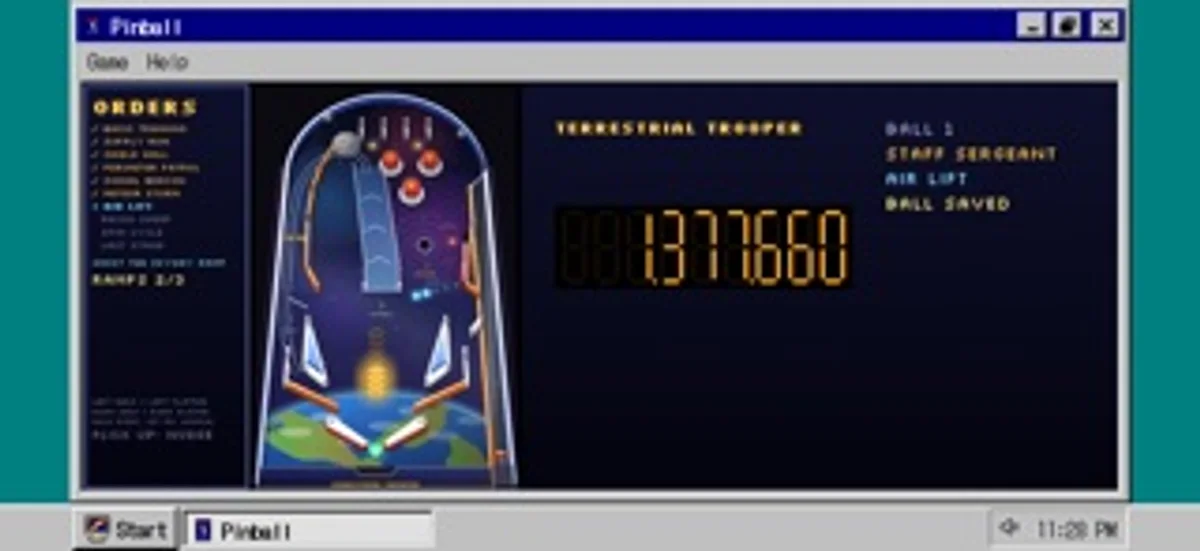
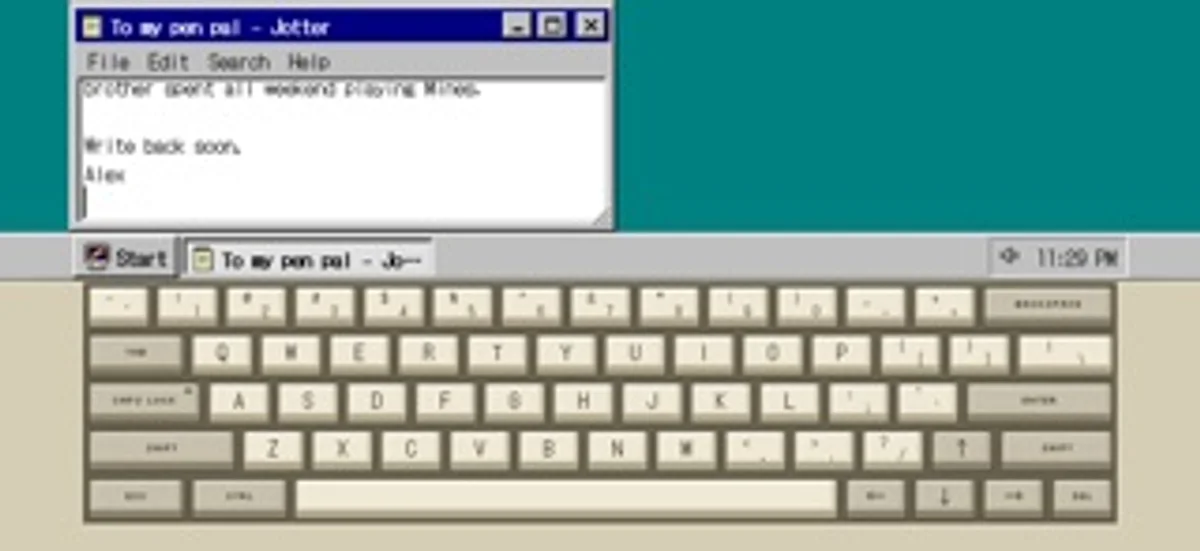
반쯤 열면 위는 모니터, 아래는 키보드와 트랙패드입니다. 펼치면 바탕 화면이 넓어지고 닫으면 바깥 화면에 시계와 상태가 표시됩니다.
새로운 기능
버전 1.7 ·
A clearer App Store page and small under-the-hood improvements.
개발자가 이 내용을 한국어로 제공하지 않았습니다.
App Store 설명개발자가 작성한 내용입니다.
Boot it up, open the Start menu, drag a window across the screen, lose an hour to pinball, then shut it down properly. Desktop 95 is a pretend mid-90s computer that fits in your pocket, drawn pixel by pixel from scratch. It is a toy you can actually use: play cards, paint a picture, type at the command line, leave yourself a note. Every icon, cursor, wallpaper and sound was made for this app. ON IPHONE DUO - Hold it like a laptop: the top half is the monitor, the bottom half a clicky beige keyboard with a working trackpad - Open flat and the whole inner screen is the monitor - Close the lid to stand by, or shut down, your choice. The cover screen keeps the clock, what is playing and notes from your programs - Music keeps playing with the lid closed On any other iPhone, hold it sideways for a landscape desktop or upright for a tall one. GAMES - Pinball on an original space-trooper table with missions, ranks and multiball - Solitaire, FreeCell and Mines - Number Nosh, a quick maths puzzle - Dawson Bound, a Klondike gold rush journey where nobody gets hurt PROGRAMS - Paint, with pencil, brush, airbrush, fill, shapes and a 28-colour palette. Set a picture as wallpaper or save it to Photos - Jotter, Calculator and folders on a pretend disk that remembers your files - A command line: DIR, CD, TYPE, HELP and more - Web Surfer, a browser of pretend retro pages with a hit counter and a guestbook - A music player with five original songs - Screen savers, a trash can that holds your mistakes, and a crash screen if you go looking for it A REAL LITTLE COMPUTER Windows drag, resize, minimise and maximise. The Start menu nests. A taskbar keeps the clock. Long-press for a right-click menu. Setup has wallpapers, colour schemes and sounds. The keyboard is a two-tone mechanical style with pixel legends, a Caps Lock light, key repeat and a satisfying click; one switch swaps in the iPhone keyboard. ORIGINAL FROM TOP TO BOTTOM Nothing is copied from any real operating system. The look, the sounds, the games and the songs are all original. One price, no ads, no accounts, no tracking, no internet needed. Your files stay on your phone.
iPhone Duo에서의 Desktop 95: 자주 묻는 질문
Desktop 95은(는) iPhone Duo에 최적화되어 있나요?
네. Desktop 95은(는) Duo 전용 설계 앱으로, 폴딩, Split View 또는 외부 디스플레이를 활용합니다. 2026년 11월 13일 확인(개발자 발표).
iPhone Duo에서 Desktop 95은(는) 어떻게 보이나요?
반쯤 열면 위는 모니터, 아래는 키보드와 트랙패드입니다. 펼치면 바탕 화면이 넓어지고 닫으면 바깥 화면에 시계와 상태가 표시됩니다.
Desktop 95의 가격은 얼마인가요?
Desktop 95은(는) App Store에서 ₩3,300입니다.
다른 엔터테인먼트 앱
모두 보기 ›
그림 속 손님을 맞아 문을 여는 순간 말장난의 결말을 듣는 노크 농담 앱입니다.

직접 그린 물고기를 움직이는 수조에 풀어 주고 마음에 드는 그림을 모읍니다.

하루에 종이 한 장을 접고 완성한 입체 종이접기와 새 종이를 모읍니다.

삐걱대는 보물 상자부터 스스로 구부러지는 은수저까지, 움직이는 핼러윈 장난감 열두 가지를 갖고 놉니다.

메시지와 기념품, 장난스러운 깜짝 선물을 골라 손에 건넬 가상 선물 상자를 만듭니다.

가상 포춘 쿠키를 갈라 메시지와 행운의 숫자를 봅니다.