
iPhone スクリーンショット
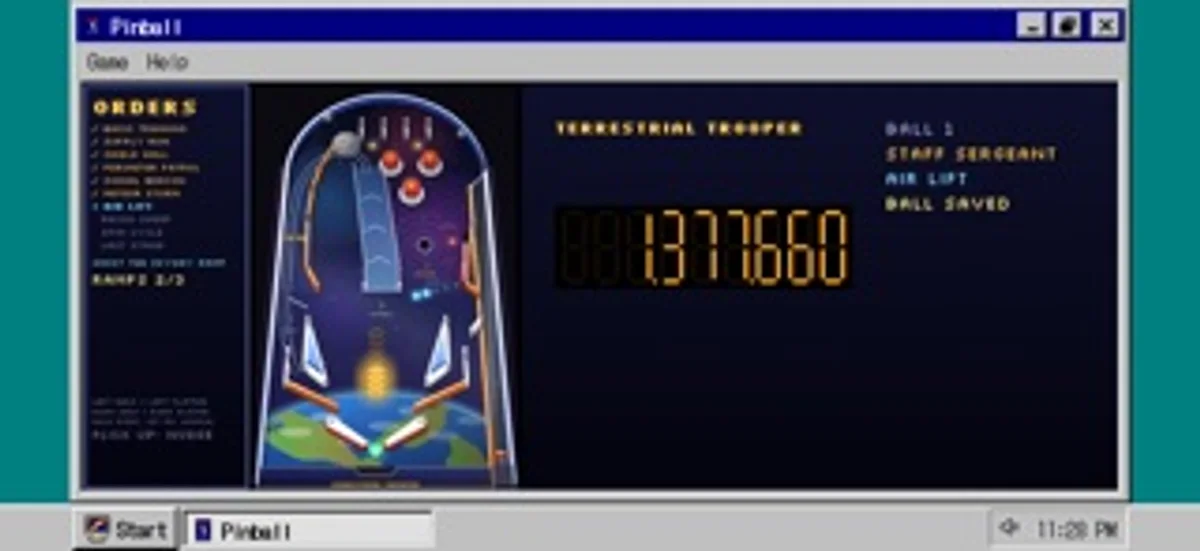
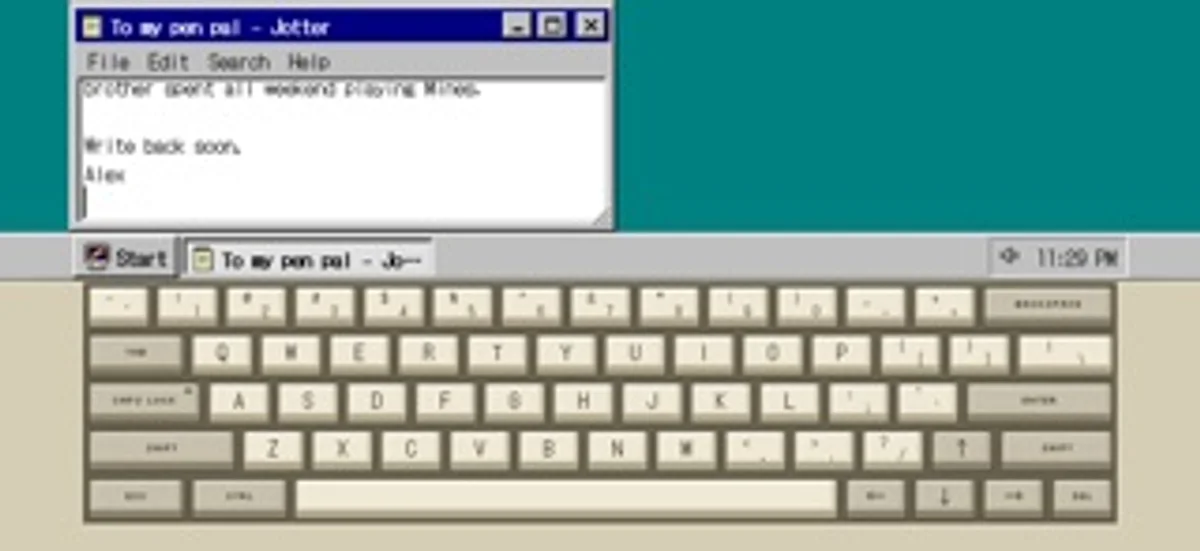
iPhone Duo での活用
半開きで奥がモニター、手前がキーボードとトラックパッド。平らに開くと広いデスクトップになり、閉じると外側に時刻などが出ます。
新機能
バージョン 1.7 ·
A clearer App Store page and small under-the-hood improvements.
開発者はこの内容を日本語化していません。
App Store の説明開発者による説明です。
Boot it up, open the Start menu, drag a window across the screen, lose an hour to pinball, then shut it down properly. Desktop 95 is a pretend mid-90s computer that fits in your pocket, drawn pixel by pixel from scratch. It is a toy you can actually use: play cards, paint a picture, type at the command line, leave yourself a note. Every icon, cursor, wallpaper and sound was made for this app. ON IPHONE DUO - Hold it like a laptop: the top half is the monitor, the bottom half a clicky beige keyboard with a working trackpad - Open flat and the whole inner screen is the monitor - Close the lid to stand by, or shut down, your choice. The cover screen keeps the clock, what is playing and notes from your programs - Music keeps playing with the lid closed On any other iPhone, hold it sideways for a landscape desktop or upright for a tall one. GAMES - Pinball on an original space-trooper table with missions, ranks and multiball - Solitaire, FreeCell and Mines - Number Nosh, a quick maths puzzle - Dawson Bound, a Klondike gold rush journey where nobody gets hurt PROGRAMS - Paint, with pencil, brush, airbrush, fill, shapes and a 28-colour palette. Set a picture as wallpaper or save it to Photos - Jotter, Calculator and folders on a pretend disk that remembers your files - A command line: DIR, CD, TYPE, HELP and more - Web Surfer, a browser of pretend retro pages with a hit counter and a guestbook - A music player with five original songs - Screen savers, a trash can that holds your mistakes, and a crash screen if you go looking for it A REAL LITTLE COMPUTER Windows drag, resize, minimise and maximise. The Start menu nests. A taskbar keeps the clock. Long-press for a right-click menu. Setup has wallpapers, colour schemes and sounds. The keyboard is a two-tone mechanical style with pixel legends, a Caps Lock light, key repeat and a satisfying click; one switch swaps in the iPhone keyboard. ORIGINAL FROM TOP TO BOTTOM Nothing is copied from any real operating system. The look, the sounds, the games and the songs are all original. One price, no ads, no accounts, no tracking, no internet needed. Your files stay on your phone.
iPhone Duo での Desktop 95:よくある質問
Desktop 95 は iPhone Duo に最適化されていますか?
はい。Desktop 95 は「Duo 専用設計」で、折りたたみ、Split View、外側ディスプレイを活用しています。2026年11月13日 に確認(開発者の発表)。
iPhone Duo での Desktop 95 はどう見えますか?
半開きで奥がモニター、手前がキーボードとトラックパッド。平らに開くと広いデスクトップになり、閉じると外側に時刻などが出ます。
Desktop 95 の価格は?
Desktop 95 は App Store で ¥300 です。
その他のエンターテインメントアプリ
すべて見る ›
絵で描かれた訪問客を迎え、玄関を開けてノックノックジョークのオチを楽しめます。

描いた魚を動く水槽に放ち、お気に入りを図鑑に残せます。

毎日1枚の折り紙を完成させ、見つけた作品や紙をコレクションできます。

きしむ宝箱や勝手に曲がる銀のスプーンなど、12種類の動くハロウィーンのおもちゃで遊べます。

メッセージや記念品、ちょっとしたいたずらを選んで、手渡しできるバーチャルな贈り物を作ります。

バーチャルなフォーチュンクッキーを割り、メッセージとラッキーナンバーを読みます。