
Desktop 95
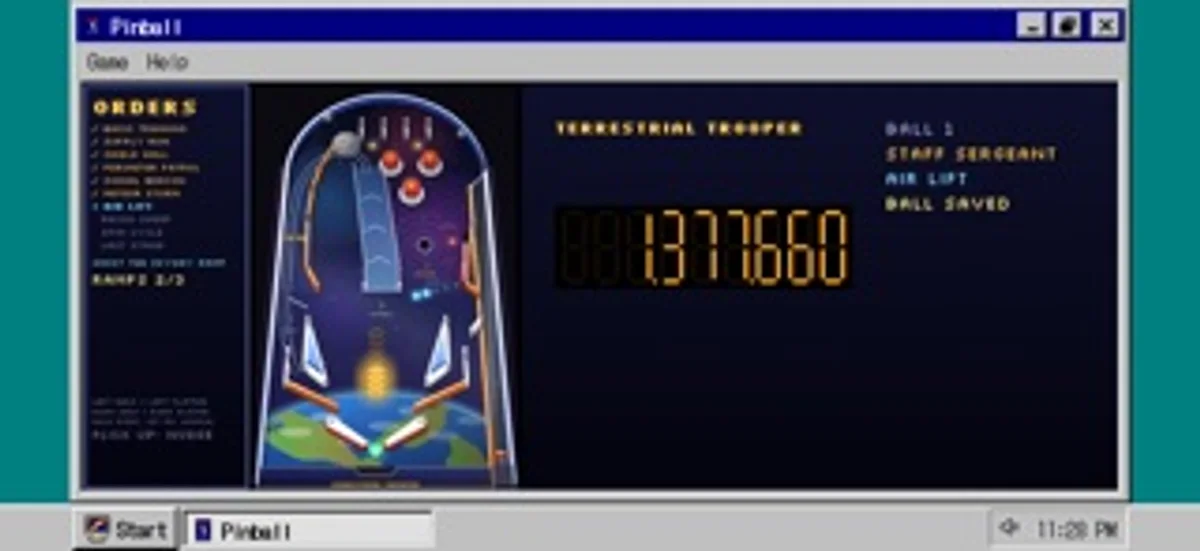
Play pinball or solitaire, paint and type notes inside a pixel-art desktop computer.
Justin McCahill · Entertainment · $1.99
iPhone screenshots
How it uses iPhone Duo
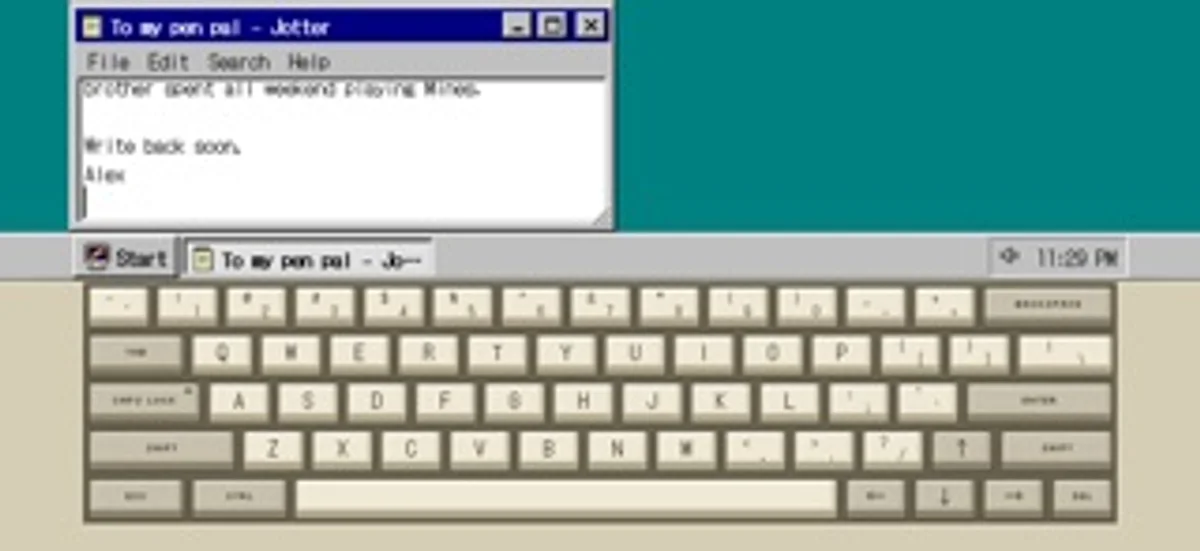
Half-open the Duo to use the upper half as a monitor and the lower half as a keyboard and trackpad. Open flat for a larger desktop; the cover shows status when closed.
What’s New
Version 1.7 ·
A clearer App Store page and small under-the-hood improvements.
App Store descriptionWritten by the developer.
Boot it up, open the Start menu, drag a window across the screen, lose an hour to pinball, then shut it down properly. Desktop 95 is a pretend mid-90s computer that fits in your pocket, drawn pixel by pixel from scratch. It is a toy you can actually use: play cards, paint a picture, type at the command line, leave yourself a note. Every icon, cursor, wallpaper and sound was made for this app. ON IPHONE DUO - Hold it like a laptop: the top half is the monitor, the bottom half a clicky beige keyboard with a working trackpad - Open flat and the whole inner screen is the monitor - Close the lid to stand by, or shut down, your choice. The cover screen keeps the clock, what is playing and notes from your programs - Music keeps playing with the lid closed On any other iPhone, hold it sideways for a landscape desktop or upright for a tall one. GAMES - Pinball on an original space-trooper table with missions, ranks and multiball - Solitaire, FreeCell and Mines - Number Nosh, a quick maths puzzle - Dawson Bound, a Klondike gold rush journey where nobody gets hurt PROGRAMS - Paint, with pencil, brush, airbrush, fill, shapes and a 28-colour palette. Set a picture as wallpaper or save it to Photos - Jotter, Calculator and folders on a pretend disk that remembers your files - A command line: DIR, CD, TYPE, HELP and more - Web Surfer, a browser of pretend retro pages with a hit counter and a guestbook - A music player with five original songs - Screen savers, a trash can that holds your mistakes, and a crash screen if you go looking for it A REAL LITTLE COMPUTER Windows drag, resize, minimise and maximise. The Start menu nests. A taskbar keeps the clock. Long-press for a right-click menu. Setup has wallpapers, colour schemes and sounds. The keyboard is a two-tone mechanical style with pixel legends, a Caps Lock light, key repeat and a satisfying click; one switch swaps in the iPhone keyboard. ORIGINAL FROM TOP TO BOTTOM Nothing is copied from any real operating system. The look, the sounds, the games and the songs are all original. One price, no ads, no accounts, no tracking, no internet needed. Your files stay on your phone.
Desktop 95 on iPhone Duo: FAQ
Is Desktop 95 optimized for iPhone Duo?
Yes. Desktop 95 is Built for Duo: it uses the fold, Split View or the outer display. Verified on November 13, 2026 (Developer statement).
What does Desktop 95 look like on iPhone Duo?
Half-open the Duo to use the upper half as a monitor and the lower half as a keyboard and trackpad. Open flat for a larger desktop; the cover shows status when closed.
How much does Desktop 95 cost?
Desktop 95 costs $1.99 on the App Store.
More Entertainment apps
See all ›
Meet illustrated visitors and finish knock-knock jokes by opening a cartoon front door.

Draw fish, release them into animated aquariums and collect your favorites.

Finish one virtual origami sheet each day and collect the models and papers you discover.

Play with twelve animated Halloween toys, from a creaking chest to a silver spoon that bends as it wakes up.

Prepare a virtual gift box with a note, a keepsake or a playful surprise for someone to reveal.

Crack a virtual fortune cookie to reveal a message and lucky numbers.