
DuoDoodle: Retro Drawing
두 개의 다이얼로 선 하나를 이어 그린 뒤 그림을 저장하거나 그리는 과정을 다시 볼 수 있습니다.
Cryptoniar Technologies LLC · 게임 · 무료
iPhone 스크린샷
iPhone Duo 활용 방식
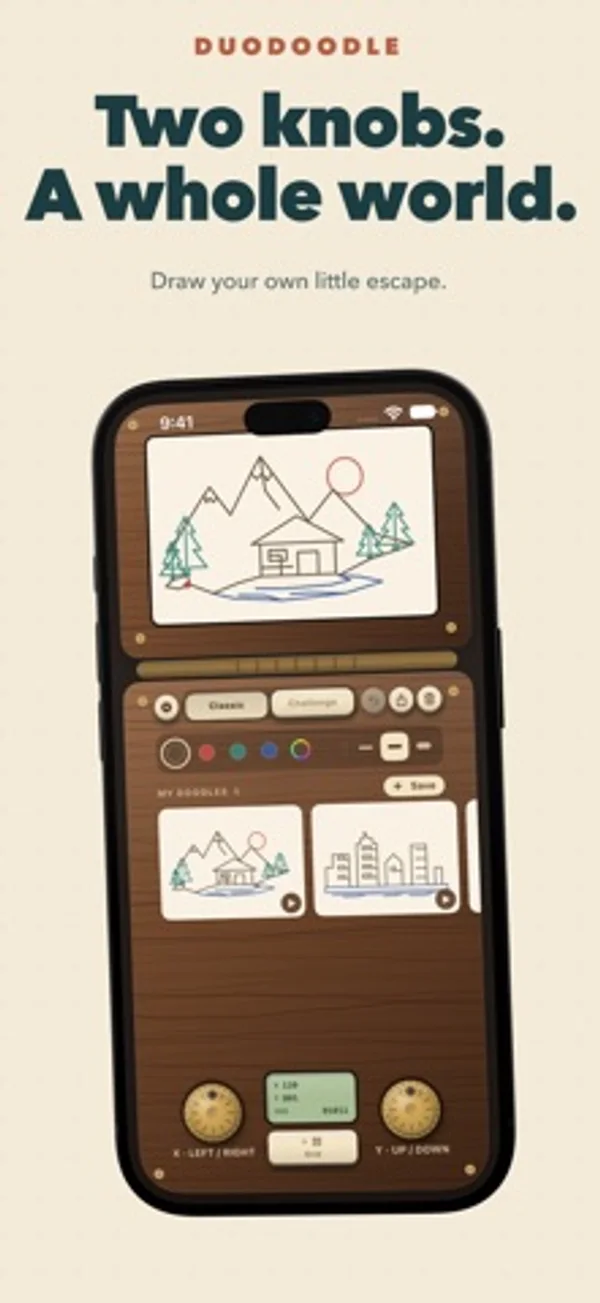
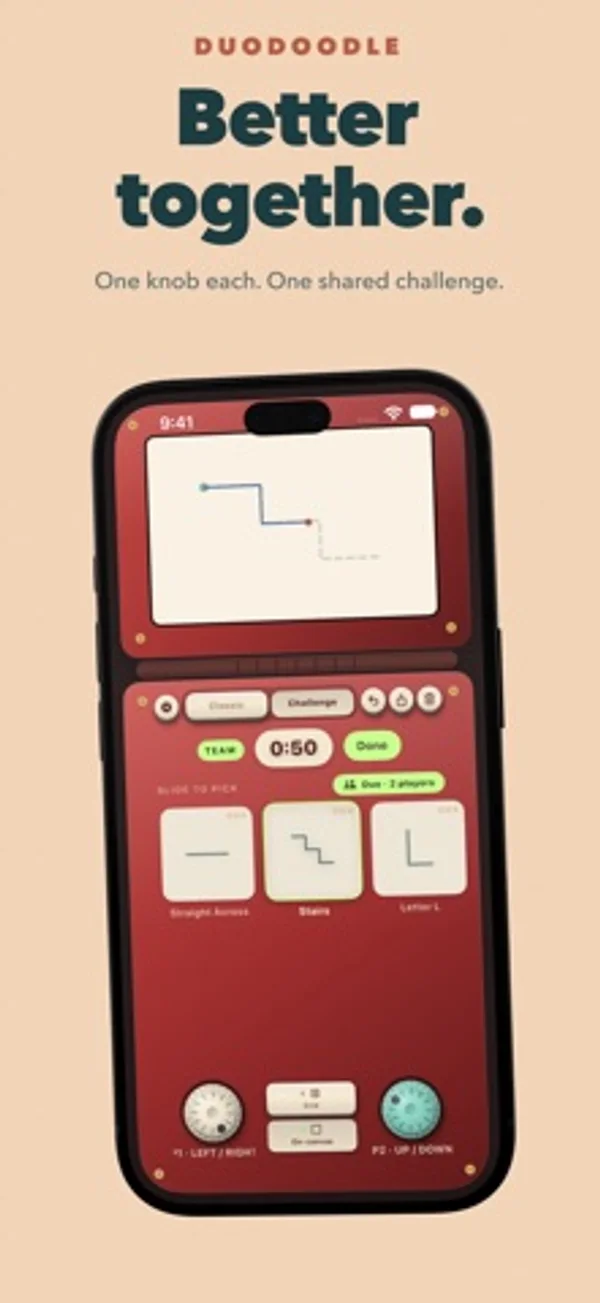
반쯤 접어 세우면 위쪽에 그림판, 아래쪽에 다이얼 두 개가 놓입니다. 하나는 펜을 가로로, 다른 하나는 세로로 움직입니다.
App Store 설명개발자가 작성한 내용입니다.
Rediscover the joy of drawing with two knobs. Duo Doodle brings a classic drawing toy to your iPhone and iPad, with tactile controls, playful challenges, and a place to keep your creations. One knob moves your line left and right. The other moves it up and down. Turn them together to make diagonals, curves, and wonderfully unexpected shapes. Every drawing is one continuous line, and figuring out how to get there is half the fun. • Draw at your own pace. Explore Classic mode with no timer and no target. Make tiny masterpieces, elaborate doodles, or happy accidents. Switch ink colors and line widths as you draw, and undo a movement when you need another try. • Give yourself a challenge. Follow shapes across themed chapters, beat the clock, and aim for three stars. Your score rewards how much of the shape you complete and how closely you follow its path. Turn on the optional dotted guide for a little help. • Share the controls Try Duo mode with someone beside you. One person controls the horizontal knob; the other controls the vertical knob. Tackle challenges together on the same device, then see how well you stayed in sync. • Shake and start again Ready for a fresh canvas? Shake your device to erase your drawing and make room for the next idea. • Keep the drawings you love. Save doodles to your gallery, reopen them, or share them as images. Watch a replay to see your drawing come together, one movement at a time. • Make it feel like yours. Choose your casing, paper, ink, and line width. Enjoy mechanical knob clicks, drawing sounds, and haptic feedback, with adjustable sound and vibration settings. • Put your art on display. Bring a favorite saved doodle to your Home Screen with gallery widgets. Start drawing for free. The optional DuoDoodle Lifetime upgrade adds special edition casings, advanced challenge chapters, unlimited undo, unlimited gallery storage, and iCloud sync for saved drawings and challenge progress. One purchase, no subscription. Give the knobs a twist. See where the line takes you. • Terms of Use: https://www.apple.com/legal/internet-services/itunes/dev/stdeula/ • Privacy Policy: https://duodoodle.cryptoniar.com/privacy.html
iPhone Duo에서의 DuoDoodle: Retro Drawing: 자주 묻는 질문
DuoDoodle: Retro Drawing은(는) iPhone Duo에 최적화되어 있나요?
네. DuoDoodle: Retro Drawing은(는) Duo 전용 설계 앱으로, 폴딩, Split View 또는 외부 디스플레이를 활용합니다. 2026년 11월 15일 확인(개발자 발표).
iPhone Duo에서 DuoDoodle: Retro Drawing은(는) 어떻게 보이나요?
반쯤 접어 세우면 위쪽에 그림판, 아래쪽에 다이얼 두 개가 놓입니다. 하나는 펜을 가로로, 다른 하나는 세로로 움직입니다.
DuoDoodle: Retro Drawing의 가격은 얼마인가요?
DuoDoodle: Retro Drawing은(는) App Store에서 무료로 다운로드할 수 있습니다.
다른 게임 앱
모두 보기 ›
화면을 접으면 죄수를 감방에 가두고, 펼치면 풀어줍니다.

iPhone Duo의 접힘선을 따라 나뉘는 탁상형 해전 격자 게임

iPhone Duo의 힌지가 접는 선이 되는 차분한 종이접기 퍼즐

접힘선을 따라 역이 나뉘는 차분한 노선도 논리 퍼즐

작은 피자 가게에서 토핑을 올리고 피자를 구워 손님에게 내놓습니다.

몰래 확인한 단어를 설명해 팀원이 맞히는 다국어 파티 게임입니다.