
DuoDoodle: Retro Drawing
Draw a continuous line with two virtual knobs, then save the sketch or replay how you drew it.
Cryptoniar Technologies LLC · Games · Free
iPhone screenshots
How it uses iPhone Duo
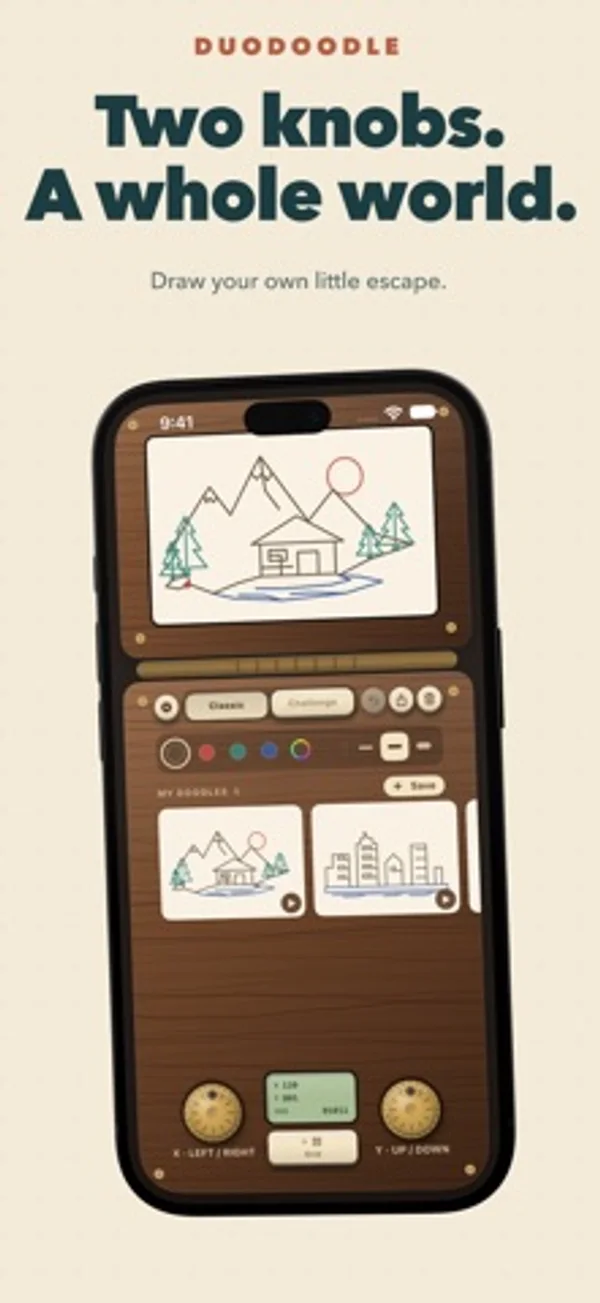
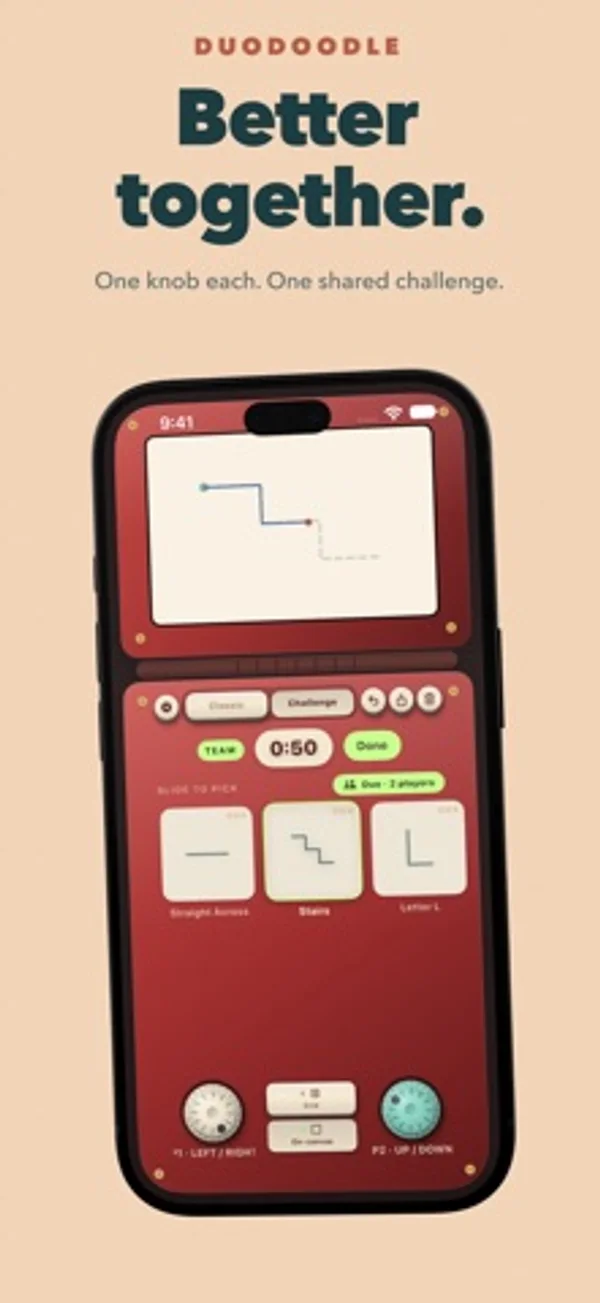
In tabletop mode, the canvas stays above the hinge and the two controls sit below. One knob moves the pen horizontally, the other vertically.
App Store descriptionWritten by the developer.
Rediscover the joy of drawing with two knobs. Duo Doodle brings a classic drawing toy to your iPhone and iPad, with tactile controls, playful challenges, and a place to keep your creations. One knob moves your line left and right. The other moves it up and down. Turn them together to make diagonals, curves, and wonderfully unexpected shapes. Every drawing is one continuous line, and figuring out how to get there is half the fun. • Draw at your own pace. Explore Classic mode with no timer and no target. Make tiny masterpieces, elaborate doodles, or happy accidents. Switch ink colors and line widths as you draw, and undo a movement when you need another try. • Give yourself a challenge. Follow shapes across themed chapters, beat the clock, and aim for three stars. Your score rewards how much of the shape you complete and how closely you follow its path. Turn on the optional dotted guide for a little help. • Share the controls Try Duo mode with someone beside you. One person controls the horizontal knob; the other controls the vertical knob. Tackle challenges together on the same device, then see how well you stayed in sync. • Shake and start again Ready for a fresh canvas? Shake your device to erase your drawing and make room for the next idea. • Keep the drawings you love. Save doodles to your gallery, reopen them, or share them as images. Watch a replay to see your drawing come together, one movement at a time. • Make it feel like yours. Choose your casing, paper, ink, and line width. Enjoy mechanical knob clicks, drawing sounds, and haptic feedback, with adjustable sound and vibration settings. • Put your art on display. Bring a favorite saved doodle to your Home Screen with gallery widgets. Start drawing for free. The optional DuoDoodle Lifetime upgrade adds special edition casings, advanced challenge chapters, unlimited undo, unlimited gallery storage, and iCloud sync for saved drawings and challenge progress. One purchase, no subscription. Give the knobs a twist. See where the line takes you. • Terms of Use: https://www.apple.com/legal/internet-services/itunes/dev/stdeula/ • Privacy Policy: https://duodoodle.cryptoniar.com/privacy.html
DuoDoodle: Retro Drawing on iPhone Duo: FAQ
Is DuoDoodle: Retro Drawing optimized for iPhone Duo?
Yes. DuoDoodle: Retro Drawing is Built for Duo: it uses the fold, Split View or the outer display. Verified on November 15, 2026 (Developer statement).
What does DuoDoodle: Retro Drawing look like on iPhone Duo?
In tabletop mode, the canvas stays above the hinge and the two controls sit below. One knob moves the pen horizontally, the other vertically.
How much does DuoDoodle: Retro Drawing cost?
DuoDoodle: Retro Drawing is free to download on the App Store.
More Games apps
See all ›
Folding the screen locks cartoon inmates in cells; unfolding frees them.

A tabletop-style naval grid game split across the iPhone Duo's fold

A calm origami puzzle where the iPhone Duo's hinge is the fold line

A calm transit-map logic puzzle that splits its stations across the fold

Run a tiny pizzeria, adding toppings, baking pizzas and serving customers.

Describe hidden words and have your teammates guess them in a multilingual party game.