
one sec | screen time + focus
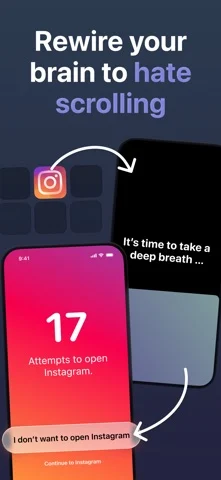
주의를 빼앗는 앱을 열기 전 짧은 호흡 멈춤을 넣어 의도적으로 사용하게 합니다.
riedel.wtf apps S.L. · 생산성 · 무료
iPhone 스크린샷
새로운 기능
버전 6.1 ·
one sec’s big iPhone Duo update is here! …but even if you don’t own a shiny new iPhone, we have quite some nice improvements in stock: - Easier block setup: switch between a one-time block and a recurring schedule in the same screen. - More intuitive account screen. - Fixed duration, progress, and count issues in Follow the Dot, Math, Rotate Phone, and typing interventions. - Fixed unreadable Live Activity backgrounds - Improved Mirror camera orientation and fixed interruptions to background audio and Picture in Picture. - Improved blocking reliability and reduced background resource use. - Updated translations. - Redesigned & improved user interface for iPhone Duo and iPad. – Frederik
개발자가 이 내용을 한국어로 제공하지 않았습니다.
App Store 설명개발자가 작성한 내용입니다.
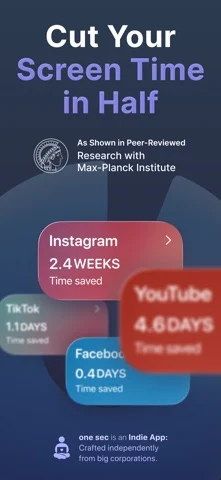
Stop opening social media on autopilot. one sec adds a short pause before distracting apps so you can choose what deserves your attention. This principle works really well: we have gained scientific evidence in numerous research studies with the Max-Planck Institute, with the German and Danish government, and in dozens more scientific collaborations: one sec has incredible effects on your screen time: app usage drops by 57% on average! …just read our App Store reviews or try it for yourself if you don’t believe me (…you should really try it)! How is one sec different from Screen Time limits or app blockers? - one sec DELAYS access to distracting apps instead of blocking apps completely – that’s an important difference psychologically. - This way, we solve the screen time problem at its roots: long-term & sustainably! - one sec is always on, and makes using social media just slightly more annoying…so you’ll end up using it only when you actually have a reason! Which apps can I use with one sec? - You can set up one sec with any app you’d like to use less / more intentional. - Most popular use-cases are: social media, games, video streaming, dating, stock/coin trading, adult content. - Using one sec with one app of your choice is completely free, for more you’ll need to purchase one sec pro (we also need to finance development of our app!). What if I get stuck scrolling? - No worries, one sec offers a Doom Scroll Emergency Brake: We call it Re-Intervention. - After a set time (e.g. 5 minutes) you’ll be kicked out of social media, and you’ll have to go through an intervention again to unlock more time. Where can I learn more about the scientific background of one sec? → https://one-sec.app/research Can I use one sec to interrupt access to websites as well? → Yes, one sec offers a free Safari extension as well. How does one sec work technically? - one sec uses Shortcuts Automation to toggle a deep breath animation whenever you open one of the configured apps (Instagram, Twitter, YouTube…). - This breaks unconscious social media habits short-term (literally, as soon as you have set it up) and even helps long-term by adding more friction when opening these apps. Integrations: - Structured: one sec blocks apps during unfinished tasks. - LENGO: learn vocabulary to unlock social media. I developed one sec for myself in 2020…and it worked so well I decided to upload it to the App Store. Especially for people with ADHD one sec is a great tool to gain back control for incredible focus and concentration. – Frederik Legal information: Available Subscription Options: one sec pro (annual / monthly / lifetime unlock) one sec can contribute mindful moments to the Health App via HealthKit. one sec is covered by U.S. Patent 12,468,828 B2. Terms (EULA): https://www.apple.com/legal/internet-services/itunes/dev/stdeula/ Privacy Policy: https://one-sec.app/privacy/
iPhone Duo에서의 one sec | screen time + focus: 자주 묻는 질문
one sec | screen time + focus은(는) iPhone Duo에 최적화되어 있나요?
개발자 또는 스토어가 iPhone Duo 지원을 안내합니다.
one sec | screen time + focus의 가격은 얼마인가요?
one sec | screen time + focus은(는) App Store에서 무료로 다운로드할 수 있습니다.
다른 생산성 앱
모두 보기 ›
걸리는 시간별로 할 일을 분류하는 차분한 할 일 목록 겸 종이 스타일 플래너

iPhone Duo의 두 디스플레이에 맞춘 레이아웃을 갖춘 작업·프로젝트 관리 앱

펼치면 메시지와 받은 편지함을 나란히 보여 주는 Readdle의 통합 받은 편지함

Cultured Code의 작업 관리 앱, iPhone Duo의 모든 자세에 맞게 재구성

iPhone Duo를 펼치면 열리는, 손글씨 느낌의 프라이빗 노트

북 자세와 탁상 자세에 맞춘 집중 타이머를 갖춘 시각적 타임라인 일일 플래너