
iPhone 스크린샷
새로운 기능
버전 2.2.2 ·
Fixes and small improvements.
개발자가 이 내용을 한국어로 제공하지 않았습니다.
App Store 설명개발자가 작성한 내용입니다.
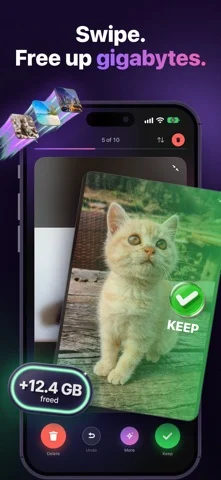
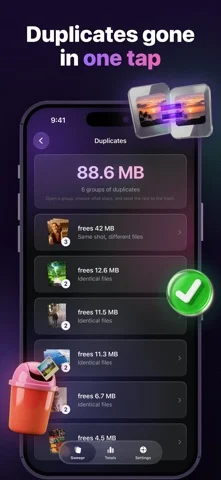
Your phone is full, and everything on it is a memory. Sweepr is a swipe photo cleaner for people who don't want to lose anything: swipe away what you don't want, compress what you want to keep, and free space on your iPhone either way. SWIPE LEFT TO DELETE, RIGHT TO KEEP One photo at a time, full screen. Swipe left to delete, right to keep, and undo the last swipe whenever you change your mind. Left swipes wait in a trash at the top of the deck, so nothing leaves your camera roll until you confirm once. Sweep a day, a month, a whole year, or just the screenshots. Sweepr remembers what you have already reviewed, so you never see the same photo twice. COMPRESS INSTEAD OF DELETING Some shots are too good to delete and too heavy to keep. Compress them instead: the new copy stays at full resolution, with the same date, the same place and the same album, and only the file gets lighter. Video keeps its place in your library at the quality and frame rate you pick. An iPhone records 4K at roughly 350 MB a minute, so the same minute at 1080p is a fraction of that. The heavy original moves to Recently Deleted, where iOS keeps it for 30 days. FIND DUPLICATE PHOTOS Bursts, near-identical frames, the same picture saved twice from a chat. Sweepr groups duplicates and similar shots side by side, so you keep the best one and clear the rest in a single action. TRIM LONG VIDEOS Cut the dead minutes off a long clip and the trimmed copy takes the original's place. Long video is usually the single heaviest thing in a camera roll. FILTER WHAT YOU CLEAN Photos, videos, screen recordings, screenshots, selfies, Live Photos, duplicates, your largest videos, or any album. Start with screenshots for the fastest win: they pile up quietly and almost nobody misses them. SEE WHAT YOU FREED Storage freed, photos kept, photos deleted, videos trimmed, days in a row. Charts and an activity map show where the space actually went. IT KEEPS WORKING WHILE YOU DON'T Compression and trimming carry on in the background, with progress on the home screen, in the Dynamic Island and on the lock screen. BUILT TO BE SAFE Nothing leaves your device. No account, no cloud, no upload of your library. Deleted photos land in Recently Deleted, so iOS keeps them for 30 days and you can bring anything back. Compression always writes the new copy before the original is moved. And to be clear about what Sweepr is not: it does not clean cache, junk files or viruses, it cannot recover photos you deleted before, and it does not edit your pictures. It sorts, deletes, compresses and trims what is already in your library. SWEEPR PRO Free: 200 swipes to start, the full library view, duplicate scanning, photo and video compression (each file uses one swipe), and 3 video trims. Pro: unlimited swipes and trims, and full statistics with charts and streaks. One subscription, no ads, no per-photo fees. Gigabytes back in minutes, without losing a memory. Sweepr speaks 37 languages and works on iPhone with iOS 17 or later. Terms of Use (EULA): https://sweeprapp.com/terms.html Privacy Policy: https://sweeprapp.com/privacy.html
iPhone Duo에서의 Sweepr: Swiper Photo Cleaner: 자주 묻는 질문
Sweepr: Swiper Photo Cleaner은(는) iPhone Duo에 최적화되어 있나요?
개발자 또는 스토어가 iPhone Duo 지원을 안내합니다.
Sweepr: Swiper Photo Cleaner의 가격은 얼마인가요?
Sweepr: Swiper Photo Cleaner은(는) App Store에서 무료로 다운로드할 수 있습니다.
다른 유틸리티 앱
모두 보기 ›
iPhone Duo 힌지로 0.1°까지 각도를 측정하고 목표, 매칭, 수평계 도구를 제공합니다.

iPhone Duo를 경사 게이지로 바꿔 힌지 각도를 읽고, 다른 iPhone에서는 수평계로 쓴다.

iPhone Duo를 카드 슬롯과 현금, 펜, 영수증이 있는 실제 같은 반지갑으로 바꾼다.

iPhone Duo 힌지를 각도와 기준 도구 모음으로 바꾸며, 다른 iPhone에서는 무료 수평계를 쓴다.

iPhone을 자, 각도기, 수평계, 지름 게이지로, iPhone Duo를 실시간 접힘 각도 자로 만든다.

iPhone Duo 힌지 각도를 실시간 측정하고, 수평계와 각도기, 경사계, 카메라 각도기로도 쓴다.