
iPhone 截图
新功能
版本 8.12.42 ·
- The text shown when setting up Apple Watch complications now appears in your preferred language. [[#ME-1180]] [[#ME-1186]] [[#ME-1192]] - We've improved the design of the search field on the New Item screen. - We've removed the Tips section from the Home screen. - When you select the Search tab on iOS 26 or later, the keyboard now automatically appears. Swipe down to dismiss the keyboard or cancel the search to return to the tab you were on before. [[#EE-1733]] [[#EE-1963]] [[#EE-2519]] - We've fixed an issue that could prevent you from seeing the suggestions shown above the keyboard when editing an item on iOS 27. [[#EE-2534]] [[#EE-2533]] [[#AP-174]] - We've fixed an issue where a temporary connection problem could prompt you to set up a recovery code even if you already had one. - We've fixed an issue where you could delete your only working recovery code if you have a 1Password account that signs in with a passkey and you also had an older, inactive recovery code. - We've fixed an issue where the lock screen in the Autofill pop-up sometimes wouldn't automatically select the password field or prompt for biometrics. [[#ME-1165]] - We've fixed an issue where opening the link to create a diagnostics report wouldn't work. [[#ME-873]] [[#ME-1202]] [[#ME-1203]] [[#ME-1207]] - We've fixed an issue where "Autofill" was capitalized as "AutoFill" in Settings. [[#ME-1144]] - We've fixed an issue where the Autofill pop-up could appear blank after the screen changed size, like when you rotated your device to landscape mode. [[#ME-990]] - We've fixed an issue where the 1Password app on Apple Watch wouldn't open. [[#ME-1221]] - We've fixed an issue where 1Password could fail to start if a damaged local cache couldn't be removed. - We've fixed a crash that could occur when you selected an item in a list while the contents were changing quickly.
开发者尚未提供此内容的中文版本。
App Store 简介由开发者撰写。
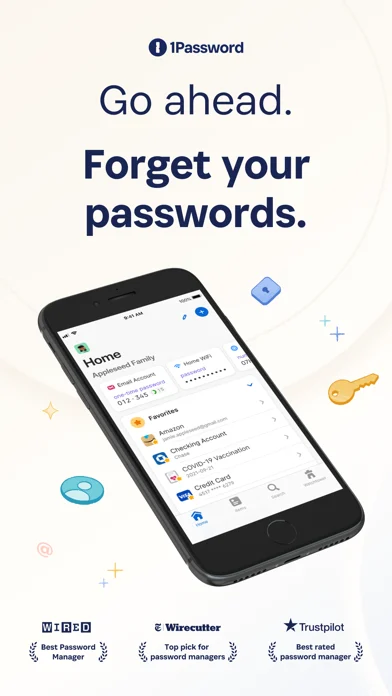
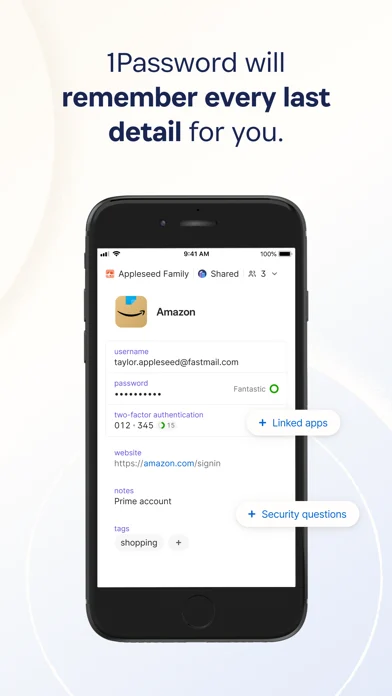
1Password 是全球最受欢迎的密码管理器,深受数百万用户和超过 9 万家企业信任,帮助其保护秘密安全。 “1Password 提供了功能性、兼容性、安全性和易用性的最佳组合。” —Wirecutter == 在您的所有设备上使用密码 == 1Password 让创建并使用强大的密码变得简单,在几秒钟之内登录任何应用或网站。 您的信息可以在您需要的各种设备上使用,每个平台和网络浏览器上都有精心设计的应用程序。 您的信息可以在您需要的各种设备上使用,每个平台和网络浏览器上都有精心设计的应用程序。 == 共享如此简单 == 1Password 是共享登录信息、信用卡信息、文件和其他重要信息最安全的方式。 保持个人项目的私密性,并与需要的人安全地共享秘密。 如果团队或家庭成员无法访问帐户,你可以帮助其恢复权限。 保持个人项目的私密性,并与需要的人安全地共享机密信息。 如果团队成员或家庭成员无法访问帐户,您也可以帮助对方恢复访问权限。 == 不仅仅是密码 == 在网站和应用程序中自动填写表格、支付和登录信息。 保存重要的文件,如护照和身份证,保护你的软件许可证和医疗记录,并存储私人笔记以备保管。 保存重要的文件,如护照和身份证,保护你的软件许可证和医疗记录,并存储私人笔记以备保管。 == 比浏览器自带的密码管理器更强大 == 1Password 使你能从任何平台不限数量的设备上访问你的数据。 通过 Apple Watch 或触控 ID 在支持的设备上瞬间解锁。 在支持的设备上,可通过 Apple Watch 或触控 ID 即刻解锁。 另外,它还可作为验证器使用,方便获得多步验证的一次性密码。 == 独家安全保护,绝对隐私设计 == == 首选商家工具 == 你存储在 1Password 中的信息经过端到端加密,只有你拥有解密的钥匙。 我们无法看到你在帐户中存储的内容或你访问的网站,我们的系统专为您的数据安全设计,即使您的设备被盗或我们的服务器被黑也不会影响其安全性。 访问 1Password.com/security 了解更多关于我们安全模型的内容。 == 获得自动安全警告 == 在潜在威胁发生之前识别。 在潜在威胁发生之前识别。 Watchtower 将就薄弱、重复使用、已被泄露的密码提醒你,让你能够立刻更改密码。 如果你的信息在数据泄露事件中被公开,你也会收到警告。 == 商家首选 == 保护你最宝贵的资产——公司的秘密。 80% 的数据泄露事件与薄弱、重复使用或共享的身份信息有关。 1Password 与您公司的基础设施无缝集成,在确保团队安全的同时不影响工作进展。 80% 的数据泄露可以追溯到弱密码、重复使用或共享的凭据。 1Password 可与您公司的基础设施无缝集成,让您在不拖慢团队效率的情况下保障安全。 管理员可以毫不费力地预配新用户、恢复帐户,并使用域名泄露事件报告来查看是否有任何公司的电子邮件地址或身份信息在数据泄露事件中被暴露。 == 全球最受欢迎的密码管理器 == 1Password 被 Wired、《纽约时报》、CNN、《华尔街日报》等媒体推荐为最佳密码管理器,全球数百万人用它来保护网上安全。 1Password 帮助超过 9 万家企业保护业务安全,其中包括 IBM、Slack、Intercom 和 PagerDuty。 == 免费开始使用 == 免费试用 14 天 1Password,然后选择适合您的企业的方案。 按需在任意数量的设备上使用 1Password ,每个平台都有专门的应用程序,可储存不限数量的密码和项目,并提供个性化支持服务。 您可以在任意数量的设备上使用 1Password,支持所有平台的应用,提供无限的密码和项目存储,以及个性化支持。 使用条款:https://1password.com/legal/terms-of-service/
1Password: Password Manager 在 iPhone Duo 上:常见问题
1Password: Password Manager 针对 iPhone Duo 优化了吗?
已收录的产品线索,尚未建立 Duo 适配证据;不兼容提示会保留在来源说明中。
1Password: Password Manager 多少钱?
1Password: Password Manager 可在 App Store 免费下载。
更多效率应用
查看全部 ›
安静的待办清单与纸质风格计划本,按所需时长给任务分类

任务与项目管理,为 iPhone Duo 的两块屏幕分别优化布局

Readdle 的统一收件箱邮件应用,展开后收件箱与邮件并排显示

Cultured Code 的任务管理器,针对 iPhone Duo 每种姿态重新调整布局

展开 iPhone Duo 即可打开的私密手写风格笔记本

可视化时间线日程规划应用,专门为书本和桌面姿态设计了专注计时器