
iPhone 截图
新功能
版本 1.11.11 ·
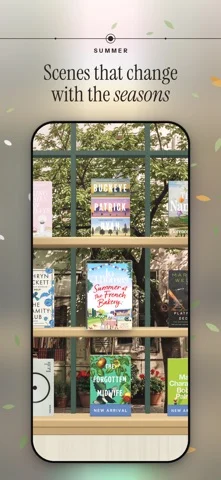
New covers arrive with a little light. • Change a book’s front, spine or back in the designer and the new face appears on the book in your hand, with a sweep of light and gold dust. With Reduce Motion on, it glows softly instead. • The designer can now photograph the front and back covers, as it does the spine. Hold the book inside the frame and the picture is straightened for you. • A shelf someone shares with you can open in an App Clip, without installing Biblio. • Turning a page with the paper curl in an EPUB no longer shows the next page before it has arrived. • On a shelf of several rows, Find takes the book it finds down and holds it above the keyboard. • The Shelf widget is sharper in the tall size, and every size shows your books with the room above them. • The Four seasons preview ends on 31 October. From 1 November it comes with a Biblio plan, but if it’s on your shelf then, it stays for as long as you keep it there.
开发者尚未提供此内容的中文版本。
App Store 简介由开发者撰写。
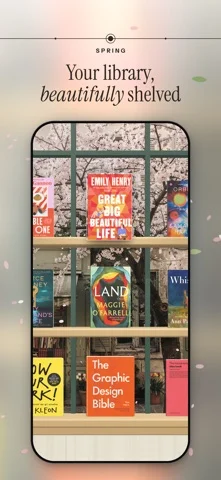
Your unified library in 3D, your physical books and ebooks live together. Drop in an EPUB or PDF and watch it become a hardcover you can pick up, browse, and read. Biblio turns a folder of files into a library you actually want to visit. Every book stands on a real 3D shelf, spine, cover, and page edges you can reach in and pick up, turn over, and start reading. A pile of downloads becomes a collection you browse the way you browse a bookshelf at home. One library, every kind of book Your ebooks and your physical books live side by side. Scan a barcode, photograph a whole shelf at once, search by title or author, or add a book by hand. However it arrives, it stands on the same shelf. See your collection, your way • Shelf: your whole library on beautiful 3D shelves; pinch to see every book at once • Cascade: flip through your books like flipping through records • Map: Your library on a world map: books pin to the places they're about, and tapping a place fans out its covers. Pan, zoom, and switch between Map and Constellation in the Graph view. • Constellation: a quiet map of how your books connect to one another • List: search, sort, and organize in a tap A reader that gets out of the way Clean typography, smooth page turns, and a layout built for long reading. PDFs support markup with Apple Pencil. Your place is always saved. Share a shelf with anyone Publish a shelf to your own page at biblio.ink and send the link to a friend — no account required to view. Yours, and private Biblio is local-first: your library lives on your device. Turn on iCloud to keep it in sync across iPhone, iPad, and the web, privately. Biblio is for people who love books — not just reading them, but keeping them, arranging them, and coming back to them. Terms: https://biblio.ink/terms
Biblio.ink: 3D Bookshelf 在 iPhone Duo 上:常见问题
Biblio.ink: 3D Bookshelf 针对 iPhone Duo 优化了吗?
开发者或商店资料已标明支持 iPhone Duo。
Biblio.ink: 3D Bookshelf 多少钱?
Biblio.ink: 3D Bookshelf 可在 App Store 免费下载。
更多阅读资讯应用
查看全部 ›
模拟真实折纸,可自由拖动折线,或按分步指引折出纸鹤、纸飞机和小鸡。

根据你揭示答案的多少来安排卡片复习,无需给难度打分。

内置摘要的 RSS 阅读器,随 iPhone Duo 折叠而重排布局

随折叠与展开切换布局的 RSS 与新闻阅读器

阅读并朗读26本经典名著,每页旁展示故事世界。

会朗读图鉴条目的语音图鉴,还能用摄像头扫描玩具或图片识别角色。