
iPhone 截图
在 iPhone Duo 上的表现
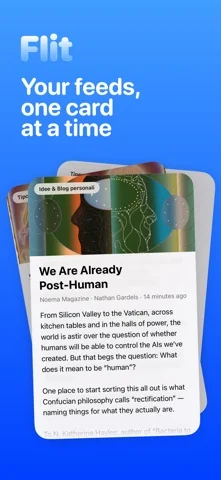
合盖用卡片逐条浏览,展开后文章列表与正文并列。
新功能
版本 1.3 ·
Flit 1.3 is lighter and smoother. • Much easier on battery and data: Flit asks each site whether its feed changed and skips the ones that didn't. • Smoother swiping, and smoother scrolling in articles, Search and source pages. • Tap a picture in an article to see it full screen, zoom in, or save it to Photos. • Mark All as Read on a source's or a folder's page. • Each source's icon beside its name (you can turn them off in Settings › Reading). • Settings › Widgets shows every widget on the Home Screen, the Lock Screen and in StandBy. • Notifications have their own page in Settings. • Settings › Data shows how much space the cache takes, and Clear Cache frees it. • Articles: lists stay line by line, links show in Flit's blue, and more pictures load. • The Siri AI summary uses the article's text size and language, and says how much of a long article it covers. • On iPad, Mac and the open iPhone Duo, articles read in a comfortable column. • Fixes, including a crash at launch on iOS 27.2 betas.
开发者尚未提供此内容的中文版本。
App Store 简介由开发者撰写。
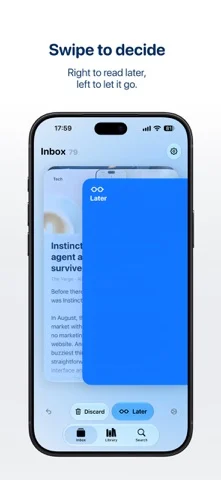
Flit is a calm way to keep up with the sites you love. New articles arrive as a small deck of cards, and you go through them one at a time. Swipe right to keep one for later, swipe left to let it go, or tap to read it right away. Changed your mind? Undo is always one tap away. When the deck is empty, you're caught up. There's no algorithm deciding what you see. Flit works with RSS, the open format behind most blogs, news sites and magazines, so you follow exactly the sources you choose. FIND YOUR SOURCES Search for a site by name or topic, paste any web address, or bring all your subscriptions from another reader with an OPML file. You can export them again whenever you like. READ WITHOUT THE CLUTTER Articles open in a clean reader with the text size you prefer. Everything you saved waits in your Library, sorted into Unread, Later and Read, and you can search all of it. WIDGETS Keep the latest headlines or your Read Later list on the Home Screen and Lock Screen, in every size, including the new tall widget. QUICK SUMMARIES On supported devices, Flit can give you a short summary of an article, generated on the device. PRIVATE BY DESIGN No account, no ads, no tracking. Your subscriptions and reading stay on your iPhone, and Flit doesn't collect any data.
Flit - Easy Feed 在 iPhone Duo 上:常见问题
Flit - Easy Feed 针对 iPhone Duo 优化了吗?
是的。Flit - Easy Feed 属于「专为 Duo 打造」:它利用了折叠形态、Split View 或外屏。资料更新于 2026年10月25日(App Store 文字)。
Flit - Easy Feed 在 iPhone Duo 上是什么样子?
合盖用卡片逐条浏览,展开后文章列表与正文并列。
Flit - Easy Feed 多少钱?
Flit - Easy Feed 可在 App Store 免费下载。
更多阅读资讯应用
查看全部 ›
虚拟纸张的折叠跟随手机铰链,利用实际开合完成纸面折叠。

铰链展开逐步揭示答案,合盖切换卡片;揭示程度参与记忆难度记录。

内置摘要的 RSS 阅读器,随 iPhone Duo 折叠而重排布局

随折叠与展开切换布局的 RSS 与新闻阅读器

正文与故事中的人物、场景并排;半折切成床头朗读场景,合盖继续在外屏阅读。

模拟可折叠图鉴,半折呈现资料面板,扫描时利用外屏。