
iPhone 截图
新功能
版本 2.2.14 ·
● iOS 27 status bar in image editing: the added time, signal, and battery match your screenshot's style, size, and color. ● New "Hide Live Activities" toggle: on erases Live Activities in the Dynamic Island; off keeps the island intact with clean edges. ● Small icons beside the time, like Location and Focus, are erased cleanly with it, even on busy backgrounds. ● The yearly plan now shows its monthly equivalent. ● Refinements and stability improvements.
开发者尚未提供此内容的中文版本。
App Store 简介由开发者撰写。
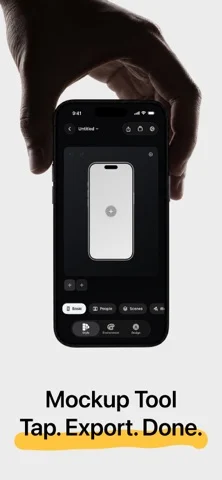
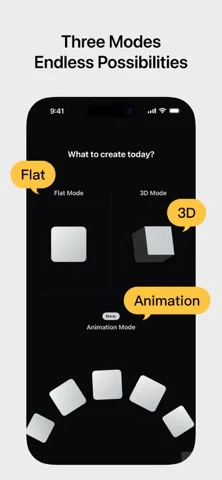
Shell Yeah is an animation, 2D, and 3D mockup tool built for developers, designers, and content creators. Drop in screenshots or screen recordings, choose Animation, Flat Mockup, or 3D Mockup, then set up your canvas size, device style, scene look, and design layers. Shell Yeah helps you create polished product images and short videos for the App Store, social platforms, launch posts, and product updates. Key features: ● Choose between Animation, 2D Flat Mockup mode, and 3D Mockup mode, each with its own projects and creative state ● Turn screenshots into motion-ready grids, orbits, card flows, and hero compositions with Motion presets ● Adjust Fit / Fill, zoom, position, and corners for each image in an Animation project ● Use PSD/Smart Object-based 2D templates with screen replacement, rounded corners, occlusion, and depth effects ● Import screen recordings in Flat Mockups, preview playback on the canvas, scrub the timeline, and export MP4 videos ● Build single-device and multi-device flat layouts with Basic 2D devices ● Use Icon Card to turn app icons and square artwork into polished 3D mockups with adjustable corner radius, thickness, bevel, body color, and automatic color sampling ● Use Progressive Blur and handheld styles to keep the interface as the visual focus ● Use People / Space, Hand / Indoor, and Dark Hand Grip lifestyle templates for more scene-rich product visuals ● Use GPU-accelerated PSD screen replacement when available for smoother Flat Mockup previews, image exports, video exports, and project thumbnails ● Import screenshots or screen recordings and fit them to device screens ● Adjust device angle, scale, screen close-ups, and canvas ratio, with support for showing 2-4 phones at once ● Add text, images, SF Symbols, SVG assets, ratings, badges, and shapes on top of the mockup ● Use built-in NEW, PRO, AI, 4K, Free, Sale, brand badge, rating, and decorative assets ● Use Stylized Icons assets like Dev and Line Art to expand your home-screen icon showcase ● Keep independent scene settings and design elements per image in multi-image projects, or copy/apply styles in one tap ● Switch device finishes and band colors ● Use mockups for iPhone, iPad, Apple Watch, Studio Display, and Macintosh Classic ● Create animated videos with preset Motion templates and AI animation ● Fine-tune lighting, background, depth, shadows, and scene bases ● Use solid colors, transparent backgrounds, linear gradients, mesh gradients, or custom background images ● Export PNG / JPEG / HEIC images, MP4 videos, and Live Photos ● Support common canvas sizes for social media and App Store content Shell Yeah is designed for app screenshots, product launch visuals, update posts, and social content, helping you create polished mockups without the usual manual hassle. Privacy Policy: https://taoker.fun/privacy/ Support: https://taoker.fun/support/ Apple Standard Terms of Use (EULA): https://www.apple.com/legal/internet-services/itunes/dev/stdeula/ Terms of Service: https://taoker.fun/terms/
ShellYeah - Screenshot Mockups 在 iPhone Duo 上:常见问题
ShellYeah - Screenshot Mockups 针对 iPhone Duo 优化了吗?
开发者或商店资料已标明支持 iPhone Duo。
ShellYeah - Screenshot Mockups 多少钱?
ShellYeah - Screenshot Mockups 可在 App Store 免费下载。
更多工具应用
查看全部 ›
利用iPhone Duo铰链测量精确到0.1°的角度,并提供目标、匹配和水平仪工具。

把iPhone Duo变成量角器,读取铰链内外角度,其他iPhone上可当水平仪使用。

把iPhone Duo变成逼真的双折钱包,有卡槽、现金、笔和收据。

把iPhone Duo铰链变成角度与参考工具集,其他iPhone可免费用气泡水平仪。

把iPhone变成尺子、量角器、水平仪和直径规,iPhone Duo还能实时显示折叠角度。

实时测量iPhone Duo铰链角度,也可作水平仪、量角器、坡度计和相机角度仪。