
iPhone 截图

iPad 截图
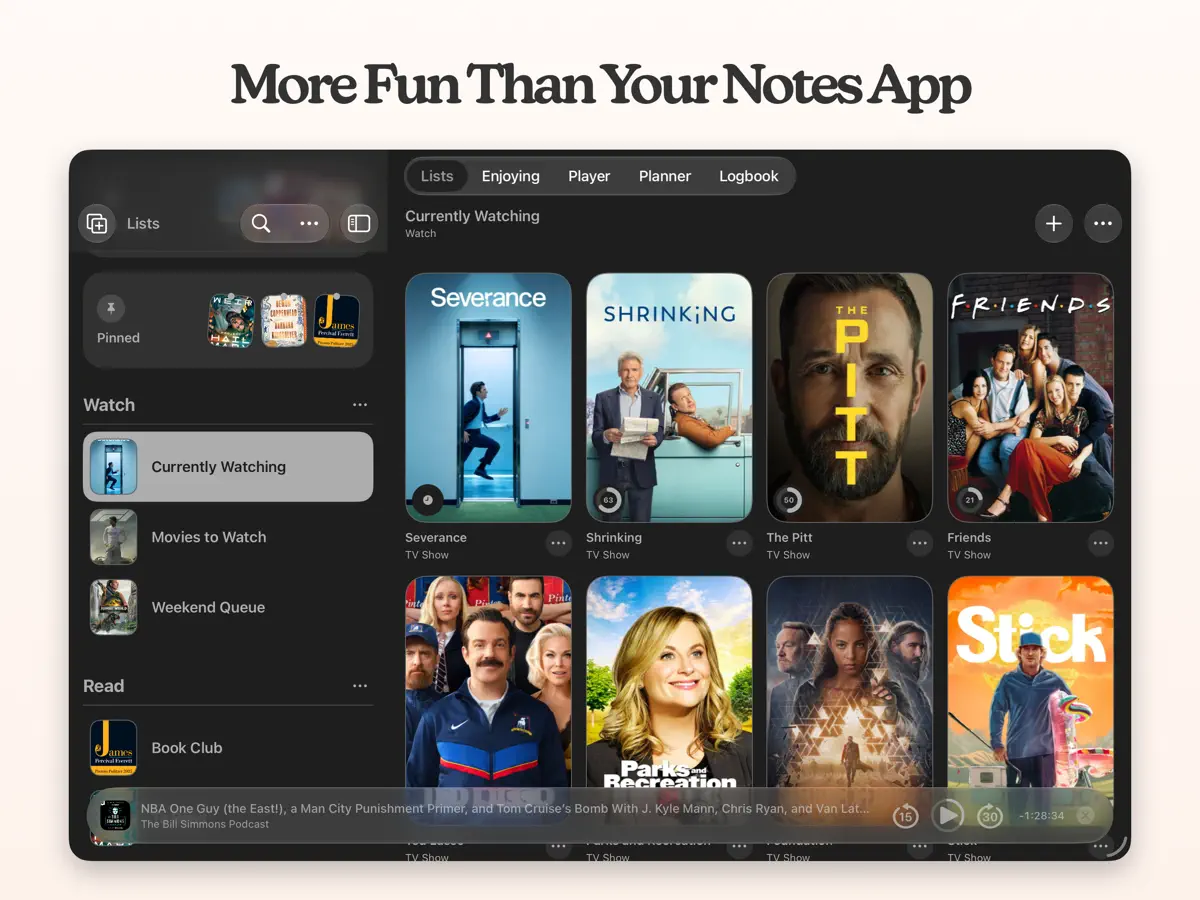
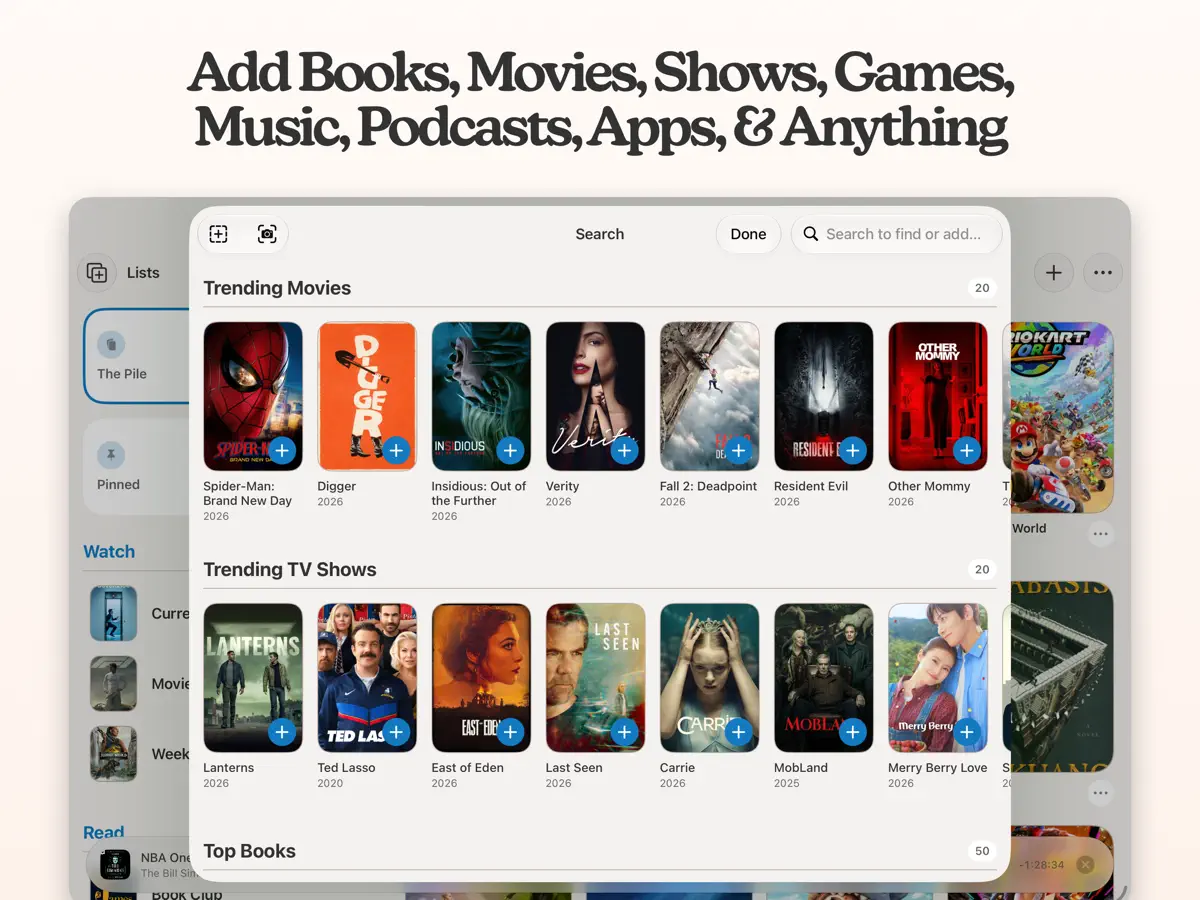
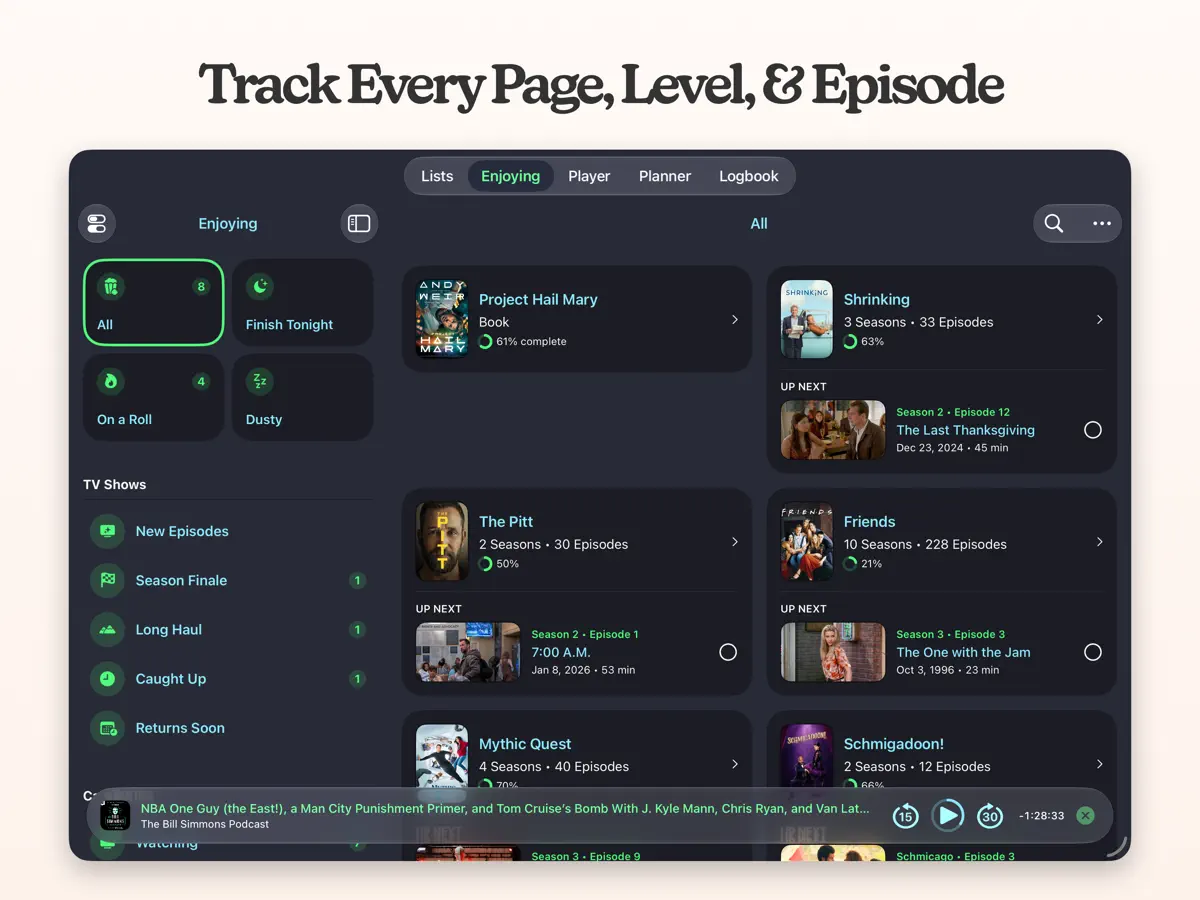
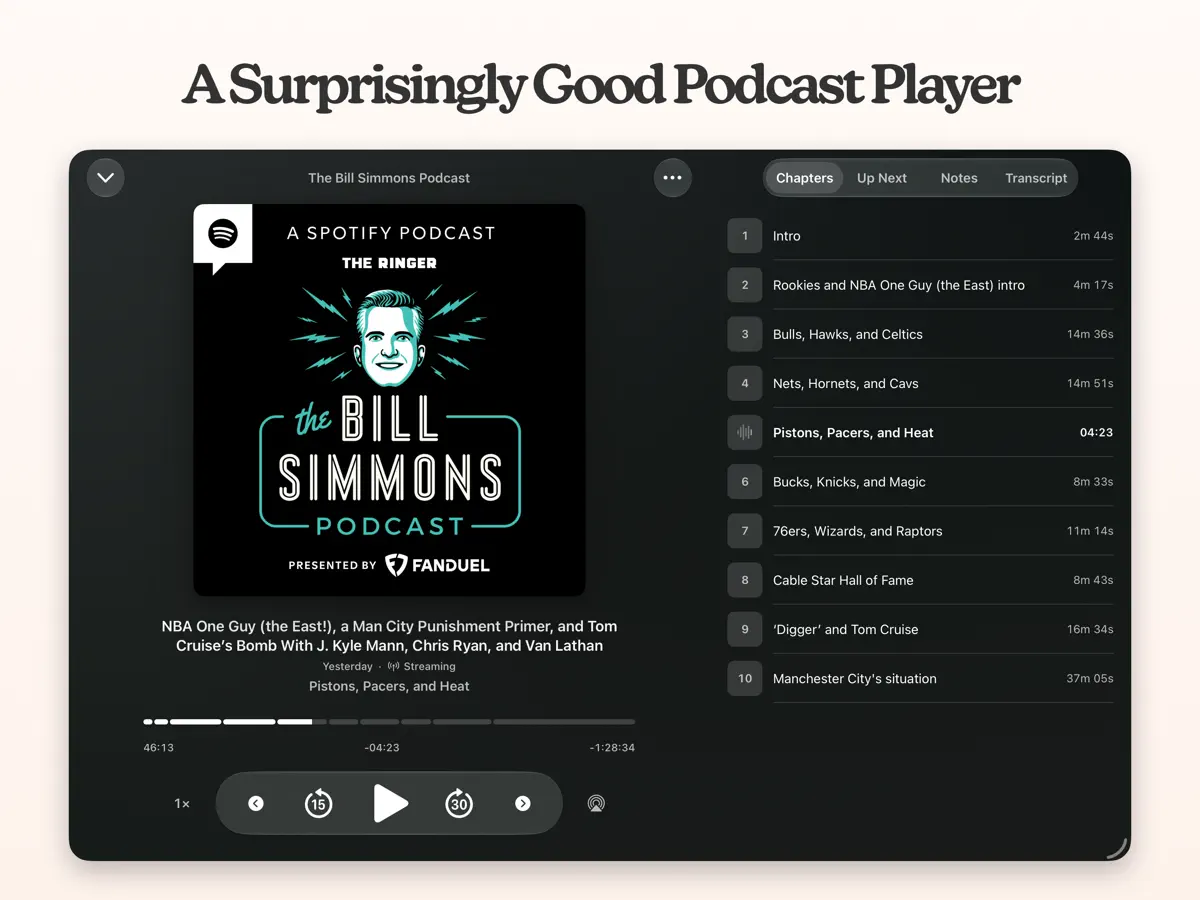
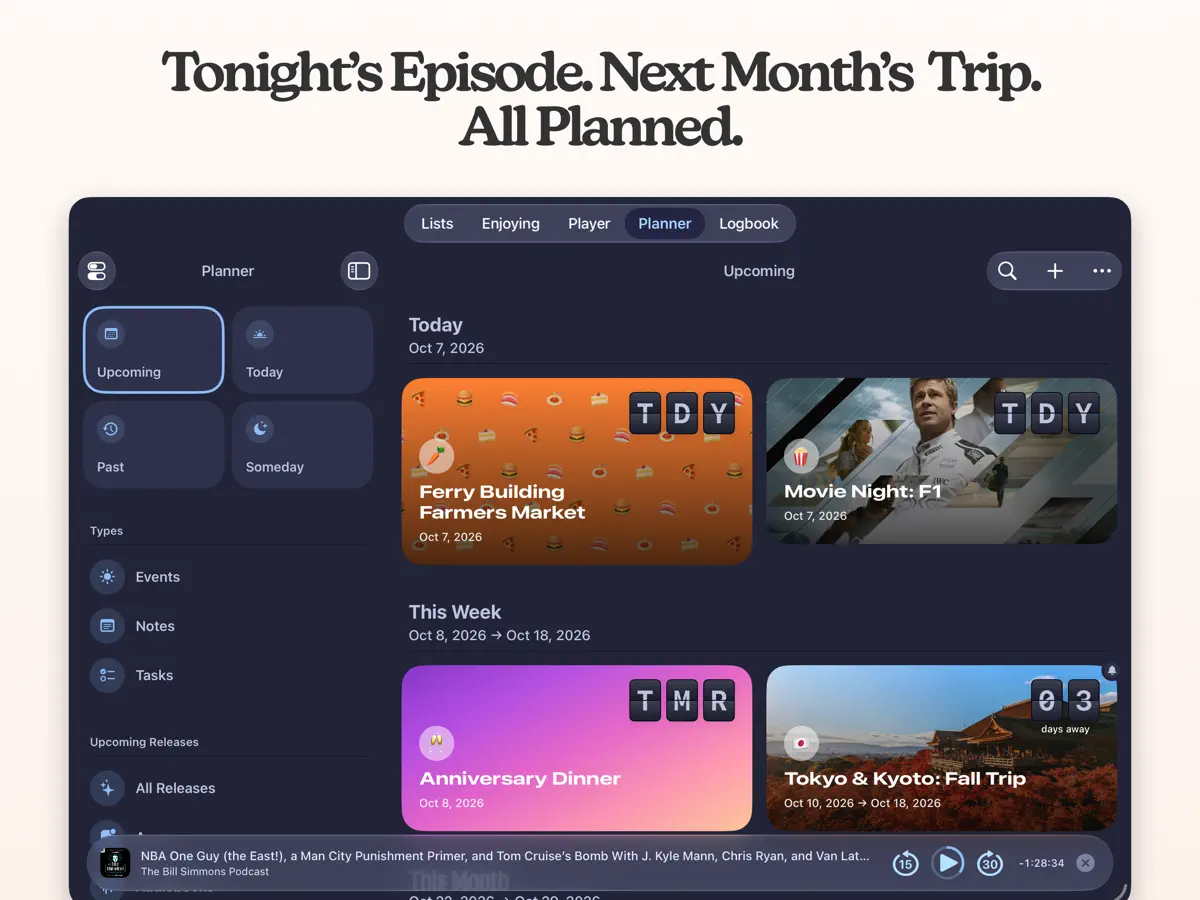
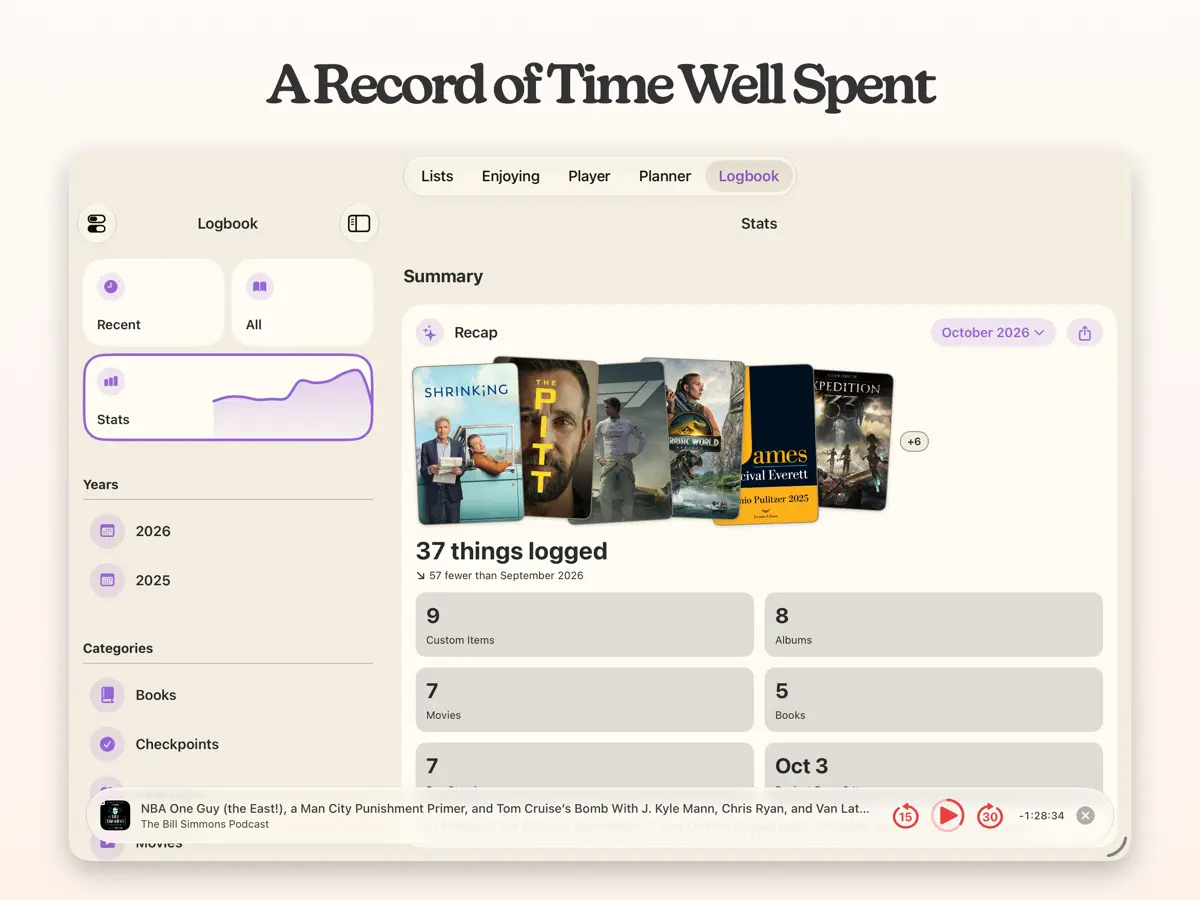

在 iPhone Duo 上的表现
Sofa 5.4 的更新说明写道:“Sofa 已全面支持 iPhone Duo。”开发者为此次发布撰写的博客文章同样把 iPhone Duo 支持列为新增内容。两处都没有描述具体的折叠或展开行为,因此无法确认存在折叠专属功能。我们尚未在 iPhone Duo 上测试。
新功能
版本 5.4.1 ·
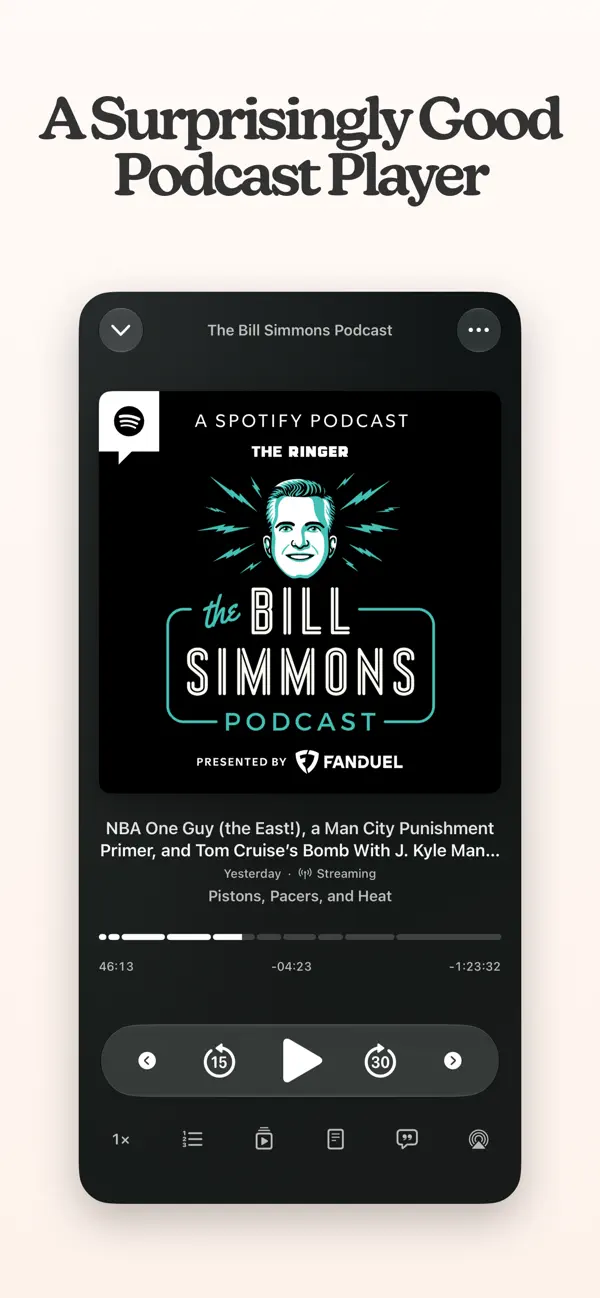
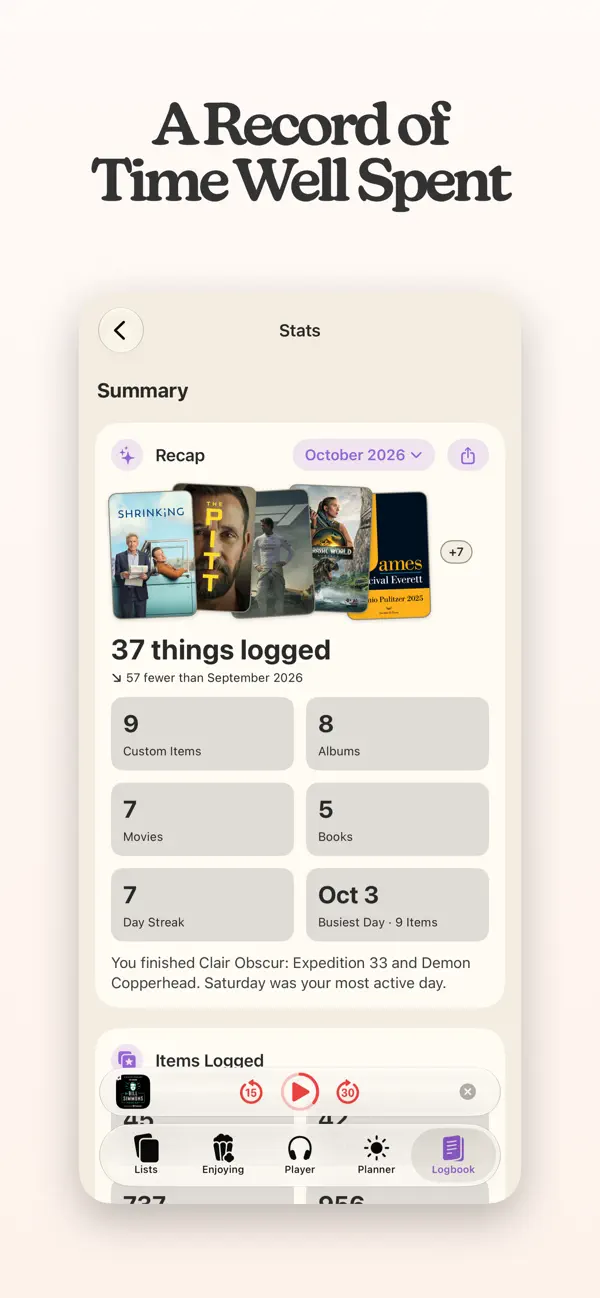
Hey gang, I hope you're ready for some goodies! ============================ WHAT'S NEW ============================ - Search within lists, Logbook, Planner, Player, or Enjoying, or tap “Search everywhere” to search all of Sofa. - Start tracking movies, shows, books, and games directly from Search, without adding them to a list first. - Items you stop tracking or finish without logging move to the new “No Longer Tracking” section in Enjoying. ============================ CHANGES & IMPROVEMENTS ============================ PODCASTS - Mark episodes as Played or Unplayed directly from the episode list, without opening the player. - Select multiple episodes to mark as Played or Unplayed, add to Up Next, or Play Next. LOGBOOK - Top Categories now includes every category and counts only finished items. - The “Checkpoints” filter is now called “Sessions.” - Top lists now account for Sessions, finishes, and replays, with ties sorted by most recently finished. - Sort Top lists by ratings or custom Ingredients, with preferences synced across devices. - Items logged multiple times now appear as a single entry, and custom covers appear in all Top lists. - Stats Recap now includes time spent in Sessions, even when you haven’t finished anything. ENJOYING - Log past sessions for finished Quick Log, Journal, and Counter items without changing their finished status. - Finished items now show a checkmark in the progress ring, even if you didn’t reach your target. SHORTCUTS - Session actions have updated names for consistency, without breaking existing Shortcuts. - Find Logbook Item now returns every logged entry, including dates and notes. - Get Sessions now supports journal descriptions, photos, photo counts, Simple Counter items, and session time and progress. - Create Session and Update Session let you set or edit titles, descriptions, and notes. - Add Journal Entry now supports descriptions and photos. - New Get Session Photos action collects photos from multiple sessions in chronological order. - List items and TV shows now include Source and Source ID properties. - Session deeplinks now open the item’s journal, and the Get Sessions picker only shows supported items. ============================ NEW IN v5.4 ============================ IPHONE DUO Sofa is ready with full support for iPhone Duo. PODCAST PLAYER REDESIGN The podcast player has a fresh new look. It morphs open from the mini player, takes its colors from the episode's artwork, and keeps Up Next, Chapters and Notes right inside. Playback is smarter about what comes next, Voice Boost is improved, and feeds refresh and download overnight while charging. PODCAST TRANSCRIPTS Read along with your podcasts. If a show publishes a transcript, it's right there in the player. If it doesn't, Sofa can make one itself, entirely on your device: tap Generate, or let it quietly transcribe your downloaded episodes overnight while your phone charges. Either way, a live highlight follows along word by word as you listen, so you never lose your place. SESSIONS Ever wonder how long that book really took you, or how many hours you've sunk into a game? Now Sofa can tell you. Each time you log progress, add how long you spent and how far you got, in pages, chapters or whatever fits, and Sofa keeps a running total for every item. If you'd rather not estimate, start a timer when you sit down and stop it when you're done. It stays in view across the app, on your Lock Screen and in the Dynamic Island, so pausing for a snack is one tap. STATS & LOGBOOK Your sessions now show up in Stats and the Logbook. Books, Games, Music and Custom Category Stats get a Sessions section with time spent, totals for each unit and a weekly chart, and Logbook rows show session totals at a glance. ============================ As always, don't hesitate to reach out with any feedback. I'm always happy to hear from you: support@sofahq.com – Shawn
开发者尚未提供此内容的中文版本。
关于这款应用
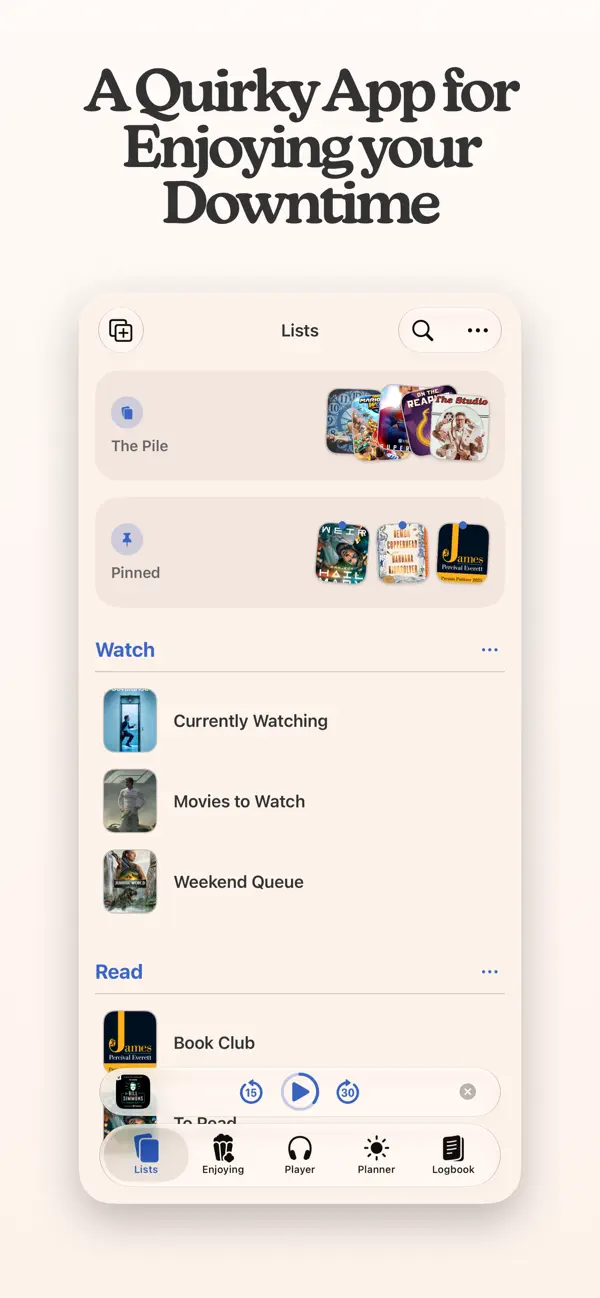
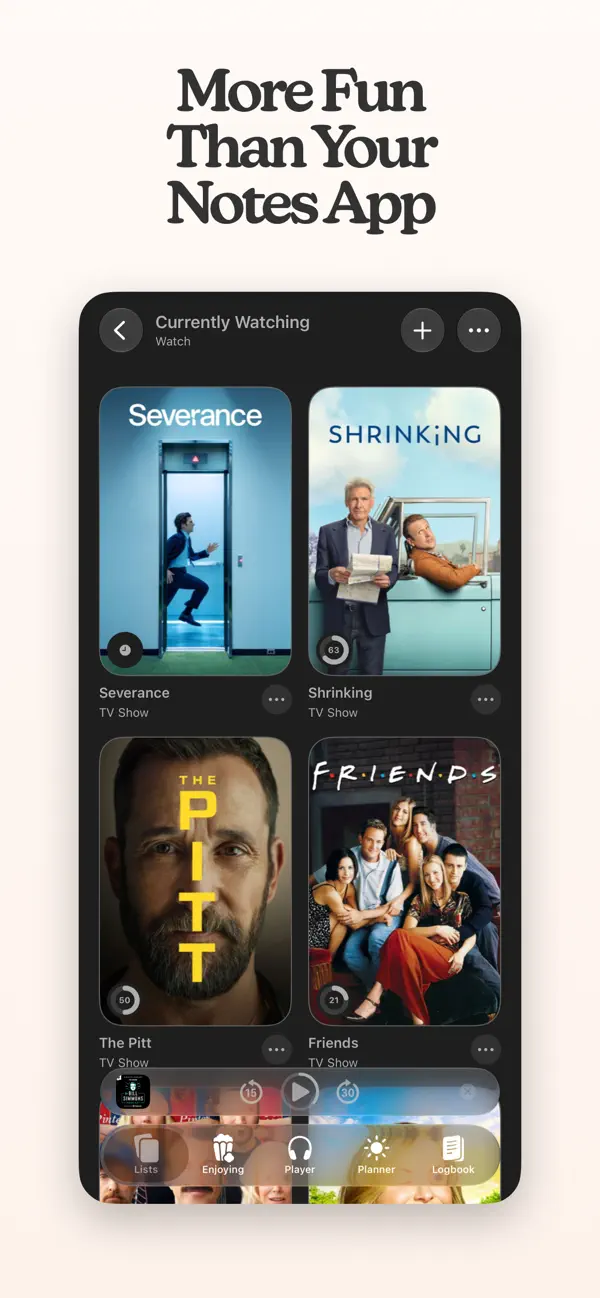
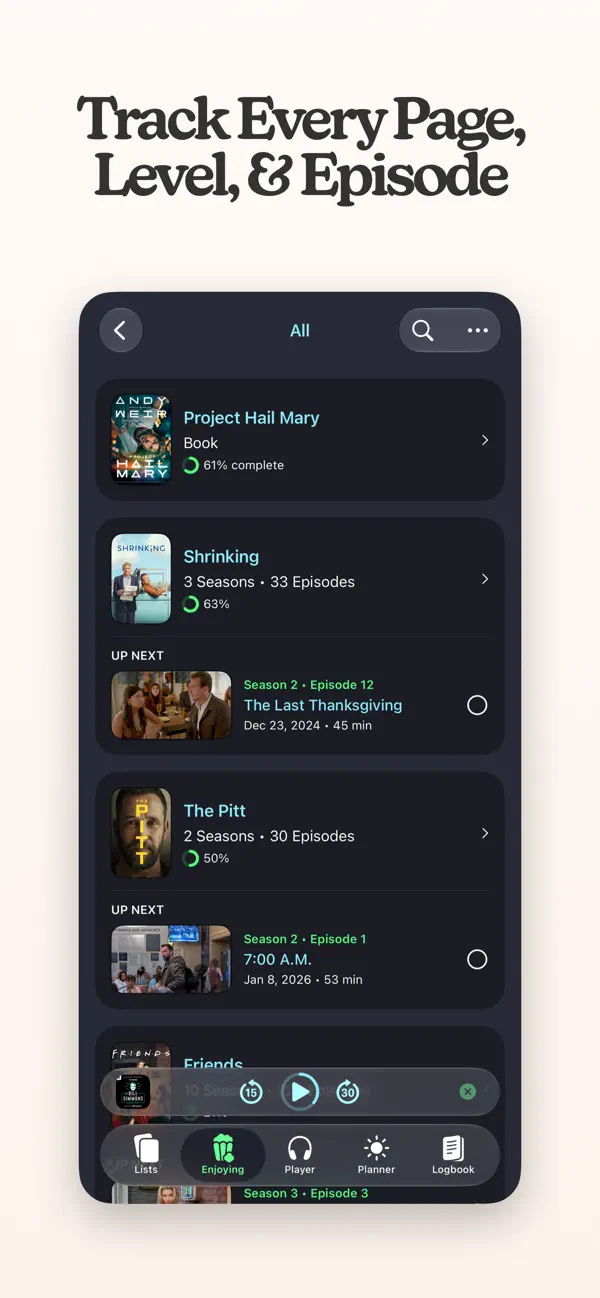
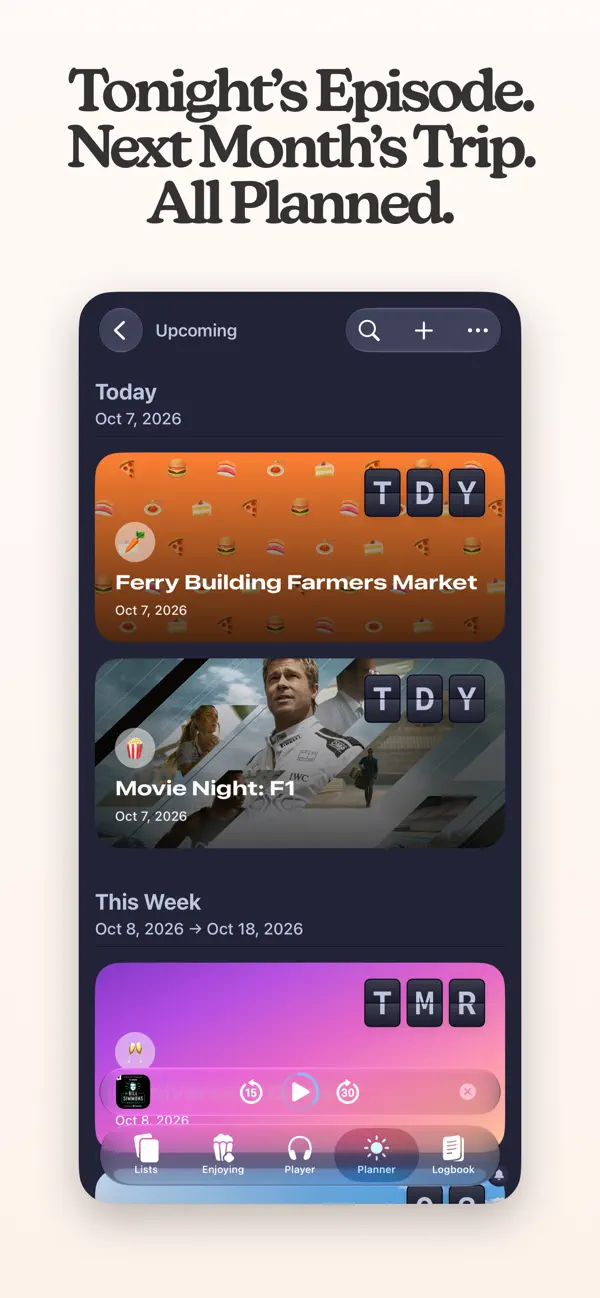
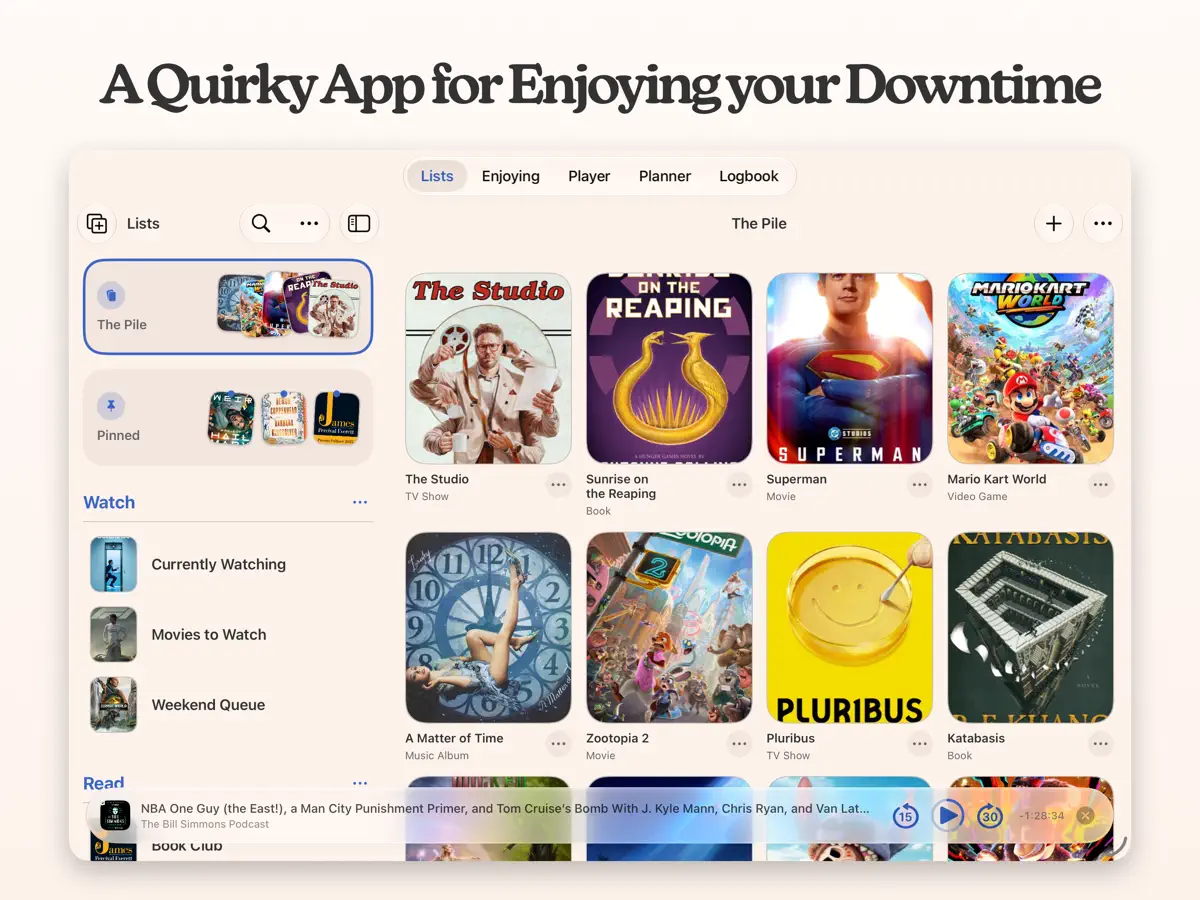
Sofa: Downtime Organizer 是 Astrio, LLC 推出的应用,用来记录你在空闲时间做的各种事。你可以为书籍、游戏、电影、剧集、播客等任何内容建立无限数量的列表和分组,封面上的进度环会显示你完成了多少。剧集可以逐集追踪,“计划”板块则把任务、便签、含预算的旅行行程、实时天气和附件,以及即将上映的剧集日期整合在同一条时间线上。Sofa 还内置完整的播客播放器。2026 年 10 月 14 日发布的 5.4 版本重新设计了该播放器,新增了在节目未提供文字稿时可在设备端生成的文字稿,并引入“专注记录(Sessions)”,用于记录在各项内容上花费的时间和进度,既可手动输入,也可使用显示在锁定屏幕和灵动岛上的计时器。记录数据会进入“统计”和“日志”,新增的快捷指令操作可开始、停止和暂停记录。同一份更新说明还提到 Sofa 现已全面支持 iPhone Duo。应用可免费下载,提供可选的应用内购买。适合兴趣广泛、想在一处查看自己正在看、读、玩和听什么的用户。
本条目译自英文原文。
App Store 简介由开发者撰写。
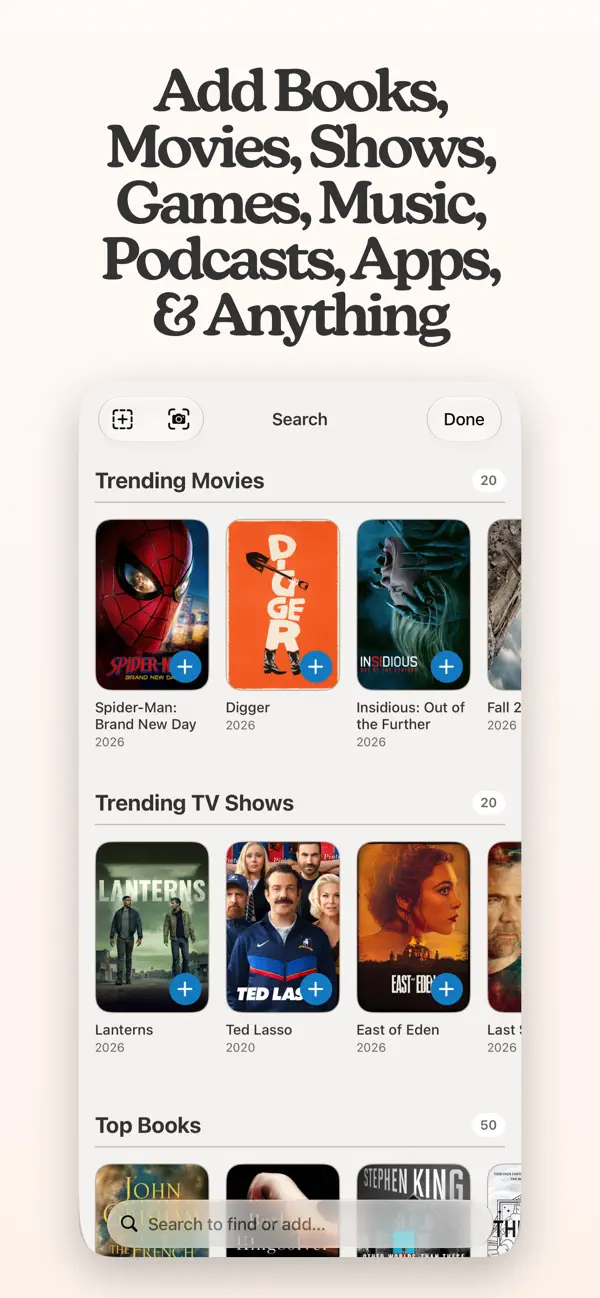
Featured by Apple as “App of the Day” 9to5Mac: “I've found Sofa to be a delight to use.” MacStories: “My favorite app to manage my media watchlist.” iMore: “A great way to organize everything from your games to your books.” ———————— Sofa helps you enjoy your downtime by tracking your shows episode by episode, playing your podcasts, planning your trips, and a bunch of other stuff. All in one app. ORGANIZE WITH LISTS AND GROUPS Add unlimited lists and groups for categorizing all your stuff: books, games, movies, shows, podcasts, and more. A HIGHLY FLEXIBLE PROGRESS TRACKING EXPERIENCE A show you started last month. A book on your nightstand. A game you keep meaning to get back to. Sofa helps you keep track of all of it. Progress rings show up on covers so you can see where you stand at a glance. A FULL-FEATURED PODCAST PLAYER Track podcasts and listen to them in the same app. Save a show, queue up episodes, and hit play without switching apps. A PLANNER FOR TRIPS, TASKS, AND YOUR TV SCHEDULE TOO The hotel confirmation is in your email. The restaurant list is in Notes. The flight info is in a screenshot somewhere. The Planner puts all of that in one event with day-by-day itineraries, budget scenarios, live weather, and file attachments. • Tasks with due dates, priorities, and reminders. • Sticky notes for ideas without a date. • TV episodes and release dates appear on the timeline automatically. RIDICULOUSLY POWERFUL LISTS • Todo Lists or Collection Lists. Hide completed items or keep everything visible. • Group by genre, author, platform, release year, or custom fields. • Data Cards show ratings, runtimes, and metadata right on the item. • Multi-select to move, pin, complete, or remove items in bulk. • Smart Lists with dozens of filters that auto-populate based on your library. • Custom fields called Ingredients for your own ratings, tags, and filters. YOUR DOWNTIME HISTORY The Logbook catches everything you finish. A Stats dashboard shows activity timelines, genre breakdowns, and year-over-year comparisons. PLUS WIDGETS, UNIFIED SEARCH, SHORTCUTS ACTIONS, AND MORE • Widgets with progress rings on your Home and Lock Screen. • Unified Search across your library and new content. • Dozens of Shortcuts actions. • A customizable tab bar that lets you hide what you don't use. ———————— ALL THE WONDERFUL THINGS YOU CAN DO WITH SOFA STANDARD FEATURES (FREE) • Unlimited Groups & Lists • Add Basically Anything (movies, TV, books, games, music, podcasts, apps) • Podcast Player • Planner (events, tasks, notes, upcoming releases) • Logbook • Basic Details (release dates, descriptions, metadata) • Custom Categories • iCloud Syncing SUPER SOFA FEATURES (PAID) • Progress Tracking (TV episodes, book checkpoints, game progress) • Event Planning Tools (weather, budgets, attachments) • Smart Lists (auto-populate based on filters) • Custom Ingredients (custom ratings, dates, tags) • Pinned Items & Lists • List Customization (cover images, large titles, descriptions, layouts) • Enhanced Podcast Player (chapters, per-show settings) • Enhanced Details (streaming/music service links) • Logbook Stats • Reminders (episodes, events, tasks, notes) • Sticky Notes • 100+ Themes & App Icons • Family Sharing (up to 5 people) ———————— Payment will be charged to your Apple ID account at the confirmation of purchase. The subscription automatically renews unless it is canceled at least 24 hours before the end of the current period. Your account will be charged for renewal within 24 hours before the end of the current period. You can manage and cancel your subscriptions by going to your App Store account settings after purchase. Cancellation of the current active subscription period is not allowed. Terms of Use: https://www.sofahq.com/terms Privacy Policy: https://www.sofahq.com/privacy
亮点
- 为媒体和爱好建立无限数量的列表与分组
- 逐集追踪剧集
- 内置播客播放器,支持设备端文字稿
- 带计时器的专注记录,统计所用时间
- 整合任务、旅行与剧集日程的“计划”
- 统计与日志
- 快捷指令操作
Sofa 在 iPhone Duo 上:常见问题
Sofa 针对 iPhone Duo 优化了吗?
部分优化。Sofa 属于「已适配」:它能铺满更大的内屏,但没有针对折叠做特别设计。核验于 2026年10月14日(开发者声明)。
Sofa 在 iPhone Duo 上是什么样子?
Sofa 5.4 的更新说明写道:“Sofa 已全面支持 iPhone Duo。”开发者为此次发布撰写的博客文章同样把 iPhone Duo 支持列为新增内容。两处都没有描述具体的折叠或展开行为,因此无法确认存在折叠专属功能。我们尚未在 iPhone Duo 上测试。
Sofa 多少钱?
Sofa 在 App Store 售价 免费 · 含 App 内购买。
更多效率应用
查看全部 ›
安静的待办清单与纸质风格计划本,按所需时长给任务分类

任务与项目管理,为 iPhone Duo 的两块屏幕分别优化布局

Readdle 的统一收件箱邮件应用,展开后收件箱与邮件并排显示

Cultured Code 的任务管理器,针对 iPhone Duo 每种姿态重新调整布局

展开 iPhone Duo 即可打开的私密手写风格笔记本

可视化时间线日程规划应用,专门为书本和桌面姿态设计了专注计时器