
iPhone 截图
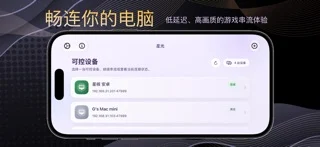
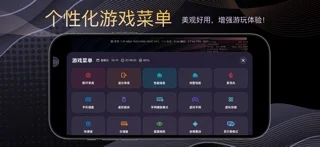
在 iPhone Duo 上的表现
来源中有 Duo 支持声明,具体折叠交互和真机表现尚未独立核验。
新功能
版本 1.2.3 ·
- Added landscape swipe-to-look controls for the virtual gamepad, with adjustable sensitivity. - Improved virtual gamepad layout editing and saving, and fixed deleted controls reappearing. - Improved the editor toolbar and property panel on smaller screens.
开发者尚未提供此内容的中文版本。
App Store 简介由开发者撰写。
StarLight is a remote PC access and streaming utility designed for iPhone and iPad. It provides low-latency video streaming, Apple Pencil input, virtual controls, controller testing, and flexible display options. Whether you want to control your desktop, access installed apps and games, or stream content between your own devices, StarLight provides a convenient and customizable experience. Core Features Remote PC Access • Connect to and control your own PC • View and interact with your desktop remotely • Support for local and remote network connections • High frame rates, multiple resolutions, and portrait or landscape streaming • Suitable for remote desktop use, installed apps, games, and personal content Video and Audio Enhancements • High-performance Metal rendering • MetalFX upscaling, sharpening, and multiple scaling modes • HDR and multiple video codecs on supported devices • Adjustable video alignment, safe area, and orientation • Audio haptics that convert sound into tactile feedback • Performance statistics for frame rate, latency, and network conditions Apple Pencil and Touch • Apple Pencil input support • Follow Touch, Native Pen, and Mouse modes • Native Pen mode for compatible drawing, design, and productivity apps • Mouse mode turns Apple Pencil into a pointer • Multi-touch, trackpad, and mouse control options Virtual Controls and Gamepads • Support for external game controllers • Customizable on-screen buttons and virtual gamepads • Adjustable joystick range, sensitivity, opacity, and margins • Multiple controllers, motion input, and vibration feedback • Backup, import, and restore virtual control layouts Controller Testing • Real-time controller button detection • Test analog sticks, triggers, directional pads, and motion input • Visualized input response • Support for a wide range of game controllers • Helps diagnose controller connection, input, and vibration issues Common Uses • Access your PC from an iPhone or iPad • Remotely use apps, games, and personal content installed on your PC • Use Apple Pencil with compatible drawing and productivity software • Connect to a home or office PC over a local network • Access your own device while away from home • Test controller buttons, sticks, triggers, and input behavior Compatible host software must be configured on your own PC before use. Video quality, latency, and feature availability depend on your host performance, network conditions, and device capabilities. StarLight does not sell or provide digital content, games, or in-app game items. It is intended only for remotely accessing and controlling PCs owned or managed by the user.
StarLight - PC Streaming 在 iPhone Duo 上:常见问题
StarLight - PC Streaming 针对 iPhone Duo 优化了吗?
开发者或商店资料已标明支持 iPhone Duo。
StarLight - PC Streaming 在 iPhone Duo 上是什么样子?
来源中有 Duo 支持声明,具体折叠交互和真机表现尚未独立核验。
StarLight - PC Streaming 多少钱?
StarLight - PC Streaming 在 App Store 售价 $2.99。
更多工具应用
查看全部 ›
实时读取手机铰链角度,内屏或外屏显示,用于角度测量与目标对齐。

用铰链测角、用屏幕边缘当尺,物理开合直接产生读数。

把手机模拟成双折钱包,展开显示卡槽、纸币和收据,物理开合对应钱包开合。

以实际铰链角度提供量角与参考工具,移动手机时可锁定读数。

内外屏提供标尺,铰链开合直接显示角度。

把手机两半贴向不同表面,通过铰链与运动传感器读取夹角和各面的水平角。