
iPhone 스크린샷
iPhone Duo 활용 방식
Duo support is reported in the linked sources. The specific fold interaction and real-device behavior have not been independently verified.
새로운 기능
버전 1.2.3 ·
- Added landscape swipe-to-look controls for the virtual gamepad, with adjustable sensitivity. - Improved virtual gamepad layout editing and saving, and fixed deleted controls reappearing. - Improved the editor toolbar and property panel on smaller screens.
개발자가 이 내용을 한국어로 제공하지 않았습니다.
앱 소개
Duo support is reported in the linked sources. The specific fold interaction and real-device behavior have not been independently verified.
영어 원문을 번역한 내용입니다.
App Store 설명개발자가 작성한 내용입니다.
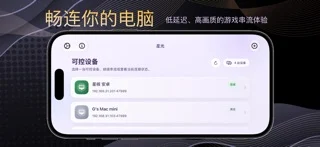
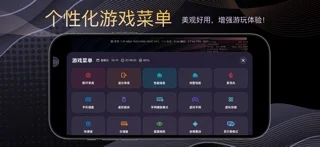
StarLight is a remote PC access and streaming utility designed for iPhone and iPad. It provides low-latency video streaming, Apple Pencil input, virtual controls, controller testing, and flexible display options. Whether you want to control your desktop, access installed apps and games, or stream content between your own devices, StarLight provides a convenient and customizable experience. Core Features Remote PC Access • Connect to and control your own PC • View and interact with your desktop remotely • Support for local and remote network connections • High frame rates, multiple resolutions, and portrait or landscape streaming • Suitable for remote desktop use, installed apps, games, and personal content Video and Audio Enhancements • High-performance Metal rendering • MetalFX upscaling, sharpening, and multiple scaling modes • HDR and multiple video codecs on supported devices • Adjustable video alignment, safe area, and orientation • Audio haptics that convert sound into tactile feedback • Performance statistics for frame rate, latency, and network conditions Apple Pencil and Touch • Apple Pencil input support • Follow Touch, Native Pen, and Mouse modes • Native Pen mode for compatible drawing, design, and productivity apps • Mouse mode turns Apple Pencil into a pointer • Multi-touch, trackpad, and mouse control options Virtual Controls and Gamepads • Support for external game controllers • Customizable on-screen buttons and virtual gamepads • Adjustable joystick range, sensitivity, opacity, and margins • Multiple controllers, motion input, and vibration feedback • Backup, import, and restore virtual control layouts Controller Testing • Real-time controller button detection • Test analog sticks, triggers, directional pads, and motion input • Visualized input response • Support for a wide range of game controllers • Helps diagnose controller connection, input, and vibration issues Common Uses • Access your PC from an iPhone or iPad • Remotely use apps, games, and personal content installed on your PC • Use Apple Pencil with compatible drawing and productivity software • Connect to a home or office PC over a local network • Access your own device while away from home • Test controller buttons, sticks, triggers, and input behavior Compatible host software must be configured on your own PC before use. Video quality, latency, and feature availability depend on your host performance, network conditions, and device capabilities. StarLight does not sell or provide digital content, games, or in-app game items. It is intended only for remotely accessing and controlling PCs owned or managed by the user.
iPhone Duo에서의 StarLight - PC Streaming: 자주 묻는 질문
StarLight - PC Streaming은(는) iPhone Duo에 최적화되어 있나요?
개발자 또는 스토어가 iPhone Duo 지원을 안내합니다.
iPhone Duo에서 StarLight - PC Streaming은(는) 어떻게 보이나요?
Duo support is reported in the linked sources. The specific fold interaction and real-device behavior have not been independently verified.
StarLight - PC Streaming의 가격은 얼마인가요?
StarLight - PC Streaming은(는) App Store에서 $2.99입니다.
다른 유틸리티 앱
모두 보기 ›
Duo 인터랙션에 관한 출처가 있습니다. 실제 기기 동작은 별도로 검증하지 않았습니다.

Duo 인터랙션에 관한 출처가 있습니다. 실제 기기 동작은 별도로 검증하지 않았습니다.

Duo 인터랙션에 관한 출처가 있습니다. 실제 기기 동작은 별도로 검증하지 않았습니다.

Duo 인터랙션에 관한 출처가 있습니다. 실제 기기 동작은 별도로 검증하지 않았습니다.

Duo 인터랙션에 관한 출처가 있습니다. 실제 기기 동작은 별도로 검증하지 않았습니다.

Duo 인터랙션에 관한 출처가 있습니다. 실제 기기 동작은 별도로 검증하지 않았습니다.