
Everyplace — Save Your Spots
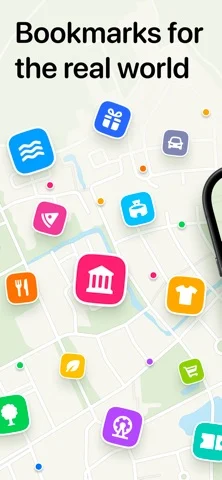
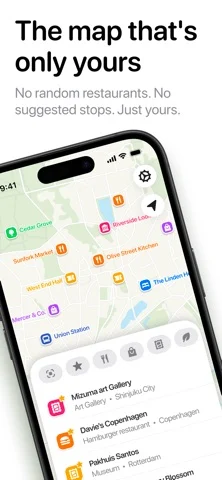
Saves places you choose onto a map with notes, photos, lists and category filters, without recommendations.
Hobby · Travel · Free
iPhone screenshots
What’s New
Version 1.2 ·
Everyplace 1.2 is ready for iPhone Duo. Find a spot on the go, then unfold for the big picture. Your places look right at home on both screens, and everything flows naturally as you fold and unfold. This update also includes additional polish, stability improvements, and bug fixes.
App Store descriptionWritten by the developer.
Everyplace is the map with just the places you love. Search for a place, save it, done. A restaurant a friend tells you about. A rooftop bar from a travel vlog. Add a note or photo so you remember why — and it'll be waiting when you finally go. No random pins you didn't ask for. No recommended places. No ads. Everyplace shows only what you've saved. The more you save, the more useful the map gets. Tap a category and everything else fades away. Just your cafés. Just your bars. Just your museums. • Save from Instagram, Google Maps, or any app — even from photos • Organize places into lists • Mark places as visited • Add notes and photos to every place • Filter by category, country, or stars • No ads. No random recommendations. No clutter. Start with one place. Then another. Before you know it, you've built something you're proud of. Terms of Use: https://www.everyplace.app/terms
Everyplace — Save Your Spots on iPhone Duo: FAQ
Is Everyplace — Save Your Spots optimized for iPhone Duo?
The developer or App Store listing mentions iPhone Duo support.
How much does Everyplace — Save Your Spots cost?
Everyplace — Save Your Spots is free to download on the App Store.
More Travel apps
See all ›
Turns your photo library into a private travel passport with a world map, stamps and stats.

Live flight tracking with delay alerts and pilot-grade data

Discovers nearby places and plays audio guides telling their history and secrets.

Counts days spent in each country against Schengen, visa and residence rules.

Reads place and time in your photos to draw an ordered trip route you can share by QR code.

Plan driving trips, track fuel and play car games along the way