
Octal: Pocket Synth
Make loops and songs with eight chord buttons, a mood bead and built-in sounds.
RYAN JAMES,GALANG ELLIS · Music & Audio · Free
iPhone screenshots
What’s New
Version 1.2.0 ·
• Real instruments: 30 new beads play recordings of real instruments. Grand and upright pianos, four electric pianos, guitars, basses, alto and tenor sax, a muted trumpet in Mute's place, horn stabs, strings, pizzicato, harp, vibraphone, glockenspiel, and four drum kits with brushes and hand percussion. • Four new palettes are built on them, and Daybreak, Timber, Velvet and Haze now play them too. A few synth beads that sounded almost the same as another are gone; loops you made with them still play them. • Hold your phone upright and Octal turns with it. Back, Record and Play sit between the bead and the buttons, and the Loop Deck and Song Deck have their own upright layouts. With Portrait Orientation Lock on, Octal stays upright; turn the lock off in Control Center to play it sideways. • On iPhone Duo, the shut phone turns upright too, with Back, Record and Play in a column under the camera. Open it held sideways and it splits down the fold: the bead and buttons on one half, the Loop Deck on the other. A deck you have out on the outer screen stays where it is when you open the phone. • The Song Deck has undo: Back takes back the song's last change, and holding Back shows the song's history, so you can go back to any step. • Exporting a loop no longer crashes Octal. The audio file, the MIDI file and the zip with every stem are written again.
App Store descriptionWritten by the developer.
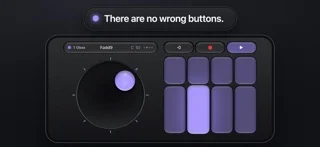
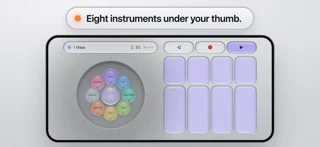
Octal turns your phone into an instrument. The eight buttons play chords or notes that always go together, so whatever you press sounds like music. The bead under your other thumb changes their mood or behavior as you play. MAKE A LOOP Press record and play a few bars. Open the wheel, pick drums or a bass, and play over the top. Swipe over to the Loop Deck to see your loop and change it bar by bar. TURN LOOPS INTO A SONG Pinch the Loop Deck and chain your loops into a song. SOUNDS Synths, keys, drum kits, textures and acoustic instruments, a tap away on the wheel. NEVER LOSE AN EDIT Every edit is kept. The history tool lets you wind back to any of them. SHARE IT Send the mix as an audio file, or send the loop or song itself to a friend who has Octal. Making music in Octal is free, with four saved loops and one song. THE FULL VERSION One purchase, no subscription. MIDI and stems to finish your song in a DAW, MIDI out to play other synths, the bead lab to make and keep sounds of your own, and as many loops and songs as you like. PRIVACY Octal collects no data. The microphone is only on while you record a sound or play a Vocoder.
Octal: Pocket Synth on iPhone Duo: FAQ
Is Octal: Pocket Synth optimized for iPhone Duo?
The developer or App Store listing mentions iPhone Duo support.
How much does Octal: Pocket Synth cost?
Octal: Pocket Synth is free to download on the App Store.
More Music & Audio apps
See all ›
Retro music player for your own music and streaming libraries.

Turns your iPhone into a squeezable accordion that plays notes as you pump the bellows.

Turns your iPhone into a cassette deck that plays your music with reels and keys.

Plays your Apple Music and local albums as retro cassette tapes with mechanical sounds.

Turns the Duo into an accordion: pumping the hinge works the bellows, keys on the right.

Sync your Discogs collection, scan records, and view your vinyl in 3D.