
iPhone スクリーンショット
iPhone Duo での活用
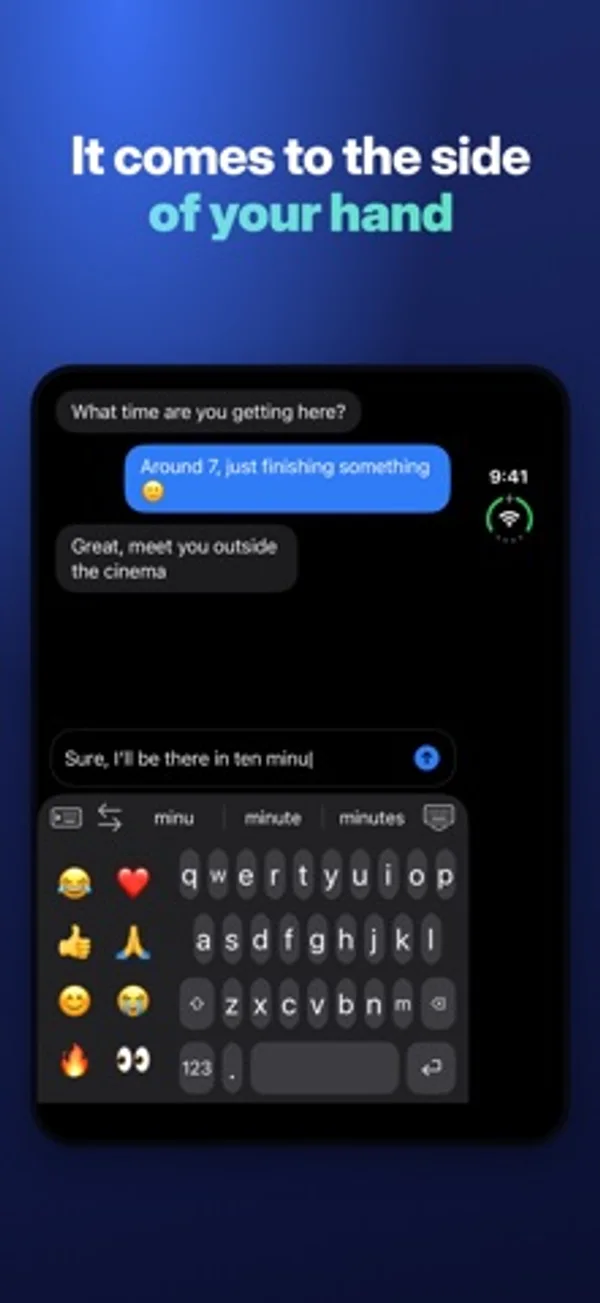
Duoを開くと、キーボードを持つ手の側に寄せたり、両親指の下に分けたりできます。閉じると外側画面の幅いっぱいに表示します。
新機能
バージョン 1.0.10 ·
The biggest update yet: • Smarter hand detection: the keyboard now combines how you hold the phone, where your thumb lands and how the phone moves when you tap, and shows how often it picks the right side. • Slide to type: glide your finger from letter to letter, like Apple's keyboard, with precise word matching. • Space-bar trackpad: the cursor now follows your finger in every direction, like on Apple's keyboard. • One-handed on the open Duo: the suggestion bar stays above the keyboard, within reach of your thumb. • Long-press the period for the apostrophe and the comma. • New language model: corrections and suggestions that follow your sentence, and the next word after a space. • Corrections use where your finger landed, and only fix real typos. It learns your words. • Forgotten apostrophes and accents (dont → don't), missing spaces, English and French mixed. • Follow-your-hand starts again on its own after you use the arrows. • Option to follow your hand on the open Duo in landscape. Split keyboard: V on both halves.
開発者はこの内容を日本語化していません。
App Store の説明開発者による説明です。
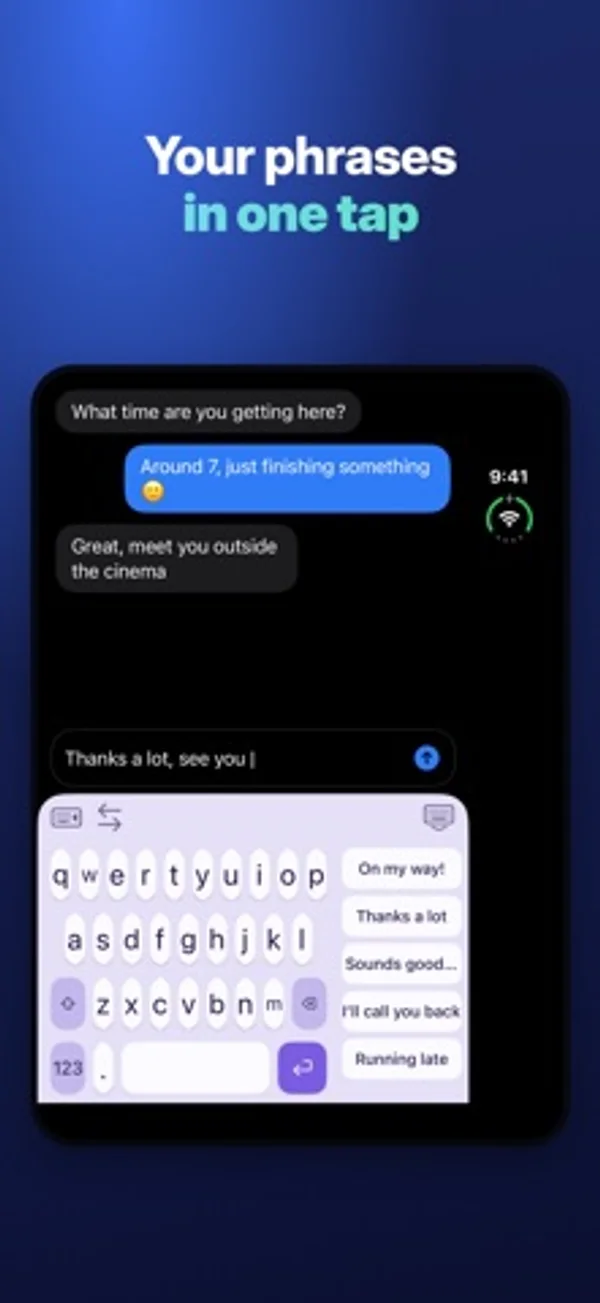
Foldboard is a keyboard made for iPhone Duo: type with one hand, left or right, or with both hands on the open screen. IT FOLLOWS YOUR HAND • It looks at how you hold the phone and comes to that side on its own. • With both hands on the open Duo, it splits in two, one half under each thumb. On the outer screen, it goes full width. • A thumb swipe or a tap on the other side moves it right away. MADE FOR YOUR THUMB • One hand left, one hand right, full width or two hands. • Adjust the width, the distance from the edge and the key height. • Your usual phrases above the keys and your emoji in the free space: one tap. ALL THE BASICS • QWERTY and AZERTY, accents on long press. • Auto-correction and word suggestions. • Capital letter at the start of a sentence, double space for a period. • Slide on the space bar to move the cursor. MAKE IT YOURS • 8 color themes and 4 fonts. • 4 typing sounds and the vibration strength you like. PRIVATE Foldboard never sends what you type. No internet access, no account, no ads. Full Access is only used for vibrations, sounds and your settings. TRIAL AND PURCHASE Every feature is free for 3 days, with no subscription. After that, Foldboard Pro is a one-time purchase. One-hand typing, full width, QWERTY and AZERTY stay free.
iPhone Duo での Foldboard:よくある質問
Foldboard は iPhone Duo に最適化されていますか?
はい。Foldboard は「Duo 専用設計」で、折りたたみ、Split View、外側ディスプレイを活用しています。2026年11月13日 に確認(開発者の発表)。
iPhone Duo での Foldboard はどう見えますか?
Duoを開くと、キーボードを持つ手の側に寄せたり、両親指の下に分けたりできます。閉じると外側画面の幅いっぱいに表示します。
Foldboard の価格は?
Foldboard は App Store で無料でダウンロードできます。
その他のユーティリティアプリ
すべて見る ›
開閉回数や一日の傾向を記録し、ウィジェットに集計を表示します。

スマートフォンの開閉回数を記録し、推移を見ながら一日の上限を設定できます。

開閉回数や姿勢ごとの時間を記録し、センサー、推定、手動の記録を区別します。

基本・関数・プログラマー向けの計算と単位変換、履歴の再利用ができます。

端末の開閉に合わせて変わる折りたたみ角度を表示します。

角度をリアルタイムで確認し、目標角度のチャレンジを楽しめます。