
Foldboard
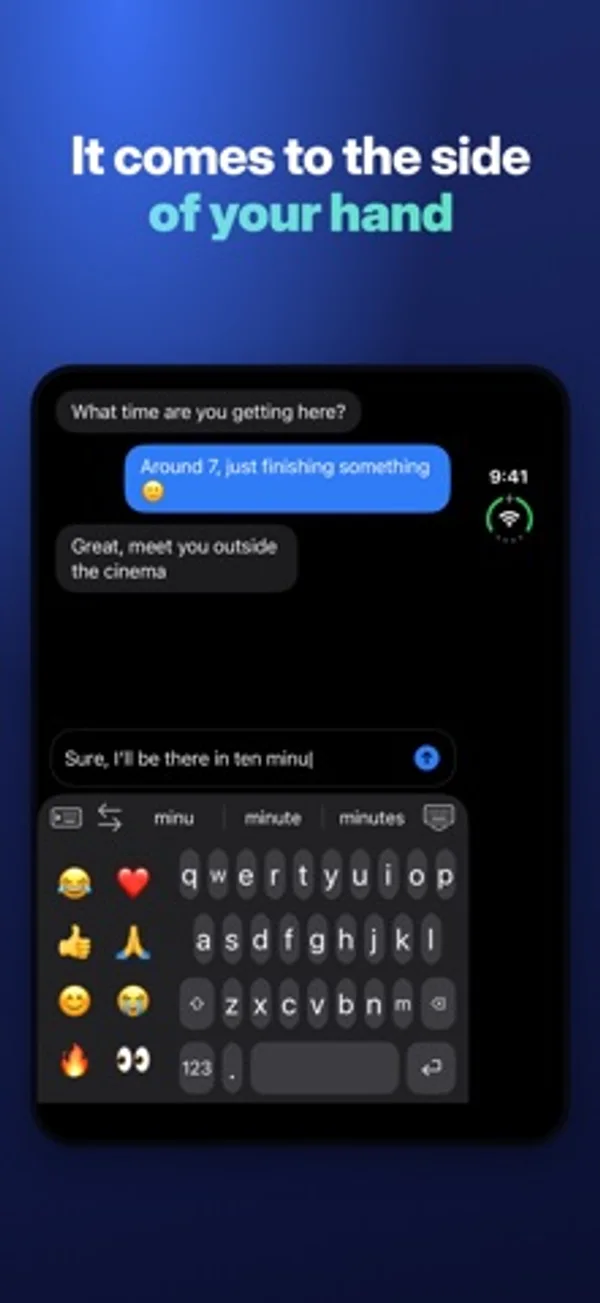
Type or swipe with a customizable keyboard that can sit under one thumb or split across two.
PadelUP · Utilities · Free
iPhone screenshots
How it uses iPhone Duo
On the open Duo the keyboard can move to the side of your hand or split under both thumbs. It goes full width on the cover display.
What’s New
Version 1.0.10 ·
The biggest update yet: • Smarter hand detection: the keyboard now combines how you hold the phone, where your thumb lands and how the phone moves when you tap, and shows how often it picks the right side. • Slide to type: glide your finger from letter to letter, like Apple's keyboard, with precise word matching. • Space-bar trackpad: the cursor now follows your finger in every direction, like on Apple's keyboard. • One-handed on the open Duo: the suggestion bar stays above the keyboard, within reach of your thumb. • Long-press the period for the apostrophe and the comma. • New language model: corrections and suggestions that follow your sentence, and the next word after a space. • Corrections use where your finger landed, and only fix real typos. It learns your words. • Forgotten apostrophes and accents (dont → don't), missing spaces, English and French mixed. • Follow-your-hand starts again on its own after you use the arrows. • Option to follow your hand on the open Duo in landscape. Split keyboard: V on both halves.
App Store descriptionWritten by the developer.
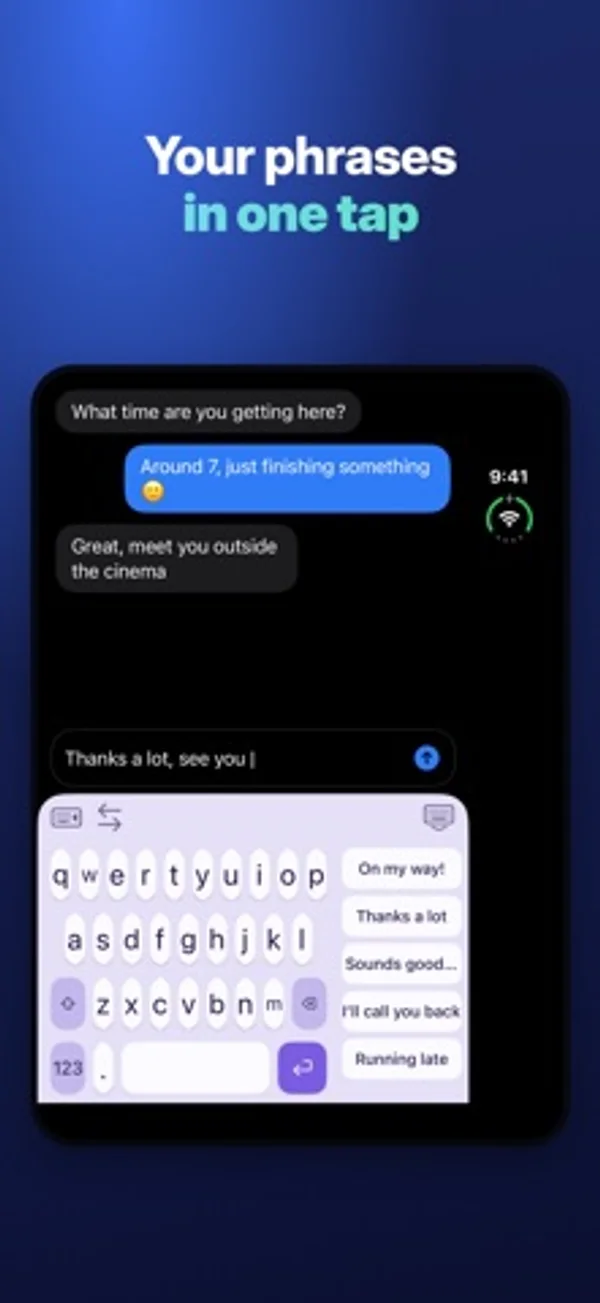
Foldboard is a keyboard made for iPhone Duo: type with one hand, left or right, or with both hands on the open screen. IT FOLLOWS YOUR HAND • It looks at how you hold the phone and comes to that side on its own. • With both hands on the open Duo, it splits in two, one half under each thumb. On the outer screen, it goes full width. • A thumb swipe or a tap on the other side moves it right away. MADE FOR YOUR THUMB • One hand left, one hand right, full width or two hands. • Adjust the width, the distance from the edge and the key height. • Your usual phrases above the keys and your emoji in the free space: one tap. ALL THE BASICS • QWERTY and AZERTY, accents on long press. • Auto-correction and word suggestions. • Capital letter at the start of a sentence, double space for a period. • Slide on the space bar to move the cursor. MAKE IT YOURS • 8 color themes and 4 fonts. • 4 typing sounds and the vibration strength you like. PRIVATE Foldboard never sends what you type. No internet access, no account, no ads. Full Access is only used for vibrations, sounds and your settings. TRIAL AND PURCHASE Every feature is free for 3 days, with no subscription. After that, Foldboard Pro is a one-time purchase. One-hand typing, full width, QWERTY and AZERTY stay free.
Foldboard on iPhone Duo: FAQ
Is Foldboard optimized for iPhone Duo?
Yes. Foldboard is Built for Duo: it uses the fold, Split View or the outer display. Verified on November 13, 2026 (Developer statement).
What does Foldboard look like on iPhone Duo?
On the open Duo the keyboard can move to the side of your hand or split under both thumbs. It goes full width on the cover display.
How much does Foldboard cost?
Foldboard is free to download on the App Store.
More Utilities apps
See all ›
Track phone folds, inspect daily patterns and display totals in widgets.

Track how often you fold and open your phone, review trends and set a daily limit.

Track fold and unfold events, posture time and daily patterns, distinguishing live, inferred and manual counts.

Calculate with basic, scientific and programmer keypads, unit conversion and reusable history.

Watch the folding angle change as you open and close the phone.

View live angle measurements and try target-angle challenges.