
iPhone 스크린샷
iPhone Duo 활용 방식
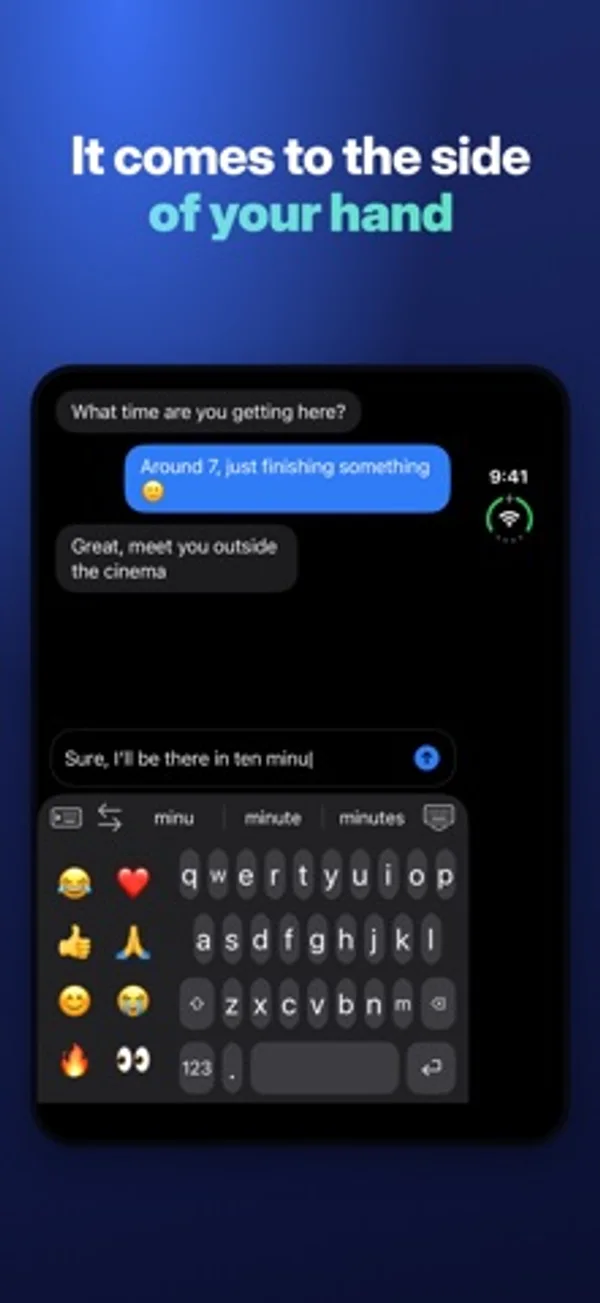
Duo를 펼치면 잡은 손 쪽으로 키보드를 옮기거나 양쪽 엄지 아래로 나눌 수 있습니다. 닫으면 바깥 화면 너비를 채웁니다.
새로운 기능
버전 1.0.10 ·
The biggest update yet: • Smarter hand detection: the keyboard now combines how you hold the phone, where your thumb lands and how the phone moves when you tap, and shows how often it picks the right side. • Slide to type: glide your finger from letter to letter, like Apple's keyboard, with precise word matching. • Space-bar trackpad: the cursor now follows your finger in every direction, like on Apple's keyboard. • One-handed on the open Duo: the suggestion bar stays above the keyboard, within reach of your thumb. • Long-press the period for the apostrophe and the comma. • New language model: corrections and suggestions that follow your sentence, and the next word after a space. • Corrections use where your finger landed, and only fix real typos. It learns your words. • Forgotten apostrophes and accents (dont → don't), missing spaces, English and French mixed. • Follow-your-hand starts again on its own after you use the arrows. • Option to follow your hand on the open Duo in landscape. Split keyboard: V on both halves.
개발자가 이 내용을 한국어로 제공하지 않았습니다.
App Store 설명개발자가 작성한 내용입니다.
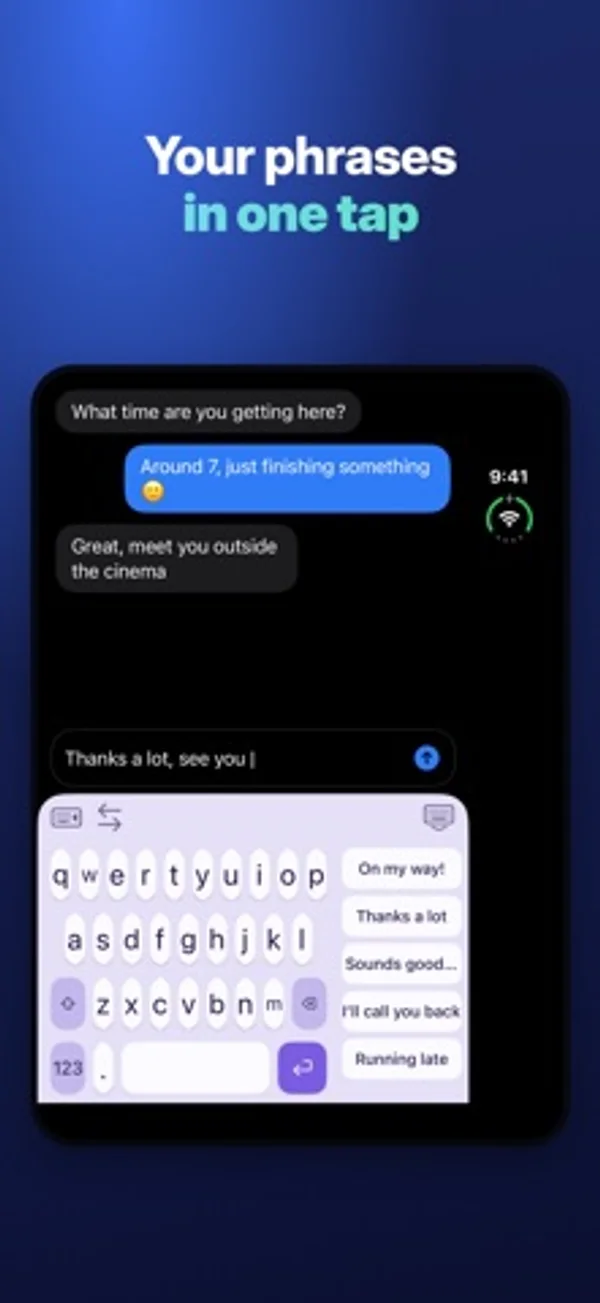
Foldboard is a keyboard made for iPhone Duo: type with one hand, left or right, or with both hands on the open screen. IT FOLLOWS YOUR HAND • It looks at how you hold the phone and comes to that side on its own. • With both hands on the open Duo, it splits in two, one half under each thumb. On the outer screen, it goes full width. • A thumb swipe or a tap on the other side moves it right away. MADE FOR YOUR THUMB • One hand left, one hand right, full width or two hands. • Adjust the width, the distance from the edge and the key height. • Your usual phrases above the keys and your emoji in the free space: one tap. ALL THE BASICS • QWERTY and AZERTY, accents on long press. • Auto-correction and word suggestions. • Capital letter at the start of a sentence, double space for a period. • Slide on the space bar to move the cursor. MAKE IT YOURS • 8 color themes and 4 fonts. • 4 typing sounds and the vibration strength you like. PRIVATE Foldboard never sends what you type. No internet access, no account, no ads. Full Access is only used for vibrations, sounds and your settings. TRIAL AND PURCHASE Every feature is free for 3 days, with no subscription. After that, Foldboard Pro is a one-time purchase. One-hand typing, full width, QWERTY and AZERTY stay free.
iPhone Duo에서의 Foldboard: 자주 묻는 질문
Foldboard은(는) iPhone Duo에 최적화되어 있나요?
네. Foldboard은(는) Duo 전용 설계 앱으로, 폴딩, Split View 또는 외부 디스플레이를 활용합니다. 2026년 11월 13일 확인(개발자 발표).
iPhone Duo에서 Foldboard은(는) 어떻게 보이나요?
Duo를 펼치면 잡은 손 쪽으로 키보드를 옮기거나 양쪽 엄지 아래로 나눌 수 있습니다. 닫으면 바깥 화면 너비를 채웁니다.
Foldboard의 가격은 얼마인가요?
Foldboard은(는) App Store에서 무료로 다운로드할 수 있습니다.
다른 유틸리티 앱
모두 보기 ›
휴대전화 개폐 횟수와 일별 패턴을 기록하고 위젯으로 통계를 확인합니다.

휴대폰을 접고 펼친 횟수와 추이를 확인하고 하루 한도를 설정합니다.

개폐 횟수, 자세별 시간과 일별 패턴을 기록하고 실시간, 추정과 수동 기록을 구분합니다.

기본·공학·프로그래머 키패드로 계산하고 단위를 변환하며 기록을 재사용합니다.

휴대폰을 여닫으며 변하는 접힘 각도를 확인합니다.

실시간 각도를 확인하고 목표 각도 챌린지를 시도합니다.